010-6097 4119Book a Demo


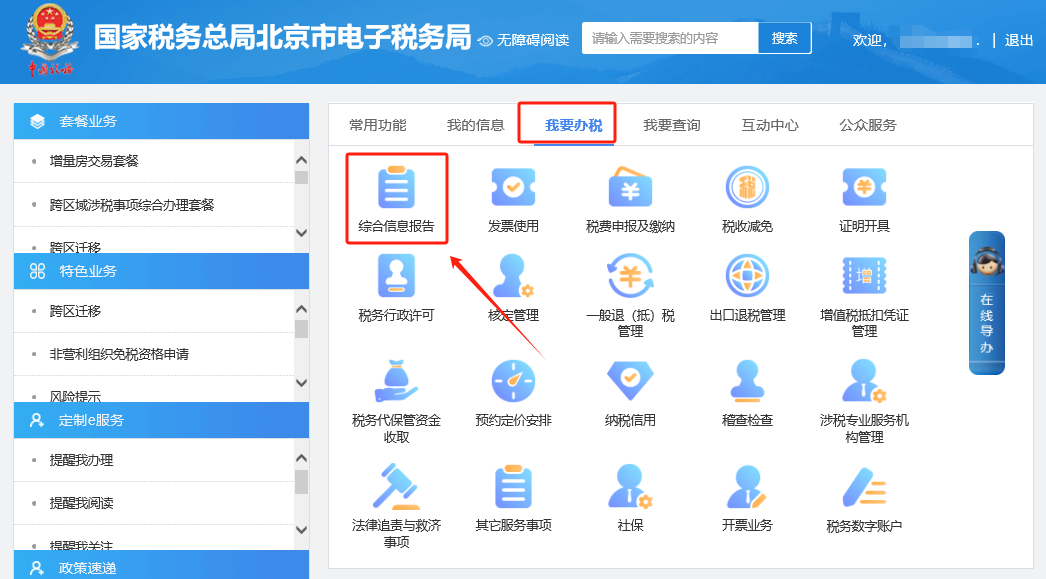
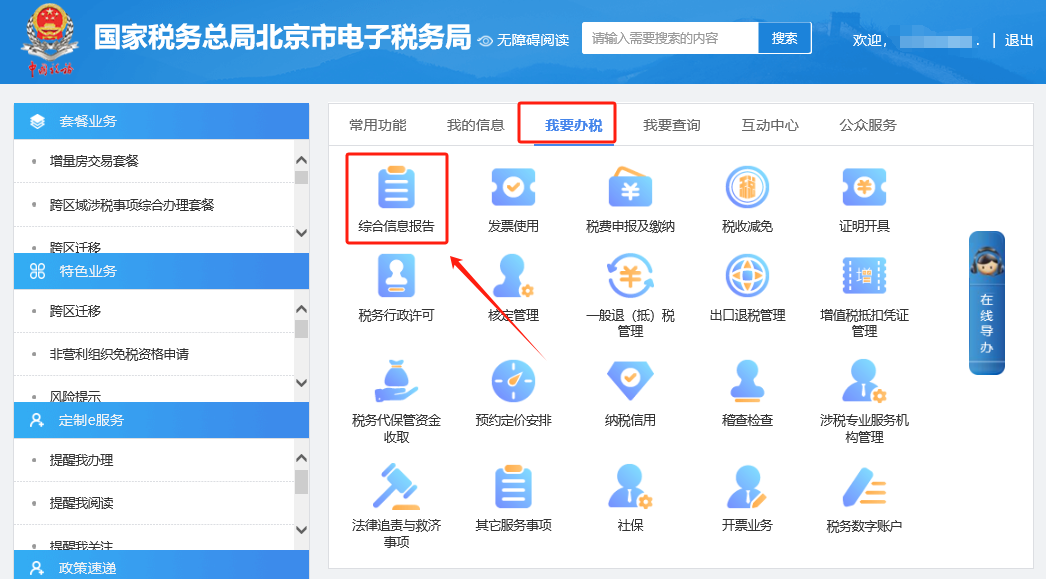
E-Tax Bureau Operation Guide | When issuing a fully digitalized e-invoice, how to add the payee and reviewer?Published: 2023-12-21 16:20 1.Q: When issuing a fully digitalized e-invoice on the electronic tax bureau, how do you add a payee and reviewer? Answer: Hello, for VAT ordinary invoices and VAT special invoices issued in the electronic invoice service platform, the "Payee" and "Reviewer" are not required fields. If there is a need to fill them in, taxpayers can enter the "Payee" and "Reviewer" information themselves in the "Remarks Information" column on the [Blue-letter Invoice Issuance] function page. 2.Q: On the electronic tax bureau, enter [I Want to Handle Taxes]—[Invoice Use]—[Invoice Issuance on Behalf]—[Issue VAT Special Invoice on Behalf (Self-service Machine)] and click "Add," then the prompt appears: Failed to obtain information (and the seller information is not brought out)? Answer: Hello, please check according to the following situations: (1) This is caused by the absence of valid deposit account information. Go to [I Want to Handle Taxes] — [Comprehensive Information Report] — [System Information Report] — [Deposit Account Report], fill in and submit, and then issue the invoice for individuals. If the seller information still cannot be retrieved after submitting the deposit account report, clear the browser cache and check again. (2) This is caused by the "preferred tax payment account identifier" in the deposit account report being [No], which needs to be changed to [Yes]. (3) In "Basic Information", check whether "Registered Address" and "Business Address" are empty. If empty, click [I Want to Handle Taxes] — [Comprehensive Information Report] — [Identity Information Report] — [One-License-One-Code Household Registration Information Change] to change the business information, or go to the tax authority to complete it. (4) After excluding the above situations, clear the browser cache, log out of the Electronic Tax Bureau, and log in again to check. Method 1 I. I Want to Handle Taxes—Comprehensive Information Report.
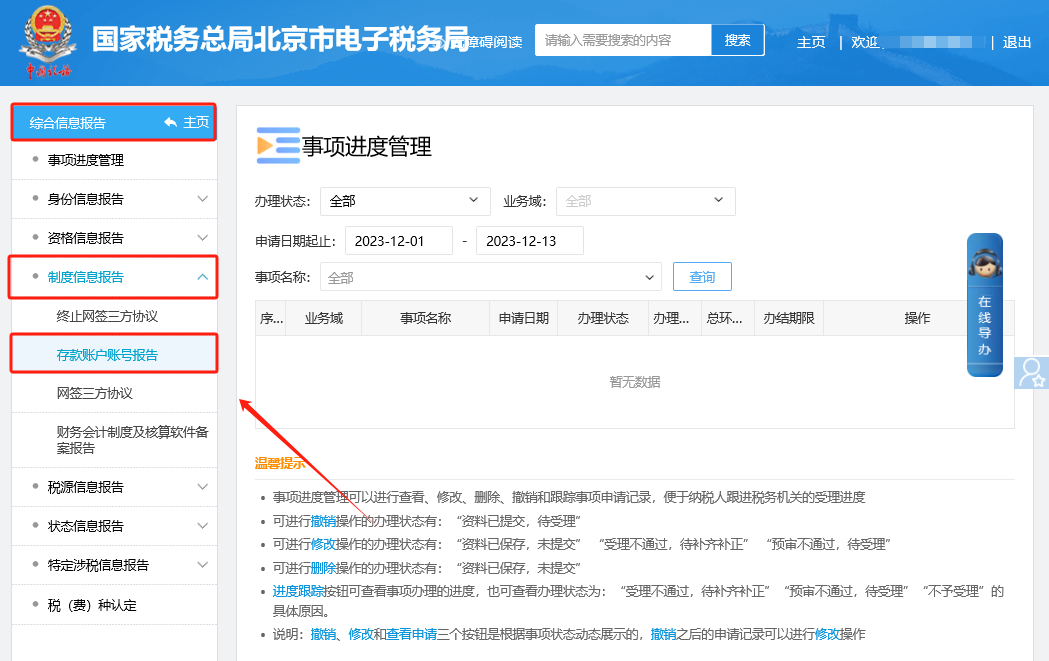
II. Comprehensive Information Report—System Information Report—Deposit Account Number Report.
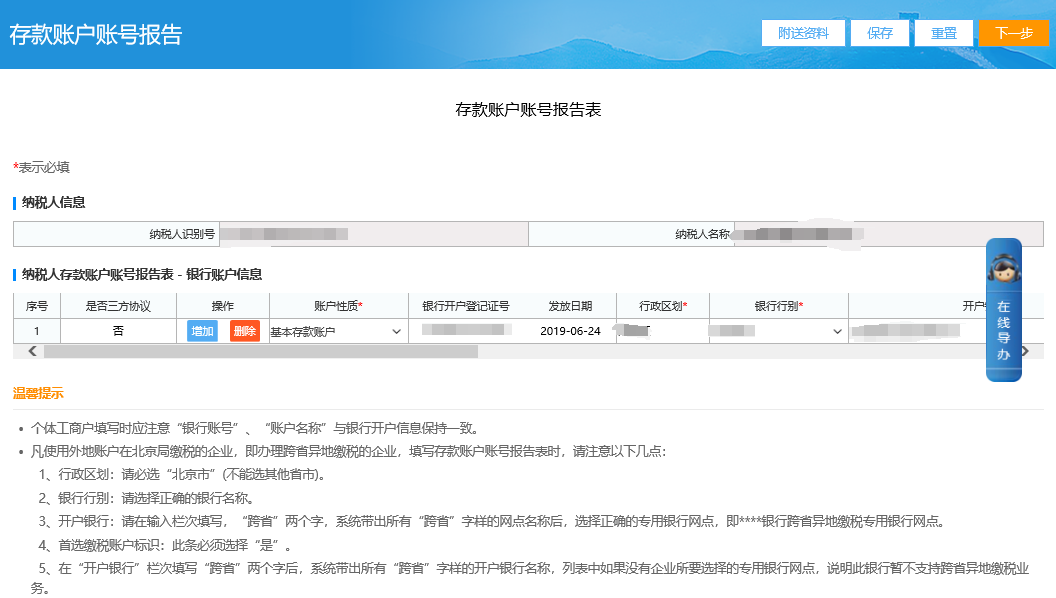
III. Fill in and submit the deposit account number report before issuing an invoice on behalf. If the seller information still cannot be brought out after submitting the deposit account number report, clear the browser cache and check again.
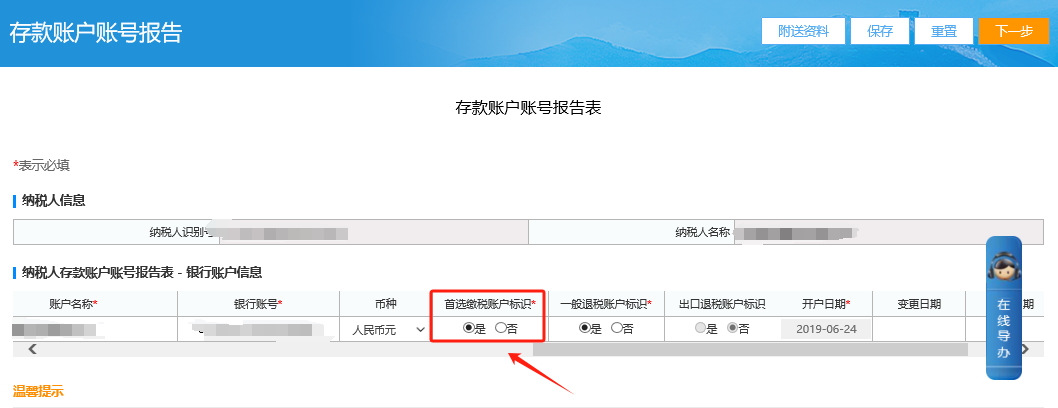
Method 2 The "preferred tax payment account identifier" in the deposit account number report is [No], which needs to be changed to [Yes].
Method 3 I. I Want to Handle Taxes—Comprehensive Information Report.
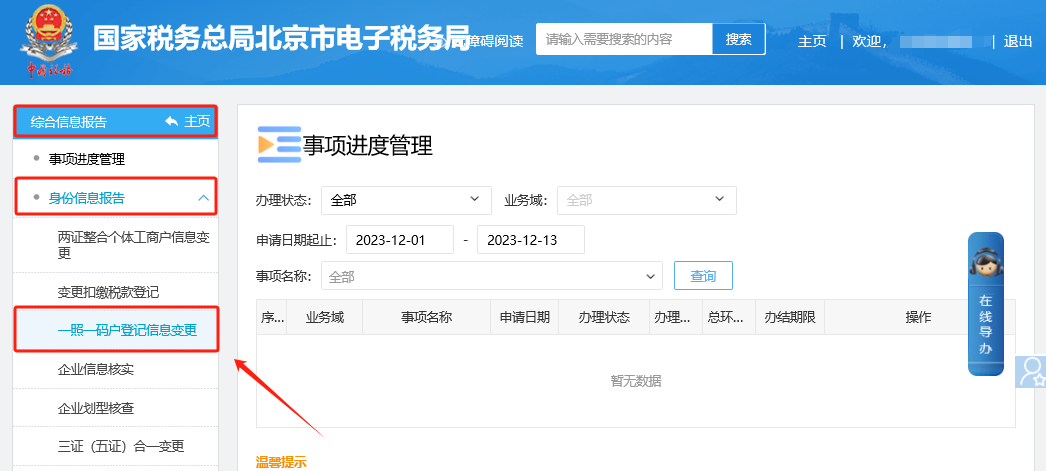
II. Comprehensive Information Report—Identity Information Report—One-License-One-Code Household Registration Information Change.
III. For one-license-one-code household registration information change business, change it or go to the tax authority to complete it.
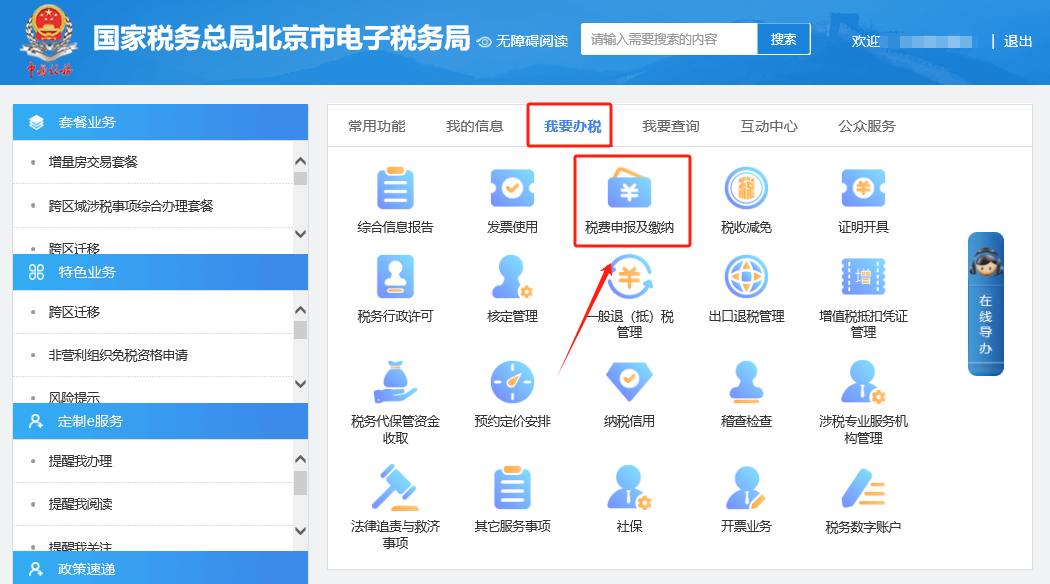
Method 4 After ruling out the above situations, clear the browser cache, log out of the electronic tax bureau, and log in again to check. 3.Q: On the electronic tax bureau, enter [I Want to Handle Taxes]—[Tax and Fee Filing and Payment]—[Tax and Fee Payment], use the bank-end payment voucher, and click Pay Now, then the prompt appears: Core collection and management prompt information: No tax due information found (error code...). How should this be handled? Answer: Hello, this prompt generally means that a payment document has already been generated. To print it, you need to first click [Void and Unlock Unpaid Voucher], then click Unlock Now, and then print again. I. I Want to Handle Taxes—Tax and Fee Filing and Payment.
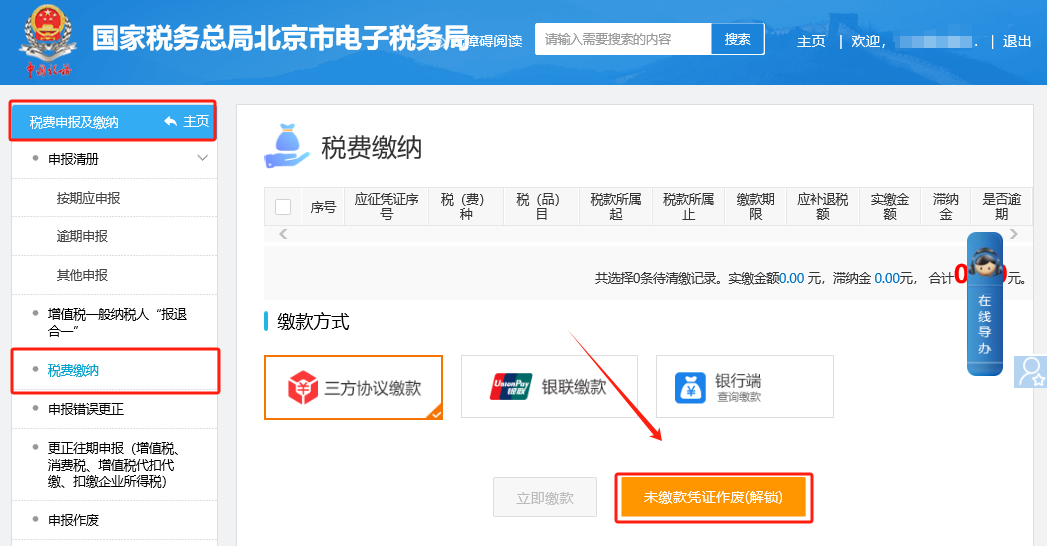
II. Tax and fee filing and payment—Tax and fee payment. This prompt generally appears when a payment document has already been generated. To print it, first click [Void and Unlock Unpaid Payment Vouchers], then click Unlock Now, and then print again.
Source: Beijing Tax official account Beijing Kailing Technology Co., Ltd.——an enterprise business-finance-tax digitalization solution service provider. Kailing Technology provides solutions for sales management systems, procurement management systems, output invoicing systems, input invoice collection systems, imaging management systems, financial posting systems, electronic accounting archives and other businesses according to enterprise needs, professionally and efficiently helping enterprises transform and upgrade their business-finance-tax digital management. If you have any business-finance-tax digital transformation needs, welcome to contact us. Beijing Kailing Technology will serve you wholeheartedly.
|