010-6097 4119Book a Demo


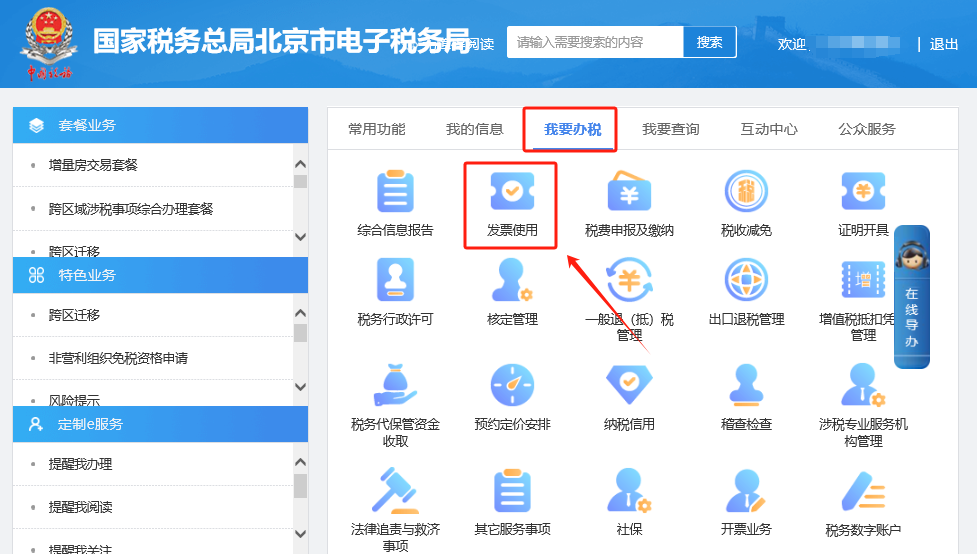
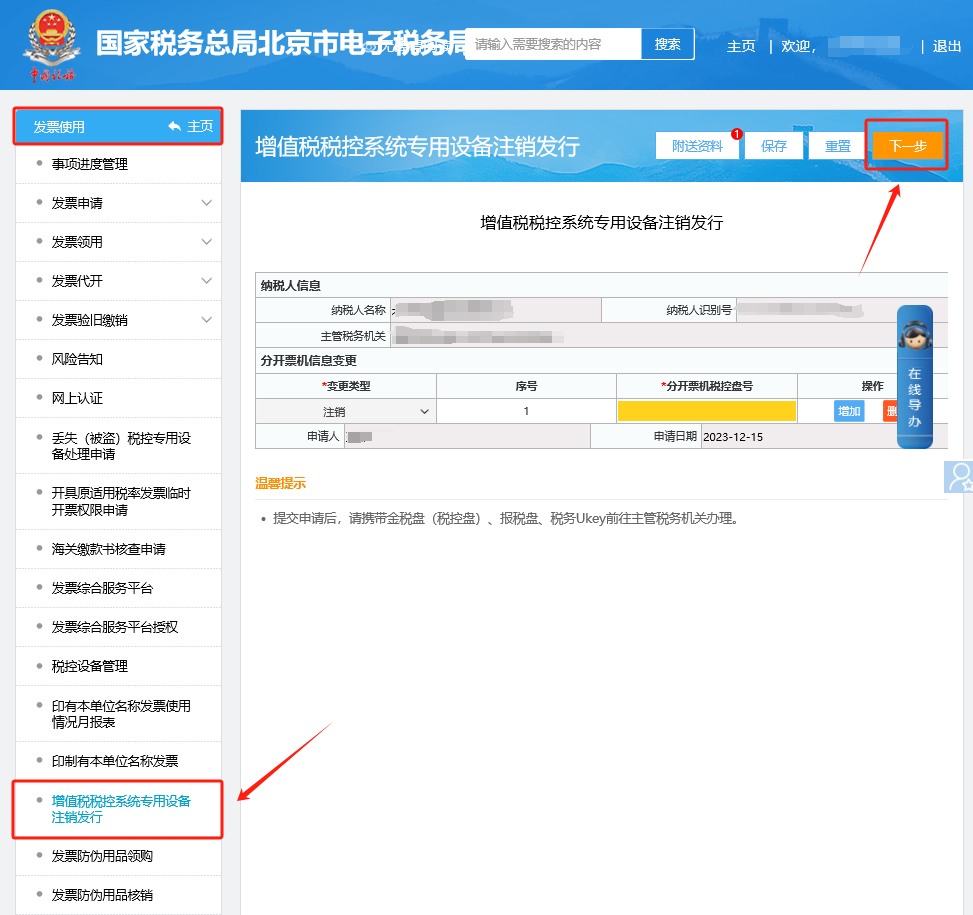
Electronic Tax Bureau operation guide | How do I handle an application to deregister tax control equipment?Published: 2024-01-23 16:52 1.How to apply for cancellation of tax control equipment on the electronic tax bureau? Hello, please click [I Want to Handle Taxes] — [Invoice Use] — [VAT Tax Control System Special Equipment Deregistration and Issuance] to enter the filling interface. Please complete the information according to the page and upload the attached materials, then click Next to submit. I. I Want to Handle Taxes—Invoice Use.
II. Invoice Use - VAT Tax Control System Special Equipment Deregistration and Issuance. After entering, the filling interface will be displayed. Please fill in according to the page information and upload the attached information, then click Next to submit.
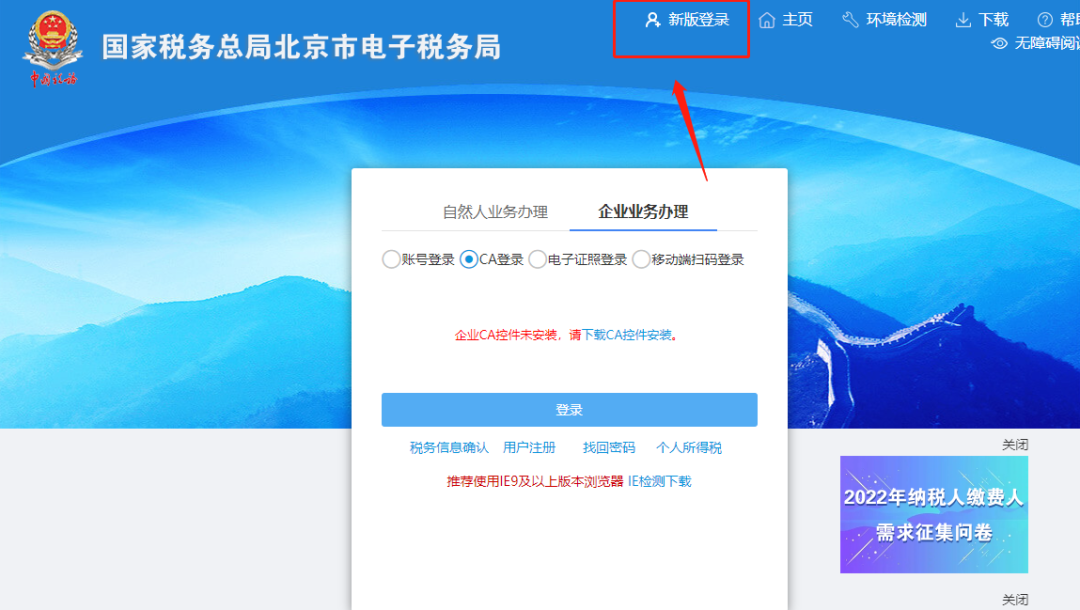
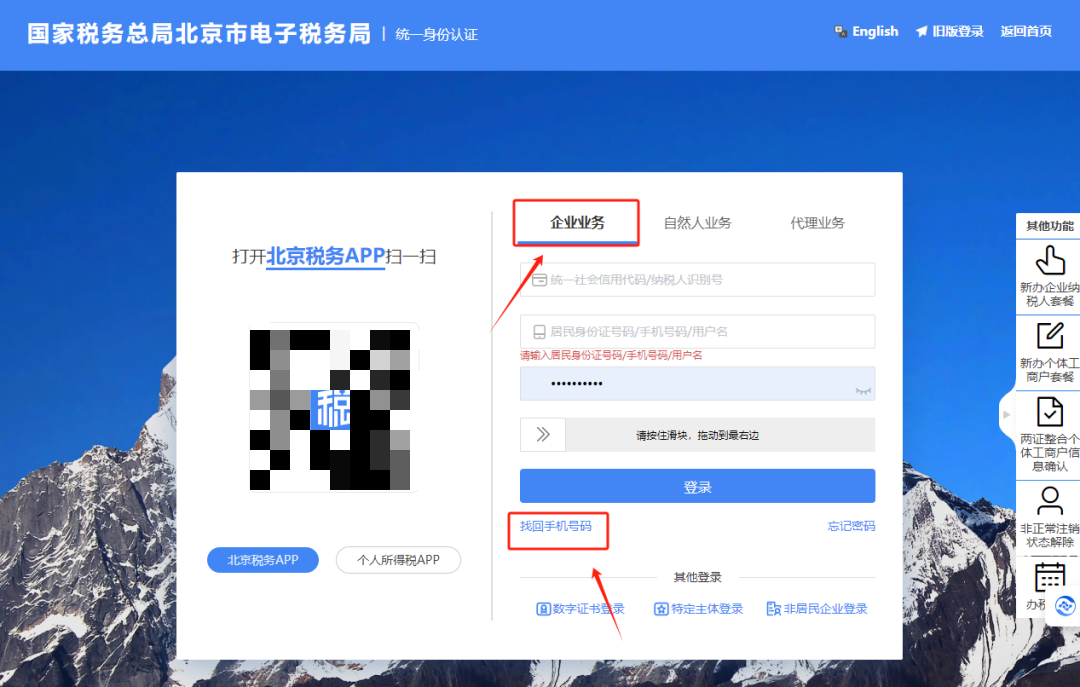
2.How to recover a mobile phone number on the electronic tax bureau? Hello, please go to the login page of the Electronic Tax Bureau, click the [New Version Login] button in the upper right corner, and in the pop-up [Enterprise Business] login window, click [Retrieve Mobile Number]. I. On the login page of the electronic tax bureau, please click the [New Version Login] button in the upper right corner.
II. The [Enterprise Business] login window pops up; click [Retrieve Mobile Phone Number].
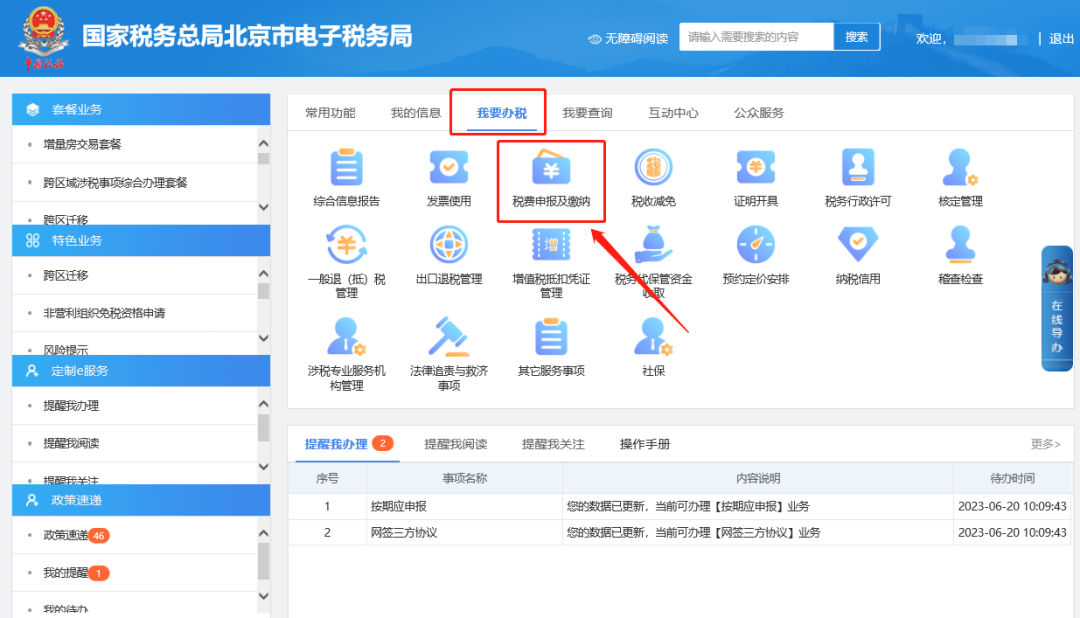
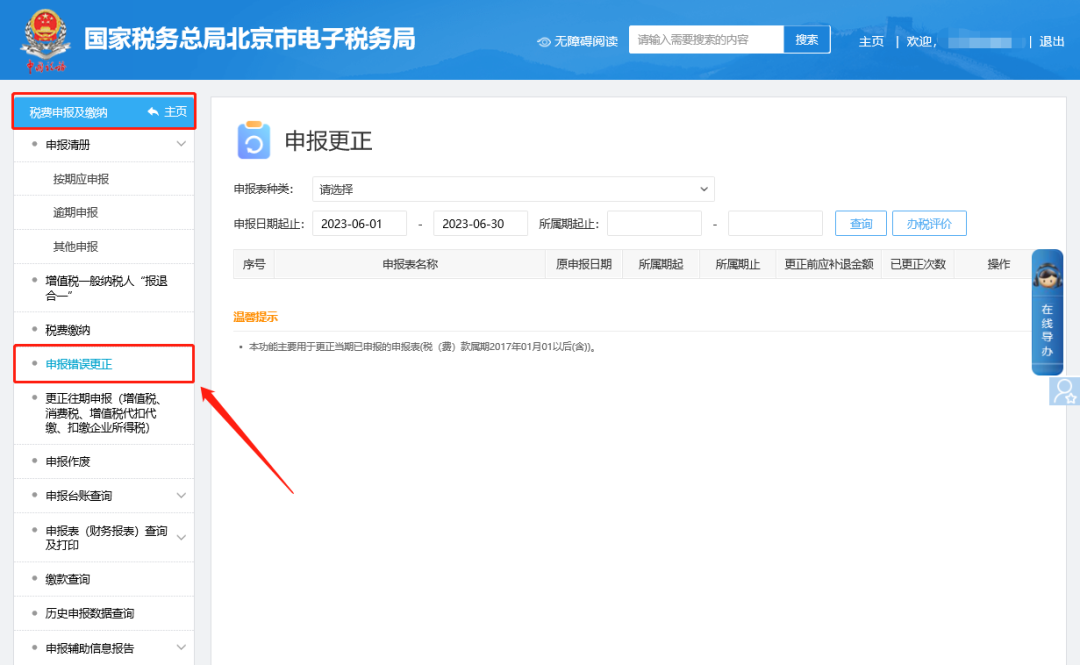
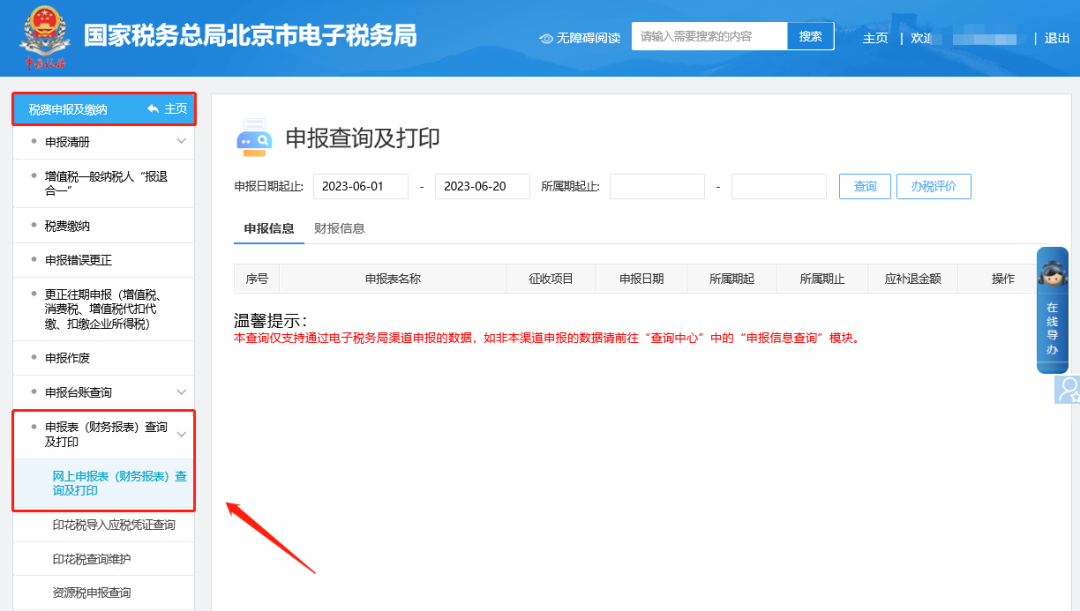
3.How do you modify an already filed corporate income tax return on the electronic tax bureau? Hello, please click [I Want to Handle Taxes] — [Tax and Fee Filing and Payment] — [Filing Error Correction], find the report according to the query conditions, then click the correction button on the right to enter the form, complete the modification and filing; Then please click [I Want to Handle Taxes] — [Tax and Fee Filing and Payment] — [Tax Return (Financial Statements) Query and Print] — [Online Tax Return (Financial Statements) Query and Print] to update the return information. Step 1: I. I Want to Handle Taxes—Tax and Fee Filing and Payment.
II. Tax and fee filing and payment—Filing error correction. Find the report according to the query conditions, then click the correction button on the right to enter the form and complete the modification and filing.
Step 2: I. I Want to Handle Taxes—Tax and Fee Filing and Payment.
II. Tax and fee filing and payment—Filing form (financial statement) query and printing—Online filing form (financial statement) query and printing, updated report information.
Source: Beijing Tax Beijing Kailing Technology Co., Ltd.——an enterprise business-finance-tax digitalization solution service provider. Kailing Technology provides solutions for sales management systems, procurement management systems, output invoicing systems, input invoice collection systems, imaging management systems, financial posting systems, electronic accounting archives, fully digitalized e-invoice and Leqi interfaces and other businesses according to enterprise needs, professionally and efficiently helping enterprises transform and upgrade their business-finance-tax digital management. If you have any business-finance-tax digital transformation needs, welcome to contact us. Beijing Kailing Technology will serve you wholeheartedly.
|