010-6097 4119Book a Demo


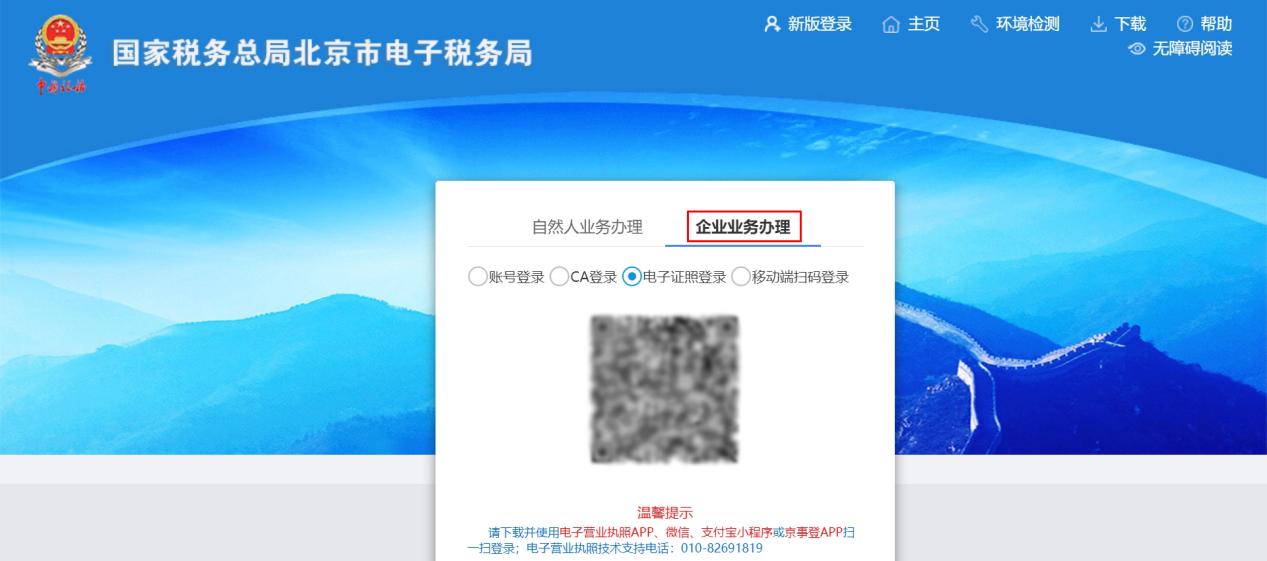
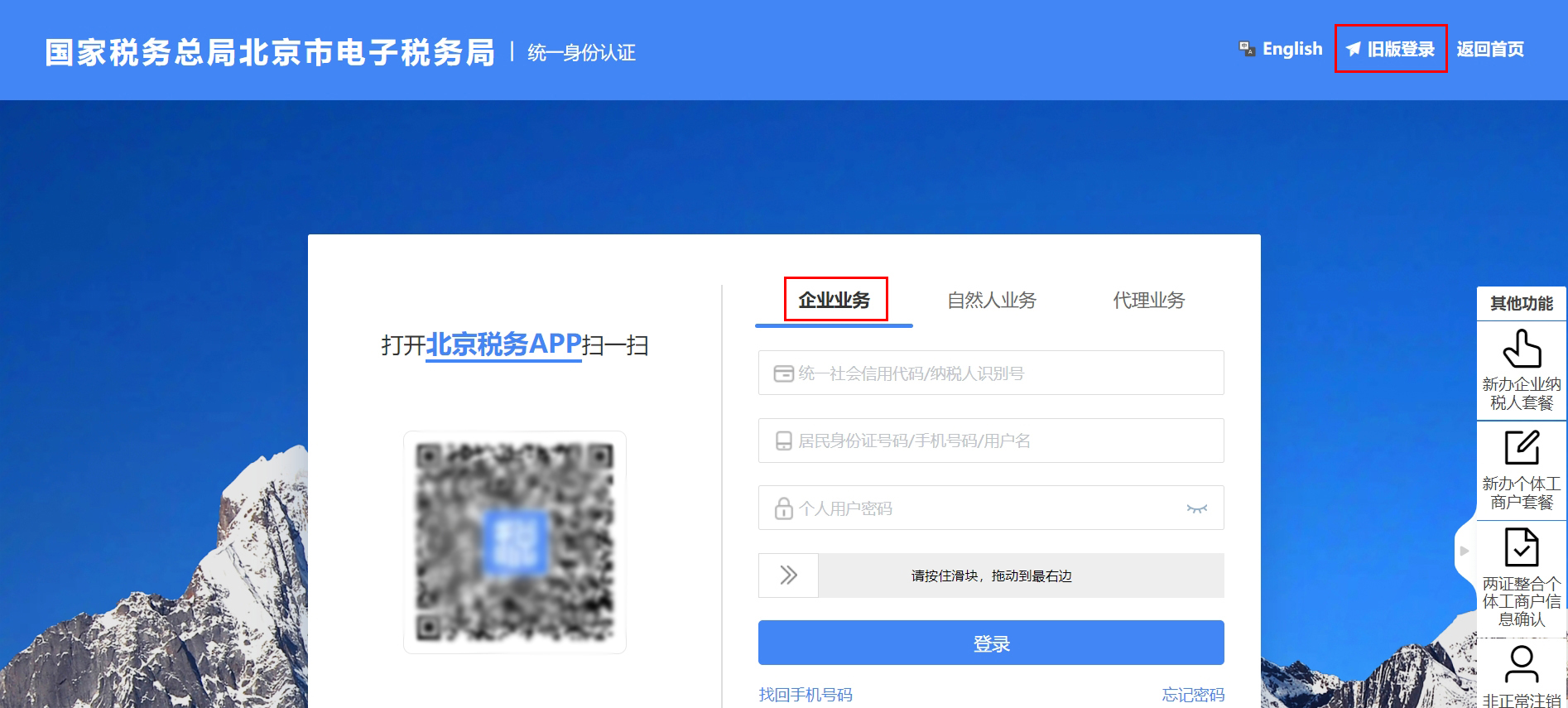
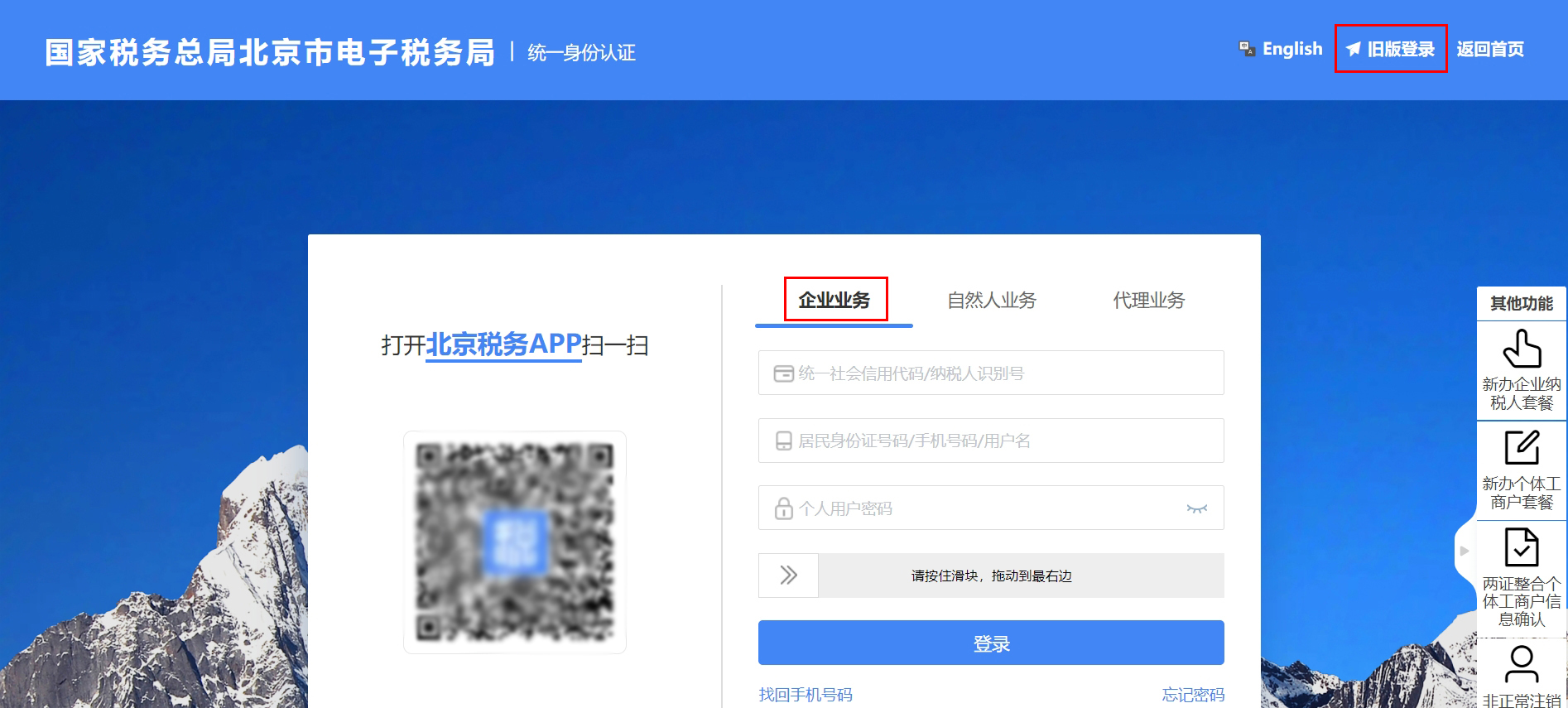
Operation Guide | How to add a new tax handler in the electronic tax bureau?Published: 2023-11-23 18:10 The enterprise added a tax handler,You can add it yourself in the electronic tax bureau。Both individual accounts and enterprise accounts can initiate authorization; after one party initiates, it must be confirmed by the other party before it can pass, and either of the two methods is sufficient,SpecificThe operation is as follows. Method 1: Log in with an enterprise account to apply for authorization Step 1: Enterprise authorization 1. The enterprise's legal representative or financial officer,Enter the Electronic Tax Bureau,Choose【Enterprise businessProcessing】Log in to the web version of the Electronic Tax Bureau.(you can choose the old version login or the new version login.)
(old version login)
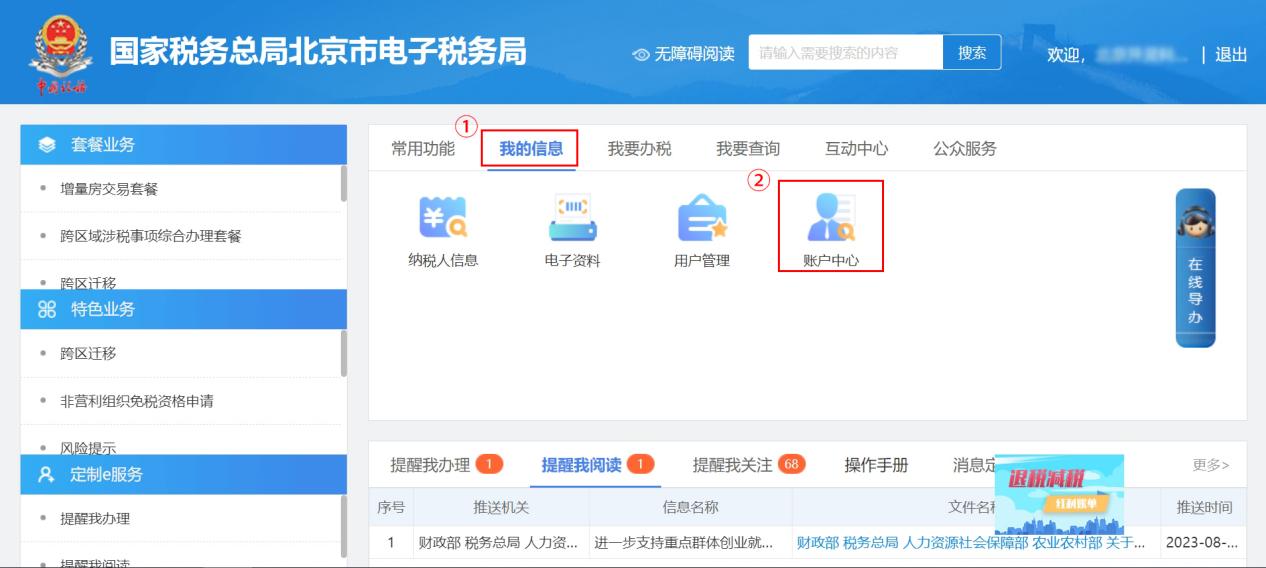
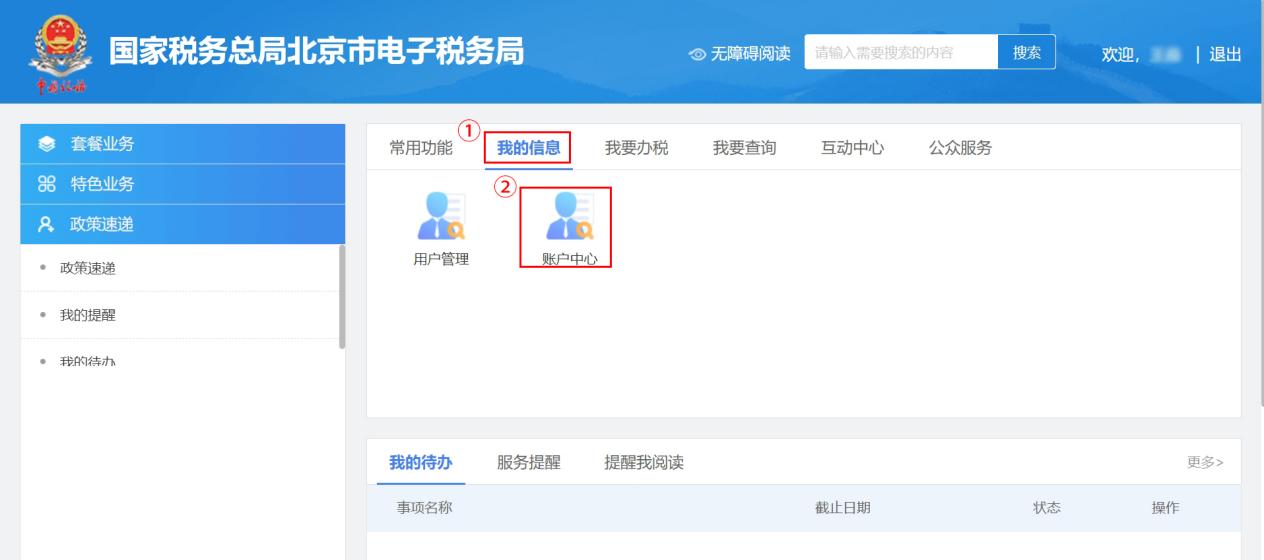
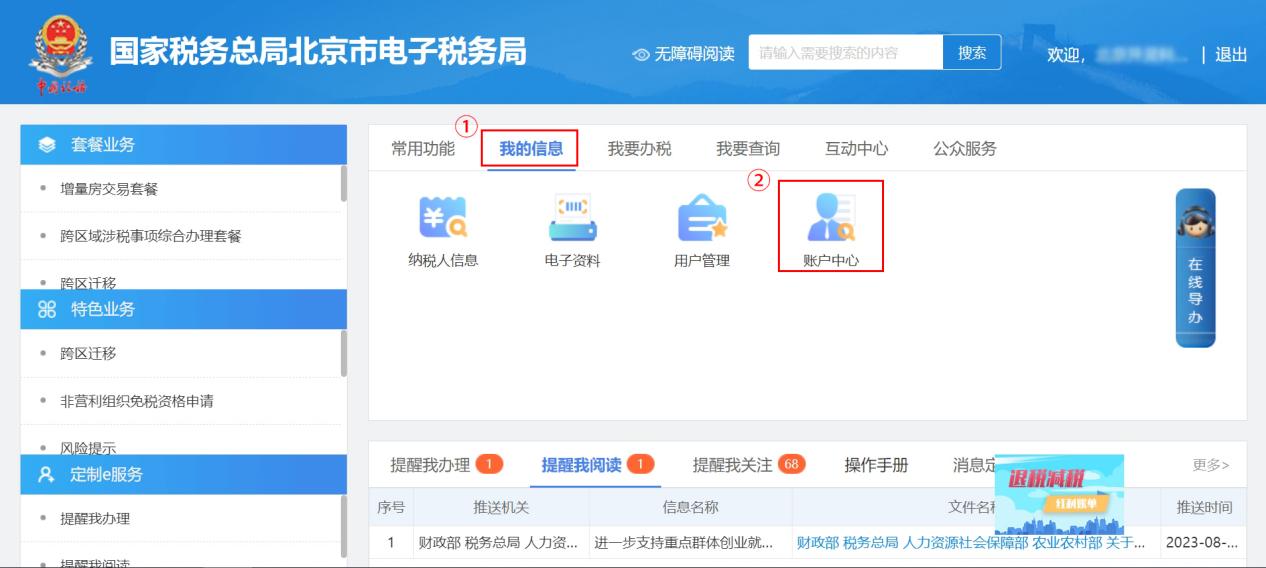
(new version login) 2. Click in sequence [My Information] - [Account Center]。
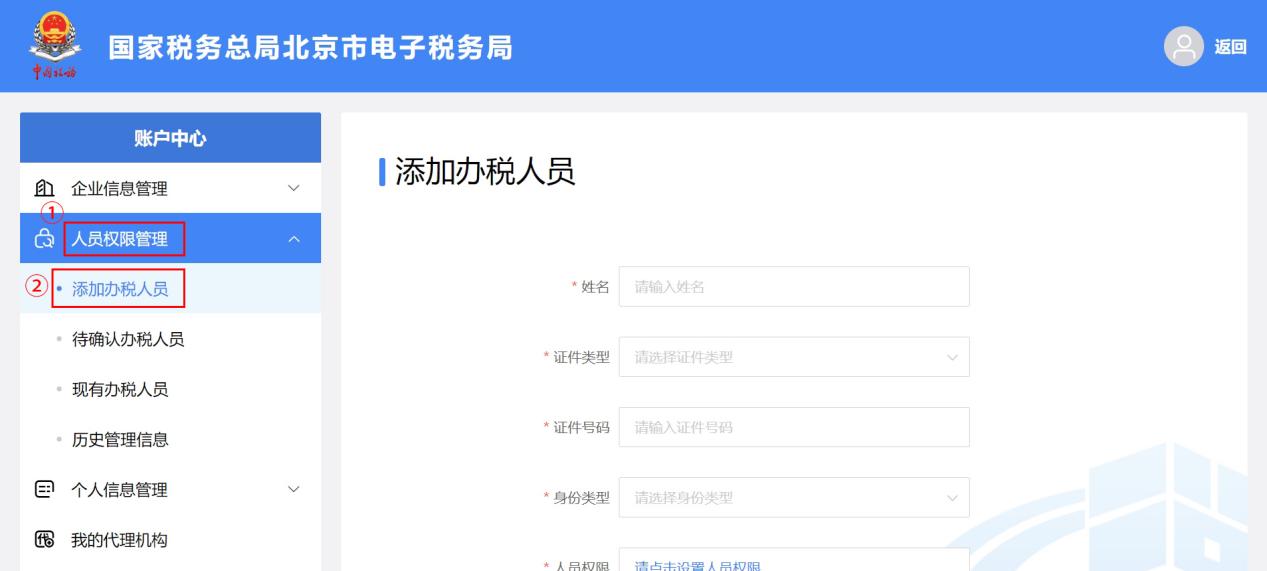
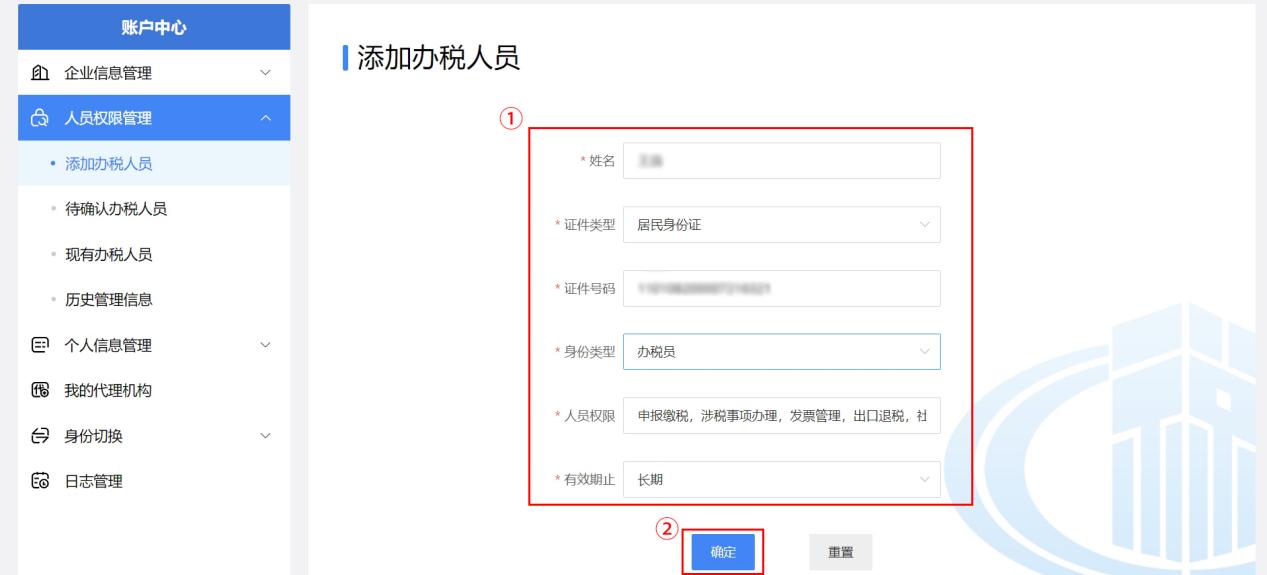
3.In the left sidebar menu, select [Personnel Permission Management] - [Add Tax Handler],
4. As isAfter entering the tax handler's name, ID number, and other information, click [Confirm] to authorize the tax handler.
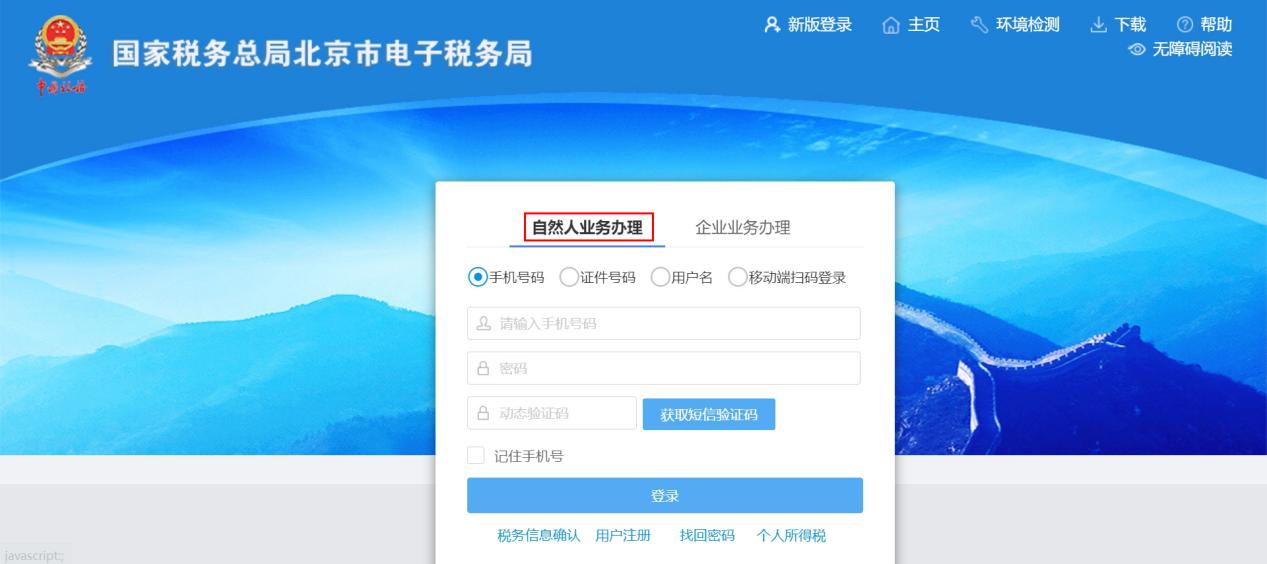
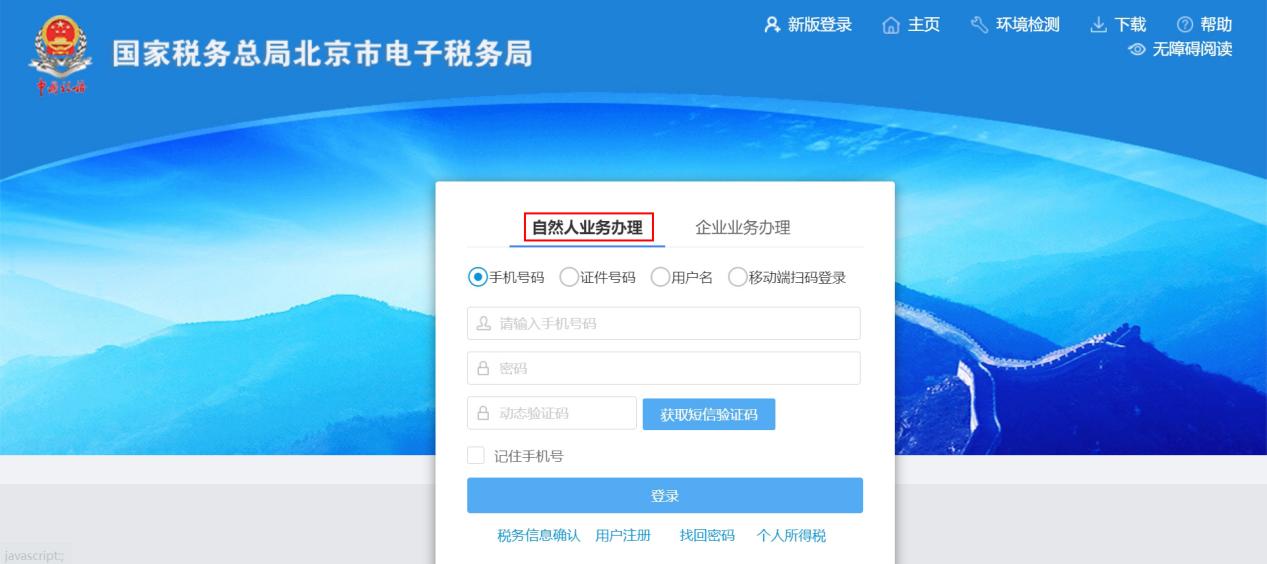
Step 2 Tax handler confirmation 1. Selection of tax handlers to be added【Natural person business】, log in to the web portal of the electronic tax bureau.(you can choose the old version login or the new version login.)
(old version login)
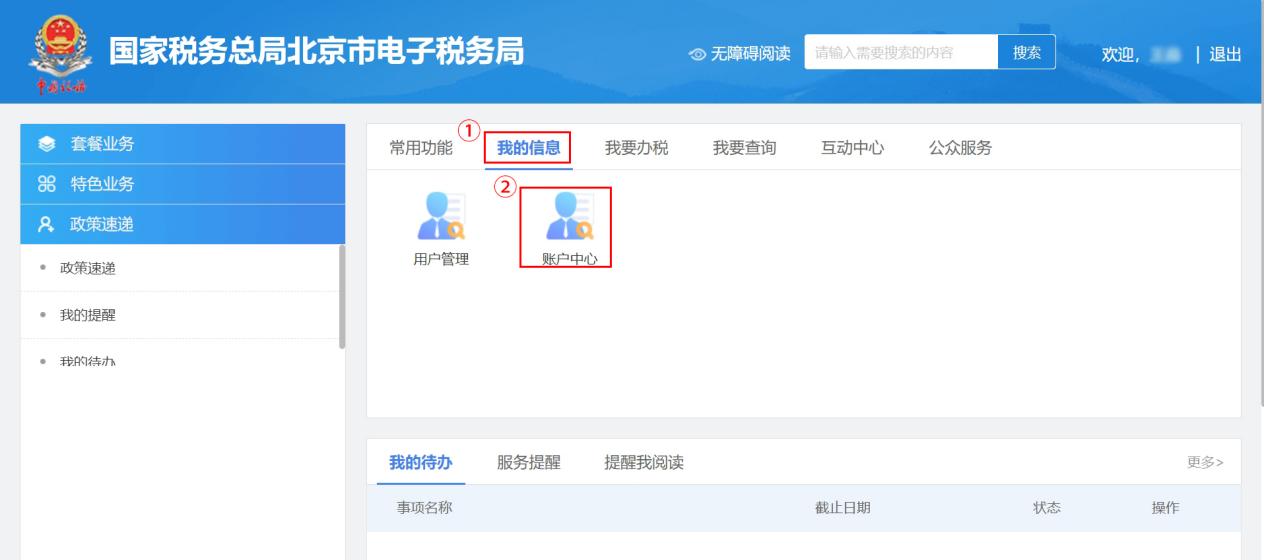
(new version login) 2. Click in sequence [User Center] - [Account Center]。
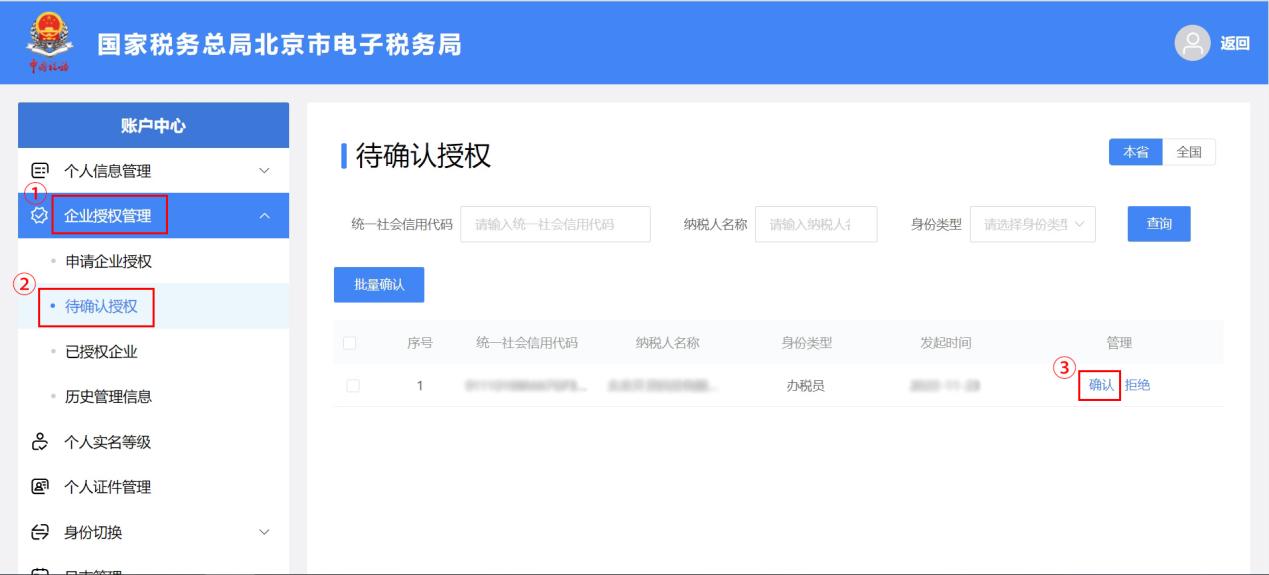
3.In the left sidebar menu, select [Enterprise Authorization Management] - [Pending Authorization Confirmation], find the authorization information sent by the enterprise, and click [Confirm] in the management column on the right.
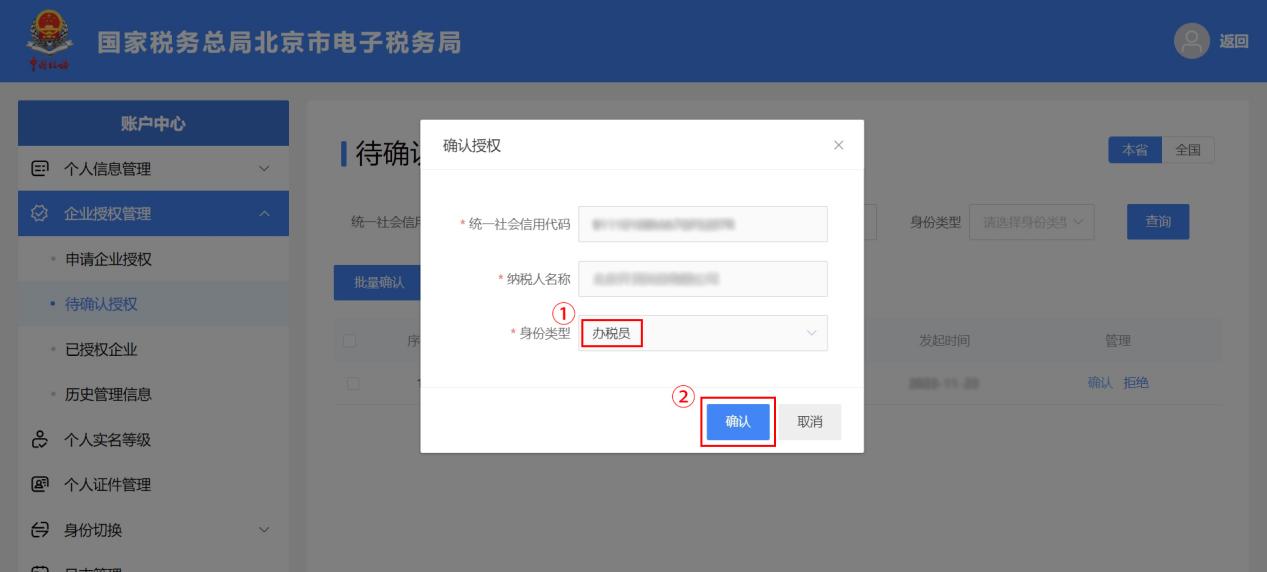
4.In the pop-up“Confirm authorization”On the page, verify information such as the enterprise's unified social credit code and taxpayer name, then in“Identity type”Select [Tax Officer], click [Confirm] to complete the binding.
Method 2: Log in with a personal account to apply for authorization Step 1 Tax handlersApply1. Selection of tax handlers to be added【Natural person business】, log in to the web portal of the electronic tax bureau.(you can choose the old version login or the new version login.)
(old version login)
(new version login) 2. After successful login, click [My Information] - [Account Center] in sequence.
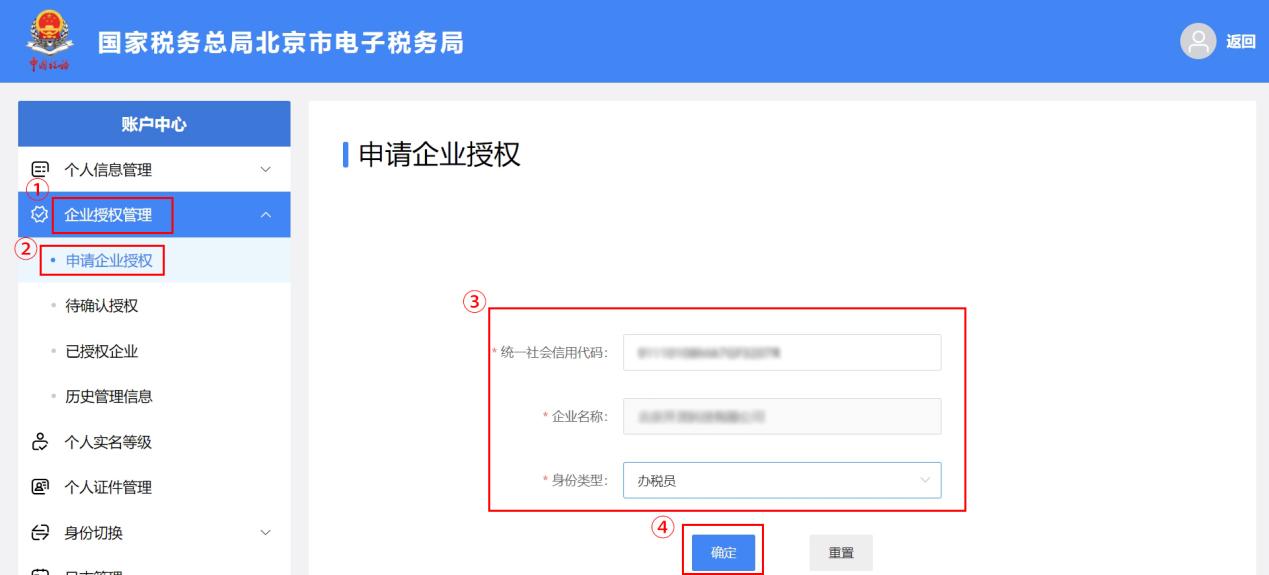
3.Select in the left sidebar menu[Enterprise authorization management] - [Apply for enterprise authorization] module to initiate an application. Fill in the content truthfully and click [Confirm].
Step 2 Enterprise confirms authorization 1.The enterprise's legal representative or financial officer,Enter the Electronic Tax Bureau,Choose【Enterprise businessProcessing】Log in to the web version of the Electronic Tax Bureau.(you can choose the old version login or the new version login.)
(old version login)
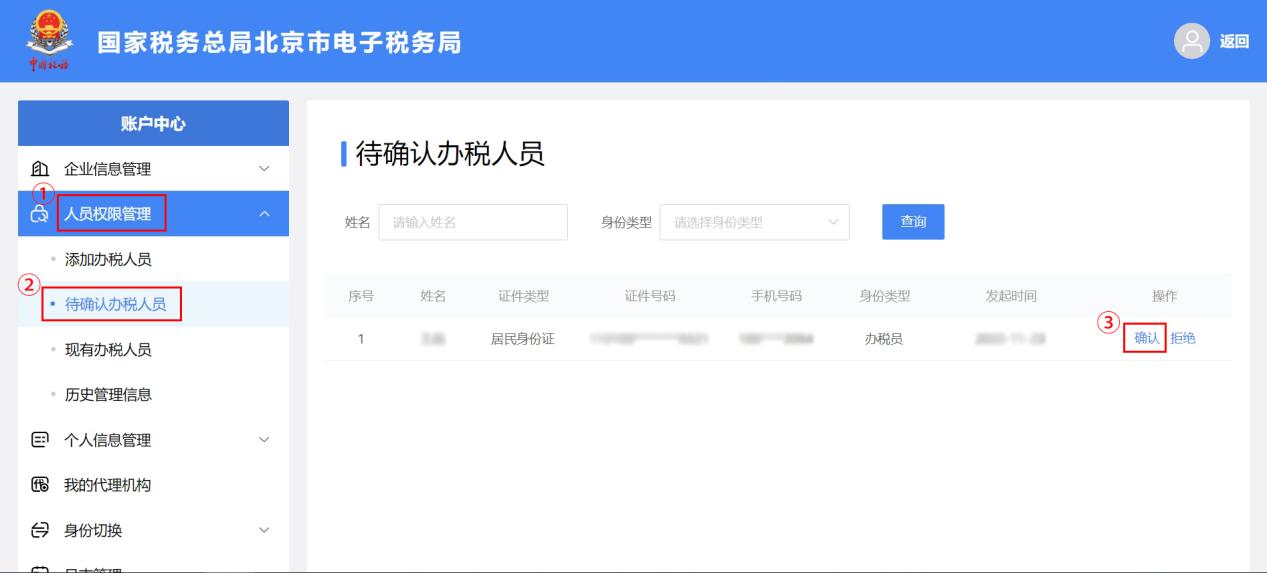
(new version login) 2. After successful login, click [My Information] - [Account Center] in sequence.
3.In the left sidebar menuClick[Personnel permission management] - [Tax handlers pending confirmation],FindTax handlers pending confirmationinformation, and on the right sideOperationClick [Confirm] in the columnand then。 Beijing Kailing Technology Co., Ltd.——Expert in enterprise business-finance-tax informatization solutions.Based on extensive professional knowledge and experience in the business-finance-tax field, using new concepts and new technologies,Precisely grasp the integrated management needs of business, finance, tax, imaging, and electronic archives, helping enterprises achieve automation, intelligence, and digital transformation in business-finance-tax, promoting more efficient operations, smarter management, and release of more value for enterprise business-finance-tax users and management organizations. Kailing Technology can provide customers withThe complete management solution, from the early stageConsulting Service Capabilities+Mature software productsTo project planReliable implementation and rolloutand the most important thing after project deliveryFull-service support, committed to making enterprise business-finance-tax management simpler, more worry-free, and more efficient, so users are satisfied, worry-free, and reassured. The Kailing Technology team hasSenior talent deeply engaged in the finance and tax industry, with a deep understanding of the current state and future trends of enterprise business-finance-tax operations management, using industry experience to provide customers with suitable system management solutions and information technology services, including:Automated business contract management process(sales/procurement) consulting and implementation,Tax Invoice Management(input invoice collection, output invoicing) consulting and implementation,Electronic management of financial content(electronic imaging system, electronic accounting archives system),Financial process automation(AR、APautomated reconciliation) and other services. Core team members come from globally renowned consulting firms and localizedFinance and TaxA well-known informatization enterprise,Can provide professional, high-quality solutions according to the enterprise's actual business needs。 If you have any business-finance-tax digital transformation needs, welcome to contact us,Beijing Kailing Technology will serve you wholeheartedly。 |