010-6097 4119Book a Demo


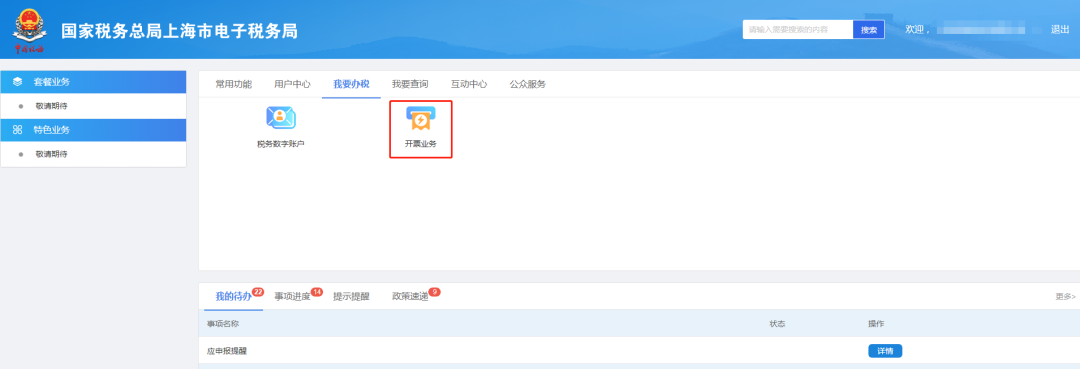
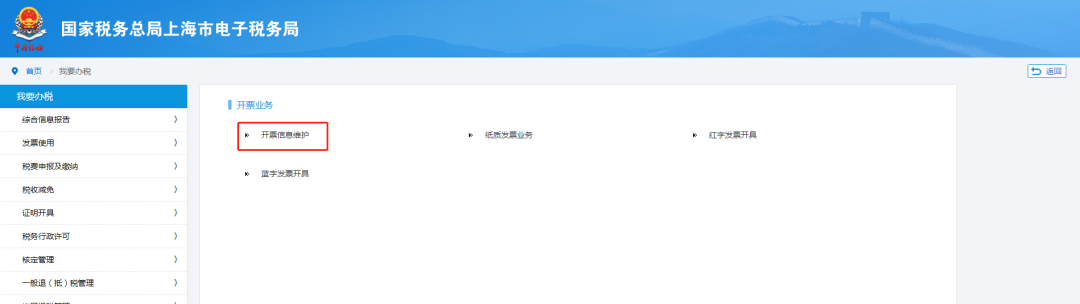
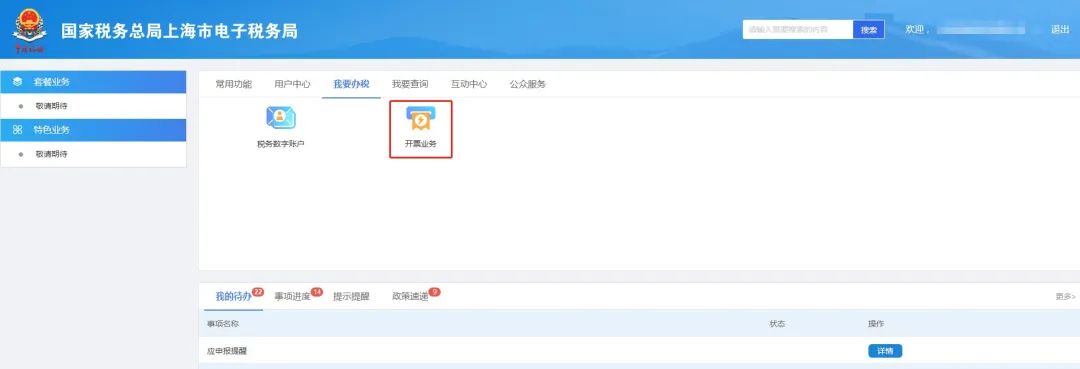
Electronic Tax Bureau operation guide | What should I do if I don't want to perform facial recognition too frequently?Published: 2024-01-24 16:15 1. What if I don't want to perform face recognition too frequently?During the issuance of blue-letter invoices, when "Issue Now" is clicked, the system redirects to identity authentication. The frequency of this identity authentication can be manually set with a time interval. So how do you set the identity authentication frequency? I don't want to do facial recognition too frequently. What should I do? Hello, the company's legal representative or financial officer logs in to the Electronic Tax Bureau[I Want to Handle Taxes] → [Invoicing Business] → [Blue Invoice Issuance] → [Identity Authentication Frequency Setting] located below the invoice quota, modify your face recognition authentication frequency. The specific modification path is as follows: I. Click [Invoicing Business] under the [I Want to Handle Taxes] path
II. On the [Blue Invoice Issuance] interface, find the [Identity Authentication Frequency Settings] located below the invoice quota.
III.On the [Identity Authentication Frequency Settings] interface, modify the facial recognition authentication frequency according to actual needs; the identity authentication time interval can be set within a range of 0.5 hours to 24 hours.
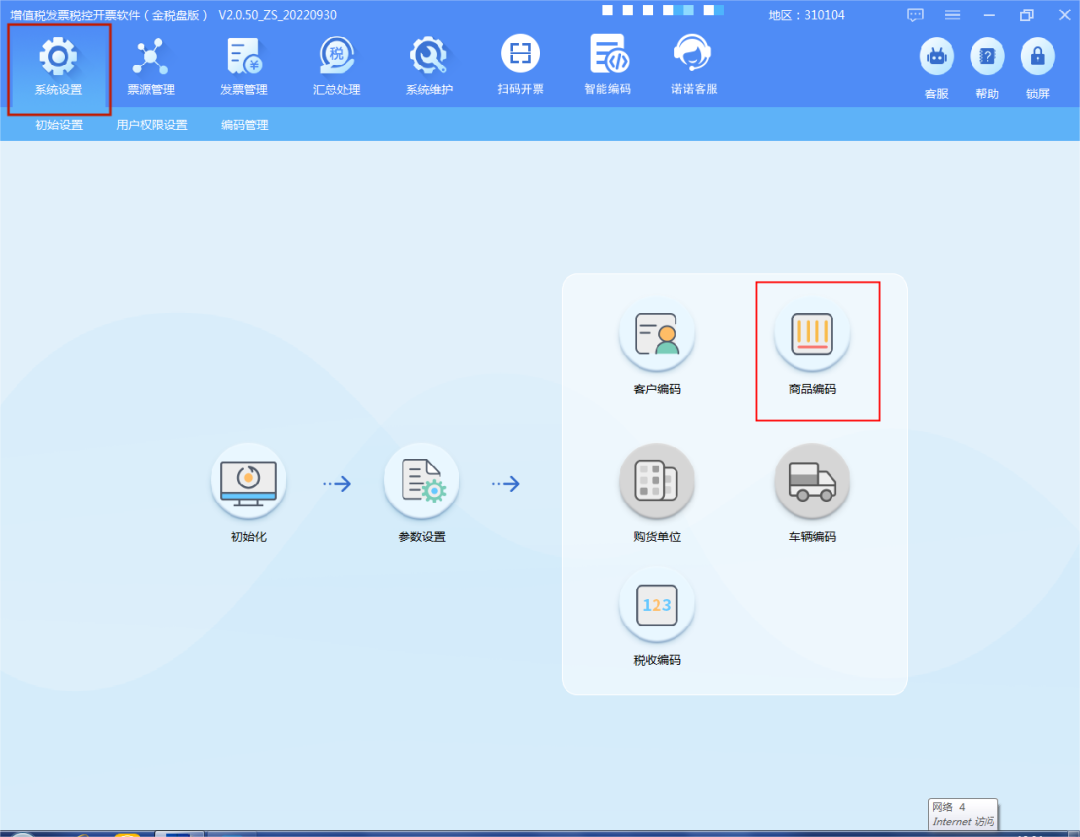
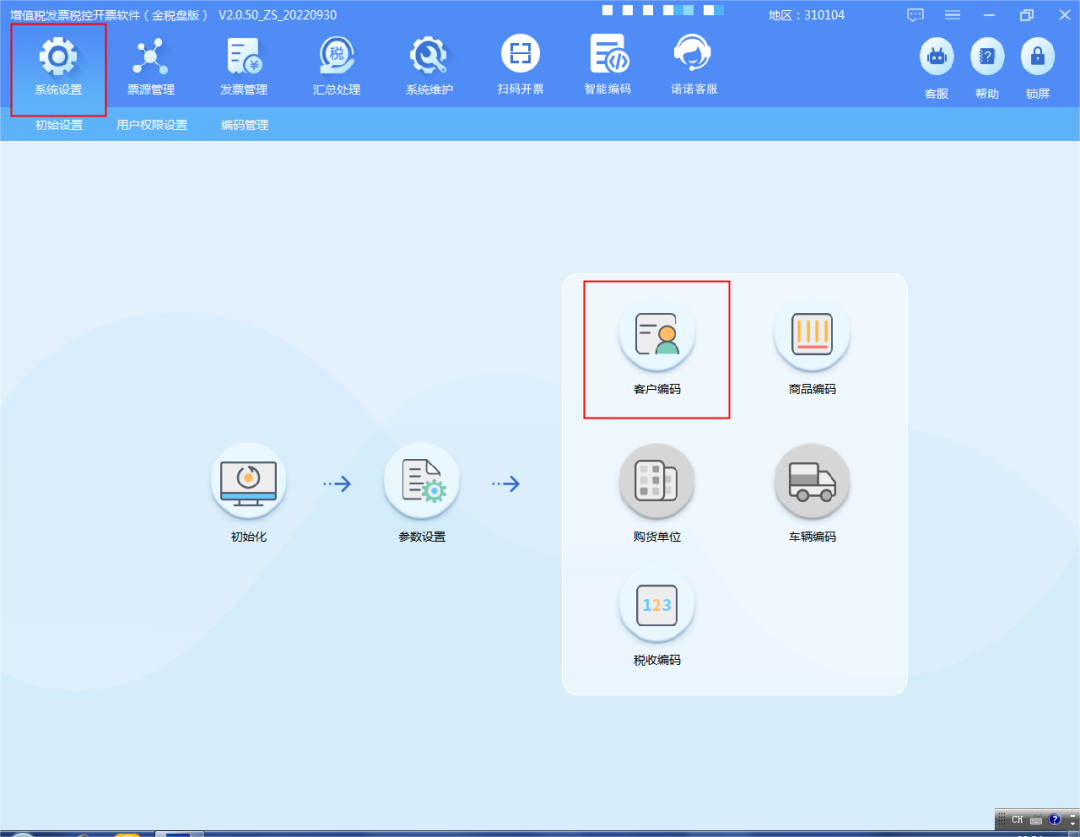
Warm reminder You need to log in with the account of the legal representative or financial officer to set it in the [Identity Authentication Frequency Settings] module! 2.How to import customer information and commodity codes from the tax-control system with one click I. Steps for batch import of product codes into the tax control systemStep 1:Export commodity code information from the tax control system ①Log in to the VAT Invoice Issuing Software - System Settings - Commodity Codes.
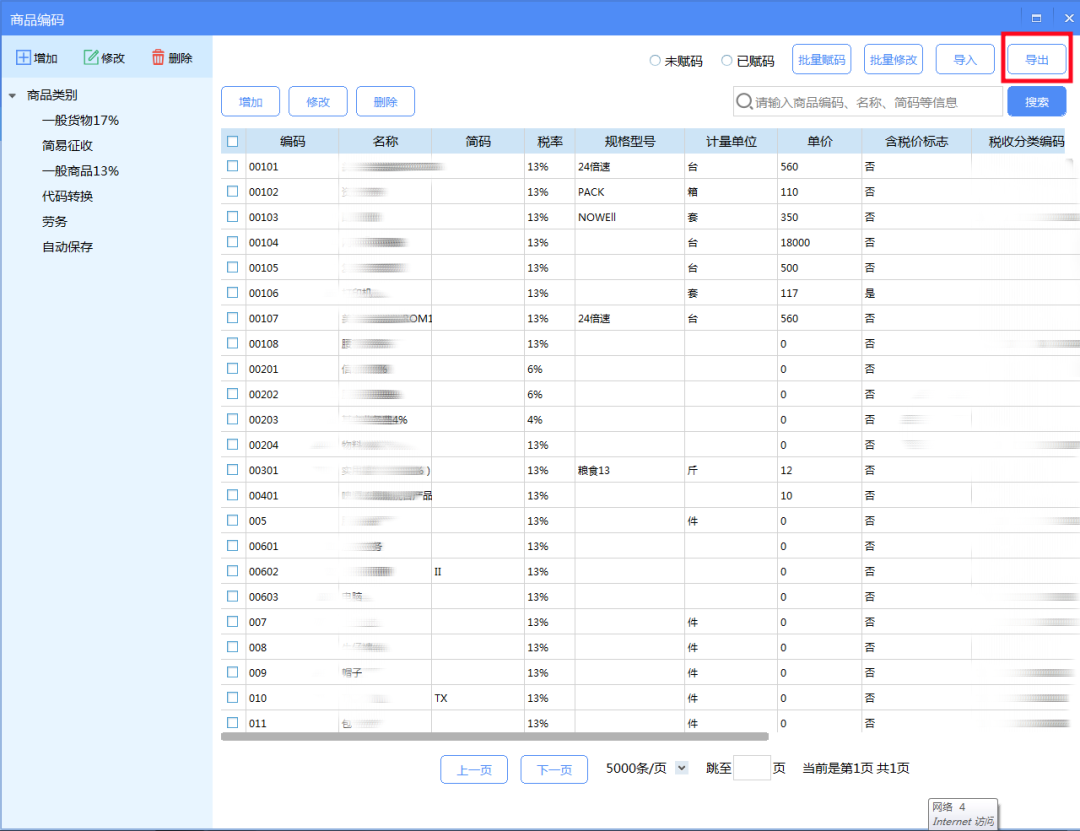
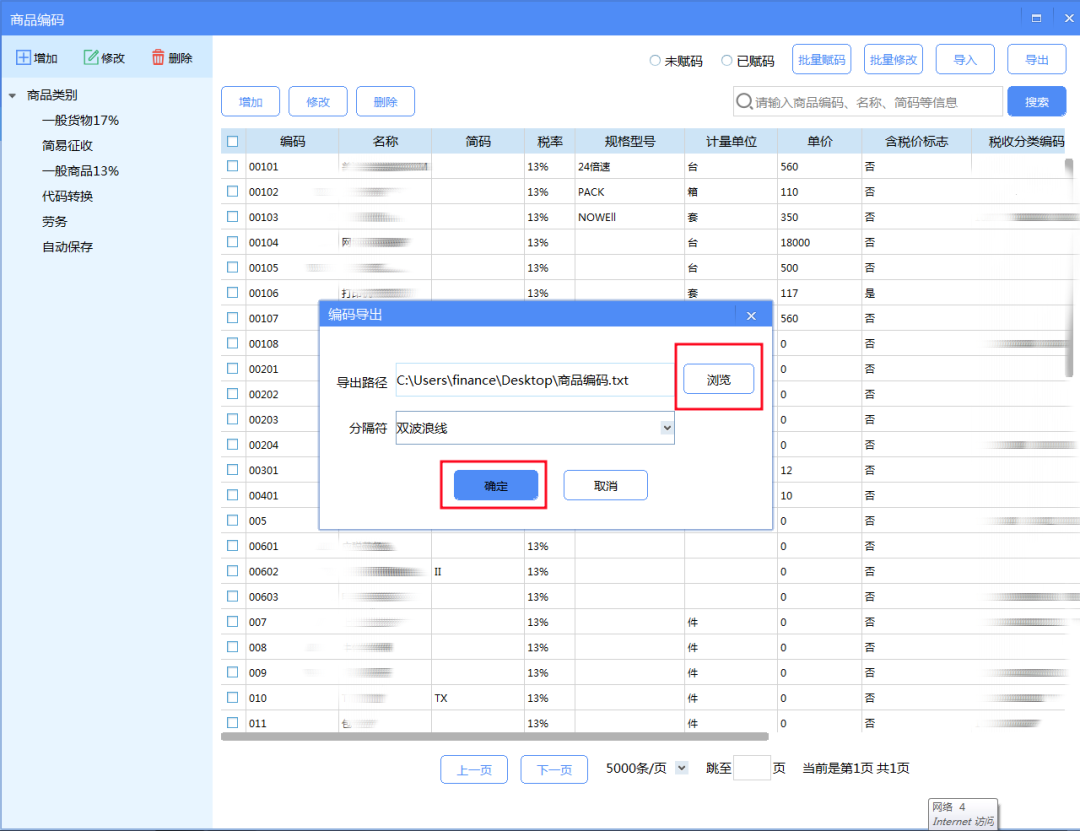
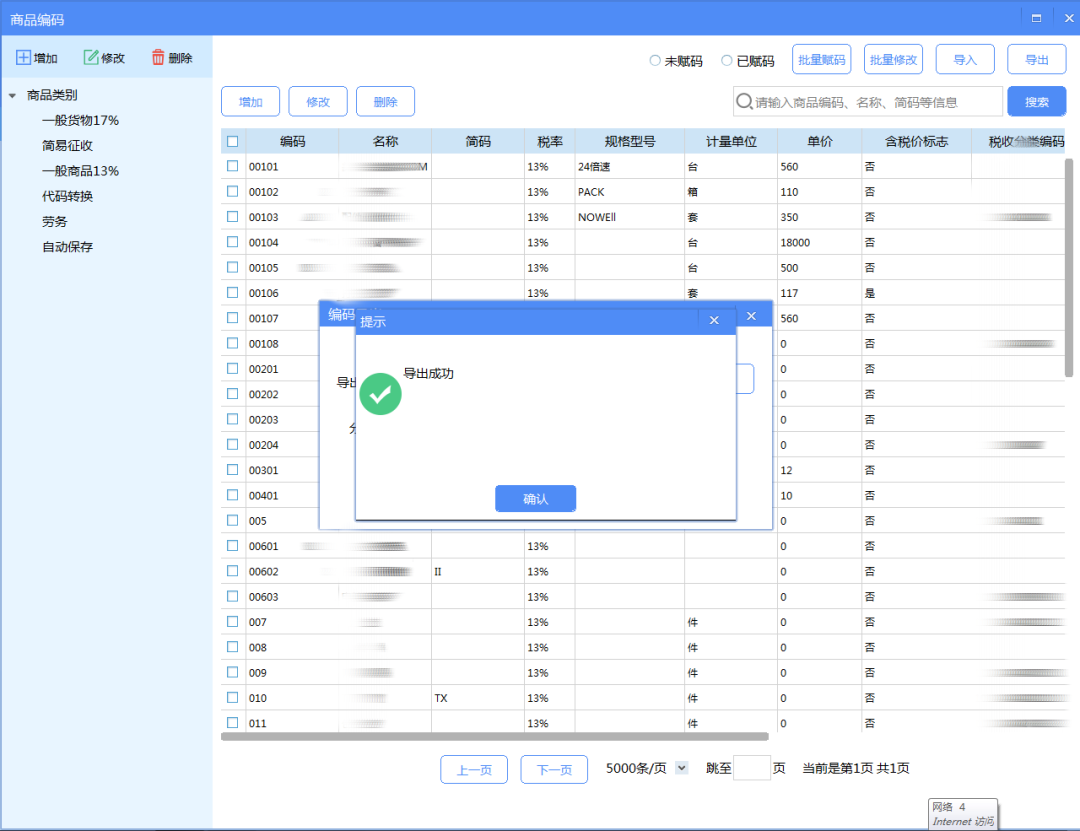
②Click the "Export" button in the upper right corner, select the "Export Path", then click "OK", and the "Export Successful" prompt will appear.
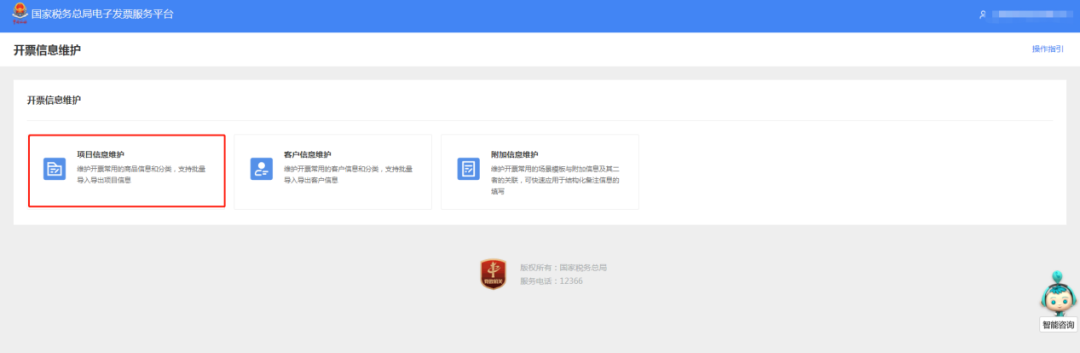
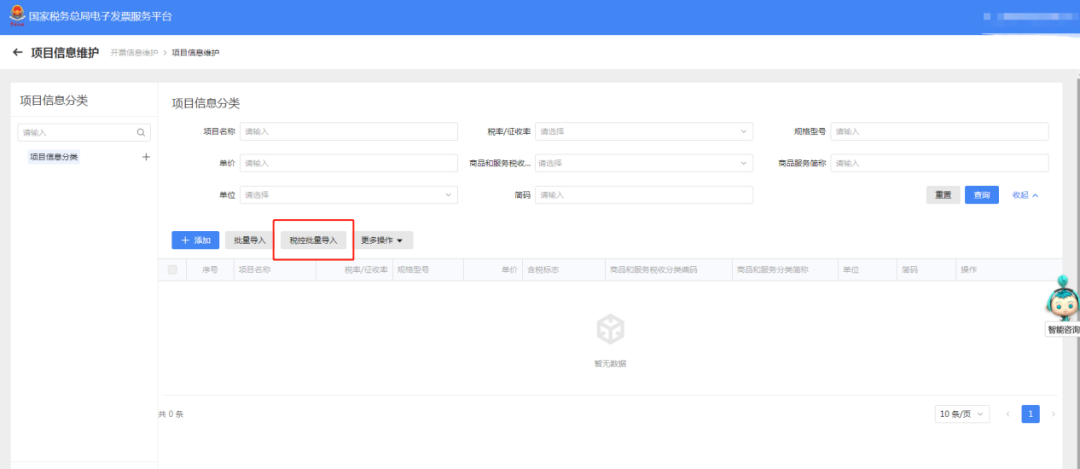
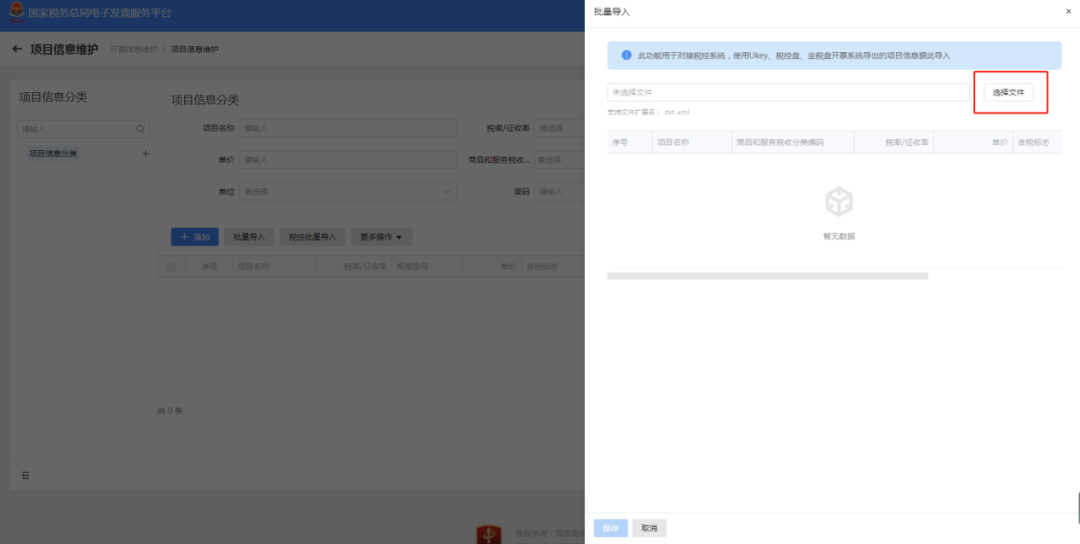
Step 2:Batch import of commodity codes on the E-invoice Service Platform ①Log in to the Shanghai Municipal Electronic Tax Bureau of the State Taxation Administration, and enter the project information maintenance module. Related path: I Want to Handle Taxes - Invoicing Business - Invoice Information Maintenance - Item Information Maintenance
②Click the "Tax Control Batch Import" button.
③Select file: the commodity code file exported from the tax-control invoicing software (txt/xml format).
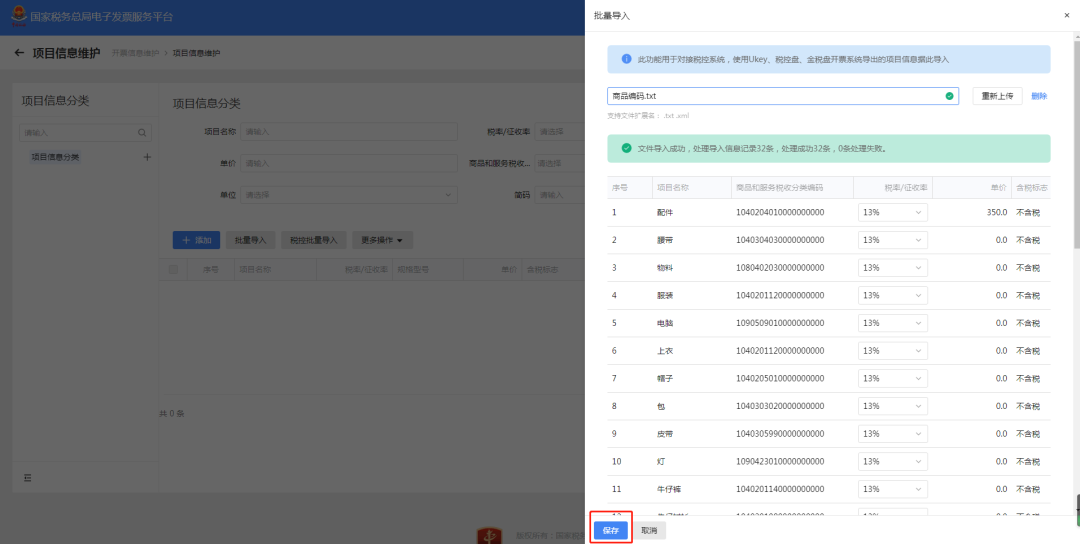
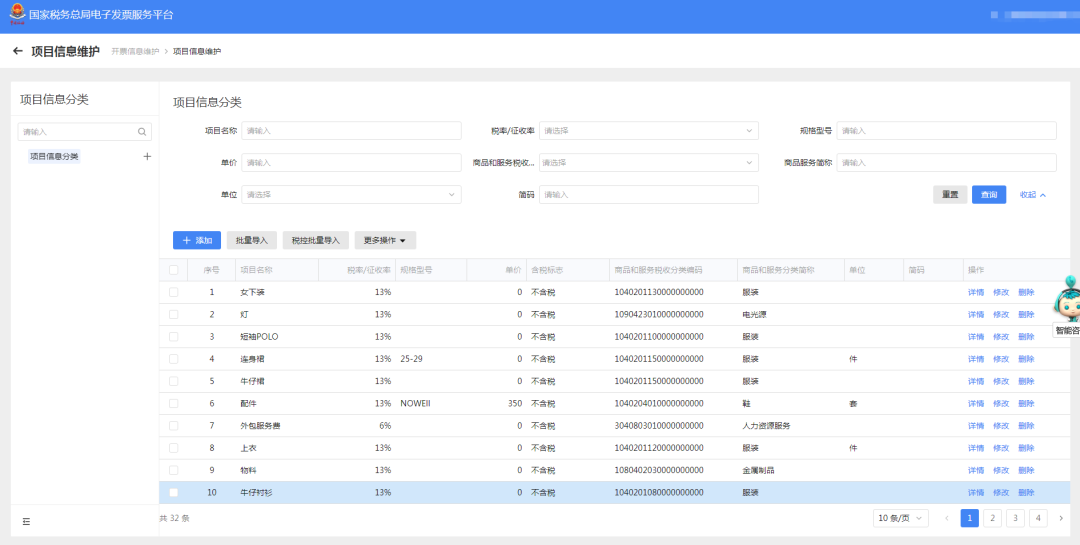
④After the file is imported successfully, click "Save" to complete project information maintenance. At the same time, "Details, Edit, Delete" operations are supported for each record.
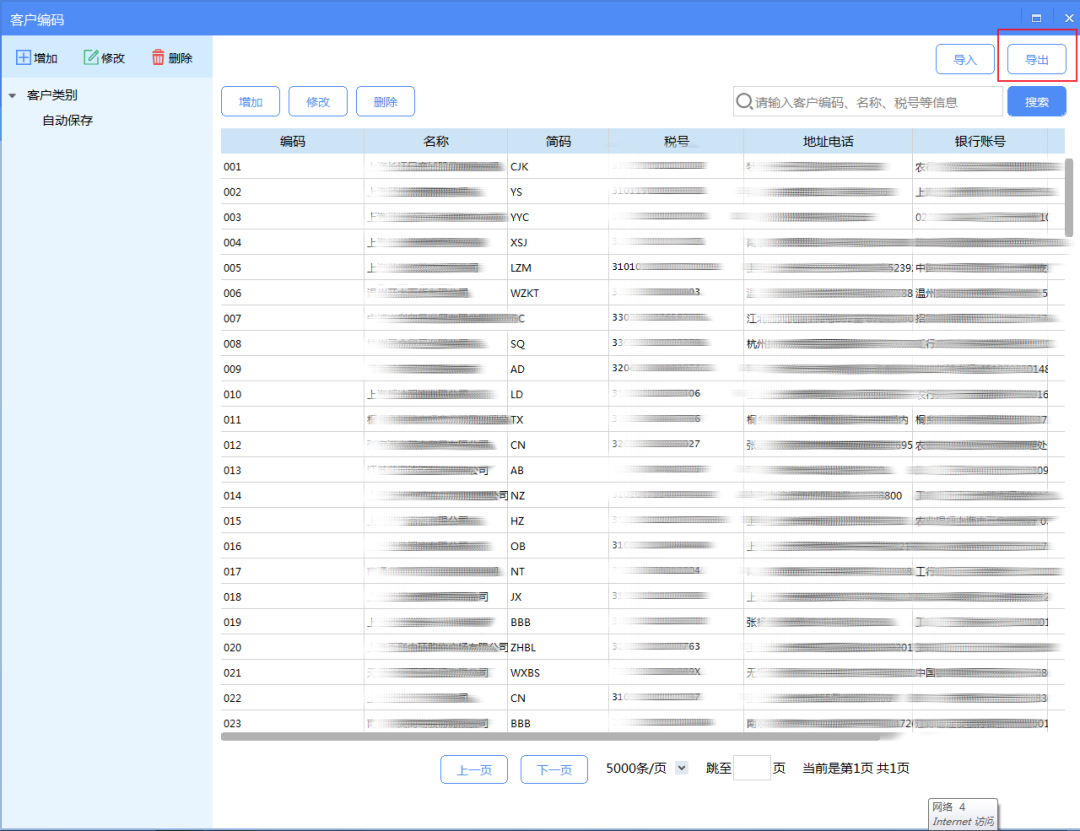
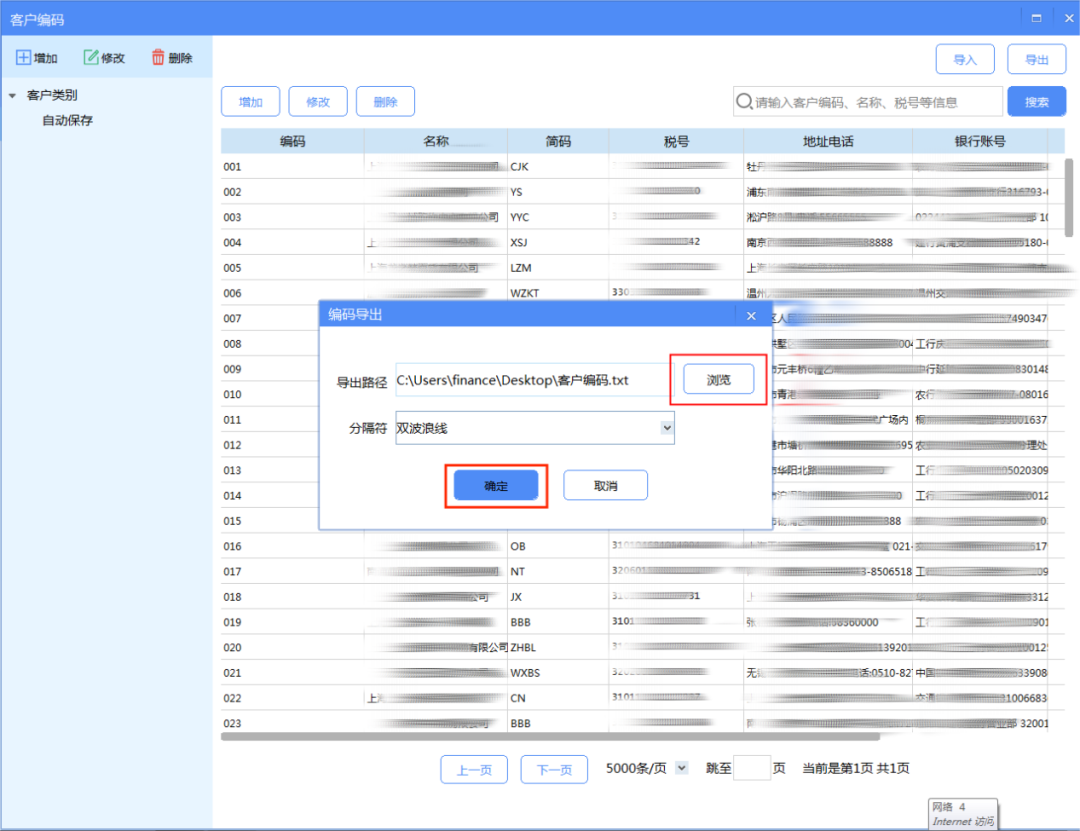
II. Steps for batch import of customer information into the tax control systemStep 1:Export customer information from the tax control system ①Log in to the VAT Invoice Issuing Software - System Settings - Customer Codes.
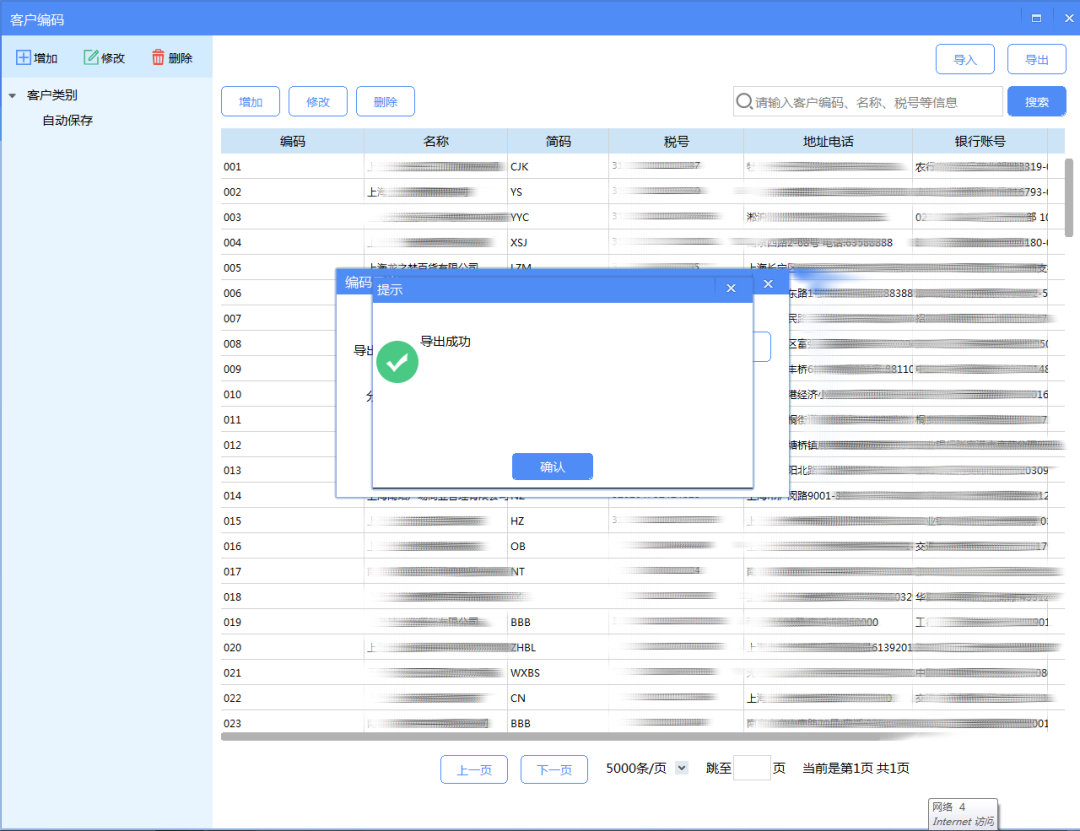
②Click the "Export" button in the upper right corner, select the "Export Path", then click "OK", and the "Export Successful" prompt will appear.
Step 2:Batch import of customer information on the E-invoice Service Platform ①Log in to the Shanghai Municipal Electronic Tax Bureau of the State Taxation Administration, and enter the customer information maintenance module. Related path: I Want to Handle Taxes - Invoicing Business - Invoice Information Maintenance - Customer Information Maintenance
②Click the "Tax Control Batch Import" button.
③Select file: the customer code file exported from the tax-control invoicing software (txt/xml format).
④After the file is imported successfully, click "Save" to complete customer information maintenance. At the same time, "Details, Edit, Delete" operations are supported for each record.
Source: internet Beijing Kailing Technology Co., Ltd.——an enterprise business-finance-tax digitalization solution service provider. Kailing Technology provides solutions for sales management systems, procurement management systems, output invoicing systems, input invoice collection systems, imaging management systems, financial posting systems, electronic accounting archives, fully digitalized e-invoice and Leqi interfaces and other businesses according to enterprise needs, professionally and efficiently helping enterprises transform and upgrade their business-finance-tax digital management. If you have any business-finance-tax digital transformation needs, welcome to contact us. Beijing Kailing Technology will serve you wholeheartedly.
|

![Click [Invoicing Business] under the [I Want to Handle Taxes] path](/assets/27201696.s21i.faiusr.com/4/ABUIABAEGAAgq47DrQYoqOzAuAMwuAg4iAQ.png "descript")
![On the [Blue Invoice Issuance] interface, find the [Identity Authentication Frequency Settings] located below the invoice quota.](/assets/27201696.s21i.faiusr.com/4/ABUIABAEGAAgq47DrQYo-ozF-QUwuAg4ogQ.png "descript")
![On the [Blue Invoice Issuance] interface, find the [Identity Authentication Frequency Settings] located below the invoice quota.](/assets/27201696.s21i.faiusr.com/4/ABUIABAEGAAgq47DrQYoqNanvAIwuAg4oAQ.png "descript")