010-6097 4119Book a Demo


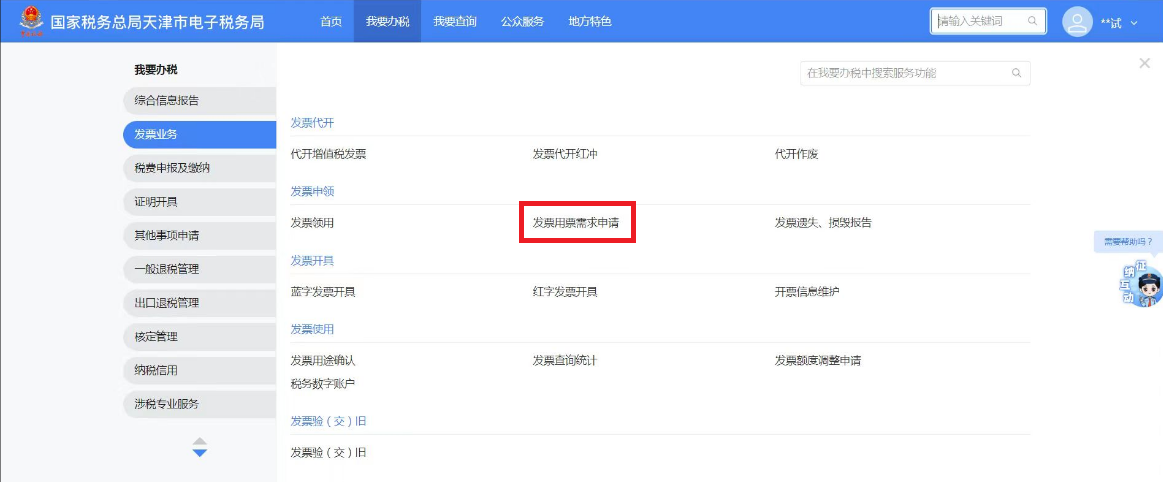
New electronic tax bureau | Invoice usage demand applicationPublished: 2024-08-08 17:04 I. Business OverviewIf a taxpayer needs to use invoices after completing the tax-related market entity identity information report, it shall apply to the competent tax authority for an invoice use demand application. The competent tax authority shall confirm the type, quantity, and maximum invoicing limit of invoices based on the taxpayer's business scope and scale. Taxpayers that have already filed an invoice use demand application may also apply to re-determine the invoice types, single (monthly) collection quantity, and maximum invoicing limit for their use. II. Operation Guidelines(1) After logging in to the new electronic tax bureau, click the function menu [I Want to Handle Taxes] - [Invoice Business] - [Invoice Application] - [Invoice Usage Demand Application].
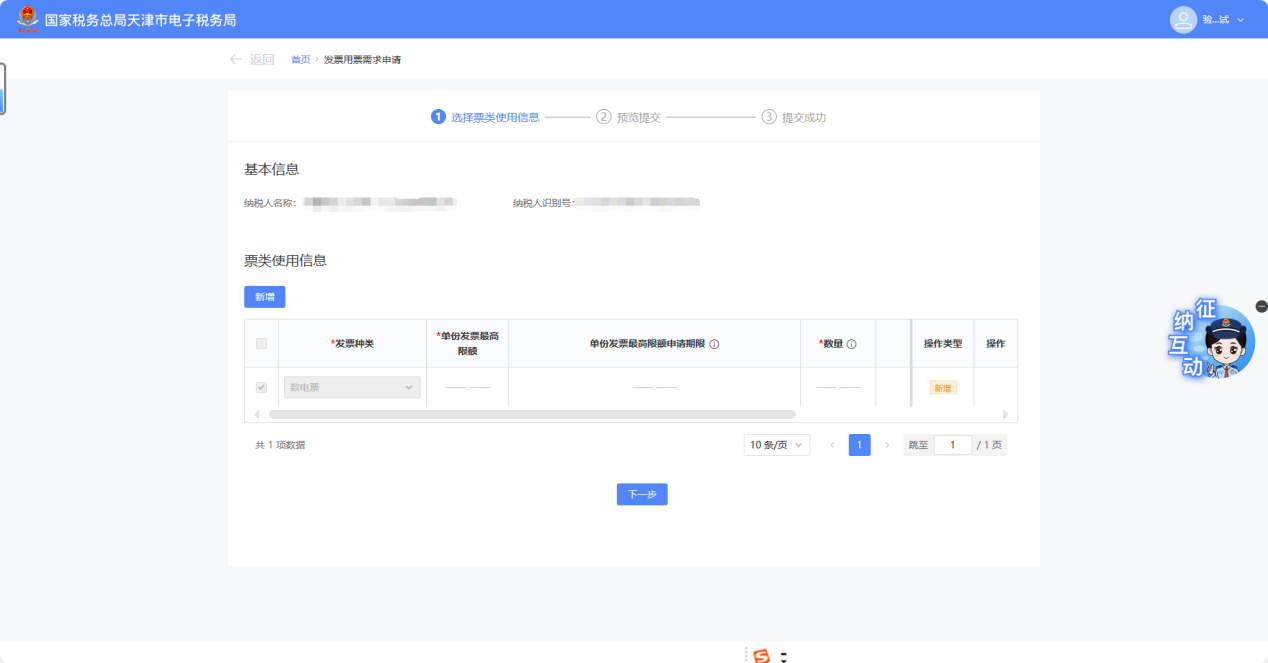
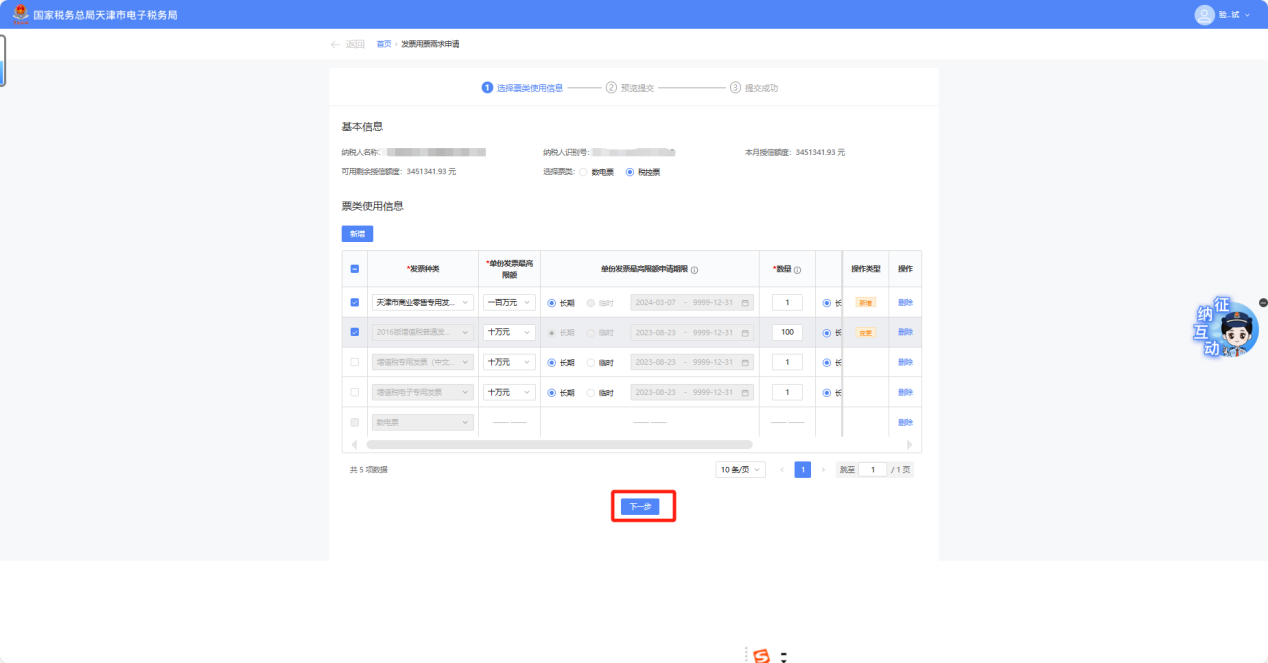
(II) If the taxpayer is undergoing "first-time" invoice type verification, they may click [Add Row] to fill in the invoice type verification information to be applied for. If the taxpayer is undergoing "non-first-time" invoice type verification, the system automatically brings up the current valid invoice type verification application information; you can click [Add] to fill in the invoice type verification information that needs to be applied for, and you can also modify already applied invoice type verification information.
(III) The taxpayer checks the newly added or modified invoice type approval information, clicks [Next], and the system jumps to the preview submission page.
(4) After the taxpayer confirms that the data is correct, click [Submit] to complete the invoice type verification application; they may also click [Previous Step] to modify the invoice type verification application information.
III. Common Questions(1) I am a non-motor vehicle enterprise; can I verify and issue a Unified Motor Vehicle Sales Invoice? Answer: Non-motor vehicle enterprises are not allowed to add new motor vehicle sales unified invoices. If you have approved motor vehicle sales unified invoice information, you are only allowed to delete the approved motor vehicle sales unified invoice. (II) How should I check the processing progress of my invoice usage demand application? Answer: You can query through the function menu [I Want to Query] - [Tax-related Information Query] - [Tax-related Matter Progress Query]. Kailing Technology provides enterprise business-finance-tax digital product lines according to enterprise needs: Solutions for businesses including sales contract management system, procurement contract management system, fully digitalized Leqi interface project, output automatic invoicing system, employee expense control and reimbursement system, input VAT invoice management system, supply chain collaborative reconciliation system, image OCR recognition system, automatic financial bookkeeping system, and electronic accounting archives system, professionally and efficiently supporting the transformation and upgrading of enterprise business-finance-tax digital management. If you have any business-finance-tax digital transformation needs, welcome to contact us. Beijing Kailing Technology will serve you wholeheartedly.
|