News Details

Fully digitalized e-invoice practice | How to issue a red-letter invoice after the tax control device has been deregistered?

Published: 2024-03-26 15:28


Fully digitalized e-invoice practice | How to issue a red-letter invoice after the tax control device has been deregistered?


Fully digitalized e-invoice practice | How to issue a red-letter invoice after the tax control device has been deregistered?


Fully digitalized e-invoice practice | How to issue a red-letter invoice after the tax control device has been deregistered?


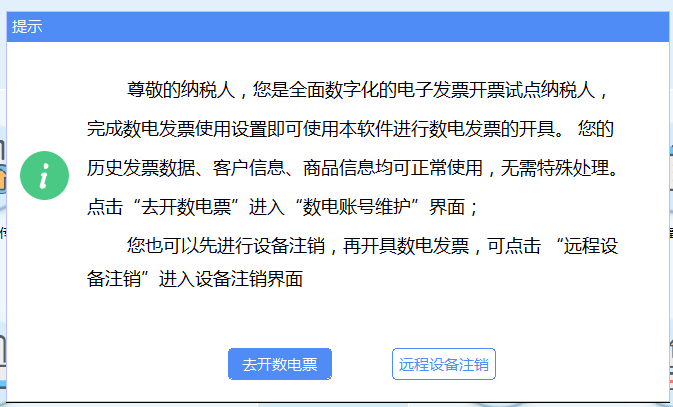
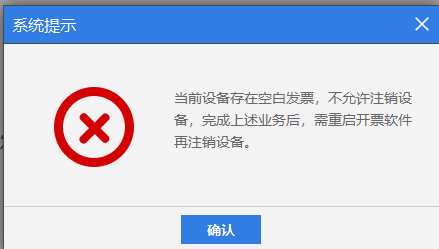
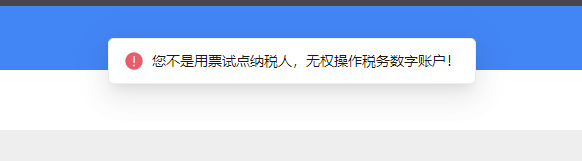
The images above, are they the problems that have been troubling you recently?Some people did not want fully digitalized e-invoices but got them anyway.Some people want to issue fully digitalized e-invoices.Yet still unable to issueWhat exactly is going on here?

Due to policy requirementsCurrently, enterprises in Beijing are gradually adopting fully digitalized e-invoicesEnterprises that receive a deregistration notice need not worryComplete deregistration and go live for use as required.Enterprises that haven't received a notice yet need not worryI believe fully digitalized e-invoices will be available soon

CompareRequiredWhat worries them is the companies that suddenly become pilots——Will not issue red or blue invoices.What to do?

Today let's first help you solve:For fully digitalized e-invoice taxpayers whose tax control equipment has already been deregistered, how can red-letter invoices be issued in the electronic tax bureau for paper special invoices originally issued through tax control?


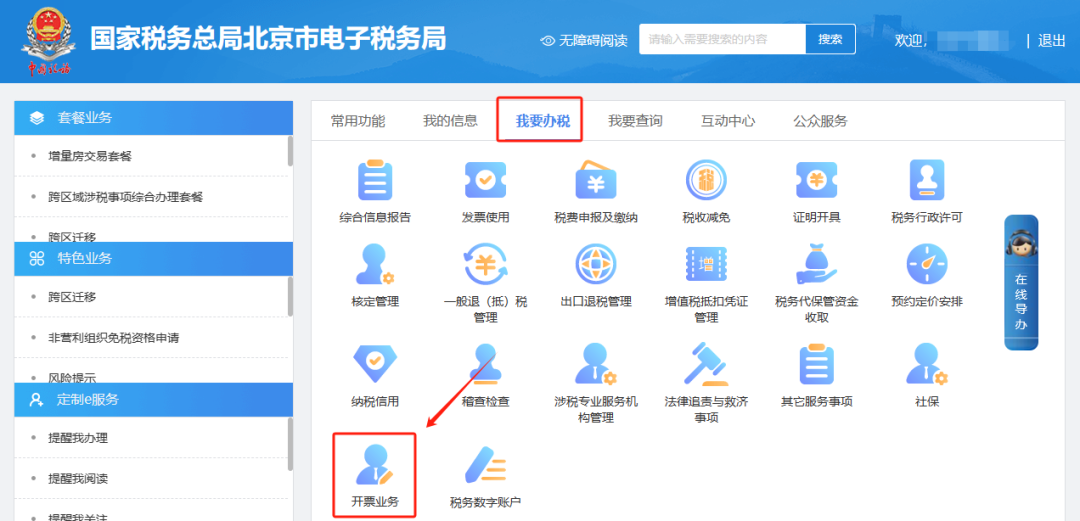
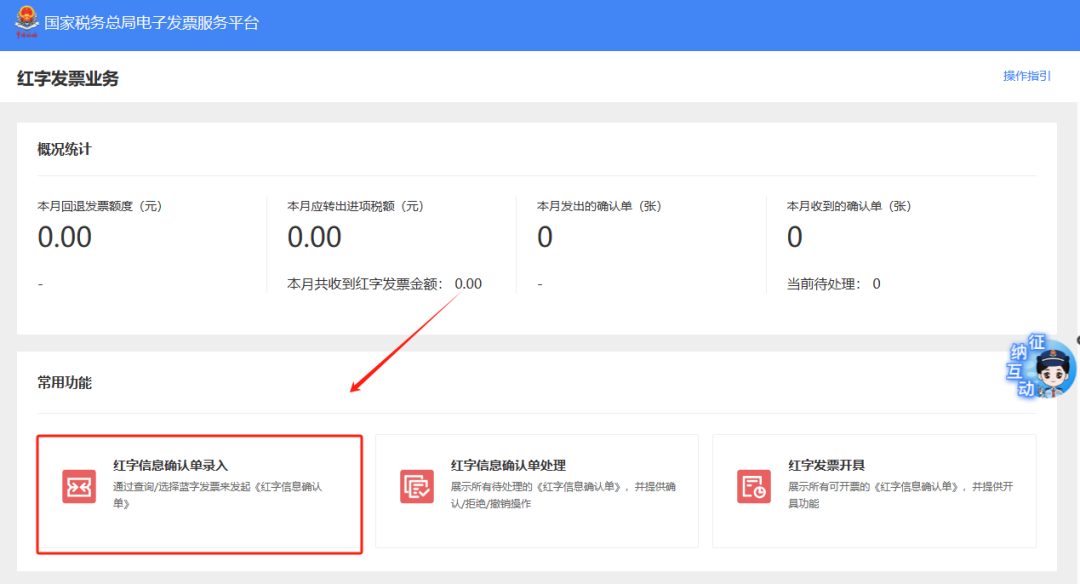
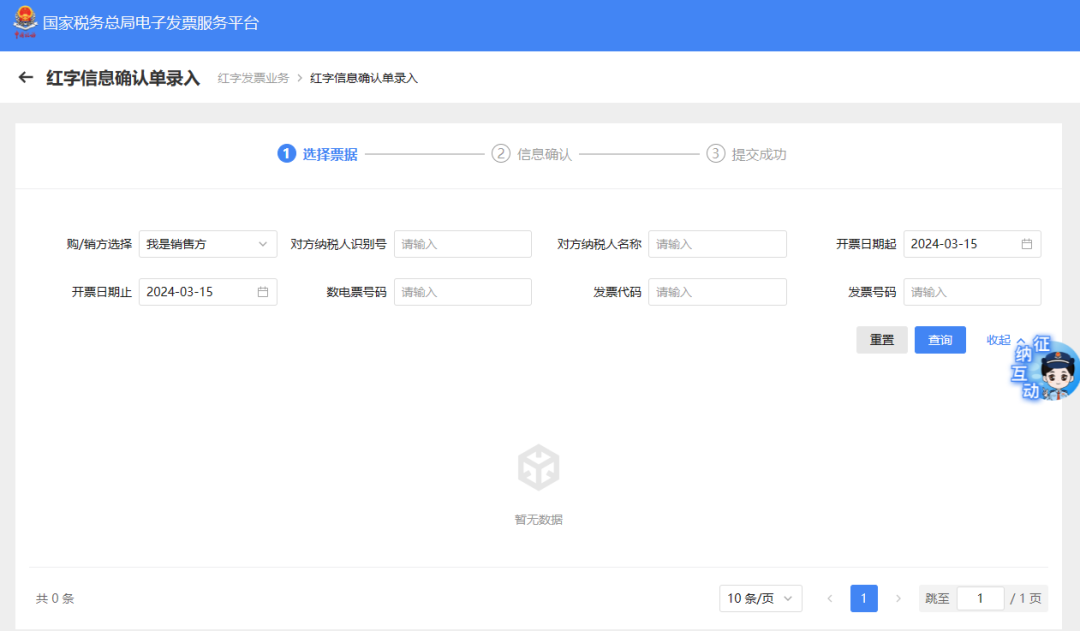
Click [I Want to Handle Taxes] — [Invoicing Business] — [Red-Letter Invoice Issuance] — [Red-Letter Invoice Confirmation Information Entry]; query and select the invoice information, enter and select the invoice type to be red-flipped, check the invoice information and corresponding invoice number and code brought out below, and after confirmation click [Submit] to prompt successful submission; if the seller has issued it but the purchaser has not verified it, it will prompt that no confirmation is required this time. Click [Go to Issue] on the prompt interface to jump to the red-letter issuance interface, and after confirmation continue to issue the red-letter (negative) invoice.


The illustrated guidance is as follows

I. I Want to Handle Taxes—Invoicing Business.

Fully digitalized e-invoice practice | How to issue a red-letter invoice after the tax control device has been deregistered?

II. Invoicing Business - Red-letter Invoice Issuance.

Fully digitalized e-invoice practice | How to issue a red-letter invoice after the tax control device has been deregistered?

III. Entry of Red-Letter Invoice Confirmation Information.

Fully digitalized e-invoice practice | How to issue a red-letter invoice after the tax control device has been deregistered?

IV. Query the invoice information and select it. After entering, select the invoice type to be reversed. Check the invoice information and corresponding invoice number and code displayed below. After confirming they are correct, click [Submit] and a message indicating successful submission will appear. If the seller has issued the invoice but the buyer has not authenticated it, a message indicating that no confirmation is required this time will appear. Click [Go to Issue] on the prompt screen to jump to the red-letter invoice issuance screen. After confirming correctness, continue to issue the red-letter (negative) invoice.

Fully digitalized e-invoice practice | How to issue a red-letter invoice after the tax control device has been deregistered?


Beijing Kailing Technology Co., Ltd.——an enterprise business-finance-tax digitalization solution service provider.

Kailing Technology provides solutions for sales management systems, procurement management systems, output invoicing systems, input invoice collection systems, imaging management systems, financial posting systems, electronic accounting archives, fully digitalized e-invoice and Leqi interfaces and other businesses according to enterprise needs, professionally and efficiently helping enterprises transform and upgrade their business-finance-tax digital management.

If you have any business-finance-tax digital transformation needs, welcome to contact us. Beijing Kailing Technology will serve you wholeheartedly.

Fully digitalized e-invoice practice | How to issue a red-letter invoice after the tax control device has been deregistered?


Share to:
Contact Us

Contact: 010-60974119

VIP Dedicated Consultant: 185-1389-5936

Address: Room 410, 4th Floor, Jianjin Center, No. Jia 1 Yongtaiyuan, Qinghe, Haidian District, Beijing
Scan to add customer service on WeChat
Industry Websites
Scan to follow our WeChat official account
Scan to view our video account
Scan to follow our Douyin account
Common Questions
After tax control equipment is deregistered, how are red-letter invoices issued?
Log in to the Electronic Tax Bureau and click [I Want to Handle Taxes] — [Invoicing Business] — [Red Invoice Issuance] — [Red Invoice Confirmation Information Entry], query the original invoice and select the reversal type, verify the information, and submit. If the buyer has not authenticated, the system prompts that no confirmation is needed, and you can directly click [Issue] to generate the red invoice.
For pilot enterprises of fully digitalized e-invoices, can paper special invoices originally issued through tax control be red-letter reversed?
Yes. In the Electronic Tax Bureau's [Red-Letter Invoice Confirmation Information Entry], query the original paper special invoice, select the reversal type, and verify the invoice number and code. After submission, if the purchaser has not authenticated it, no confirmation is required and the red-letter invoice can be issued directly.
After entering the red-letter invoice confirmation information, what should I do if it prompts that no confirmation is needed?
If the seller issues it and the buyer has not authenticated it, the system will prompt "No confirmation is required this time." Click the [Go to Issue] button on the prompt interface to jump to the red-letter invoice issuance interface, and continue invoicing after checking that it is correct.
What should fully digitalized e-invoice taxpayers do if they do not know how to issue red-letter and blue-letter invoices?
You can refer to the electronic tax bureau operation path: blue invoices are issued through [Invoicing Business]; red invoices are handled through [I Want to Handle Taxes] — [Invoicing Business] — [Red-Letter Invoice Issuance] — [Red-Letter Invoice Confirmation Information Entry]. If you still have difficulties, you can contact business-finance-tax digital service providers such as Kailing Technology for assistance.
Related solutions
Leqi Direct Connection solution
Direct connection to the tax bureau's Leqi channel, connecting the last mile of ERP →
Output Invoicing Management Platform
As soon as business occurs, invoices are automatically issued, automatically delivered, and automatically returned →
Electronic Accounting Archive Management
Electronic voucher archiving, single-set system, compliant and auditable →
Further Reading
Save it! A summary of fully digitalized e-invoice operation guides is here!
1. When issuing fully digitalized e-invoices on the electronic tax bureau, how to add payee and reviewer?… →
Operation Guide|How to Issue a "Scrapped Product Purchase" Invoice in Reverse in the Electronic Tax Bureau...
Recently, the State Taxation Administration issued the Announcement on Matters Concerning "Reverse Invoicing" by Resource Recycling Enterprises to Individual Sellers of Scrap Products… →
How to download and print issued or obtained fully digitalized e-invoices in the new electronic tax bureau…
After logging in to the new Electronic Tax Bureau, click [Tax Digital Account] under [I Want to Handle Taxes] to jump to… →