010-6097 4119Book a Demo


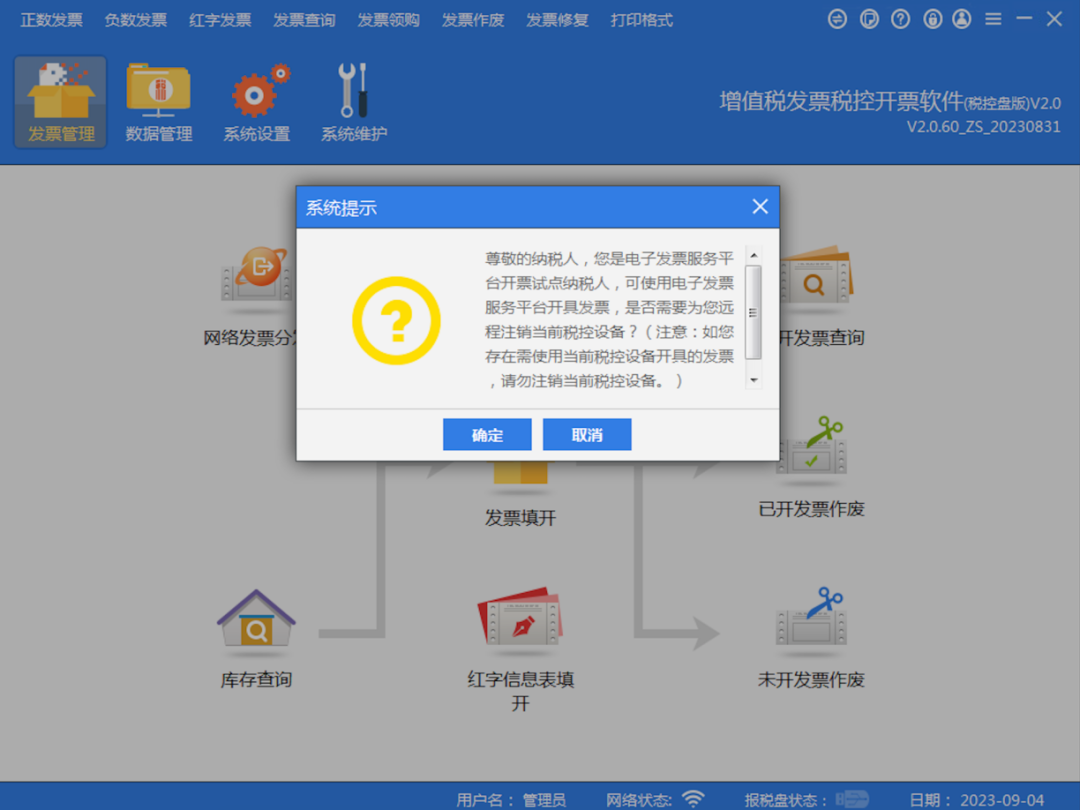
Guide to Remote Deregistration of Tax-Control Devices! How to Issue Fully Digitalized E-Invoices After Tax-Control Device Deregistration?Published: 2024-02-22 16:47 Issuing fully digitalized e-invoices no longer requires tax-control equipment, greatly improving the convenience of enterprise invoicing and reducing invoice costs. With the widespread application of fully digitalized e-invoices, some enterprises also need to deregister tax-control equipment according to local tax bureau requirements. 01 Operating Guidelines for Remote Deregistration of Tax-Control Devices Tax authorities in some provinces, regions, and municipalities have launched a "remote deregistration function," allowing eligible taxpayers who need to deregister their devices to complete the deregistration of tax control equipment at home by following the prompts in the invoicing software. Note! 1. The taxpayer's status is "normal" 2. Non-refined oil production and distribution enterprises, non-motor vehicle and second-hand vehicle enterprises 3. Already included in the fully digitalized e-invoice pilot, and no motor vehicle sales unified invoice or used car sales unified invoice type has been approved 4. Except for the six categories of specific invoices, taxpayers' holdings of other tax-controlled invoice balances must be 0 The six types of invoices refer to: 2016 version VAT ordinary invoice (two-copy folded invoice), 2016 version VAT ordinary invoice (five-copy folded invoice), special VAT invoice (Chinese three-copy no-amount-limit version), special VAT invoice (Chinese six-copy no-amount-limit version), electronic VAT ordinary invoice, electronic VAT special invoice. 5. The taxpayer has no unfinished invoice type verification or maximum invoicing limit approval business 6. Hold tax control devices that have not been deregistered (tax control disk, tax UKey, golden tax disk, tax reporting disk) Note! 1. Tax control equipment can only be canceled after completing the current period's VAT filing and tax reporting and unlocking operations; 2. Check that the invoicing software version date is 20231031 (or later). Note: This uses the Beijing tax bureau's document as an example; please refer to the local tax bureau's notice for the conditions for remote deregistration of tax control equipment. Remote deregistration of tax control equipment on the tax control disk Step 1:The taxpayer inserts the tax control disk, logs in to the VAT Invoice Issuance Software (Tax Control Disk Version) (hereinafter referred to as the invoicing software) with an internet connection, and the system automatically queries whether the taxpayer is eligible for remote deregistration of tax control equipment. After entering the main page, if the taxpayer is eligible, a prompt automatically pops up.
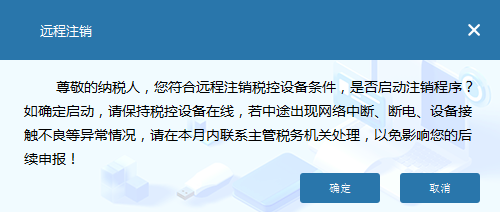
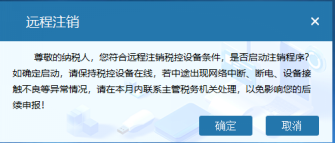
(1) If verification passes, a reminder will automatically pop up asking whether to confirm enabling the deregistration procedure.
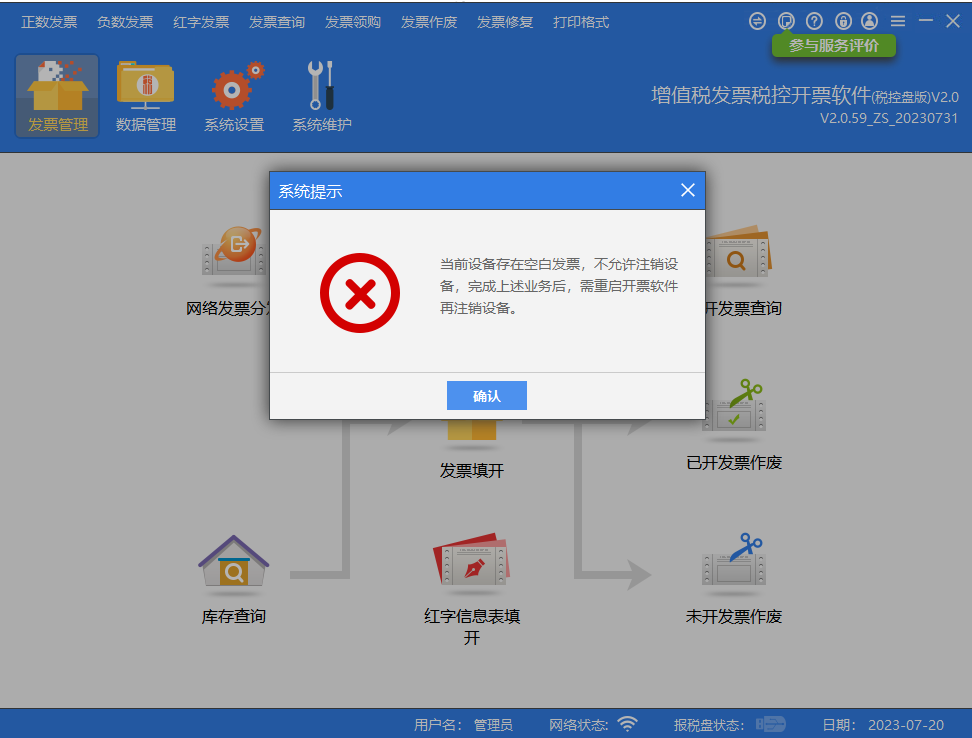
(2) If verification fails, a corresponding prompt will automatically pop up; after the taxpayer completes the corresponding business according to the prompt, restarting the invoicing software will allow the remote deregistration of the tax control device to be performed again. The image uses the example of blank invoices existing in the tax control device.
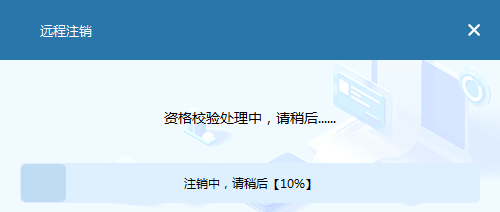
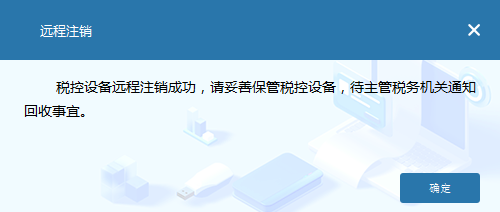
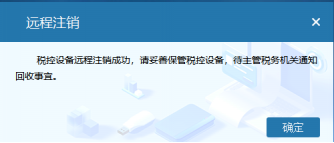
(1) If qualified, the tax control device will automatically be remotely deregistered; after remote deregistration is completed, a prompt indicating successful remote deregistration will pop up.
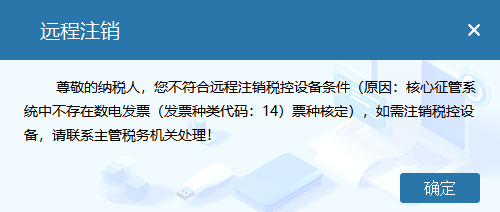
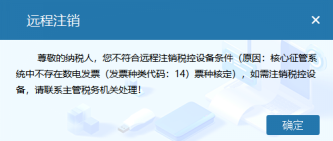
(2) If not qualified, a prompt specifying the non-qualification will pop up, and the taxpayer may communicate with the competent tax authority to confirm.
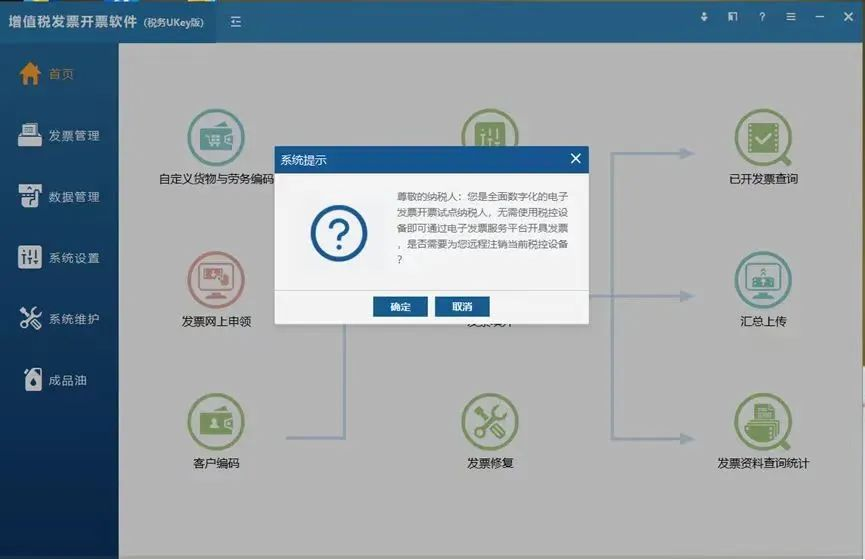
Tax Ukey remote cancellation of tax control equipment operation Step 1:The taxpayer inserts the tax UKey, logs in to the VAT Invoice Issuance Software (Tax UKey Version) (hereinafter referred to as the "invoicing software") with an internet connection, and the system automatically queries whether the taxpayer is eligible for remote deregistration of tax control equipment. After entering the main page, if the taxpayer is eligible, a prompt automatically pops up.
(1) If the verification passes, a reminder will automatically pop up asking whether to confirm the activation of the deregistration procedure.
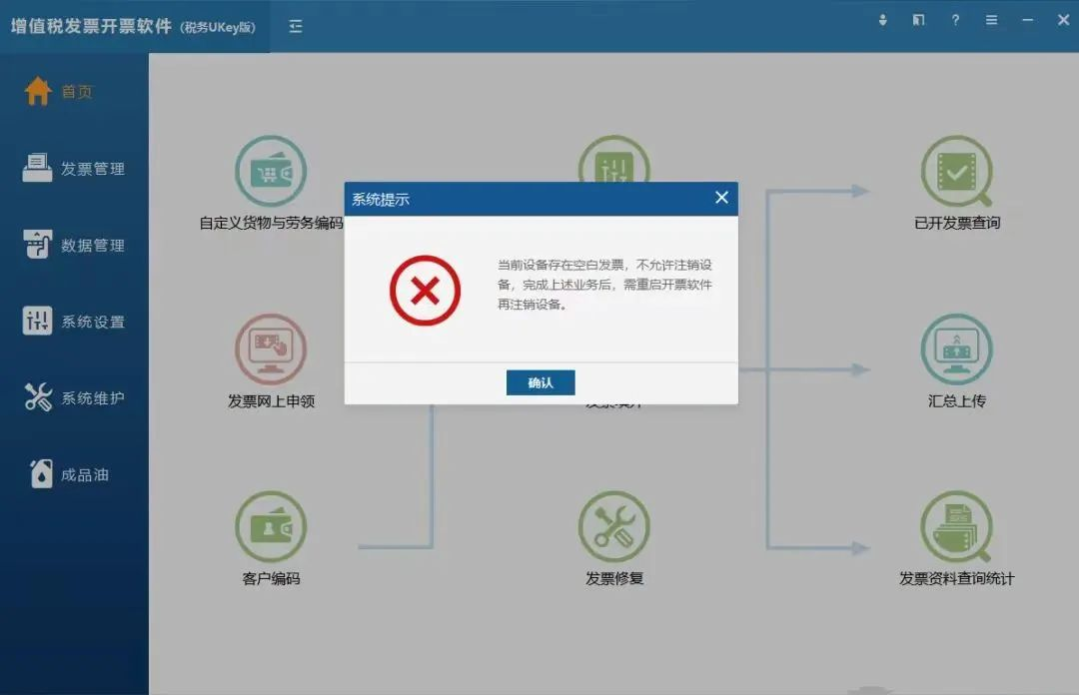
(2) If verification fails, a corresponding prompt will automatically pop up. After the taxpayer completes the corresponding business according to the prompt, restarting the invoicing software will allow the remote cancellation of tax control equipment to be performed again, as shown in the figure below (taking the existence of blank invoices in the tax control equipment as an example): prompt information that the equipment contains blank invoices.
Step 3:After the prompt message that verification is passed pops up, if the taxpayer clicks the "Cancel" button, it automatically returns to the main page of the invoicing software; if the taxpayer clicks the "Confirm" button, the invoicing software again initiates a query to the tax bureau for the qualification to remotely cancel tax control equipment:
(2) If the qualifications are not met, a specific prompt indicating non-compliance will pop up, and the taxpayer may communicate with the competent tax authority for confirmation.
Note: 1. During the remote cancellation of tax-control equipment, if the cancellation is interrupted due to an abnormality, you may log in to the invoicing software online and cancel remotely again according to the prompts until successful. If after the remote cancellation is interrupted you cannot log in to the invoicing software, you need to contact the competent tax authority. 2. If a taxpayer has multiple devices or main and extension devices, it is necessary to first complete remote cancellation of extension devices in sequence before remotely canceling the main device. 3. After remotely deregistering the tax control equipment, please keep the tax control equipment properly and wait for the competent tax authority to notify you about its recovery. 02 After tax control equipment is deregistered, how are fully digitalized e-invoices issued? To meet enterprises' needs for issuing fully digitalized e-invoices,Kailing Technology's "Lingshuitong·Smart Invoice Service Platform"Provide enterprises with digital services integrating the issuance and management of tax-controlled invoices and fully digitalized e-invoices, enabling invoicing methods for multiple scenarios such as mobile invoicing, batch invoicing, and scan-code invoicing, while supporting both PC and mobile useUse. Review invoicing Multiple invoicing conditions such as invoicing method, invoice type, and invoice category can be restricted, and different user management permissions can be set. Invoices can only be issued after reviewers verify that the invoice content is correct, ensuring invoicing accuracy. Different invoice types can be issued in batches within one template. Merchants enter the invoice amount, generate and print a receipt with an invoicing QR code. After customers scan the code, they fill in the invoice title for invoicing. One invoice per code prevents duplicate invoicing. Invoice delivery Can be via SMS or emailand other methodsDelivery. Standard API interface integration seamlessly connects with the enterprise's business systems, and invoices are automatically returned to the business systems.
Beijing Kailing Technology Co., Ltd.——an enterprise business-finance-tax digitalization solution service provider. Kailing Technology provides solutions for sales management systems, procurement management systems, output invoicing systems, input invoice collection systems, imaging management systems, financial posting systems, electronic accounting archives, fully digitalized e-invoice and Leqi interfaces and other businesses according to enterprise needs, professionally and efficiently helping enterprises transform and upgrade their business-finance-tax digital management. If you have any business-finance-tax digital transformation needs, welcome to contact us. Beijing Kailing Technology will serve you wholeheartedly.
|