010-6097 4119Book a Demo


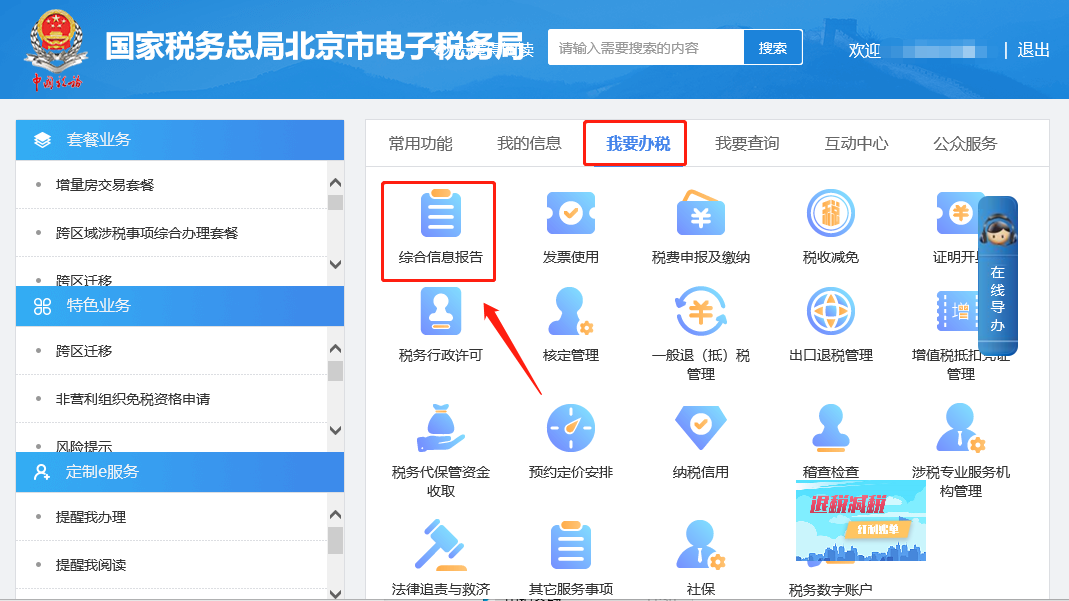
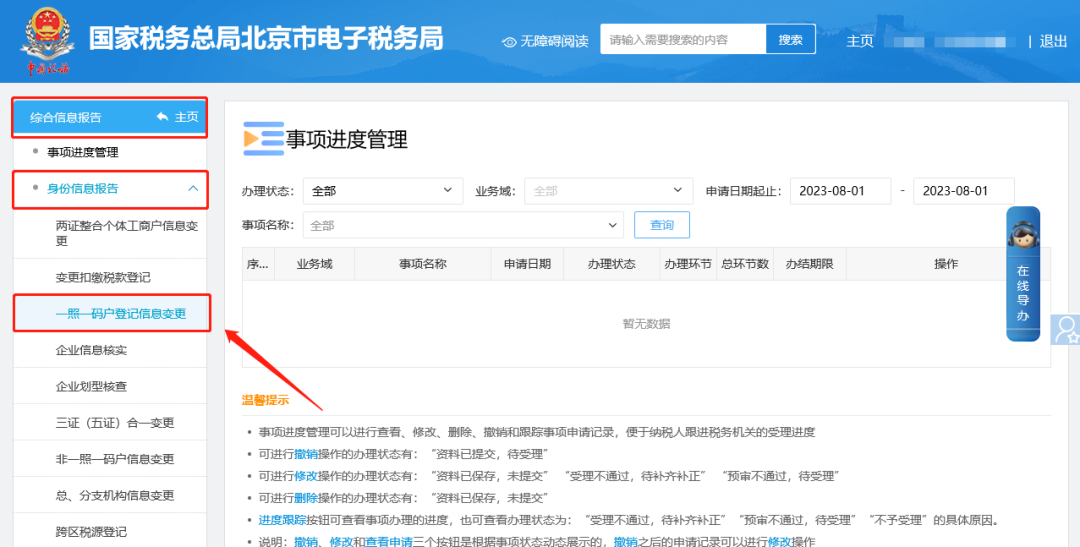
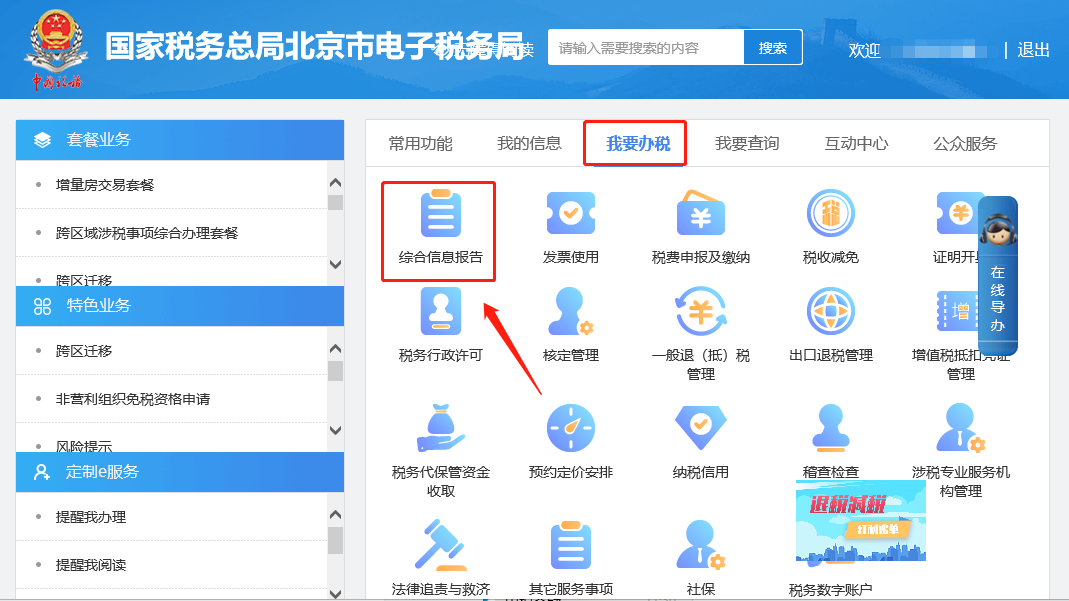
Electronic Tax Bureau operation guide | How do I change the legal representative's name and ID information in the basic information?Published: 2024-01-26 17:01 1.How do you change the legal representative's name and ID information in the basic information on the electronic tax bureau? Hello, please click [I Want to Handle Taxes] — [Comprehensive Information Report] — [Identity Information Report] — [One License One Code Household Registration Information Change], check the license-related information change, the content before and after the change will be automatically populated. After checking that the populated content is correct, save successfully and click Next to submit. I. I Want to Handle Taxes—Comprehensive Information Report.
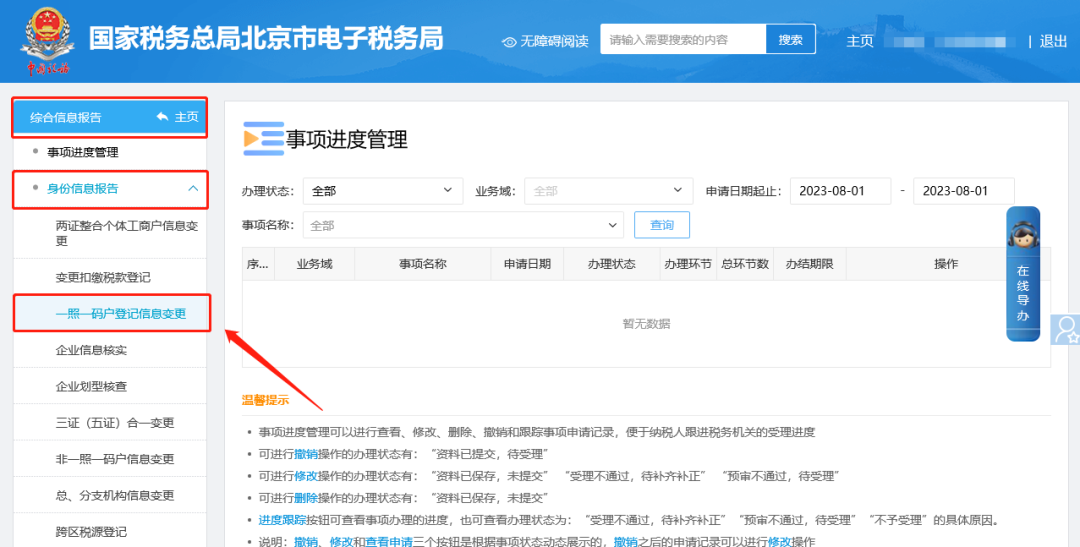
II. Comprehensive Information Report—Identity Information Report—One-License-One-Code Household Registration Information Change.
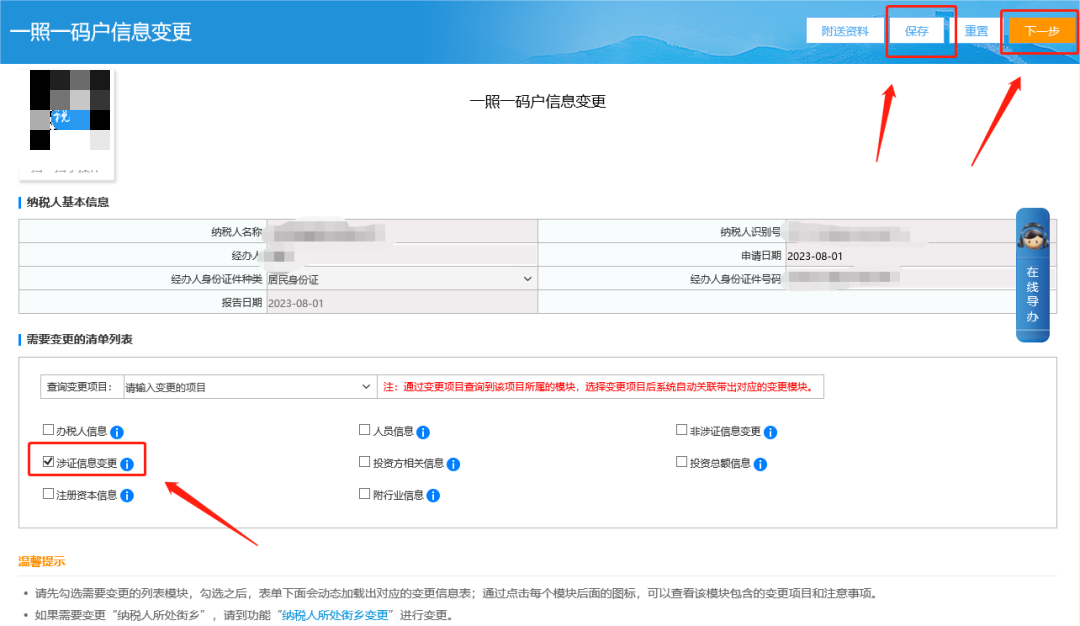
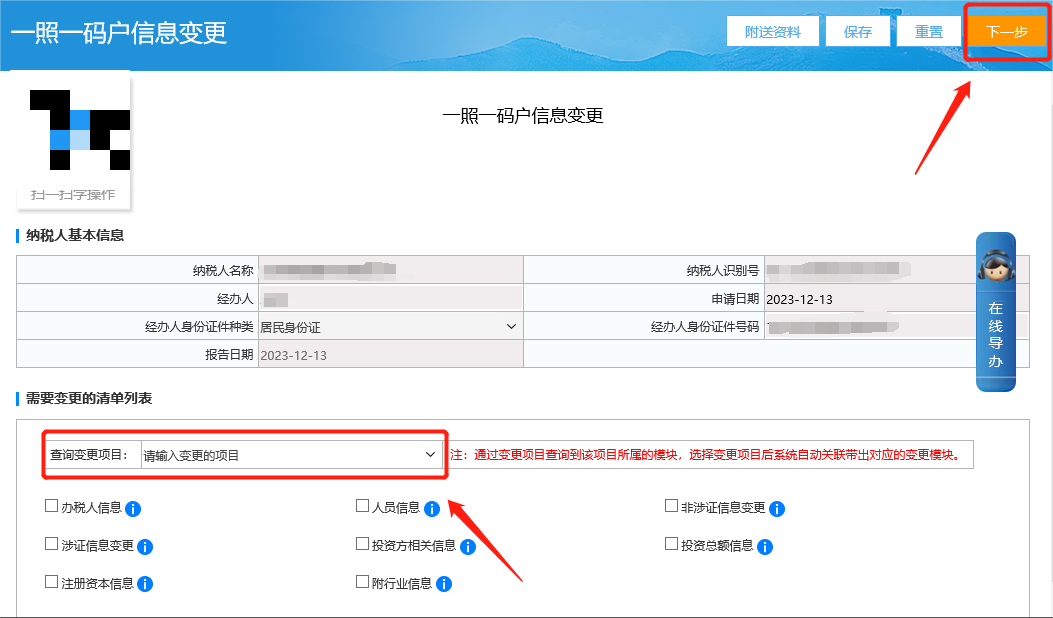
III. On the one-license-one-code household registration information change page, check license-related information change; the content before and after the change will be automatically brought out. After checking that the brought-out content is correct, save successfully and click Next to submit.
2.How do you change the personnel phone number in the basic information on the electronic tax bureau? Hello, please click [I Want to Handle Taxes] — [Comprehensive Information Report] — [Identity Information Report] — [One License One Code Household Registration Information Change], find the mobile phone number of the corresponding person in the change items to query, fill in the content after the change, and click Next to submit. I. I Want to Handle Taxes—Comprehensive Information Report.
II. Comprehensive Information Report—Identity Information Report—One-License-One-Code Household Registration Information Change.
III. On the one-license-one-code household registration information change page, find the mobile phone number of the corresponding person in the queried change items, fill in the content after the change, and click Next to submit.
3.How do you change the production and operation address on the electronic tax bureau? Hello, please click [I Want to Handle Taxes] — [Comprehensive Information Report] — [Identity Information Report] — [One License One Code Household Registration Information Change], click the drop-down menu after querying the change items, select the production and operation address, fill in the content after the change, and click Next to submit. I. I Want to Handle Taxes—Comprehensive Information Report.
II. Comprehensive Information Report—Identity Information Report—One-License-One-Code Household Registration Information Change.
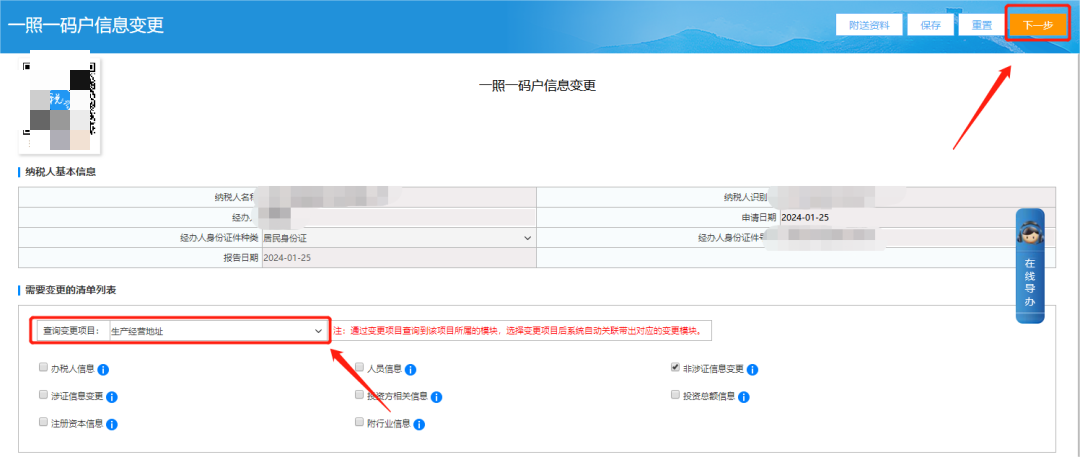
III. On the one-license-one-code household registration information change page, after querying the change item, click the drop-down menu, select the production and operation address, fill in the content after the change, and click Next to submit.
Source: Beijing Tax Beijing Kailing Technology Co., Ltd.——an enterprise business-finance-tax digitalization solution service provider. Kailing Technology provides solutions for sales management systems, procurement management systems, output invoicing systems, input invoice collection systems, imaging management systems, financial posting systems, electronic accounting archives, fully digitalized e-invoice and Leqi interfaces and other businesses according to enterprise needs, professionally and efficiently helping enterprises transform and upgrade their business-finance-tax digital management. If you have any business-finance-tax digital transformation needs, welcome to contact us. Beijing Kailing Technology will serve you wholeheartedly.
|