010-6097 4119Book a Demo


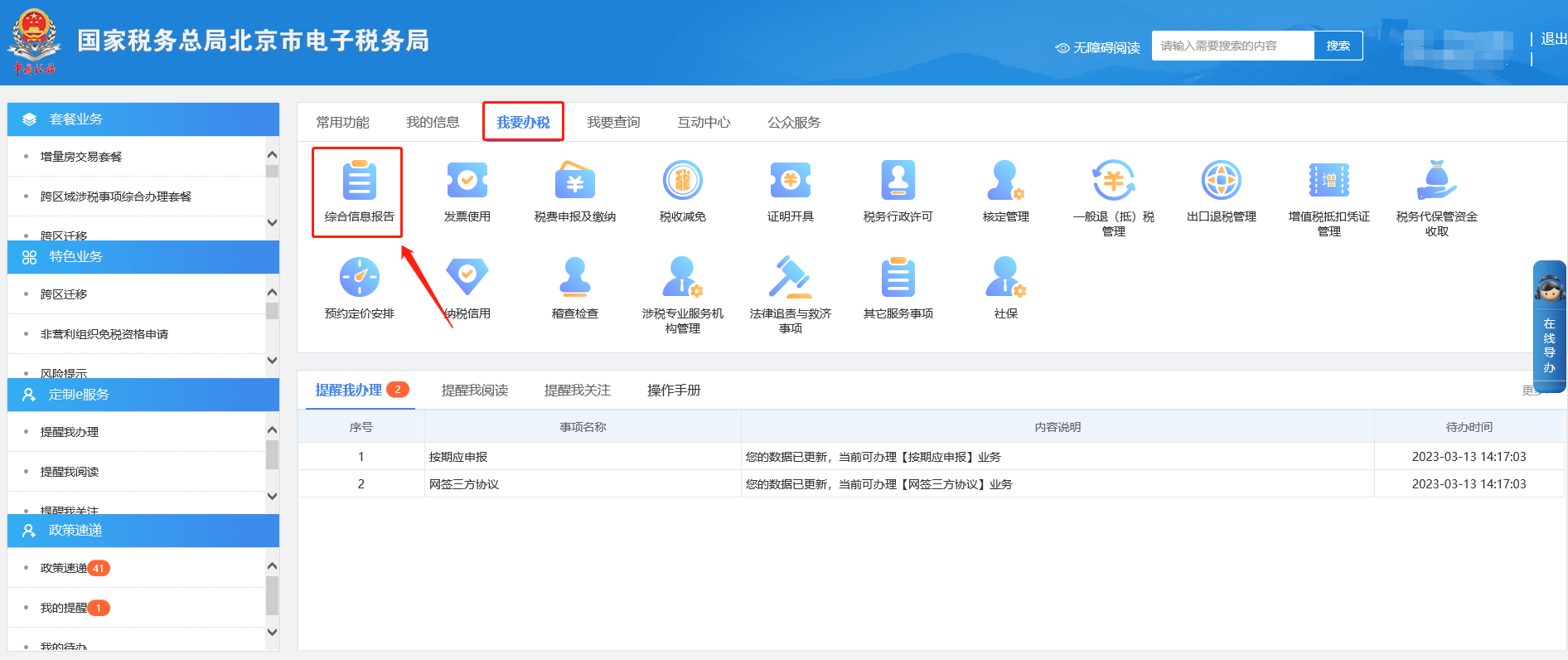
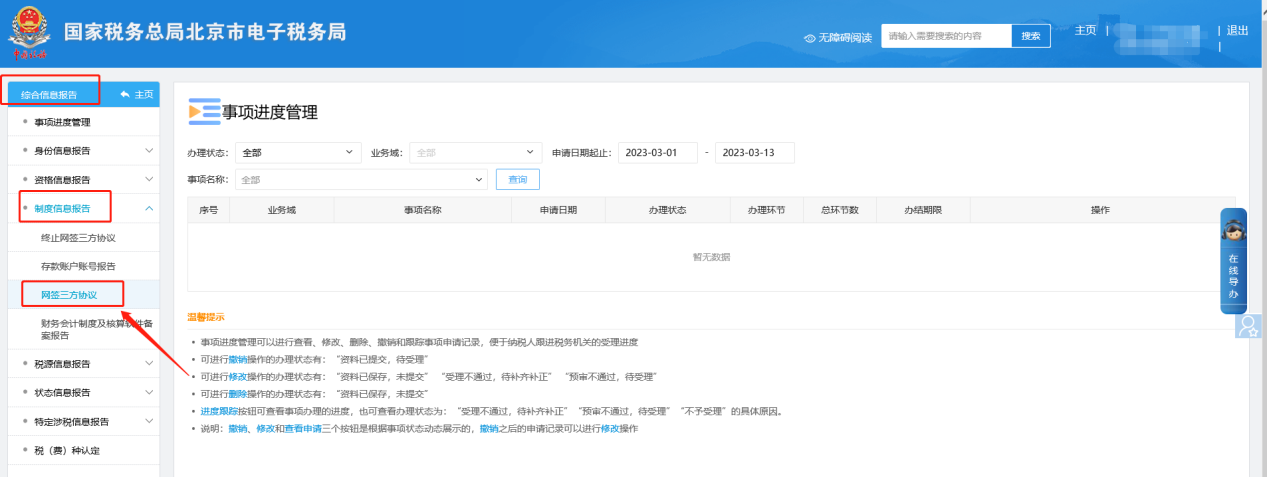
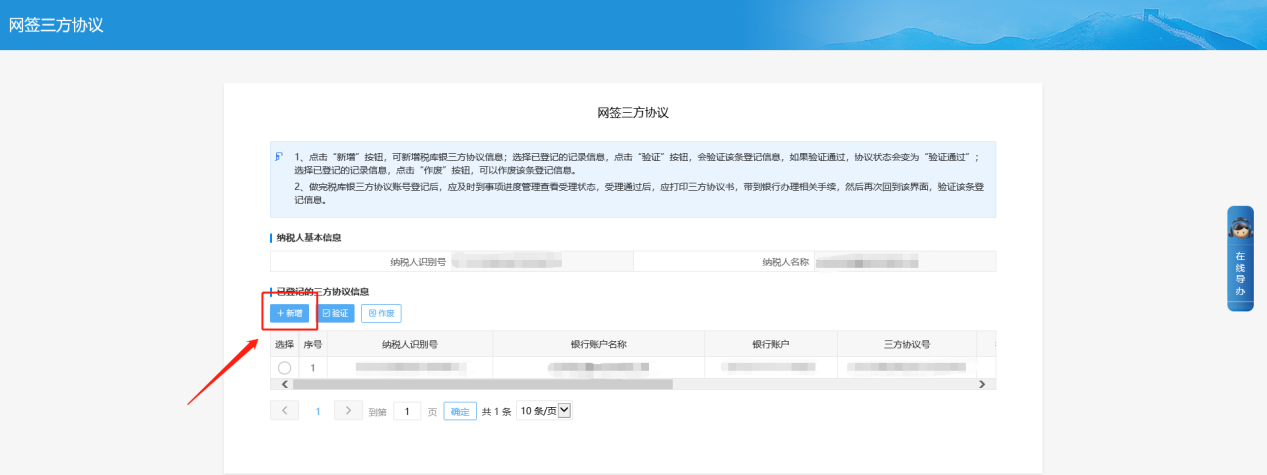
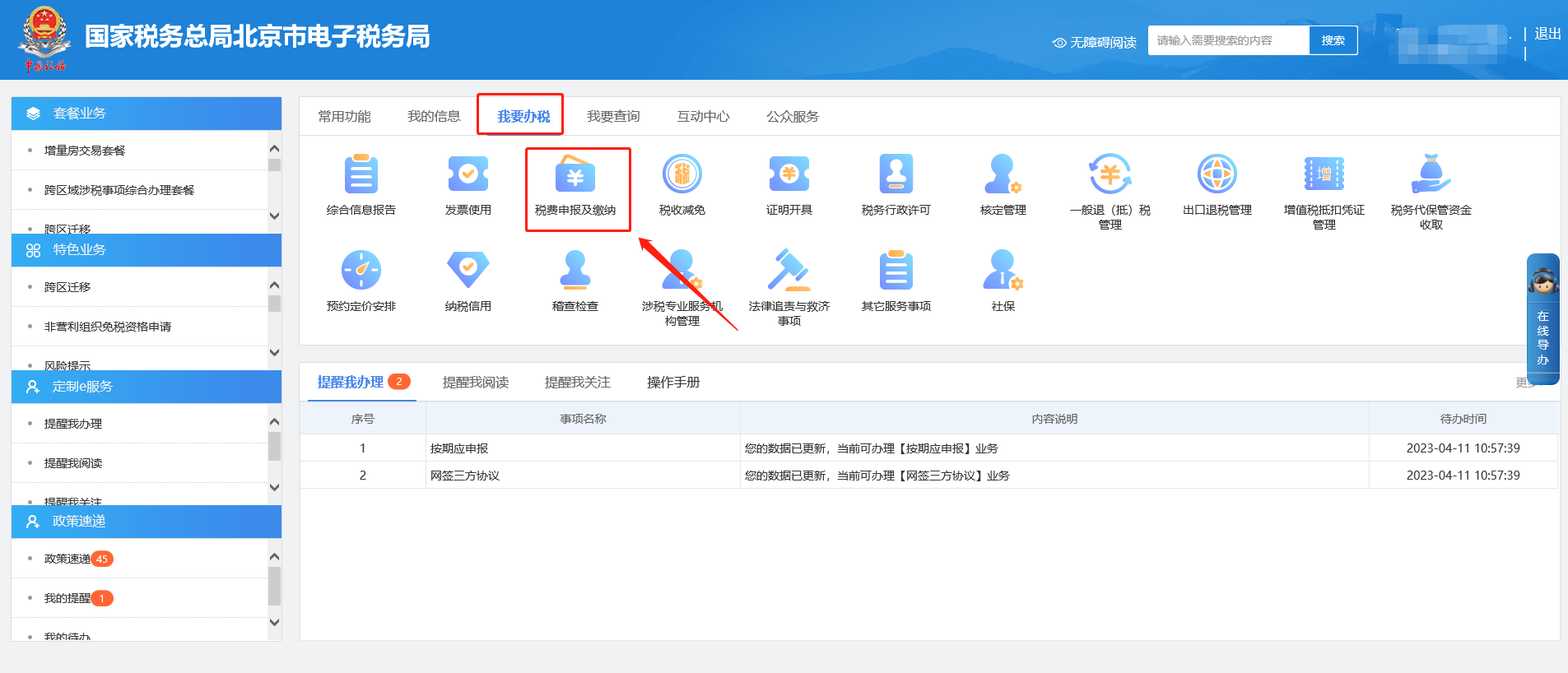
E-Tax Bureau Operation Guide | How to query and export the summary data of issued invoice information?Published: 2023-12-26 16:02 1.How do I sign a tripartite agreement on the Electronic Tax Bureau? Answer: Hello, please click [I Want to Handle Taxes] — [Comprehensive Information Report] — [System Information Report] — [Deposit Account Number Report] to add or modify bank information, and click Next to submit; after successful submission, please click [I Want to Handle Taxes] — [Comprehensive Information Report] — [System Information Report] — [Online Signing of Tripartite Agreement], click Add, select bank information and click Confirm, modify the batch deduction flag on the tripartite agreement application form interface, and click Next to submit. After completion, you can return to the online tripartite agreement signing interface, select and check this bank information and click Verify. If the agreement status changes to "Verification Passed," it indicates the tripartite agreement was signed successfully. Step 1 I. I Want to Handle Taxes—Comprehensive Information Report.
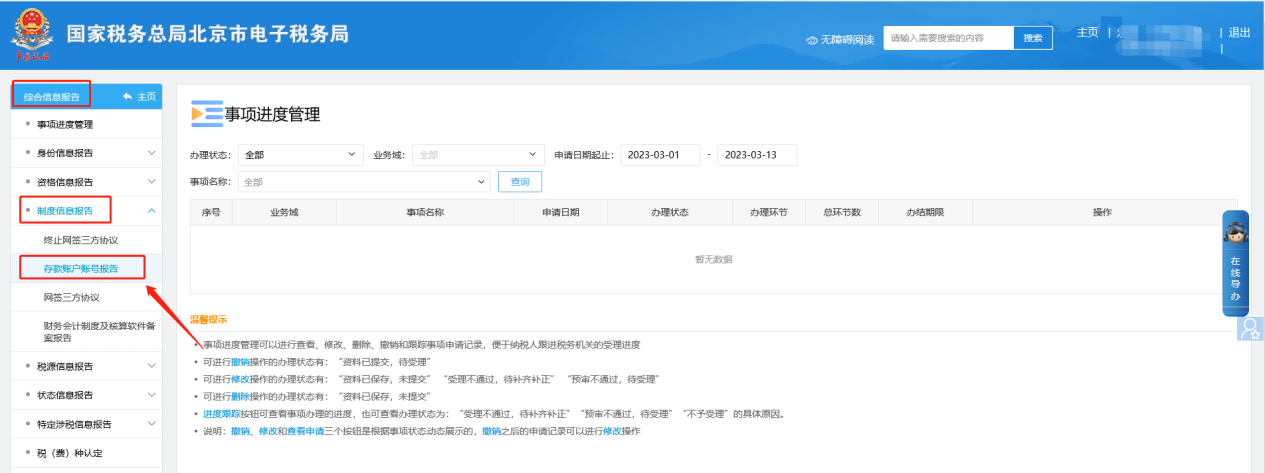
II. Comprehensive Information Report—System Information Report—Deposit Account Number Report.
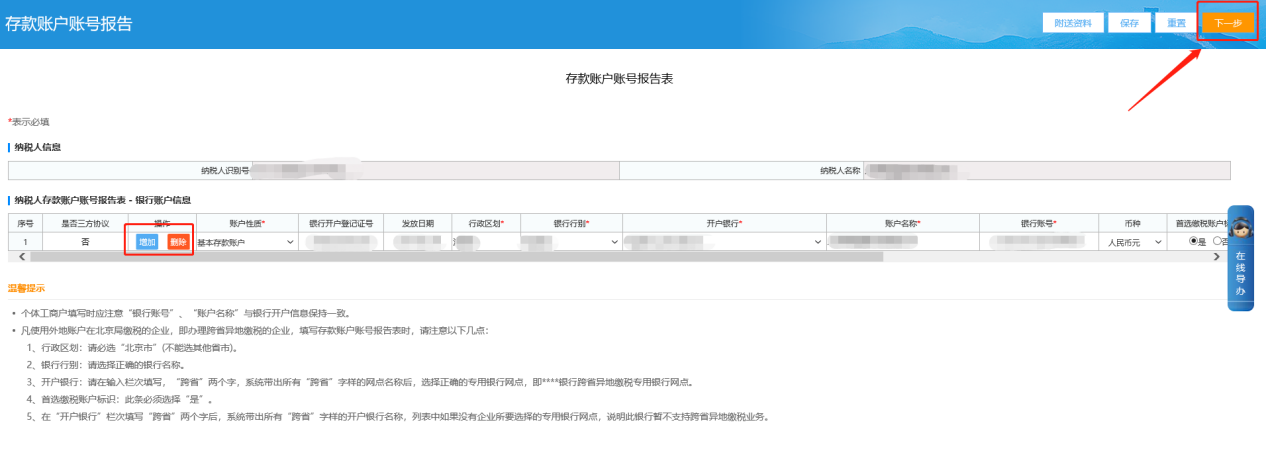
III. On the deposit account number report page, add or modify bank information and click Next.
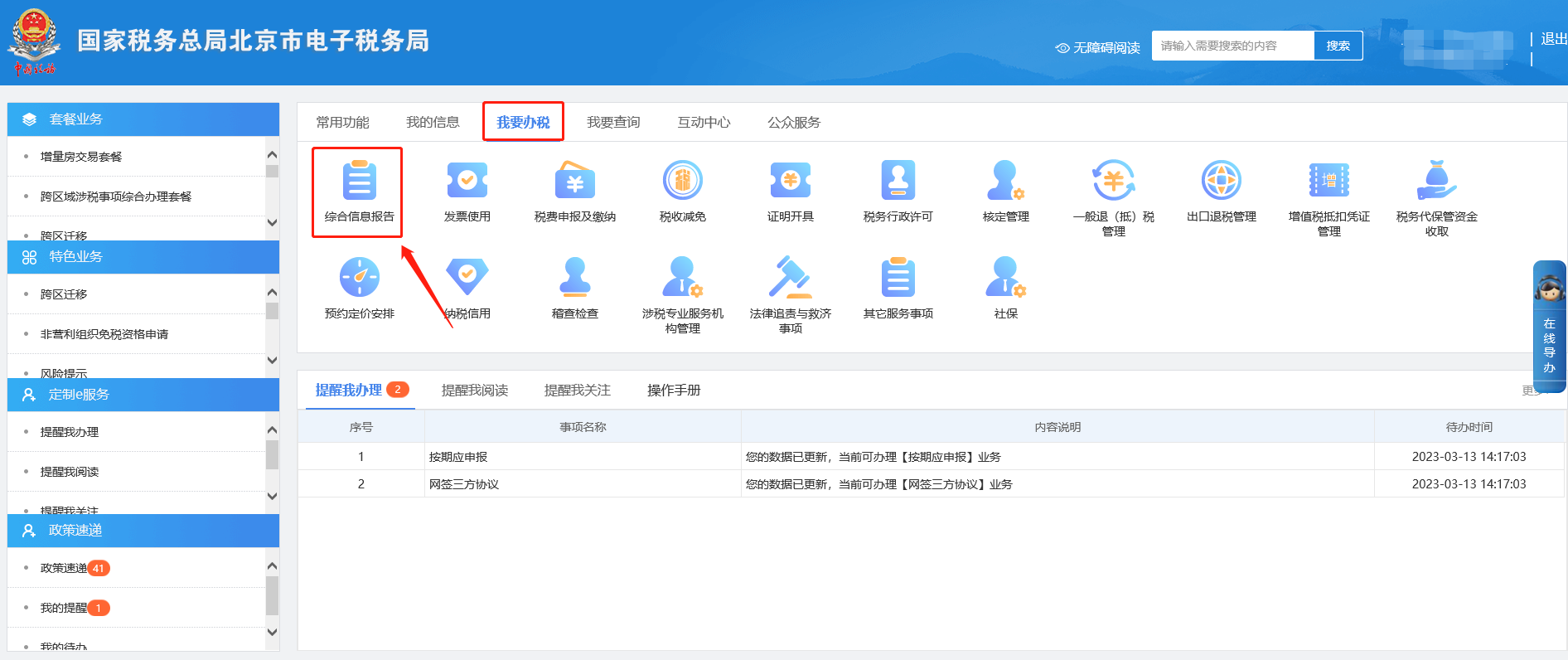
Step 2 I. I Want to Handle Taxes—Comprehensive Information Report.
II. Comprehensive Information Report—System Information Report—Online Signing of Tripartite Agreement.
III. On the Online Signing of Tripartite Agreement page, click Add.
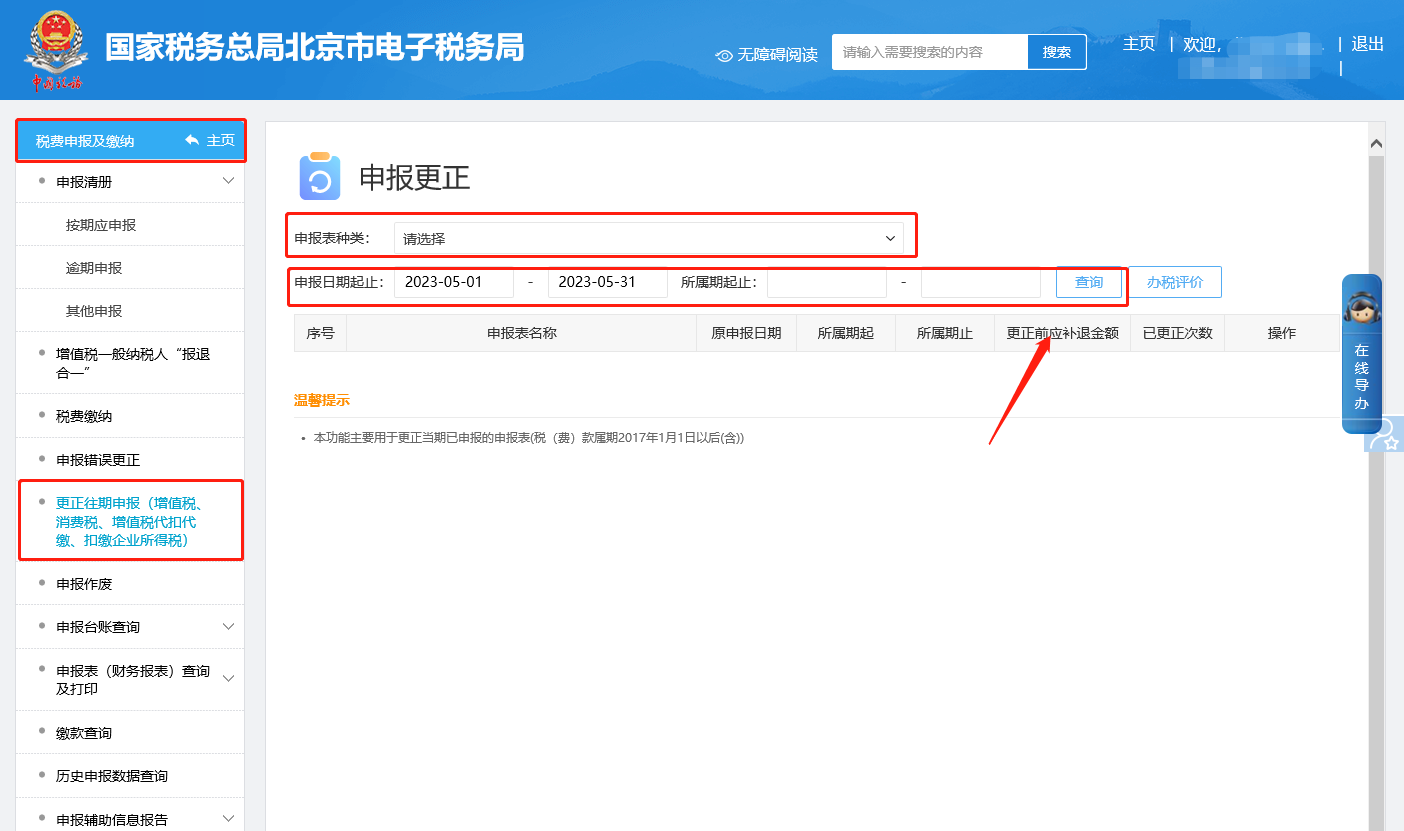
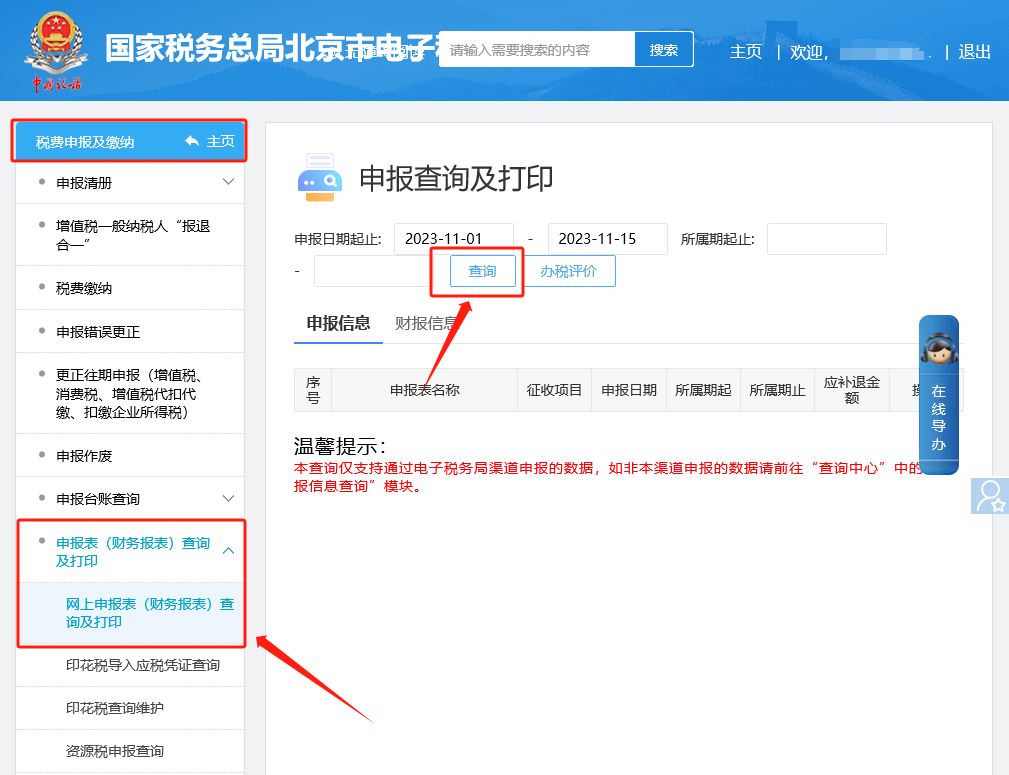
IV. Select the bank information and click Confirm. On the tripartite agreement application form screen, modify the batch deduction flag and click Next to submit. After completion, return to the online tripartite agreement signing screen, check this bank information and click Verify. If the agreement status changes to Verified, it indicates the tripartite agreement was signed successfully. 2.How do I correct a successfully filed VAT return on the Electronic Tax Bureau? Answer: Hello, please click the [I Want to Handle Taxes] — [Tax and Fee Filing and Payment] — [Correction of Prior Period Filings (VAT, Consumption Tax, VAT Withholding and Remittance, Withholding of Enterprise Income Tax)] module, find the report according to the query conditions, and click the "Correct Filing" button on the right to enter the form, complete the modification and filing, and then please click [I Want to Handle Taxes] — [Tax and Fee Filing and Payment] — [Filing Form (Financial Statement) Query and Print] — [Online Filing Form (Financial Statement) Query and Print] module to query the updated report information. Step 1 I. I Want to Handle Taxes—Tax and Fee Filing and Payment.
II. Tax and fee filing and payment—Correction of prior filings (VAT, consumption tax, VAT withholding and remittance, withholding of enterprise income tax) module. Find the report according to the query conditions, then click the "Correct Filing" button on the right to enter the form and complete the modification and filing.
Step 2 I. I Want to Handle Taxes—Tax and Fee Filing and Payment.
II. Tax and fee filing and payment—Filing form (financial statement) query and printing—Online filing form (financial statement) query and printing module to query the updated report information.
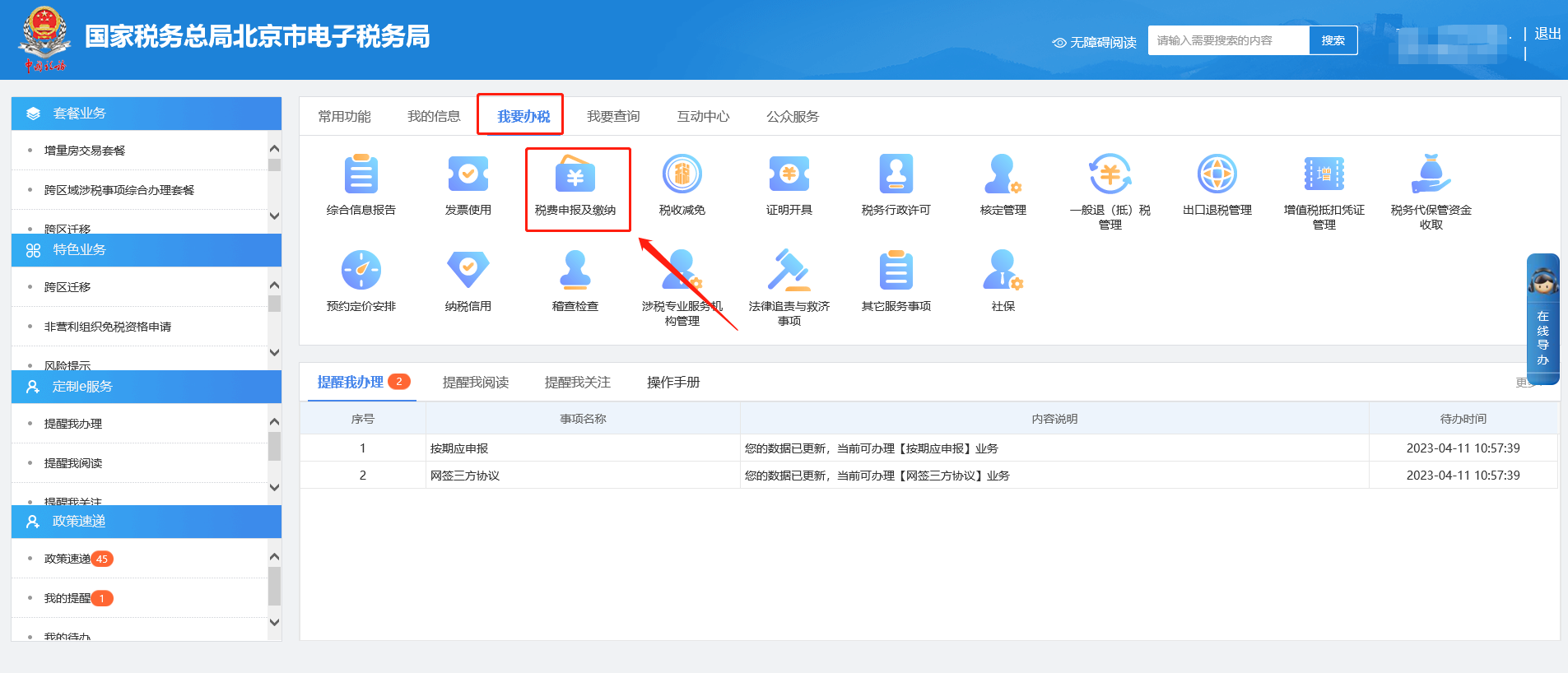
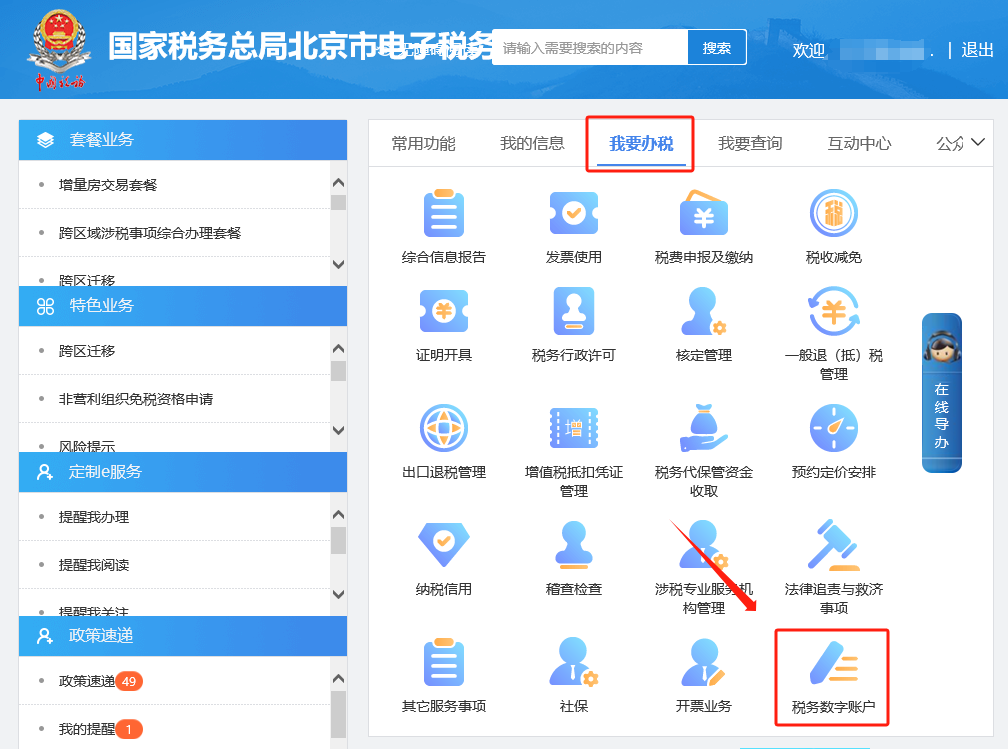
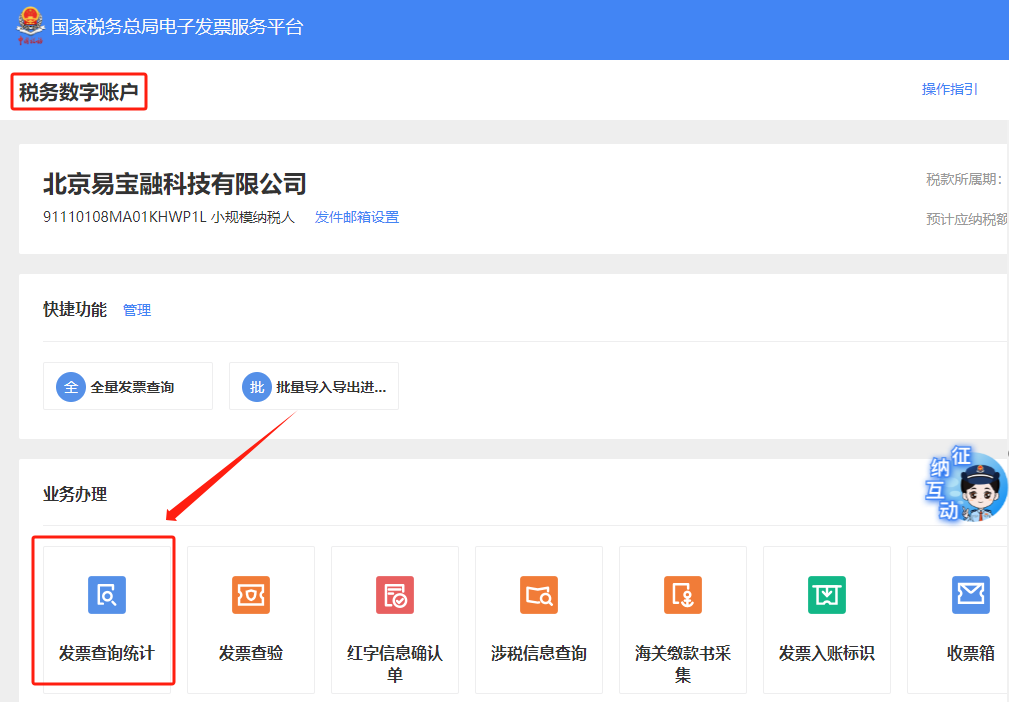
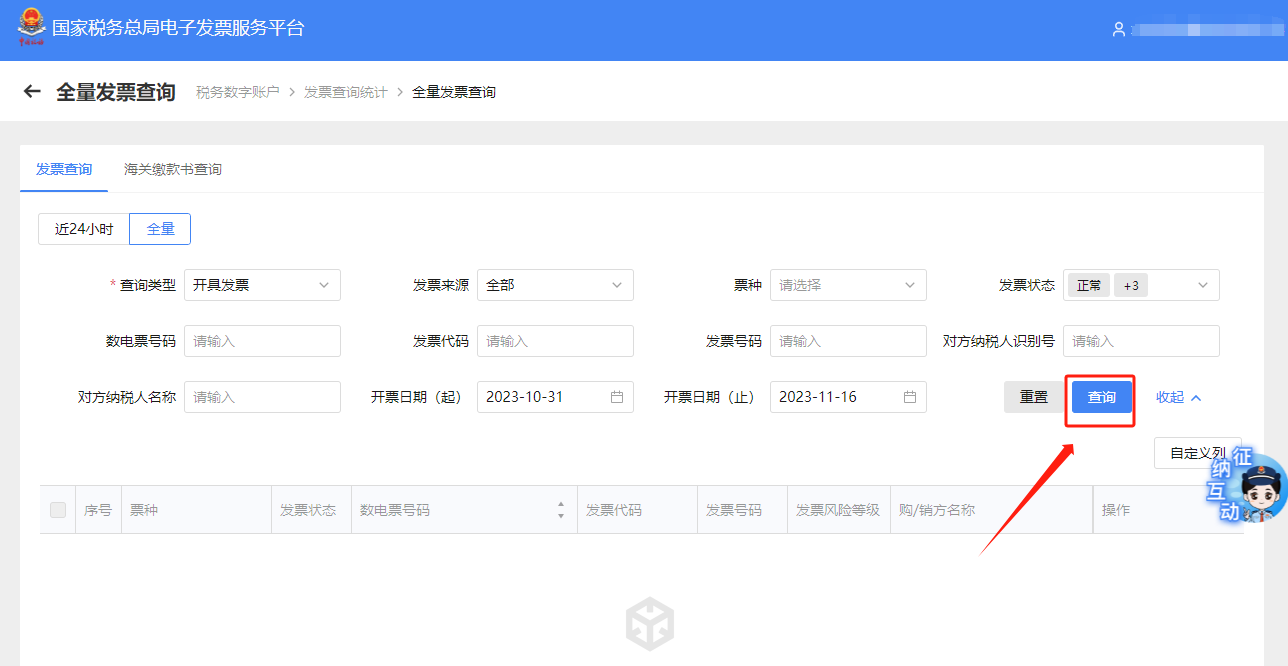
3.How to query and export summary data of issued invoice materials on the electronic tax bureau? Answer: Hello, please click [I Want to Handle Taxes] — [Tax Digital Account] — [Invoice queryEnter the Statistics】—【Full invoice query】module, select query conditions and click 【Query】. The system will display query results based on the conditions. In the query results, select the invoice data to be exported and click "Export". I. I Want to Handle Taxes—Tax Digital Account.
II. Tax digital account—invoice query and statistics.
III. Full-volume invoice inquiry.
IV. Enter the full invoice query module, select query conditions and click [Query]. The system will display query results according to the conditions. In the query results, select the invoice data to be exported and click "Export."
Source: Beijing Tax official account Beijing Kailing Technology Co., Ltd.——an enterprise business-finance-tax digitalization solution service provider. Kailing Technology provides solutions for sales management systems, procurement management systems, output invoicing systems, input invoice collection systems, imaging management systems, financial posting systems, electronic accounting archives and other businesses according to enterprise needs, professionally and efficiently helping enterprises transform and upgrade their business-finance-tax digital management. If you have anyFor your business-finance-tax digital transformation needs, welcome to contact us; Beijing Kailing Technology will serve you wholeheartedly.
|