010-6097 4119Book a Demo


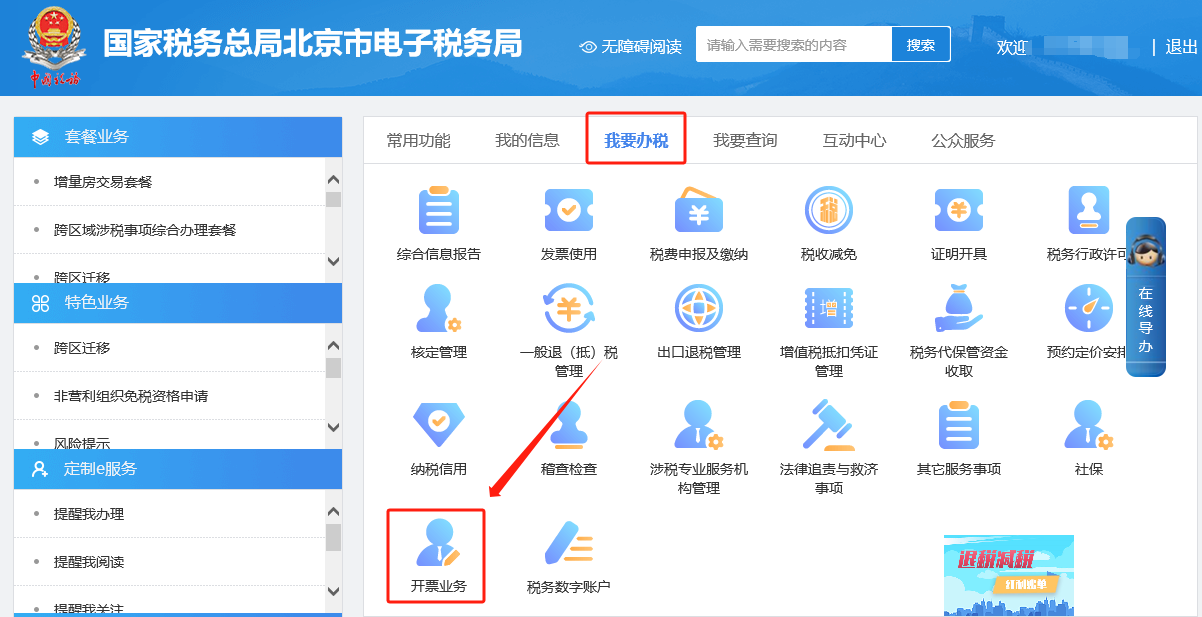
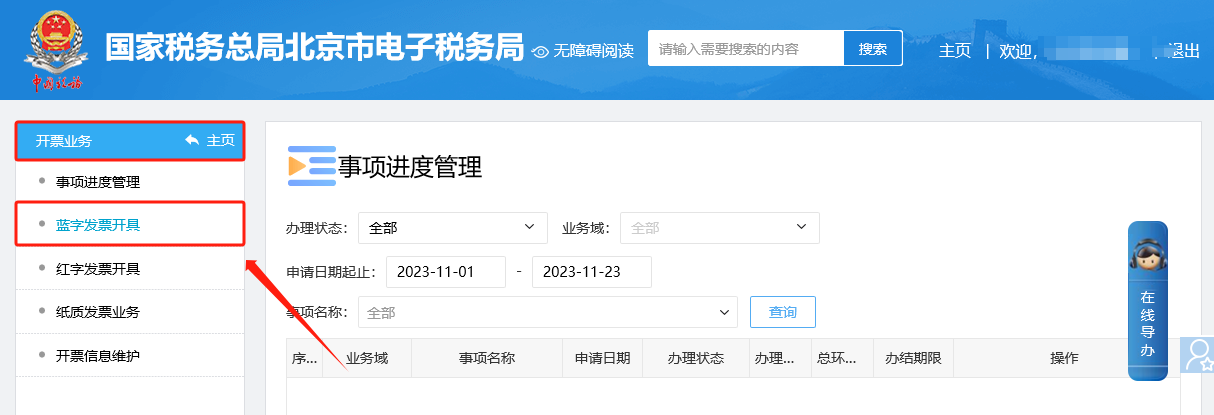
Electronic Tax Bureau operation guide | What? You still haven't determined whether you are a fully digitalized e-invoice pilot taxpayer?Published: 2023-12-08 11:11 1.How to determine whether you are a pilot taxpayer for fully digitalized e-invoices? Taxpayers included in the pilot rollout will receive a notice after logging in to the electronic tax bureau that they have been included in the pilot for fully digitalized e-invoices. Taxpayers can also log in to the electronic tax bureau and enter the [I Want to Handle Taxes] — [Invoicing Business] — [Blue Invoice Issuance] module. If the total invoice quota can be correctly displayed and invoices can be issued, it indicates that the taxpayer has been included in the pilot rollout scope. The specific operations are as follows: ①I Want to Handle Tax Matters—Invoicing Business.
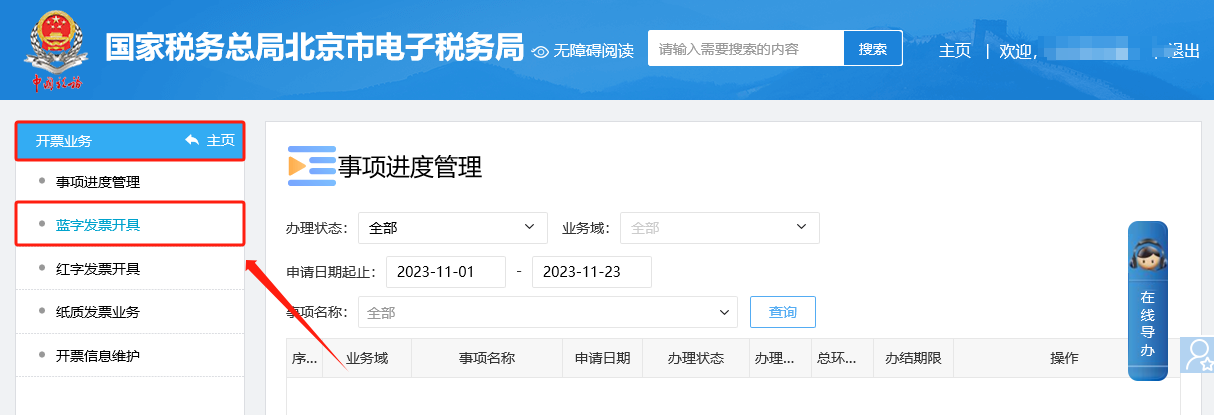
②Invoicing business — under the blue invoice issuance module, if the total invoice quota can be correctly displayed and invoices can be issued, it indicates that the taxpayer has been included in the pilot promotion scope.
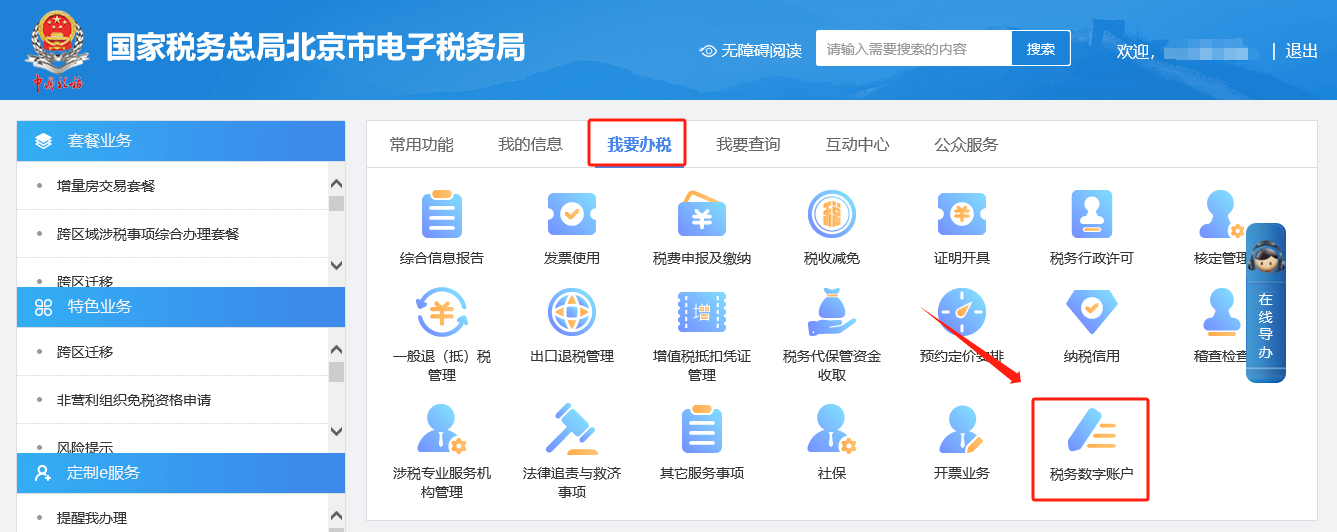
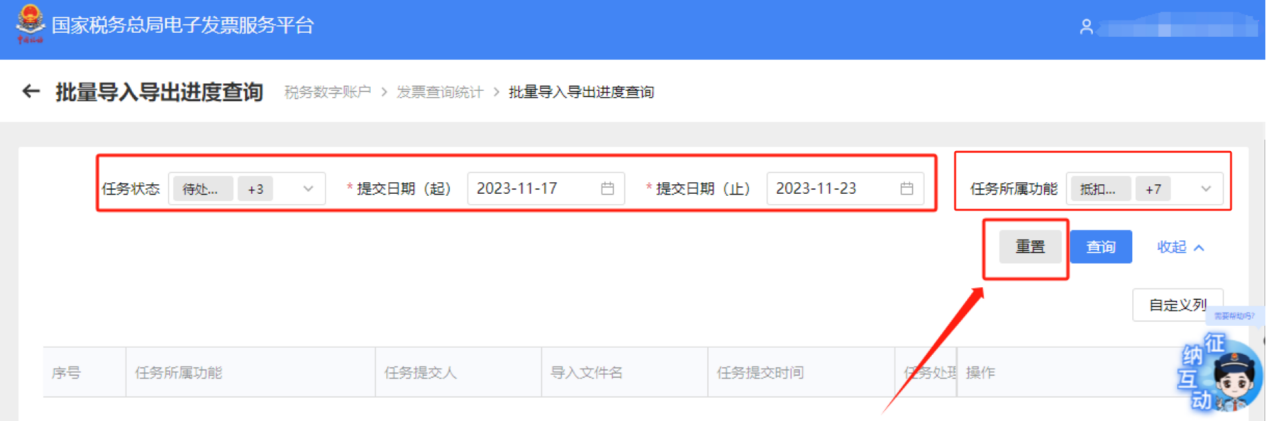
2.How can a taxpayer query the progress of large-batch import and export tasks? In sequenceClick [I Want to Handle Taxes] — [Tax Digital Account] — [Invoice queryStatistics】—【Batch import/export progress query】. After entering the page, select the task status, submission start and end times, and the function to which the task belongs, then click "Query" to check the batch import/export progress within these conditions. The specific operations are as follows: ①I Want to Handle Tax Matters—Tax Digital Account.
②Tax digital account — invoice query and statistics.
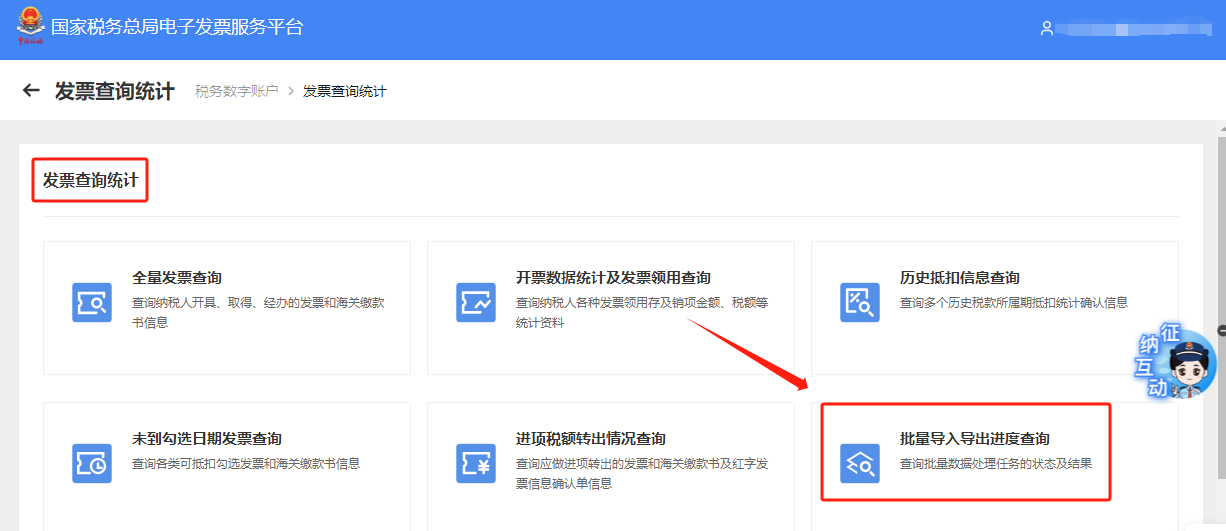
③Invoice query statistics—batch import/export progress query.
④For batch import and export progress query, after entering the page, select the task status, submission time range, and the function to which the task belongs, then click "Query" to check the batch import and export progress within these conditions.
3.On the electronic tax bureau, through [I Want to Handle Taxes] — [Invoice Use] — [Blue Invoice Issuance], during invoice filling, does it prompt face-scanning verification? Or does it frequently prompt face-scanning verification? According to the latest system rules of the State Taxation Administration, in the fully digitalized e-invoice issuance process, the face-scanning function must first be called to perform face-scanning real-name authentication for the current invoicer, and invoicing can continue only after authentication passes. The enterprise legal representative and financial officer can click "Identity Authentication Frequency Settings" under the [Blue-Letter Invoice Issuance] module. The system will pop up an identity authentication frequency adjustment interface, where taxpayers can adjust the identity authentication time interval. The system supports a maximum interval of 24 hours. The specific operations are as follows: ①I Want to Handle Tax Matters—Invoicing Business.
②Invoicing business — under the blue invoice issuance module, click "Identity Authentication Frequency Settings," and the system will pop up the identity authentication frequency adjustment interface, where taxpayers can adjust the identity authentication time interval; the system supports a maximum interval of 24 hours.
Source: Beijing Tax official account Beijing Kailing Technology Co., Ltd.——an enterprise business-finance-tax digitalization solution service provider. Kailing Technology provides solutions for sales management systems, procurement management systems, output invoicing systems, input invoice collection systems, imaging management systems, financial posting systems, electronic accounting archives and other businesses according to enterprise needs, professionally and efficiently helping enterprises transform and upgrade their business-finance-tax digital management. If you have any business-finance-tax digital transformation needs, welcome to contact us. Beijing Kailing Technology will serve you wholeheartedly. |