010-6097 4119Book a Demo


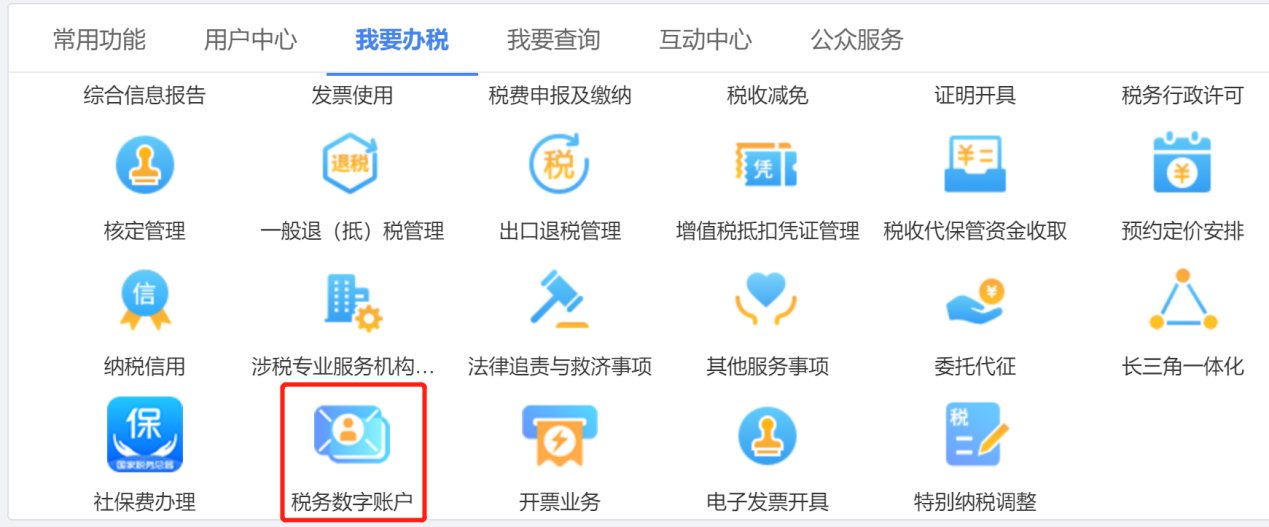
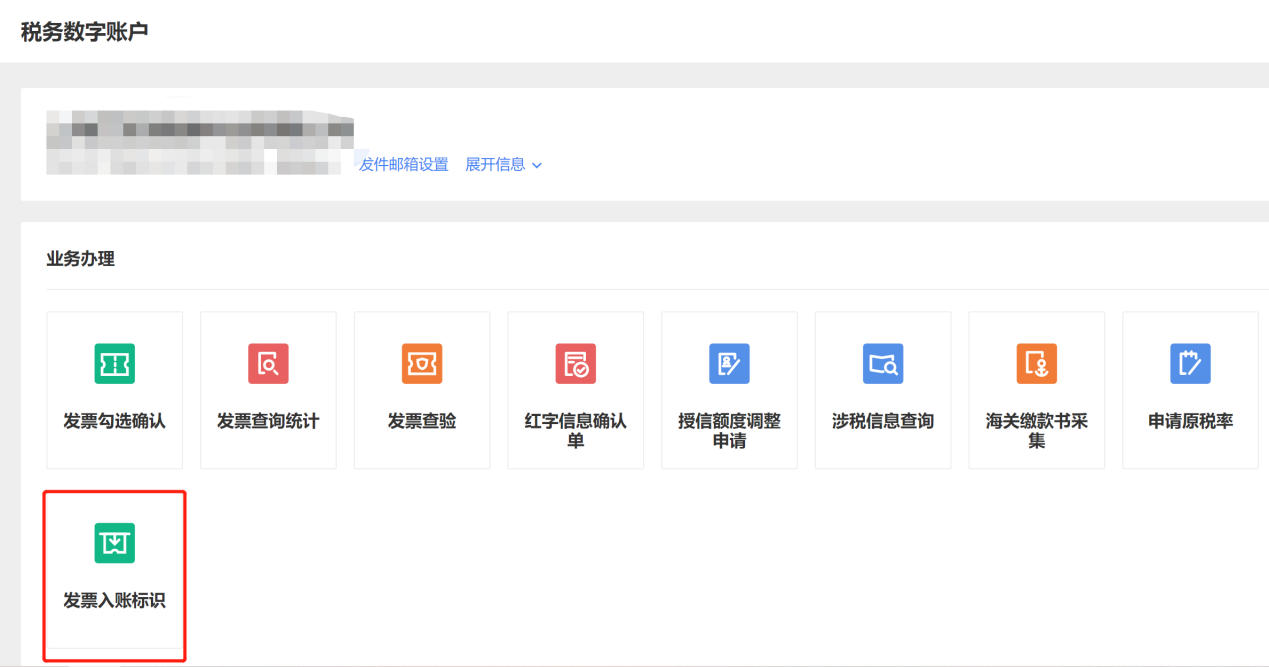
E-Tax Bureau Tax Digital Account Operation Guide: Invoice postingPublished on: 2024-11-18 16:44 Invoice posting means that after a taxpayer obtains an invoice, the electronic invoice service platform system collects data on all invoices obtained by the taxpayer (including customs payment documents) and withholding and remitting tax payment vouchers, and the taxpayer performs invoice posting operations in the electronic invoice service platform system to prevent the risk of duplicate posting and archiving of electronic invoices. The following demonstrates the specific operational process for invoice posting: First log in to the electronic tax bureau, and in the function menu select [I Want to Handle Taxes] - [Tax Digital Account] - [Invoice Posting Identifier] in sequence to enter the invoice posting identifier page.
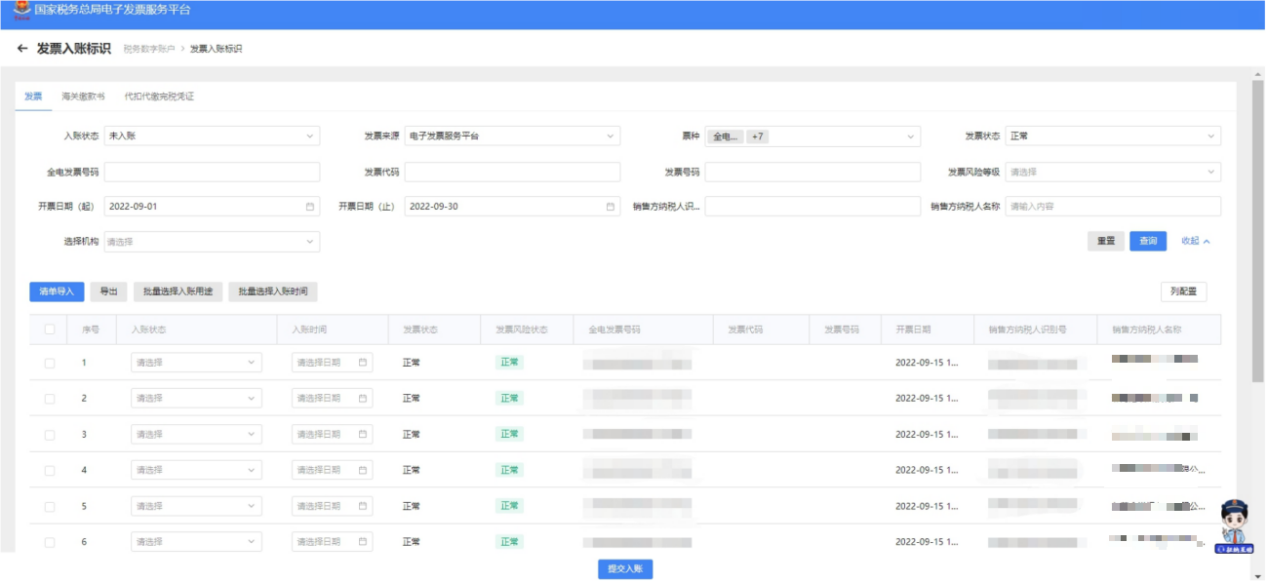
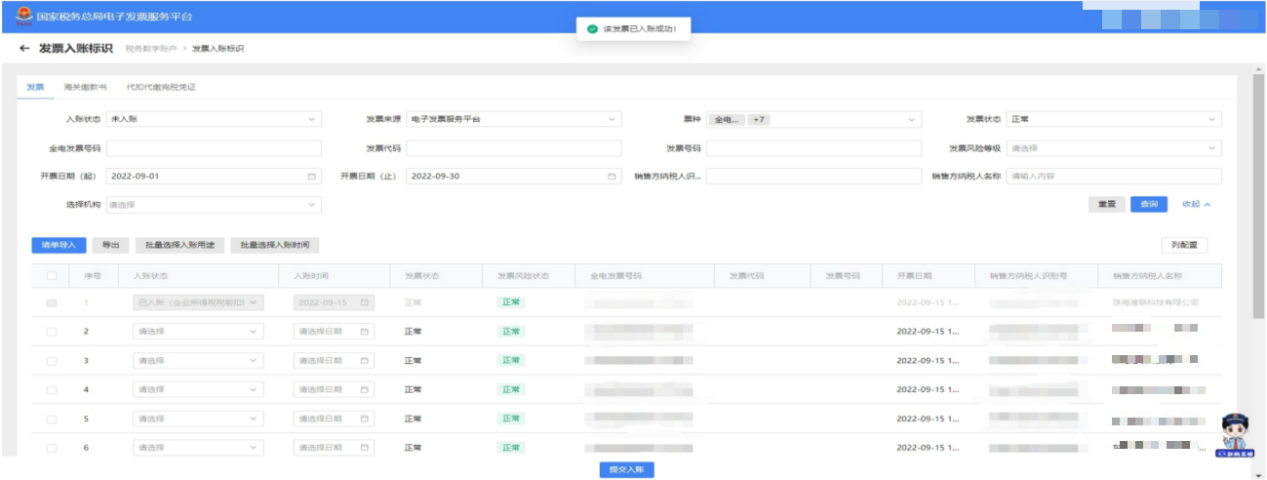
On the page for selecting invoices, customs payment certificates, or withholding tax payment vouchers, enter the query information, click the [Query] button, and the corresponding invoice information will be displayed in the query results area.
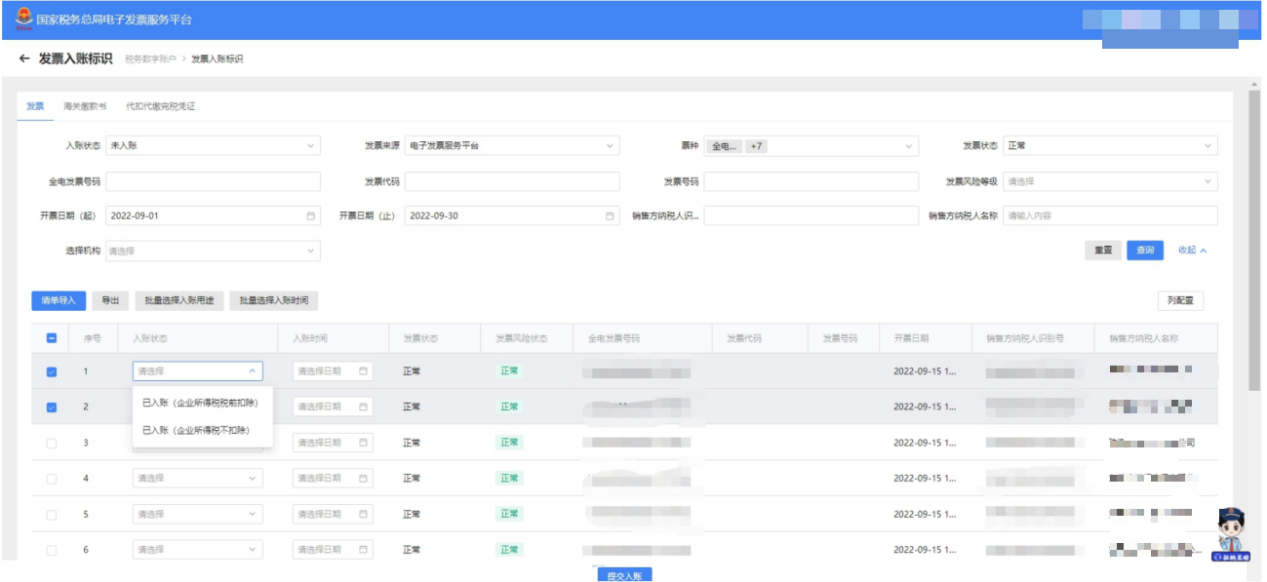
In the "Invoice Status" column of the corresponding invoice information found in the query results area, select the accounting purpose.
After completing the entry, check the invoices to be booked, click the [Submit for Booking] button, and a confirmation to submit for booking will be displayed along with a prompt showing the total number of invoices and tax amount.
After confirming it is correct, click [Continue Submit], and the system prompts "This invoice has been successfully recorded."
In addition, you can also choose the [List Import] method for accounting entries.: Click [List Import], and the list import interface pops up. Click "Batch Invoice Posting Import Template" to download the import template, then fill in the information according to the template requirements, click the [Select File] button, select the file to be imported, and click "Open."
After successful import, the system will read the data and display the data reading status. If file information import fails, click "Download details of suspected anomalies and failed accounting entries" to export the failure reasons in Excel format to the local device for viewing.
If you want to change the accounting status of an invoice, you can do it as follows: Change the "posting status" in the query conditions, select a different value, and click the [Query] button to display the invoice information that has been posted; check the invoices to be adjusted, select the invoice status to be adjusted, and after adjusting the posting status of the invoices, click the [Posting Adjustment] button, and the message "The invoice has been adjusted successfully!" will appear.
Source: State Taxation Administration As a comprehensive business-finance-tax digitalization solution service provider, Kailing Technology provides business-finance-tax management digital transformation products and operational services for various government agencies, institutions, and large, medium, and small enterprises. The product line includes: Solutions for businesses including sales contract management system, procurement contract management system, fully digitalized Leqi interface project, output automatic invoicing system, employee expense control and reimbursement system, input VAT invoice management system, supply chain collaborative reconciliation system, image OCR recognition system, automatic financial bookkeeping system, and electronic accounting archives system, comprehensively driving the digitalization process across various fields. If you have any business-finance-tax digital transformation needs, welcome to contact us. Beijing Kailing Technology will serve you wholeheartedly.
|