010-6097 4119Book a Demo


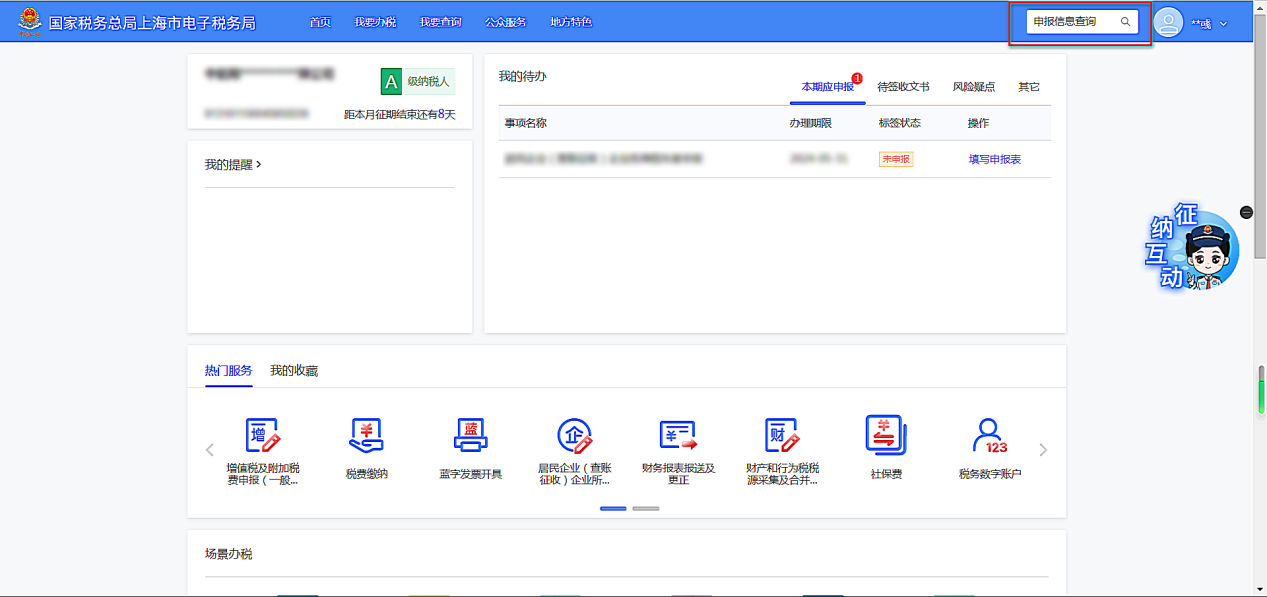
How do I query historical tax return information in the New Electronic Tax BureauPublished: 2024-07-01 15:56 For pilot enterprises that have just joined the New Electronic Tax Bureau, if they want to query historical VAT and corporate income tax filing information and financial statements in the New Electronic Tax Bureau, how should they operate? I. Query pathThere are mainly 3 paths to enter the query page: 1. Log in to the new electronic tax bureau, enter "Filing Information Query"/"Financial Statement Filing Information Query" in the search bar on the homepage to directly enter the corresponding query interface.
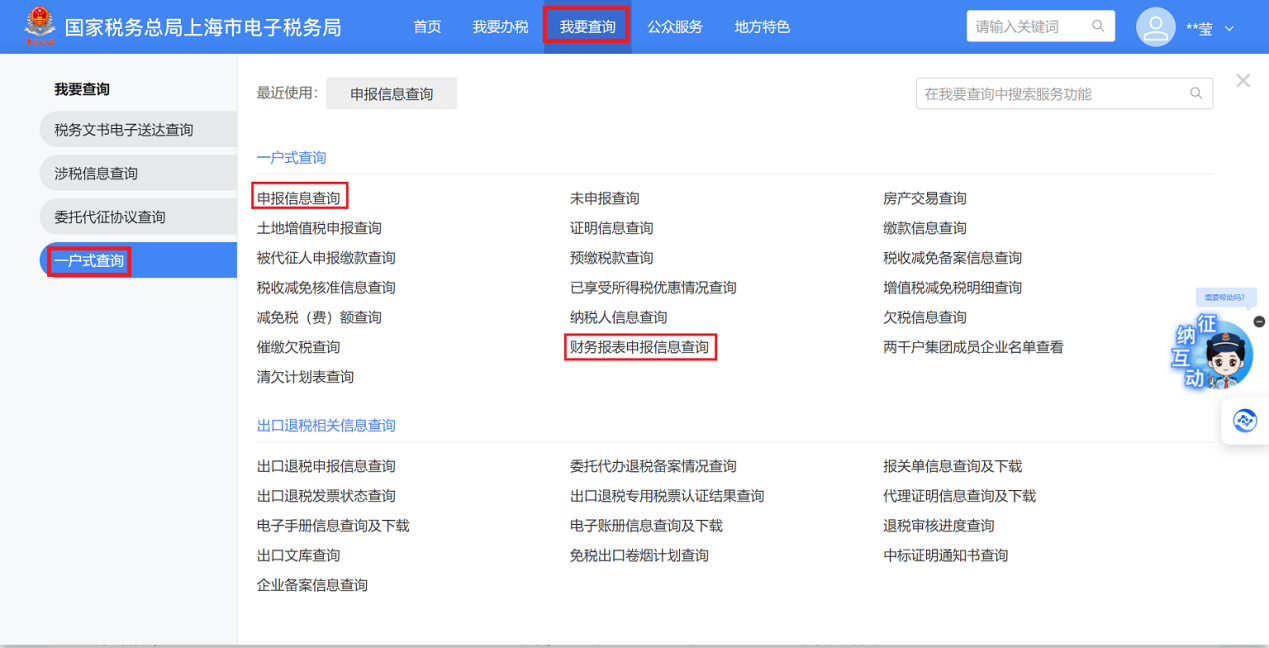
2. On the homepage, click [I Want to Query] — [One-Household Query] — [Filing Information Query]/[Financial Statement Filing Information Query] to enter the corresponding query interface.
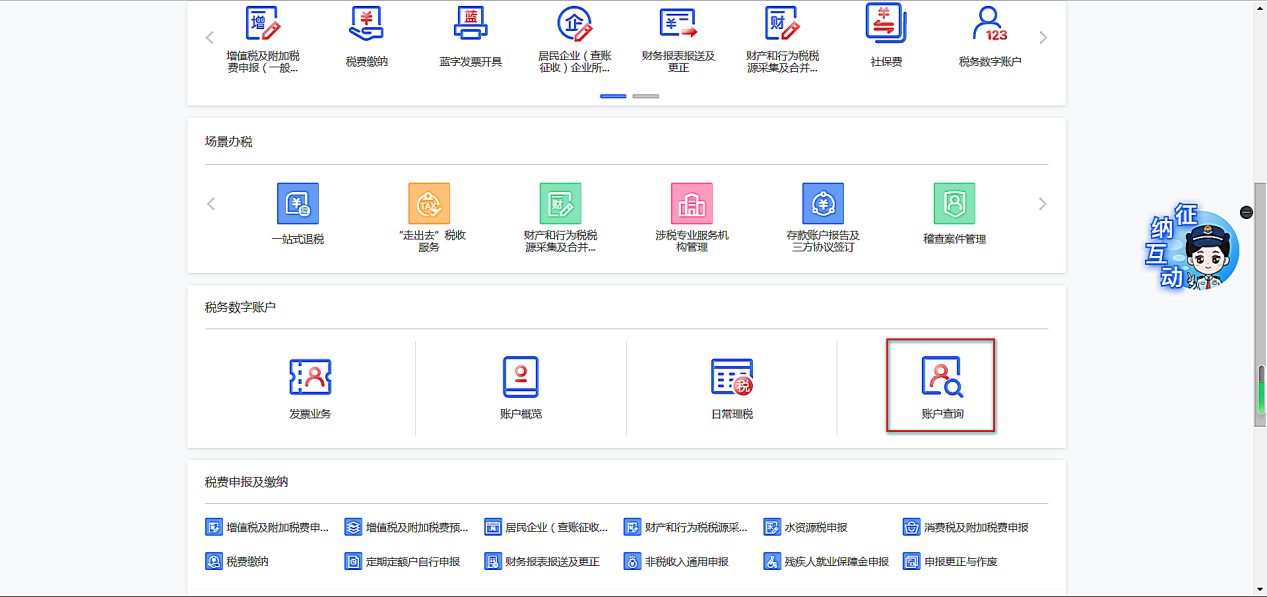
3. On the Home page, scroll down to the [Tax Digital Account] section and select [Account Query].
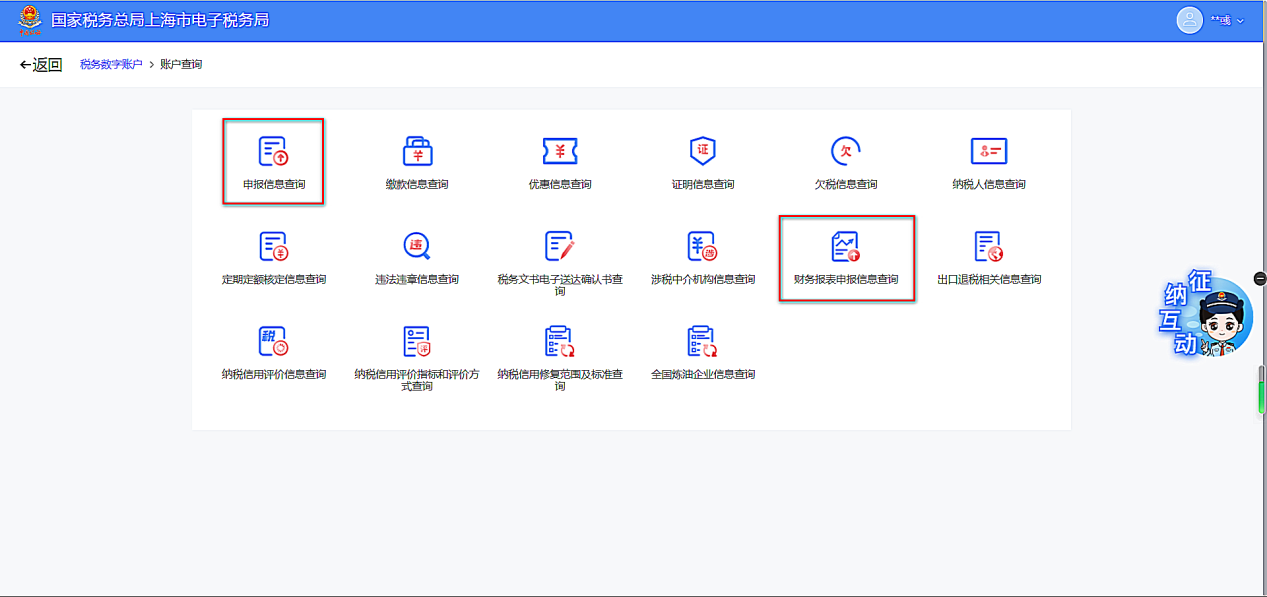
Declaration forms can be queried through the [Declaration Information Query] function; financial statements can be queried through [Financial Statement Declaration Information Query].
Click [Filing Information Query] to jump to the page and then select [Filing Information Query] to enter; [Financial Statement Filing Information Query] enters directly after clicking.
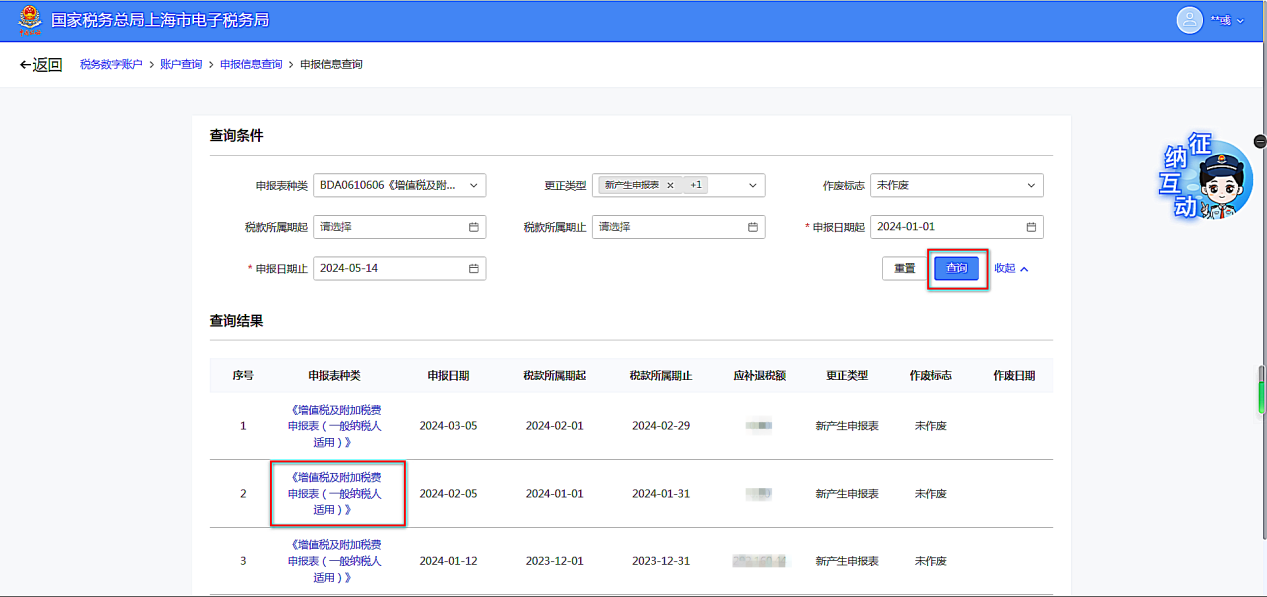
II. Specific operation steps1. Filing information inquiryAfter entering the filing information query page, adjust the query conditions according to the actual situation and click the [Query] button. After filtering out the required filing form information, click "Type of Tax Payable Voucher" to jump to the corresponding filing form.
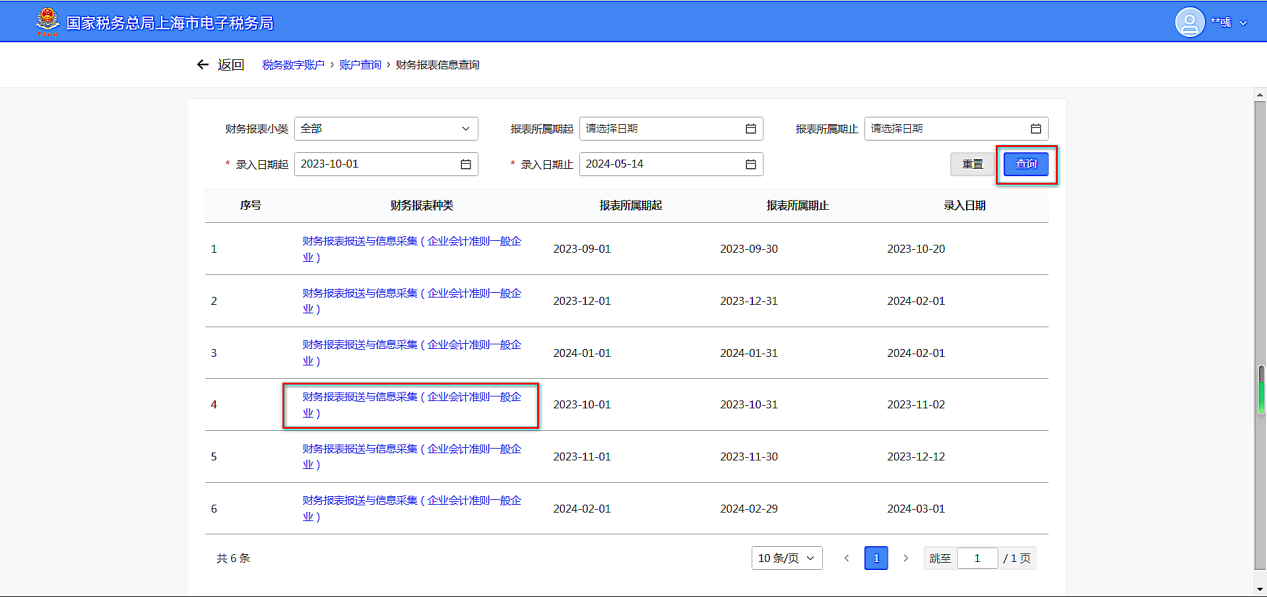
2. Financial statement queryAdjust the query conditions according to actual needs and click the [Query] button. Selecting a financial statement type will jump to the statement viewing page.
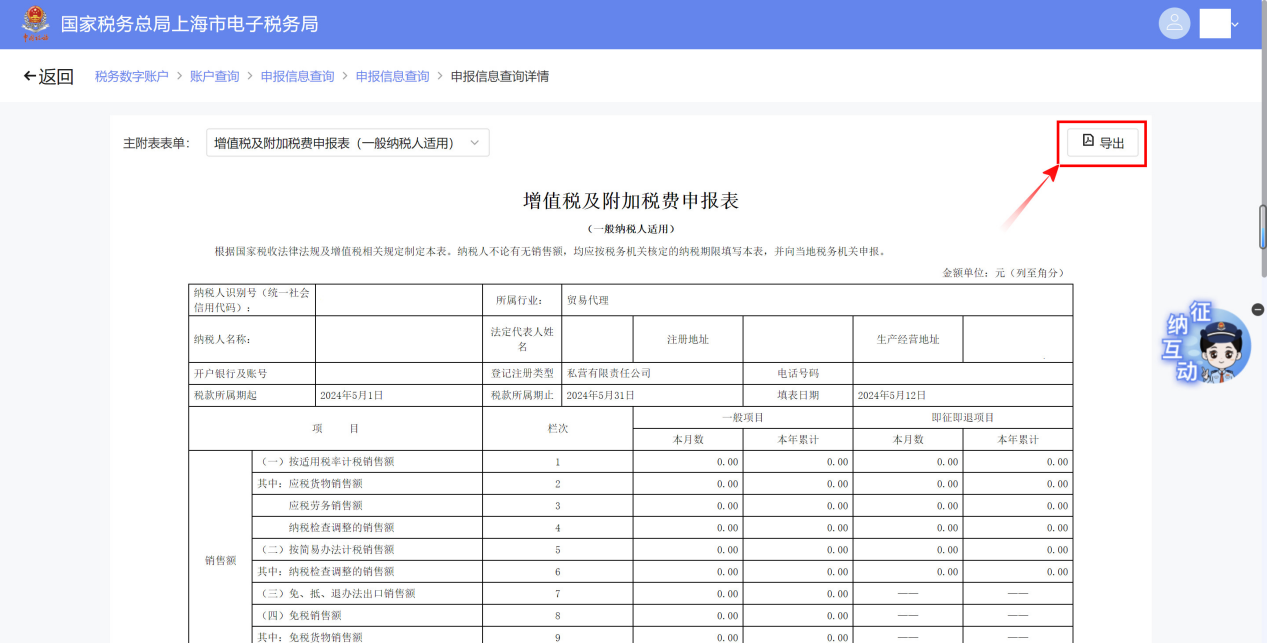
After entering the page, click [Main and Supplementary Forms] on the left to switch between main and supplementary forms, and click the [Export] button on the right to download the filing form.
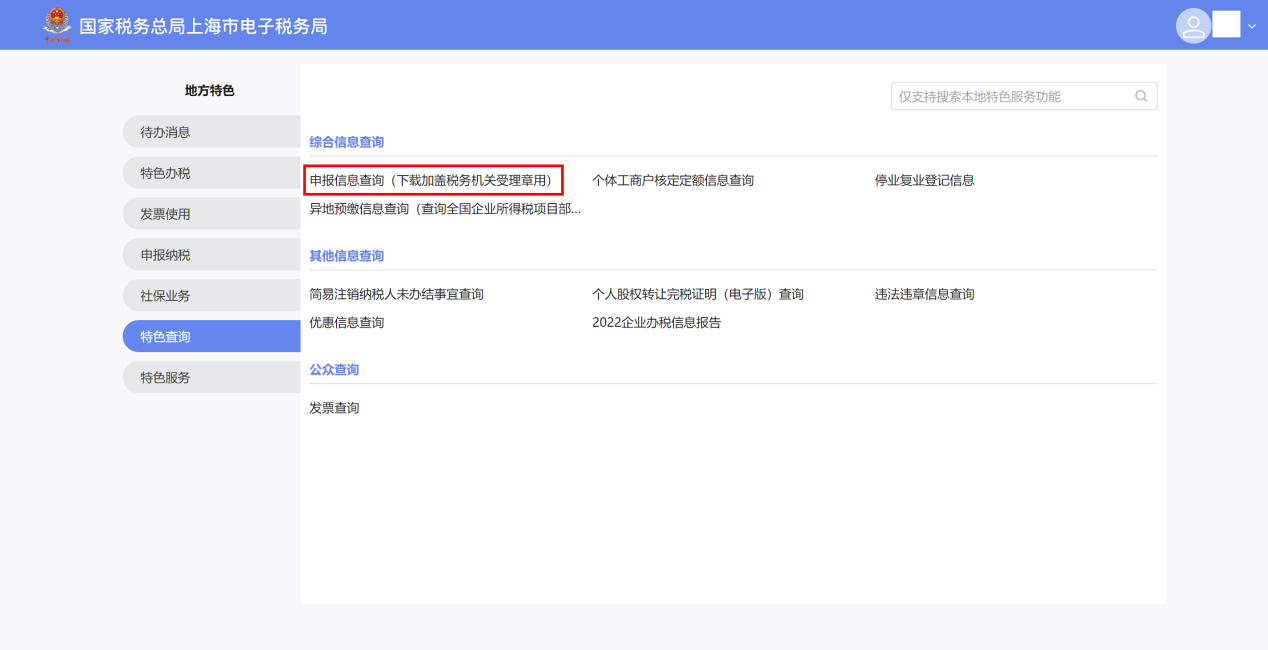
Warm reminder:Tax returns exported from the New Electronic Tax Bureau do not include the tax authority's special seal for tax business. If you need to download a tax return with the special seal for tax business, you can go to [Local Features] - [Featured Query] - [Tax Return Information Query (for downloading with tax authority acceptance seal)] to download it.
You can also enter the function directly by searching in the upper right corner of the portal after logging in.
Source: State Taxation Administration Kailing Technology provides enterprise business-finance-tax digital product lines according to enterprise needs: Solutions for businesses including sales contract management system, procurement contract management system, fully digitalized Leqi interface project, output automatic invoicing system, employee expense control and reimbursement system, input VAT invoice management system, supply chain collaborative reconciliation system, image OCR recognition system, automatic financial bookkeeping system, and electronic accounting archives system, professionally and efficiently supporting the transformation and upgrading of enterprise business-finance-tax digital management. If you have any business-finance-tax digital transformation needs, welcome to contact us. Beijing Kailing Technology will serve you wholeheartedly.
|