010-6097 4119Book a Demo


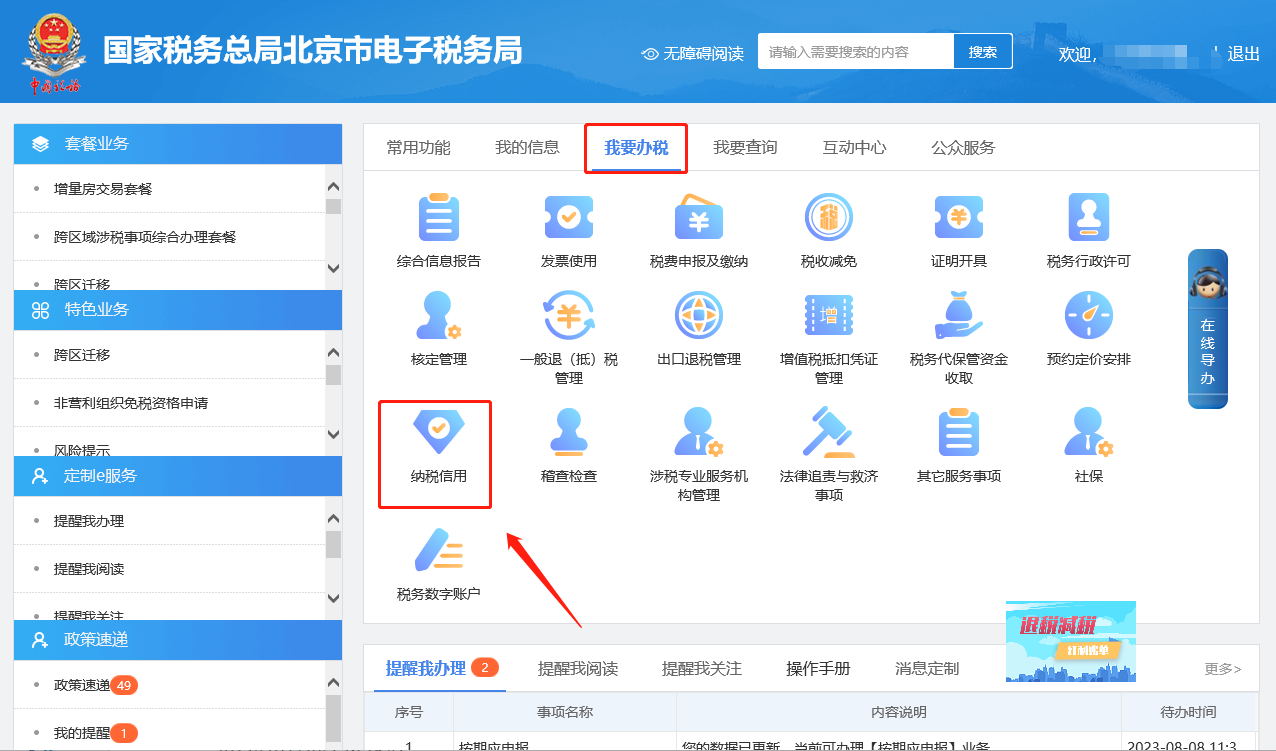
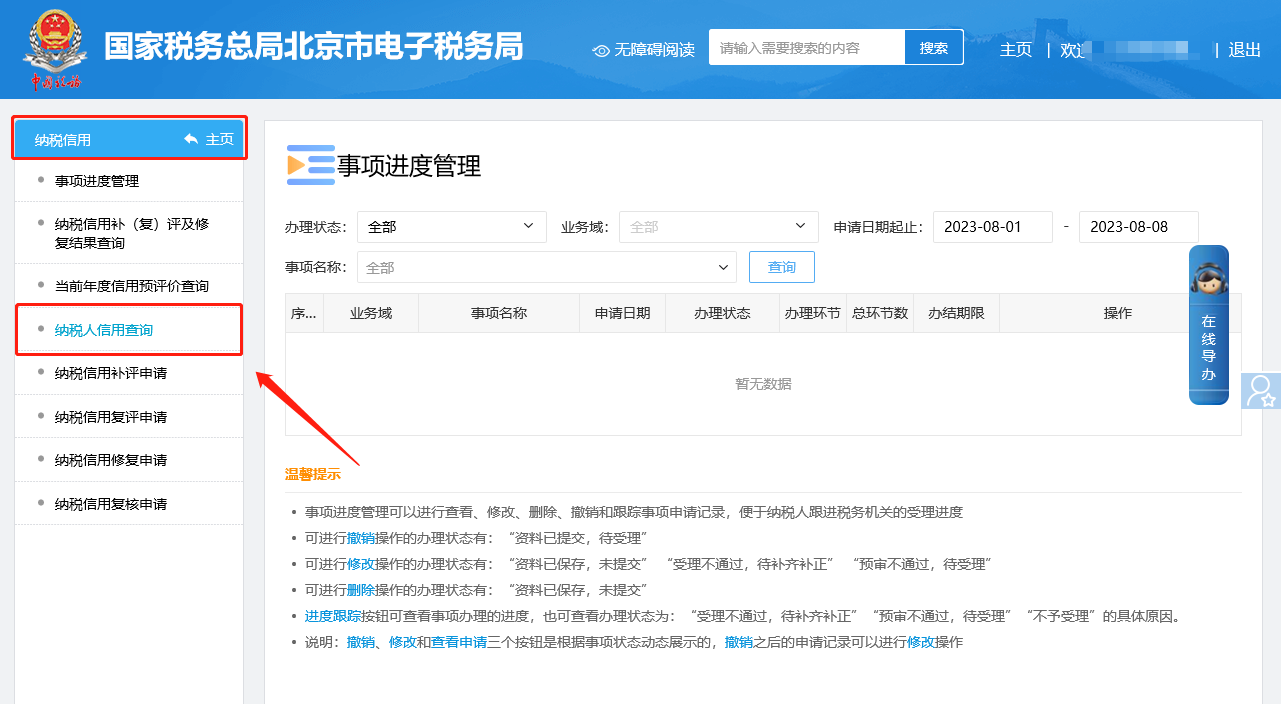
E-Tax Bureau Operation Guide | How to query a company's tax credit rating?Published: 2024-02-20 15:54 Log in to the Electronic Tax Bureau and click [I Want to Handle Taxes] — [Tax Credit] — [Taxpayer Credit Query] to enter the module, where you can query and view evaluation result details by condition, or issue a tax credit rating certificate. The illustrated guidance is as follows: I. I Want to Handle Taxes—Tax Credit.
II. Tax Credit—Taxpayer Credit Query.
III. Enter the Tax Payment Credit Status Information Query module to query and view evaluation result details according to conditions, or issue a tax payment credit rating certificate.
Source: Beijing Tax Beijing Kailing Technology Co., Ltd.——an enterprise business-finance-tax digitalization solution service provider. Kailing Technology provides solutions for sales management systems, procurement management systems, output invoicing systems, input invoice collection systems, imaging management systems, financial posting systems, electronic accounting archives, fully digitalized e-invoice and Leqi interfaces and other businesses according to enterprise needs, professionally and efficiently helping enterprises transform and upgrade their business-finance-tax digital management. If you have any business-finance-tax digital transformation needs, welcome to contact us. Beijing Kailing Technology will serve you wholeheartedly.
|