
How does an enterprise self-built AI digital employee connect to CRM and ERP? The Kailing Technology AI digital employee foundation platform manages tool calls, permissions, and execution records.
An AI digital employee reads customer needs in CRM and also needs to check delivery capability in ERP; business staff want it to directly generate next-step suggestions. The real difficulty is not making the model answer, but making it invoke systems with an authorized identity, verify fields, and leave records. The Kailing Technology AI digital employee foundation platform places connection tools, position permissions, and execution logs under a unified management framework.

▍First determine what CRM and ERP are each responsible for
CRM stores customers, opportunities, communications, and contract processes, while ERP handles official business data such as materials, inventory, orders, and finance. Digital employees can read across systems and aggregate, but must not create a conflicting copy of master data in each system. At project kickoff, first list master data ownership, synchronization direction, and update frequency.
Take a sales inquiry about delivery capability as an example. The digital employee obtains the opportunity scope from CRM, then queries relevant materials or capacity from ERP according to authorization, forming a pending-confirmation suggestion. If the customer name differs between the two systems, a mapping must first be established or manually confirmed, rather than guessing based on similar names.
The Kailing Technology foundation platform can encapsulate system interfaces as tools callable by roles. Each tool specifies inputs, returns, executable actions, and failure modes, so that the same capability can be reused by multiple digital employees.
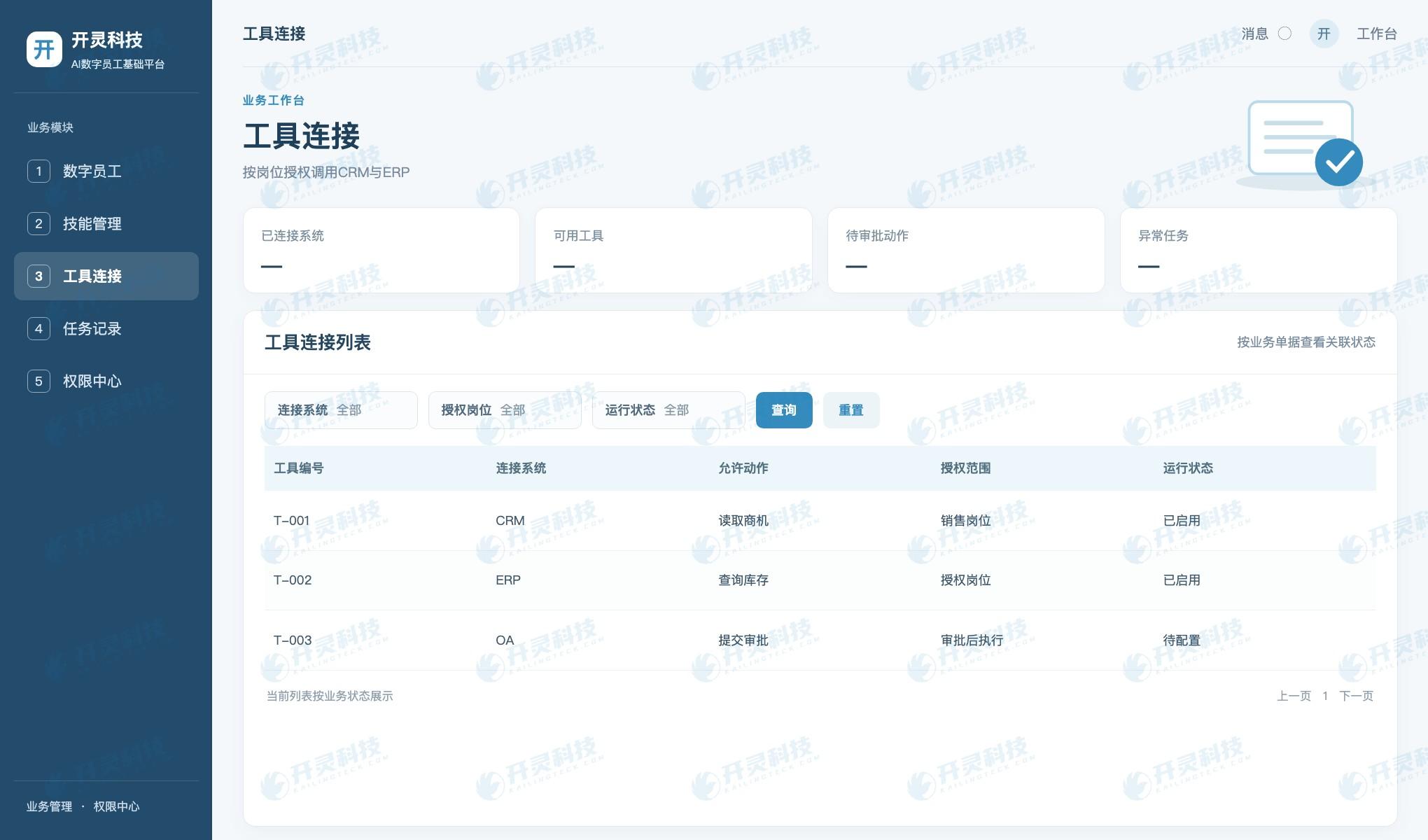
CRM and ERP tool connection
▍Permissions should follow tasks and roles
A sales assistant can read the opportunities they are responsible for, but should not see the whole company's customer contracts; a procurement digital employee can query inventory but does not need pricing change permission. Digital employees use independent identities or auditable authorization mechanisms, limiting data scope by organization, position and task.
Read and write should be controlled in layers. Generating suggestions can be automated, while modifying master data, submitting orders, or initiating payments require explicit approval. The system records who initiated the task, which AI digital employee invoked which tool, what result was returned, and who approved subsequent actions.
Permissions should also have validity periods and revocation methods. When personnel change positions, a project ends, or an interface fails, administrators can suspend a certain AI digital employee's tools without stopping the entire CRM or ERP.
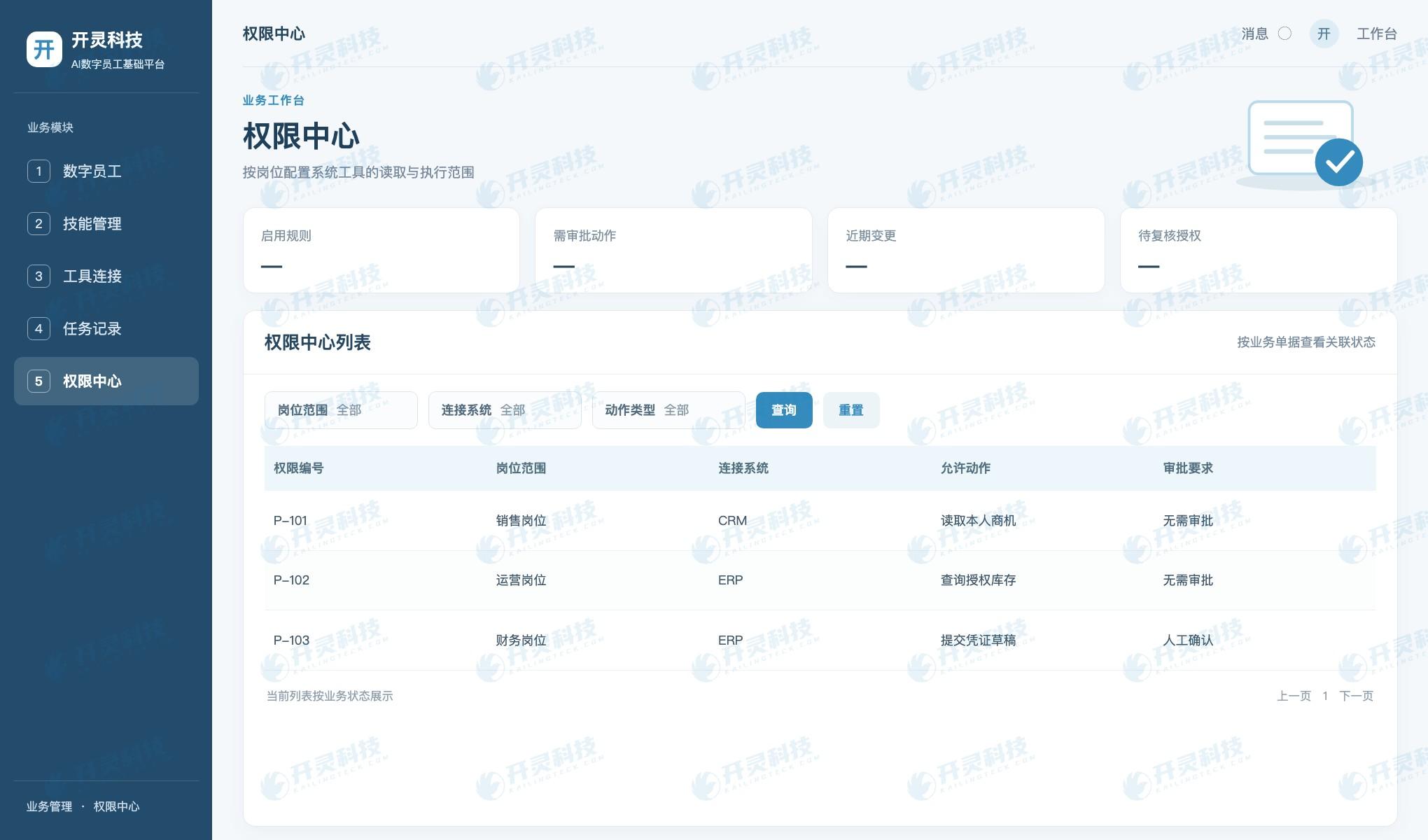
Configure tool invocation permissions by position
▍Tool calls need result validation and exception takeover
After the model proposes an invocation action, the platform first checks whether parameters are complete and permissions allow it, then the interface executes. Inventory returned by ERP may be from the last sync; AI digital employees should mark the query time and business definition, and should not directly promise delivery dates.
When a call fails, times out, or returns multiple matching customers, the task should stop and be handed to the corresponding position. Logs record the request number, input fields, system response, and subsequent handling, making it convenient for technical staff to retry and for business staff to know which steps have been completed.
The Kailing Technology AI digital employee foundation platform manages task chains through skills, connectors, and operations monitoring. Enterprises can accept it using four sample groups: normal, missing data, unauthorized access, and interface failure, rather than only demonstrating successful conversations.
▍Expand gradually from one closed-loop task
The pilot can choose read-heavy, write-light tasks such as "CRM opportunity summary and ERP inventory query" to first verify customer mapping, permissions, and suggestion quality. Once stable, add controlled quote preparation, work order creation, or approval submission; each additional write action should update authorization and rollback plans.
IT is responsible for interfaces and accounts, business owners set rules, data management roles maintain master data, and information security personnel check access scope. Whether digital employees can run continuously depends on whether someone takes responsibility for these duties.
After completing the pilot, measure task completion rate, manual review time, failure recovery, and log readability. Only when multiple roles repeatedly need the same CRM and ERP connections does the reuse value of a unified foundation platform become clear.
▍Establish versioning and rollback mechanisms for CRM and ERP connections
Interface fields do not remain unchanged forever. A new opportunity stage in CRM, an adjusted material code in ERP, or an organizational change may all cause old skills to output errors. Connectors should record the interface version, field mapping, and effective time; before changes, run regression tests with a set of normal and abnormal samples, and do not expose running AI digital employees directly to unverified field changes.
Read and write actions also need different rollback strategies. A failed read-only query can be retried or prompt manual viewing; a failed document creation must check whether the target system has already written, to avoid duplicate submission; an incorrect status modification should be revoked or corrected according to business rules. Platform logs retain request numbers and original system results, so technical staff know whether it is safe to retry.
An AI digital employee may handle tasks for multiple salespeople at the same time. Concurrency and invocation frequency should be limited to ensure that customers one person is not authorized to view are not returned due to another task's cache. Enterprises must also determine the retention period and access audit method for task data, so that the tool invocation chain does not become a new data silo.
For implementation acceptance, sales, ERP administrators, information security, and business owners can each conduct an independent check: sales check whether results are usable, administrators verify records in the original systems, security personnel verify unauthorized-access interception, and business owners confirm that exceptions are taken over by someone. The Kailing Technology foundation platform centrally manages these controls, and when new roles are added later they are still configured under the same rules.
▍Include failed tasks in operational monitoring
When an AI digital employee batch-syncs opportunities at night, it may encounter ERP maintenance, expired permissions, or customer master data conflicts. The platform needs to distinguish three types of failure: safe to retry, requires business data supplementation, and requires administrator interface repair. If only "task failed" is given, on-duty staff cannot determine the next step.
The operations dashboard can record task completion rates, average processing time and the number of various exceptions, but managers should also spot-check real documents. A successful tool call does not equal a correct business result, especially for cross-system field mapping and write actions. The Kailing Technology solution uses task records to pinpoint problems to the calling step, providing a basis for joint improvement by business and IT.
Before adding a new tool, administrators can first verify authorization, parameters, and return fields in a test environment, then open it to a small number of positions. If the AI digital employee's output is inconsistent with the original system, immediately suspend that tool and check the mapping. Only with recorded changes and revocable permissions can the platform support long-term operation. Business results should also be spot-checked.
▍FAQ
Q: Will digital employees replace CRM or ERP?
A: No. CRM and ERP still store the official business data; digital employees read or submit actions according to authorization.
Q: Can a salesperson's account be used directly to call ERP?
A: Identities should be designed according to enterprise permissions and audit requirements, ensuring operations are distinguishable, revocable, and traceable.
Q: How are tasks handled when an interface reports an error?
A: Retain completed steps and error results, then hand over to a human or retry according to rules.
Q: When CRM and ERP customer codes differ, how do digital employees match them?
A: Business and data management personnel should first confirm unified mapping rules, using stable identifiers such as enterprise codes and master data numbers. Similar names can only serve as clues for verification and should not be automatically treated as the same customer. When matching fails, the digital employee should pause cross-system actions and submit for manual confirmation, and the confirmed results should then be added to the mapping table.
Visit Kailing Technology to learn about related products and implementation plans: https://www.kailingteck.com/aicrm/ .
As a national high-tech enterprise, Kailing Technology focuses on the digital and intelligent transformation of enterprise business-finance-tax and operations management, providing software products, system integration, implementation and delivery, and operational services for various government agencies, institutions, group enterprises, and SMEs.
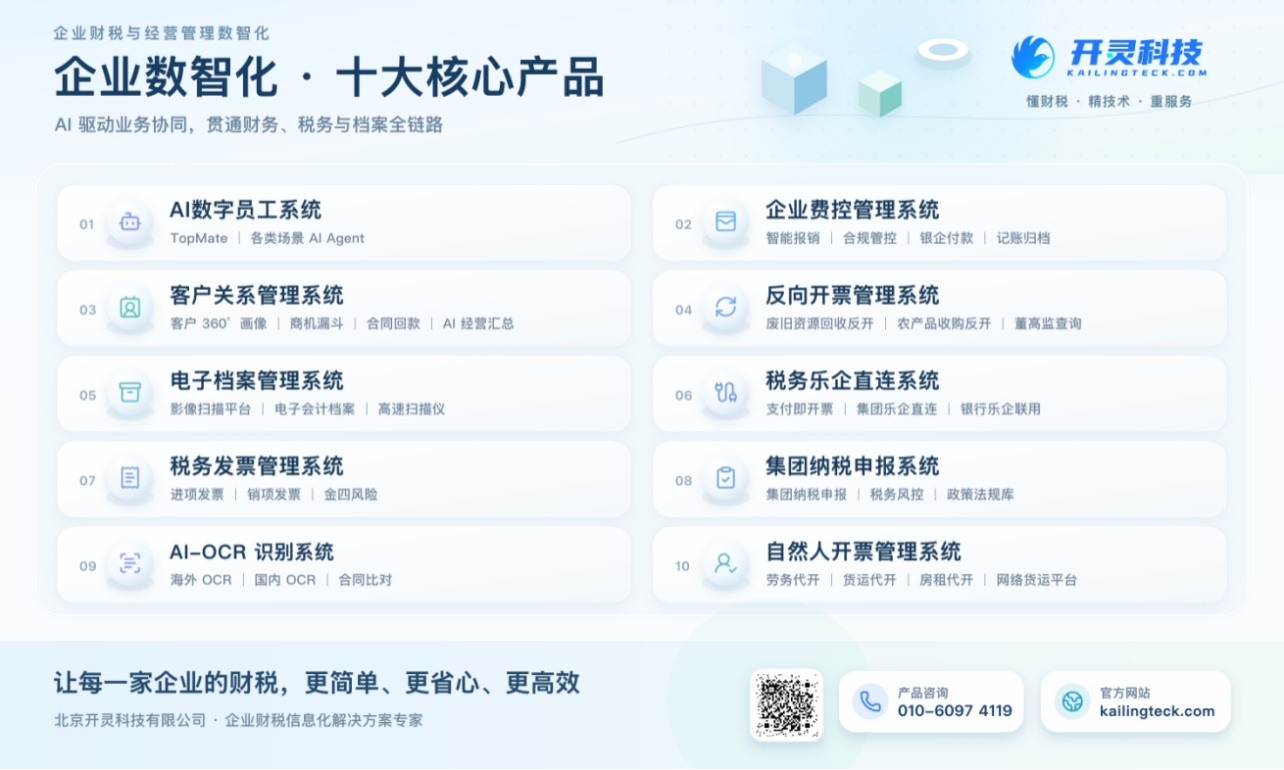
The company has now formed ten core product lines, including: AI digital employee system, enterprise expense control management system, customer relationship management system, reverse invoicing management system, invoice issuance for individuals management system, electronic archives management system, tax fully digitalized e-invoice Leqi system, tax invoice management system, group tax filing system, and AI OCR recognition system. It is committed to connecting enterprise business, finance, tax, funds, and archive data to help customers improve operational efficiency, business-finance-tax compliance capabilities, and digital management levels.
If you have any business-finance-tax digital transformation needs, welcome to contact us. Beijing Kailing Technology will serve you wholeheartedly.
Keywords: AI digital employee connecting to CRM and ERP, tool calls, permission management, Kailing Technology AI Digital Employee Basic Platform
As a comprehensive business-finance-tax digitalization solution service provider, Kailing Technology provides business-finance-tax management digital transformation products and operational services for various government agencies, institutions, and large, medium, and small enterprises. The product line includes: solutions for sales contract management system, procurement contract management system, fully digitalized Leqi interface project, automatic output invoicing system, reverse invoicing system, invoice issuance for individuals system, employee expense control and reimbursement system, input VAT invoice management system, supply chain collaborative reconciliation system, image AI OCR recognition system, automatic financial bookkeeping system, electronic accounting archives system, etc., comprehensively driving the digitalization process across various fields.
Consultation Hotline: 18513895936 / 010-60974119 Location: Beijing