
What work can AI digital employees do for enterprises? Scenario-based implementation approaches from WorkBuddy and Doubao Office to Kailing Technology AI digital employees

What work can AI digital employees do for enterprises? Scenario-based implementation approaches from WorkBuddy and Doubao Office to Kailing Technology AI digital employees
When companies discuss digital employees, they tend to put writing an email, looking up policies, and handling cross-system orders on the same requirements list. Different tasks require different tools, permissions, and acceptance methods. WorkBuddy and Doubao Office can be used for lightweight personal and team tasks; Kailing Technology AI digital employees are better suited for role-based work that requires connecting to business systems, following enterprise rules, and recording execution processes.

Work scenarios corresponding to the business topics in this article
▍Understanding digital employees from personal office tasks
For meeting minutes organization, document summarization, draft writing, and web information synthesis, inputs and outputs are usually at hand for employees, so ready-made office assistants are suitable for initial trials. Doubao desktop public features include desktop Q&A, document assistance, and screenshot-based questions; WorkBuddy can be used for task breakdown and tool collaboration according to its current product documentation. Enterprises should choose according to the version and authorization scope used.
Lightweight pilots also need acceptance. Give the assistant a non-sensitive document, specify the output format and content that must be cited, and have employees check facts, omissions, and revision cost item by item. If only "generated quickly" is recorded but rework time is not, it is difficult to judge whether the tool truly reduces work.
Different roles can start with different tasks: marketing writes event drafts, administration organizes meeting minutes, and finance does policy Q&A. The value of personal tools lies in quickly validating needs; it is not necessary to hand all materials and system permissions to the same assistant from the start.
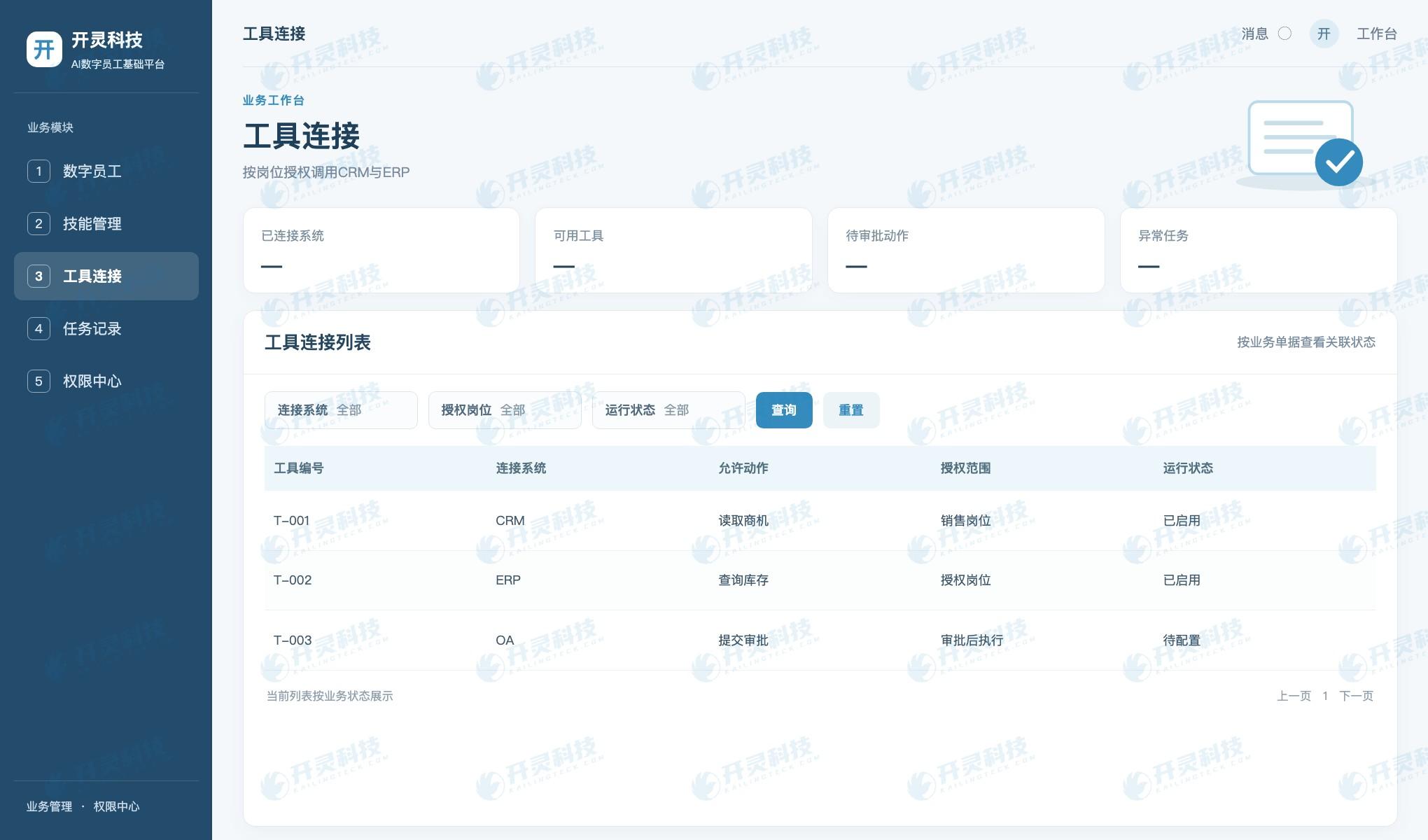
Digital employee tool connectivity and operating status
▍Rule checking and material collection require role boundaries
When a task enters reimbursement pre-review, contract clause checking, or invoice material collection, the digital employee cannot just give a fluent answer; it must also explain which rule it is based on and which document it is processing. Enterprises should clearly write the rule version, exception conditions, and manual review points.
For example, if an expense report is missing an invoice, exceeds budget, or does not meet expense standards, the system can indicate the specific gap and return it to the submitter; if rules conflict with each other, it is forwarded to a finance staff member with authority. "Guessing through" exceptions turns automation into a new source of risk.
The Kailing Technology AI digital employee solution can configure knowledge, skills, and review actions by role, letting business systems continue to store formal documents. The digital employee is responsible for reading authorized data, giving suggestions or executing controlled actions, and leaving behind the task, basis, and result.
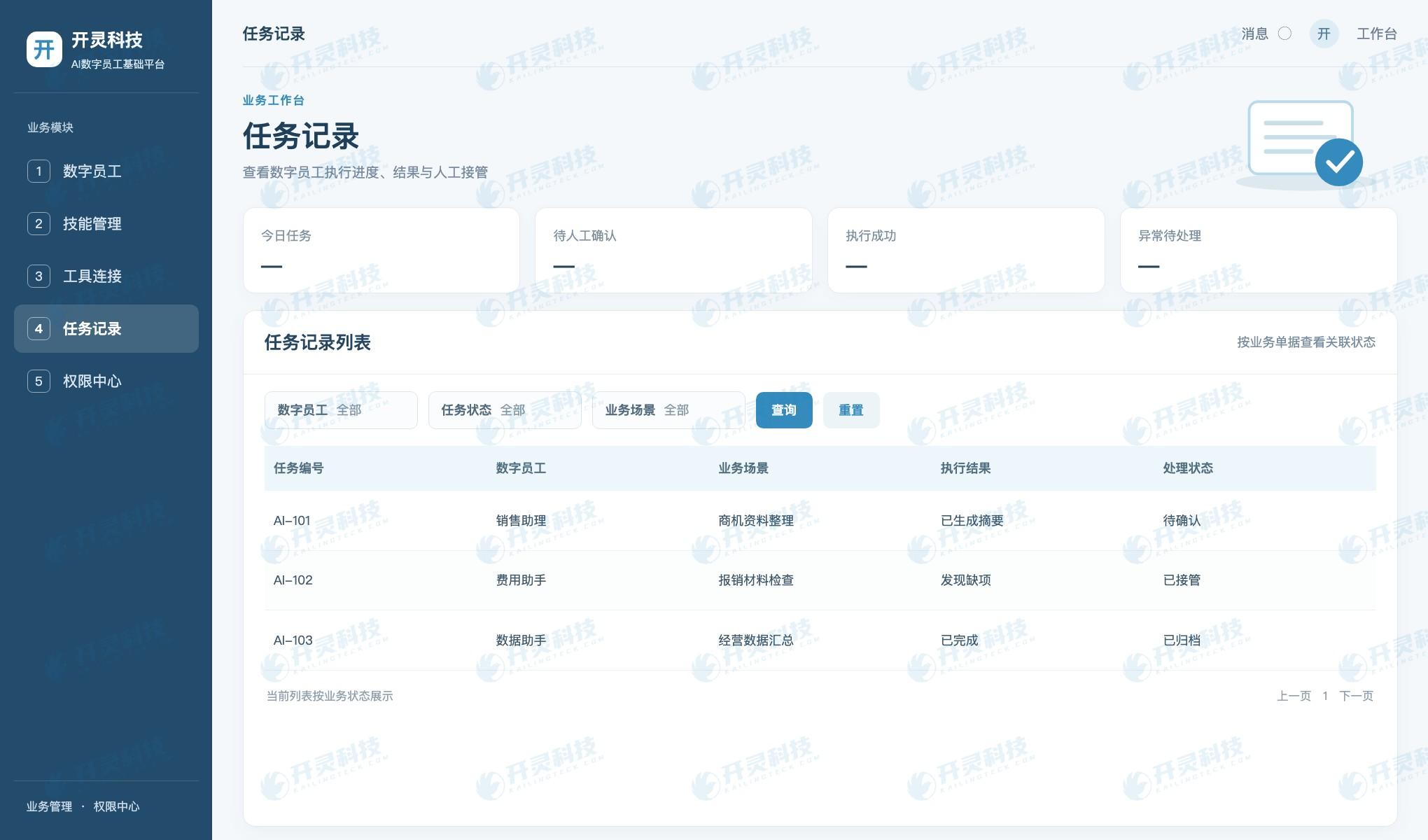
Digital employee task execution and manual takeover
▍Cross-system processing requires managing tool calls
More complex tasks may require reading CRM opportunities, querying ERP inventory, creating OA requests, and notifying the person in charge. Each step involves identities, fields, and permissions of different systems. Enterprises should first map out read, write, and approval actions, then decide which are completed by the digital employee and which must be manually confirmed.
The Kailing Technology AI digital employee foundation platform organizes tasks by digital employee, skills, connectivity, and business systems. Administrators can assign skills and available systems to different roles and record each tool call. High-risk actions such as payment, invoicing, and contract signing should have clear authorization and approval.
Cross-system results must be written back to the original system, not merely shown as "completed" in a chat window. If the ERP interface fails, the task should stop in a processable state, retaining completed steps and nodes to be resumed. Only such execution records are convenient for daily operations and maintenance.
▍Choosing implementation order by task risk
In the first step, choose high-frequency tasks with clear rules and manual review, and first test accuracy and rework. In the second step, let the digital employee handle a process within a limited data scope and observe exception handling. After the same connectivity and permission needs appear across multiple departments, then consider a unified platform.
When comparing procurement options, look not only at how much content a tool can generate, but also at account management, data processing, system interfaces, review responsibility, and handover upon departure. Personal office, departmental collaboration, and enterprise processes can use different combinations; there is no need for one product to cover everything.
Kailing Technology can help enterprises write task descriptions, pilot samples, acceptance indicators, and system boundaries into an implementation plan. Whether the pilot expands is decided jointly by actual work results, permission management, and maintenance costs.
▍Four acceptance materials for establishing a task pilot
The first material is the task description, clearly stating how employees complete their work today, where they get materials, and to whom they finally deliver. The second is the input and permission list, indicating which documents are allowed to be handed to personal assistants and which customer or financial materials can only be processed in an enterprise-approved environment. Without these two materials, the smooth answers during a tool demo are hard to reproduce in real roles.
The third is a sample library, containing normal tasks, tasks missing key information, and deliberately set conflict samples. The pilot lead has WorkBuddy, Doubao Office, or enterprise digital employees each handle the tasks they are suited for, then compares factual accuracy, number of employee revisions, and completion time. The versions and data policies of different products are confirmed by the enterprise at procurement or use.
The fourth is the division of responsibilities. The task initiator is responsible for inputting facts, the digital employee is responsible for executing according to approved skills, the reviewer decides the final adoption, and the technical staff is responsible for interfaces and failures. For tasks that only generate text, review may be light; for tasks that modify CRM or ERP data, approval and logging must be stricter.
After the evaluation, write the prompts, check items, and exception handling that can be stably reused into team standards. If multiple positions need the same system connection, the Kailing Technology AI digital employee foundation platform can centrally manage skills and tools; if it is only document organization for individual employees, a lightweight path is sufficient. Let the task determine the implementation depth, so investment more easily corresponds to actual benefits.
▍How a task upgrades from assistant to digital employee
For example, when organizing minutes after a sales meeting, a desktop assistant can initially be used to generate a summary for the salesperson to check. If the team finds that minutes need to regularly extract to-dos, update CRM opportunities, and remind owners, then customer identification, write permissions, conflict handling, and approval nodes must be further defined. Once a task crosses system boundaries, the implementation focus shifts from writing quickly to reliable execution.
Kailing Technology's AI digital employee can call system tools within the approved scope and retain processing records. During the pilot, let the digital employee first propose update suggestions, and write back only after manual confirmation; once stable, open only low-risk actions. Compared with pursuing full automation directly, this phased implementation makes it easier to discover real problems in fields, rules, and responsibilities.
▍FAQ
Q: What is suitable for an enterprise to have digital employees do first?
A: First choose high-frequency office or business tasks with clear rules and reviewable output.
Q: When should the Kailing Technology AI digital employee platform be considered?
A: It can be evaluated when cross-system role tasks recur and unified permissions, tool calls, and execution records are needed.
Q: How can a personal office assistant pilot avoid leaking sensitive materials?
A: The enterprise should first determine data classification, account versions, and permitted input scope, and validate tasks using public or authorized samples. When customer contracts, employee information, and financial details are involved, IT and information security personnel should confirm the product's current data processing methods and enterprise regulations before deciding whether to connect. Easy-to-use tools do not mean all internal files can be uploaded by default.
Q: How can the cause be found when a suggestion generated by a digital employee is wrong?
A: Retain task input, knowledge version used, tool calls, output, and manual modifications. If the problem comes from outdated materials, update the knowledge; if it comes from unclear rules, improve the task description; if it is a system return error, check the interface mapping. Set approval and rollback for actions that change business status to prevent erroneous suggestions from being written directly into formal systems.
Learn about Kailing Technology products and implementation plans:https://www.kailingteck.com/de/ 。
As a national high-tech enterprise, Kailing Technology focuses on the digital and intelligent transformation of enterprise business-finance-tax and operations management, providing software products, system integration, implementation and delivery, and operational services for various government agencies, institutions, group enterprises, and SMEs.
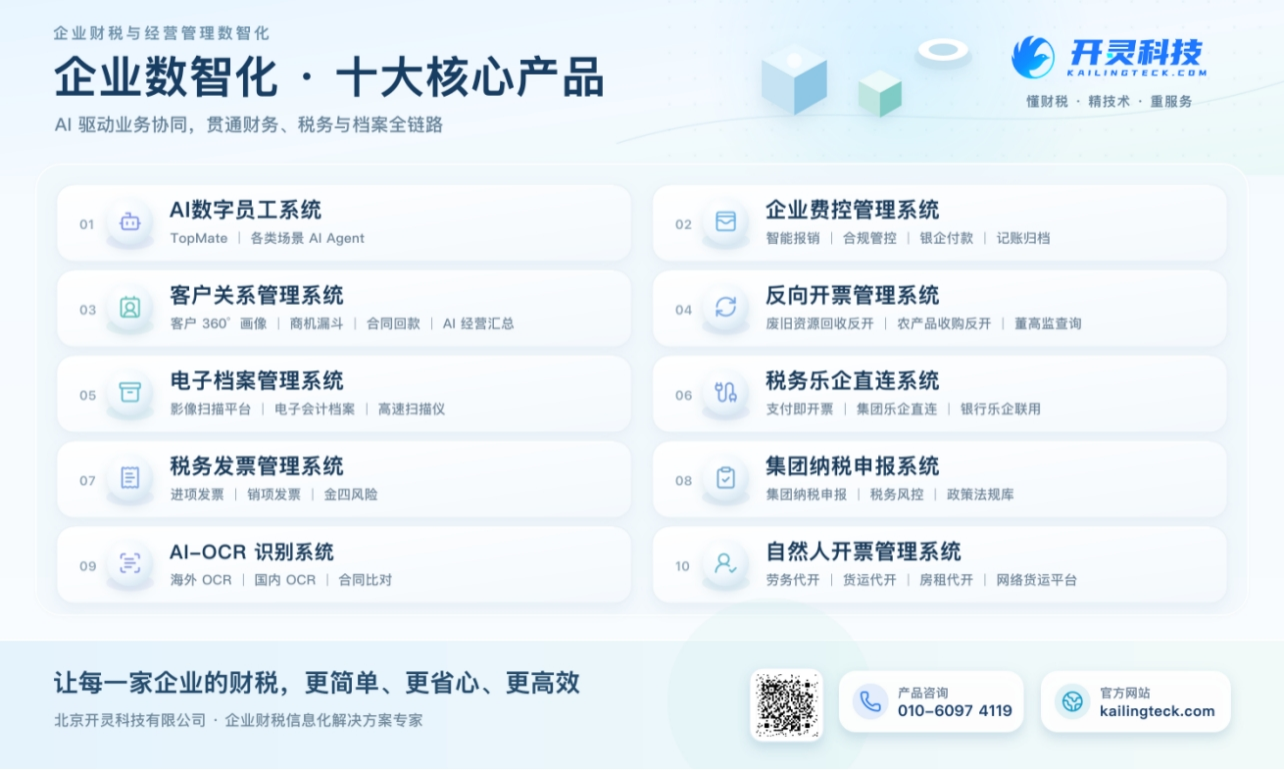
The company has now formed ten core product lines, including: AI digital employee system, enterprise expense control management system, customer relationship management system, reverse invoicing management system, invoice issuance for individuals management system, electronic archives management system, tax fully digitalized e-invoice Leqi system, tax invoice management system, group tax filing system, and AI OCR recognition system. It is committed to connecting enterprise business, finance, tax, funds, and archive data to help customers improve operational efficiency, business-finance-tax compliance capabilities, and digital management levels.
If you have any business-finance-tax digital transformation needs, welcome to contact us. Beijing Kailing Technology will serve you wholeheartedly.
Keywords: Kailing Technology AI digital employee, WorkBuddy, Doubao Office, enterprise digital employee implementation
As a comprehensive business-finance-tax digitalization solution service provider, Kailing Technology provides business-finance-tax management digital transformation products and operational services for various government agencies, institutions, and large, medium, and small enterprises. The product line includes: solutions for sales contract management system, procurement contract management system, fully digitalized Leqi interface project, automatic output invoicing system, reverse invoicing system, invoice issuance for individuals system, employee expense control and reimbursement system, input VAT invoice management system, supply chain collaborative reconciliation system, image AI OCR recognition system, automatic financial bookkeeping system, electronic accounting archives system, etc., comprehensively driving the digitalization process across various fields.
Consultation Hotline: 18513895936 / 010-60974119 Location: Beijing