010-6097 4119Book a Demo


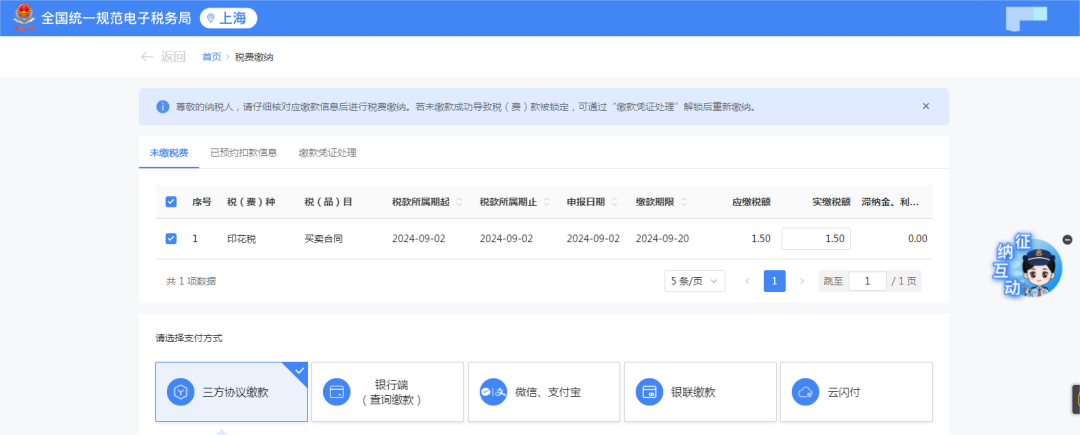
Kailing Technology Invoice Issuance for Individuals Solution, the industry's most comprehensive explanation of payment methods!Published: 2025-04-09 18:01 (1.)Five payment methods After logging in to the new Electronic Tax Bureau, click the [I Want to Handle Taxes] - [Tax Filing and Payment] - [Tax Payment] function menu. Enter the tax payment interface, which displays the tax information to be paid. The following payment methods are available:
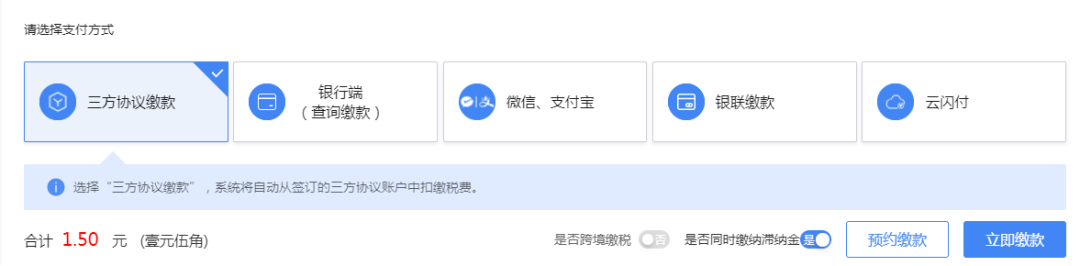
1. Tripartite agreement paymentSystems that have already signed a tripartite agreement default to tripartite agreement payment.
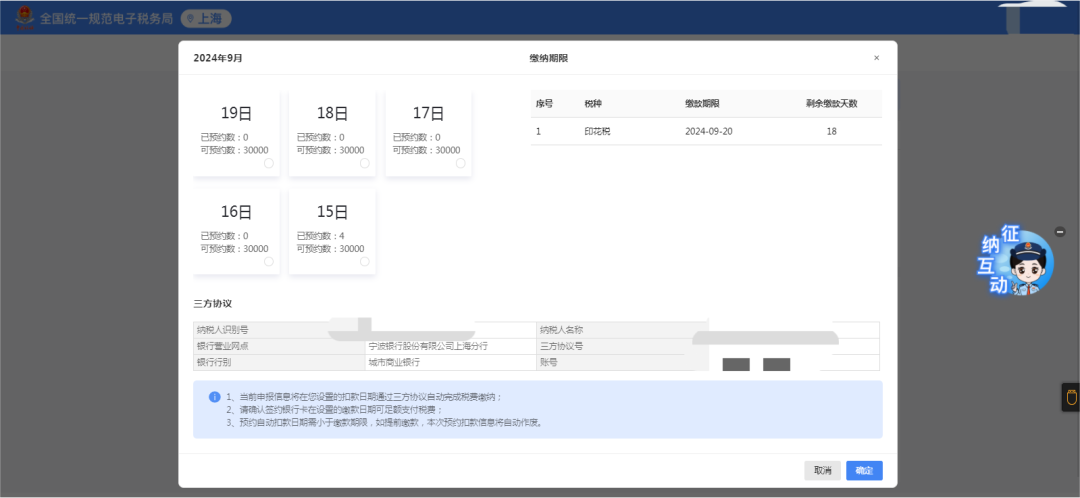
The tripartite agreement interface pops up, displaying the corresponding payment information. After checking that it is correct, click [Confirm].
If payment is successful, the system prompts“Payment successful”, click [Return to Home] to return to the system home page, click [Continue Processing] to return to the function interface for business processing, and click [Go to Process] to issue a tax payment certificate. In addition, you can also click [Scheduled Payment] on the left (if the tax payable has not yet reached the payment deadline, the taxpayer may choose scheduled payment within 5 days before the payment deadline). Below is the pop-up scheduled payment interface; select the scheduled payment date and click [Confirm].
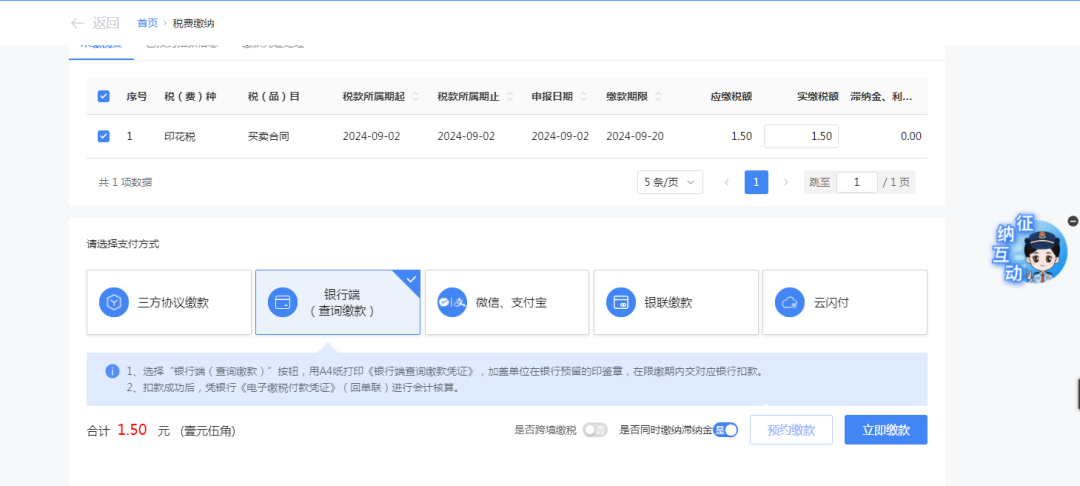
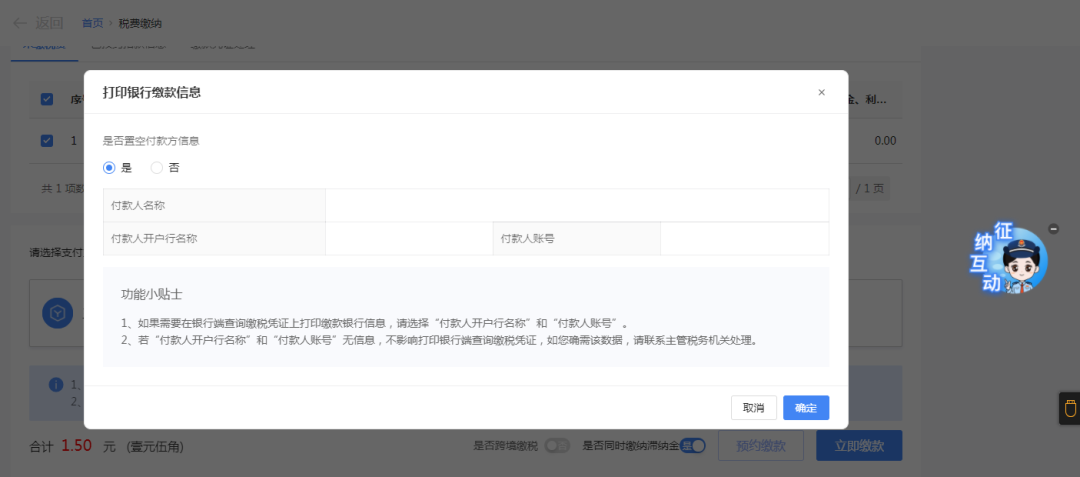
2. Bank side (inquiry payment)Choose bank end (query payment) (if no tripartite agreement has been signed, the system defaults to the [bank end (query payment)] payment method), and click [Pay Now].
The bank payment information printing interface pops up, displaying the corresponding payment information. After checking that it is correct, click [Confirm].
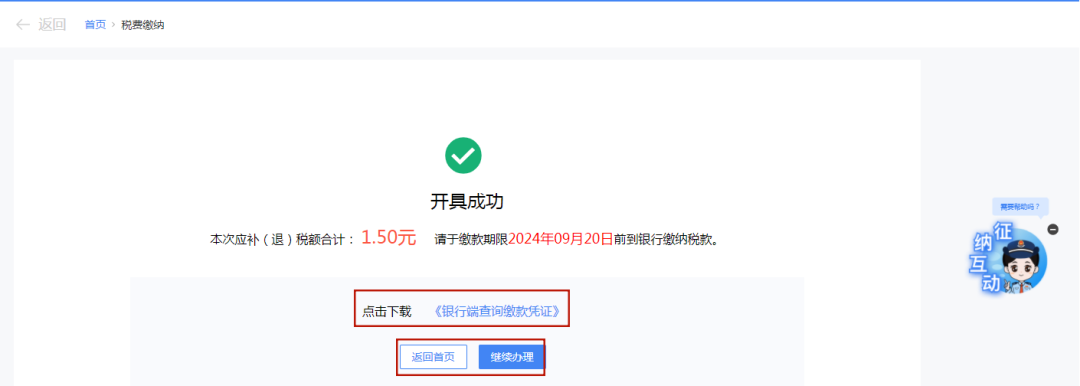
System prompt“Issued successfully”. Click [Bank-End Inquiry Payment Voucher] to download the "Bank-End Inquiry Payment Voucher"; click [Continue Processing] to return to the function interface for business processing.
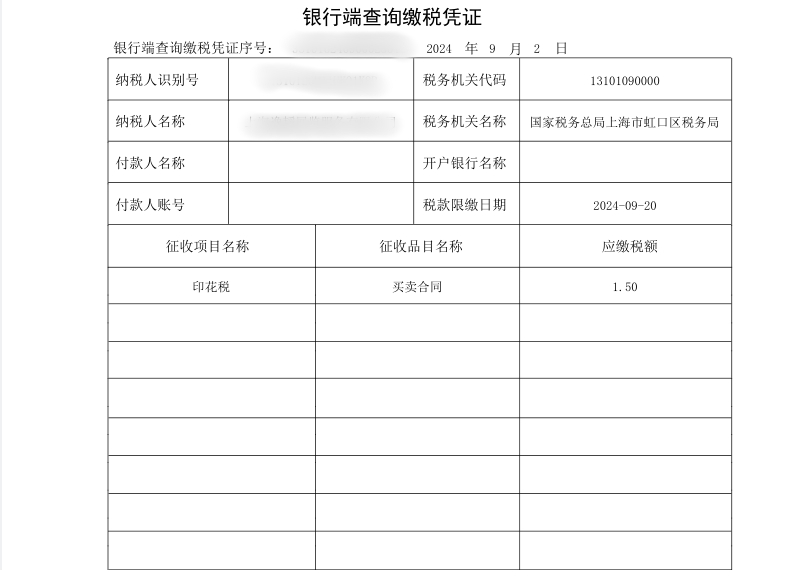
The bank-side inquiry tax payment voucher is as follows:
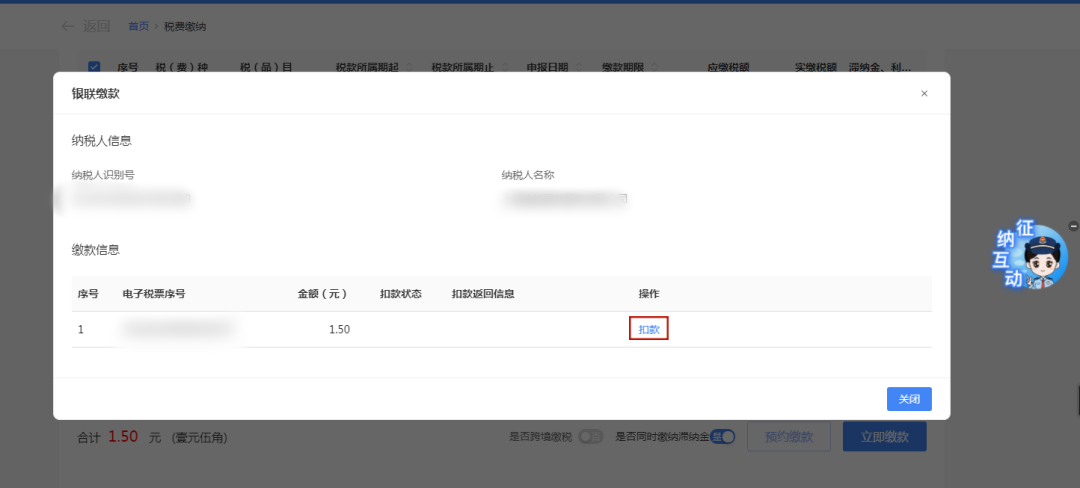
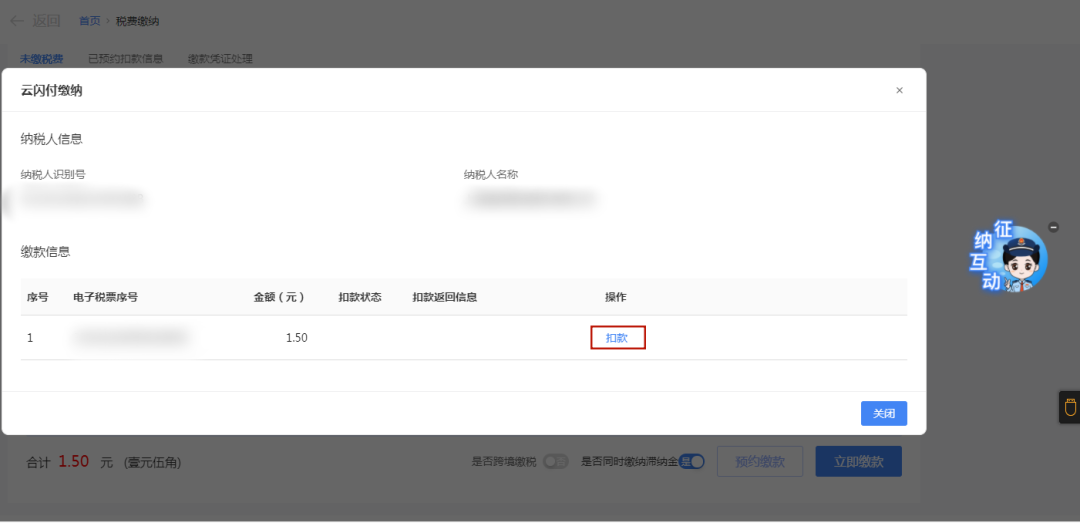
3. UnionPay paymentChoose UnionPay payment and click [Pay Now]. The UnionPay payment information will pop up; click [Deduct].
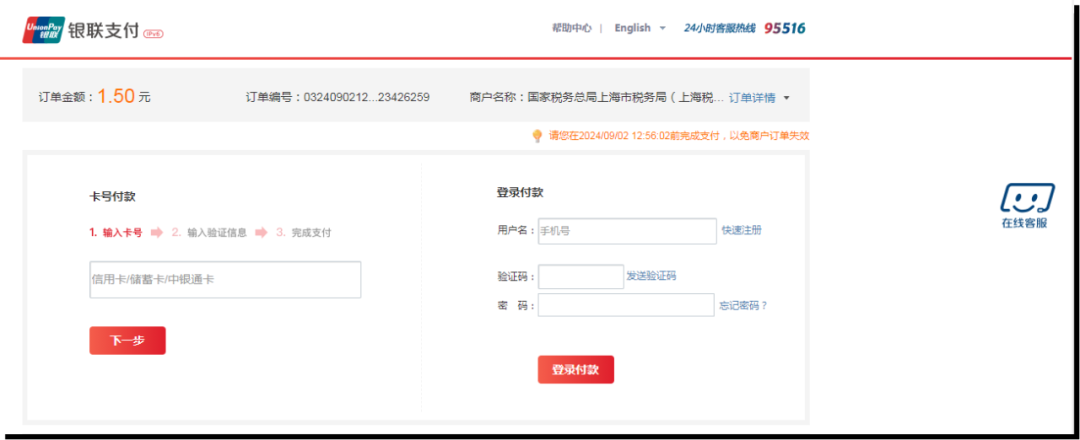
The UnionPay payment interface pops up, where you can choose "card number payment" or "login payment."
Input relevant information; after payment is completed, the deduction status is displayed“Success”and then. 4. UnionPay QuickPassSelect UnionPay QuickPass, then click [Pay Now]. The UnionPay QuickPass payment information pops up; click [Deduct].
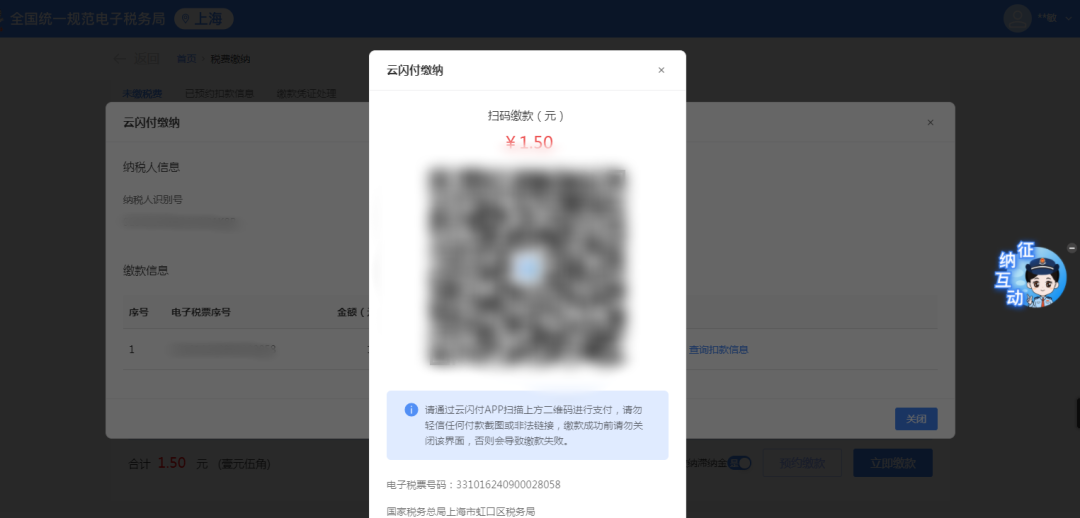
The QR code payment page pops up, and payment can be made by scanning the QR code with the Cloud QuickPass App.
After completing payment, the deduction status only needs to show "Success." 5. WeChat, AlipayChoose WeChat or Alipay, and click [Pay Now].
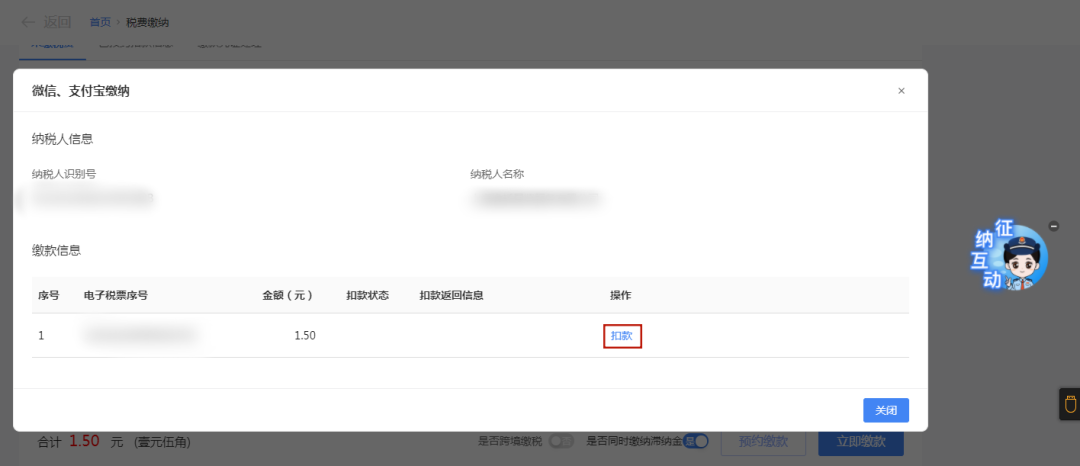
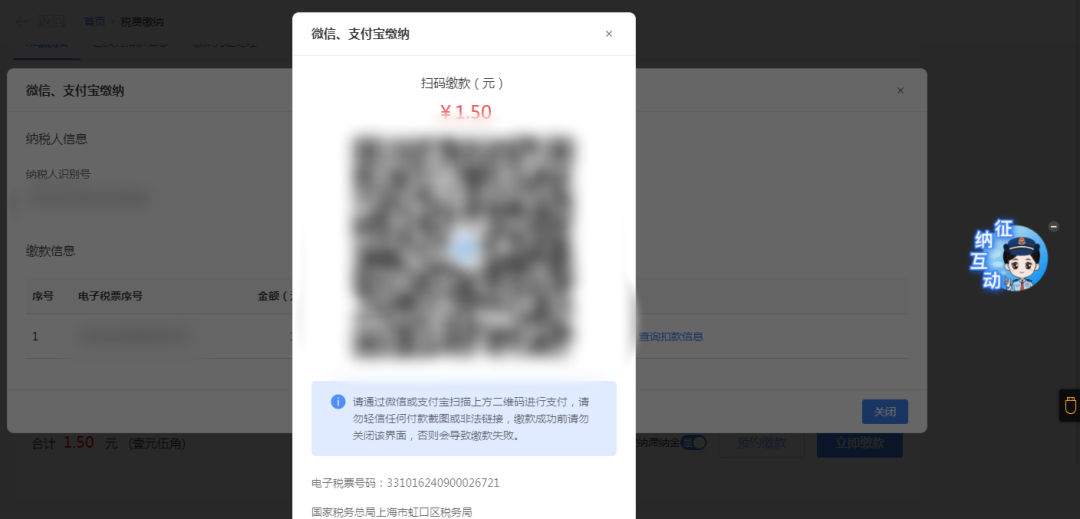
WeChat and Alipay payment information pops up; click [Deduct].
The QR code payment page pops up, and payment can be made by scanning the QR code with WeChat or Alipay App.
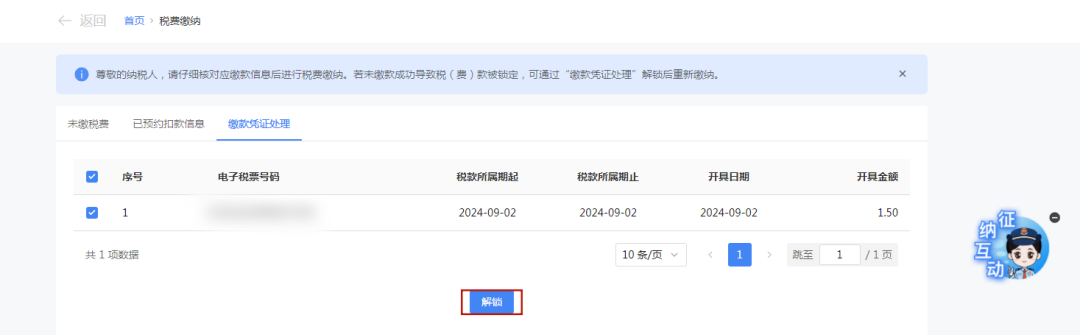
(II)Common Questions 1. What are the specific differences between tripartite agreement payment and bank-side (inquiry payment) during the payment process? Answer: When selecting tripartite agreement payment, the drop-down box will display the bank account information for which a tripartite agreement has already been signed. Clicking to pay will directly show whether the payment is successful. After success, the amount will be deducted directly from the bound tripartite account. Choosing the bank end (query payment) generates a bank-end query payment voucher; the taxpayer needs to print the tax payment voucher and go to the designated bank to pay within the payment deadline, otherwise the tax (fee) payment will be locked. Here the tax (fee) payment is not a direct deduction; you need to go to the bank to pay offline. 2. If tax (fee) payments are locked due to unsuccessful payment via bank end (inquiry payment), UnionPay payment, or third-party payment, what should I do? Answer: Enter the [Tax and Fee Payment] module, select [Payment Voucher Processing], and perform the [Unlock] operation. After successful unlocking, payment can be made again, and the above operations can be repeated.
For details, please consult Kailing Technology:https://www.kailingteck.com/h-col-126.html 。 As a comprehensive business-finance-tax digitalization solution service provider, Kailing Technology provides business-finance-tax management digital transformation products and operational services for various government agencies, institutions, and large, medium, and small enterprises. The product line includes: Solutions for sales contract management system, procurement contract management system, fully digitalized Leqi interface project, automatic output VAT invoicing system, invoice issuance for individuals system, employee expense control and reimbursement system, input VAT invoice management system, supply chain collaborative reconciliation system, imaging OCR recognition system, automatic financial bookkeeping system, electronic accounting archives system and other businesses, comprehensively advancing the digitalization process across various fields. If you have any business-finance-tax digital transformation needs, welcome to contact us. Beijing Kailing Technology will serve you wholeheartedly.
|