010-6097 4119Book a Demo


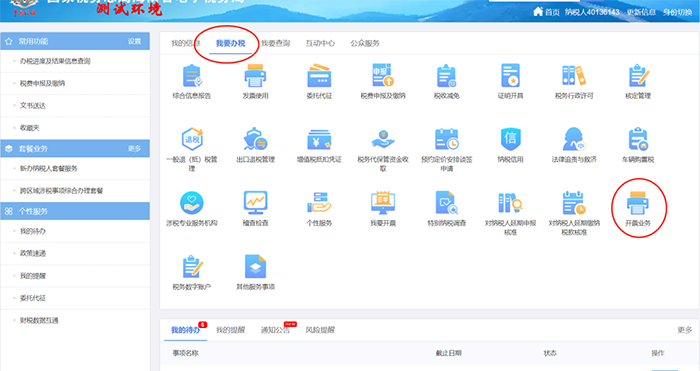
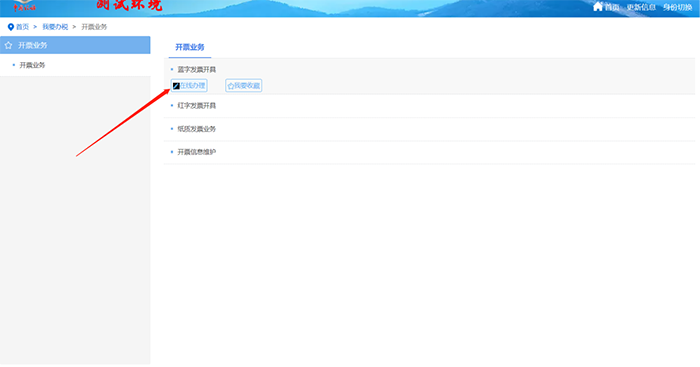
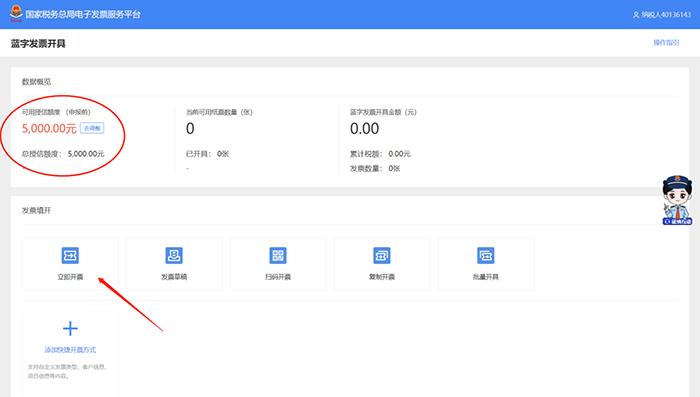
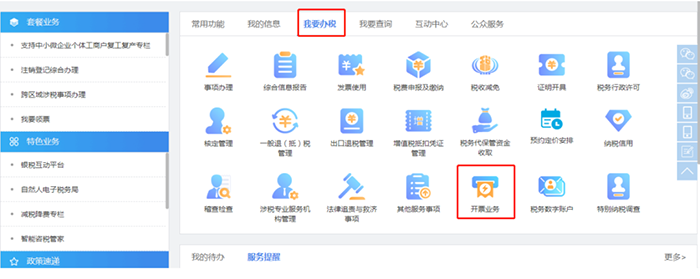
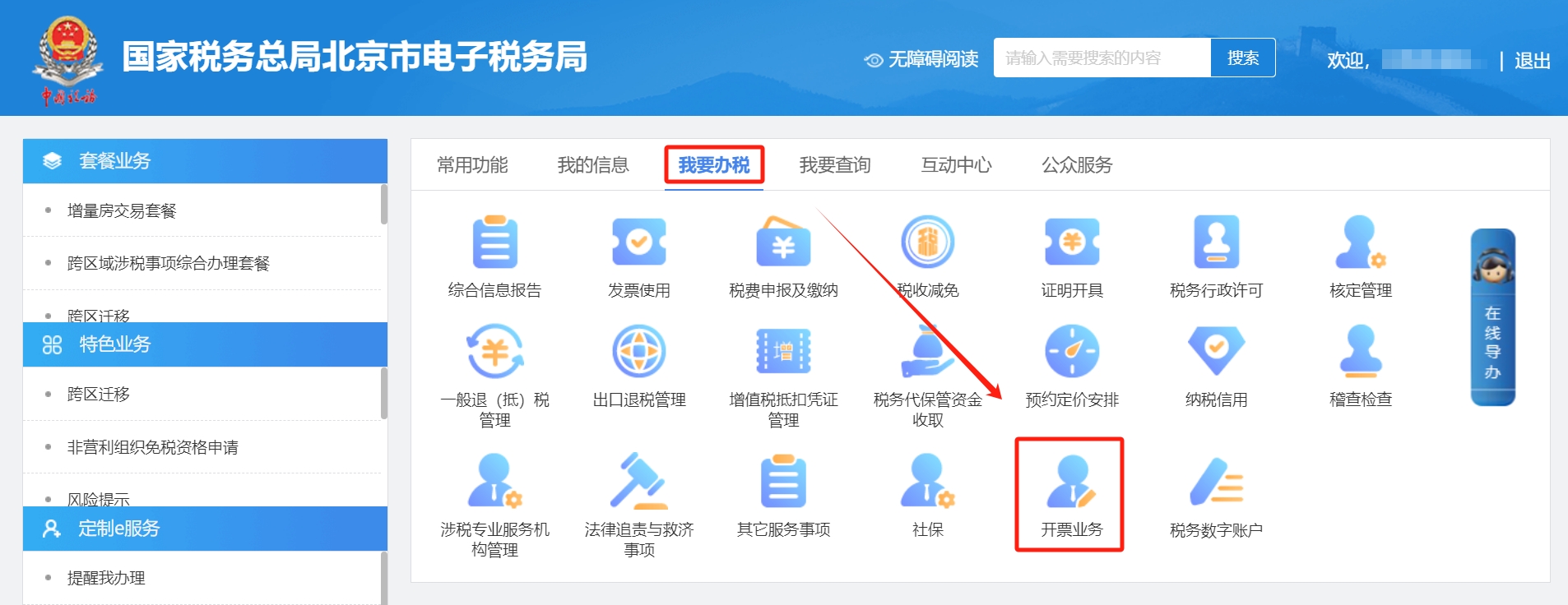
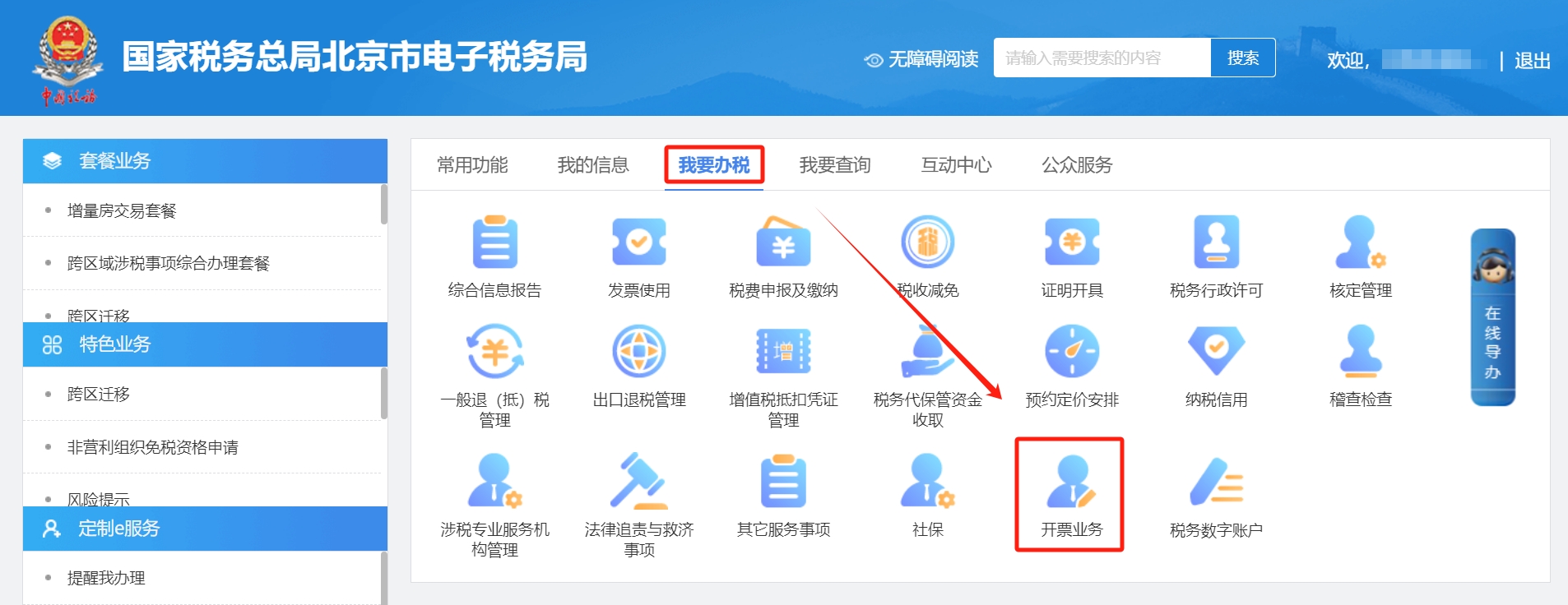
Practical Guide | What to Do When You Receive an Invoicing Alert for Fully Digitalized E-Invoices? Answers to These Hot Questions Are Here!Published: 2023-12-07 16:17 I. What should be done when receiving an invoicing early warning for a fully digitalized e-invoice?1. Receiving a red warning alertWhen a taxpayer receives“Your behavior has triggered the invoicing risk warning mechanism(Red alert),Cannot continueTo issue invoices, please go to the competent tax authority for processing.”When prompted,The taxpayer cannot continue to issue invoices., onlyCan go to the tax authority for processing。 2. The taxpayer receives a yellow or blue warning promptWhen a taxpayer receives“Your behavior has triggered the invoicing risk warning mechanism(Yellow alert), please note the risk of fraudulent VAT invoice issuance”or“Your behavior has triggered the invoicing risk warning mechanism(Blue alert), please note the risk of fraudulent VAT invoice issuance”When prompted,The system will trigger facial recognition authentication again; after completing facial recognition authentication, invoicing can continue。 Operation Method: Enter【I Want to Handle Tax Matters】On the interface, click【Invoicing business】-【Issuance of blue-letter invoice】-【Issue NowInvoice】。
3. The taxpayer receives a single large-amount reminderTaxpayerIf the first invoicing quota is greater than 50% of the invoice quota, and the invoicing amount is greater than 500,000, a large-amount invoice reminder will be triggered.The system pops up: "When a taxpayer's single invoice amount reaches 50% or more of the invoice quota at the beginning of the month and the amount reaches 500,000 or more, give the invoicing personnel a risk reminder to confirm whether to continue invoicing;"If invoicing continues, a risk reminder will be sent to the grid officer." Invoicing can continue.
Whether everyone isWhether issuing paper invoices or fully digitalized e-invoices via the Electronic Tax Bureau, the above three warning messages may pop up,Therefore, when issuing invoices normally, you must pay attention. After a warning is triggered, you must operate according to the tax bureau's prompts and must not ignore it。 II. Issues related to fully digitalized e-invoice issuance, booking, and bank account information changes1. During the invoicing process, frequent face-scan authentication occurs. How to solve this? Answer:Log in to the Electronic Tax Bureau using the company's legal representative or finance officer to modify the identity authentication frequency.The specific operations are as follows: ① Log in to the Electronic Tax Bureau and click [I Want to Handle Taxes】- [Invoicing Business];
② Click [Blue-Letter Invoice Issuance], then click [Identity Authentication Frequency Settings];
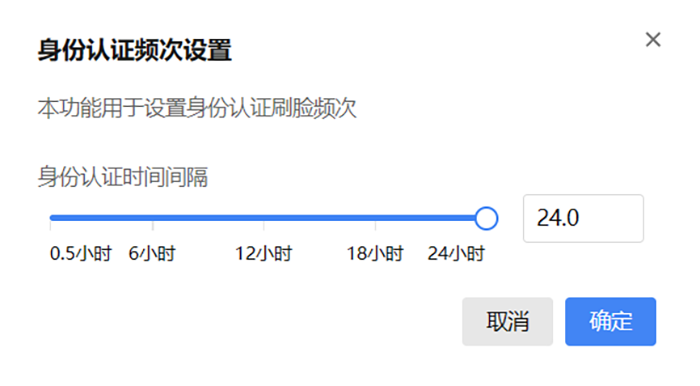
③At【Identity authentication frequency settings】 On the interface, you can modify the frequency of face recognition authentication scans as needed; the interval can be set from 0.5 hours to 24 hours.
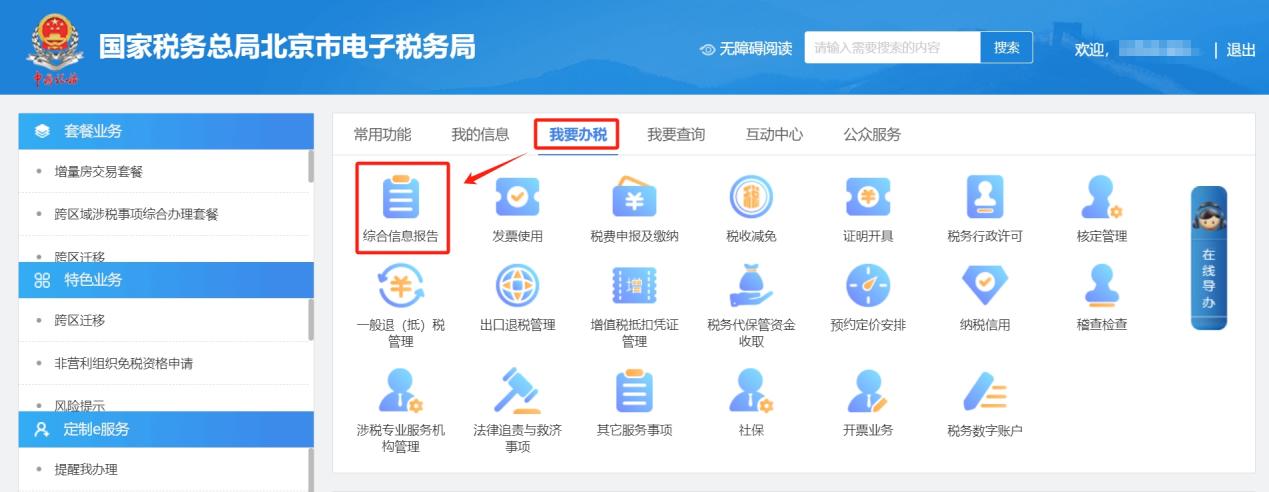
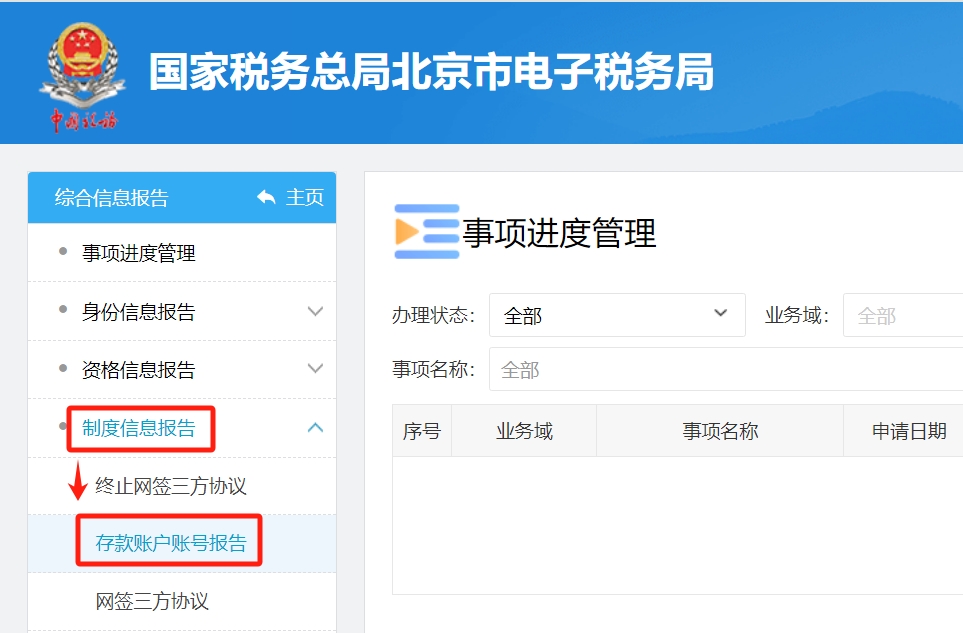
2.After receiving a fully digitalized e-invoice, in what format should the file be saved for booking? Answer:According to the Accounting Department of the Ministry of Finance on Publishing the Accounting Data Standards for Electronic Vouchers (Trial version)Notice》(Accounting Department Letter[2023] No. 18) provisions, when the recipient obtains a fully digitalized e-invoice for reimbursement, booking, and archiving, it shall comply with the Notice of the Ministry of Finance and the National Archives Administration on Standardizing the Reimbursement, Booking, and Archiving of Electronic Accounting Vouchers(Accounting[2020] No. 6, hereinafter referred to as the "Notice")and the Measures for the Management of Accounting Archives(Ministry of Finance and National Archives Administration Order No. 79)implementation of the relevant provisions. First, the recipient may, in accordance with Articles 3 and 5 of the Notice,If only the XML file of a fully digitalized e-invoice containing a digital signature is used for reimbursement, posting, and archiving, it no longer needs to be kept in paper form separately. Second, if the recipient needs to use a paper printout of the PDF or OFD format file of a fully digitalized e-invoice as the basis for reimbursement, accounting, and archiving, it shall comply with Article 4 of the Notice, meanwhile save the XML-format electronic file of the fully digitalized e-invoice containing a digital signature. 3.Our company's bank account information has changed. When issuing a fully digitalized e-invoice“Seller information”It is still the original account, how to modify it? Answer:After an enterprise's bank account information changes, the enterprise's legal representative, financial officer, and tax handler need to log into the Electronic Tax Bureau and first【I Want to Handle Tax Matters】-【Comprehensive information report】-【System information report】-【Deposit account number report】 Modify in the module。
After the change, in【I Want to Handle Tax Matters】-【Invoicing business】-【Issuance of blue-letter invoice】 In the module seller information“Seller's bank”Column drop-down selection。
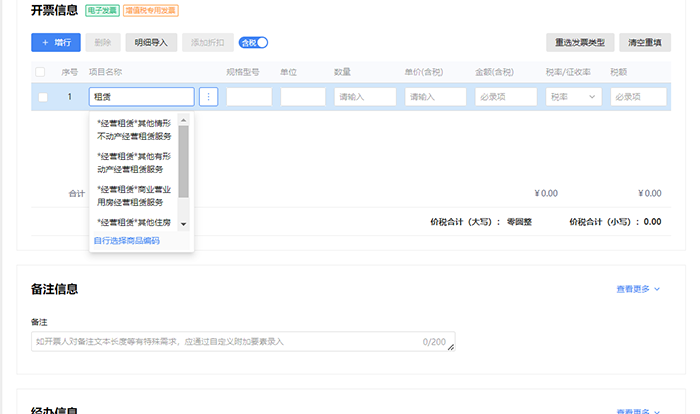
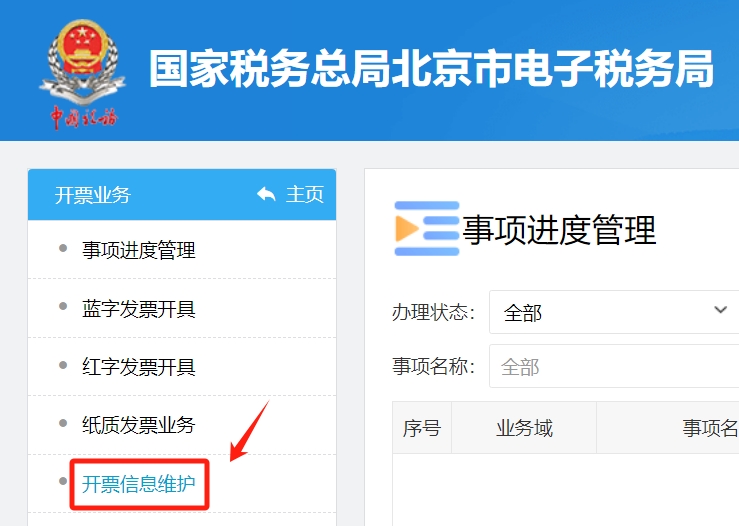
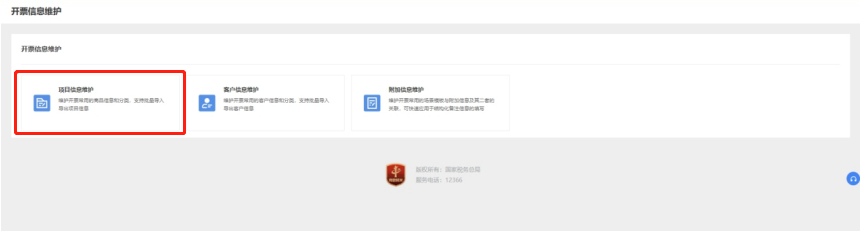
4.Why can't the tax rate be brought out after filling in the project name when issuing blue-letter invoices?? Answer:When issuing a blue-letter invoice,The tax rate is normally brought out only when a project name that has already been maintained is selected.To add item information, the specific operations are as follows: ①Log in to the Electronic Tax Bureau and select in order【I Want to Handle Tax Matters】-【Invoicing business】-【Invoicing information maintenance】, enter the corresponding module.
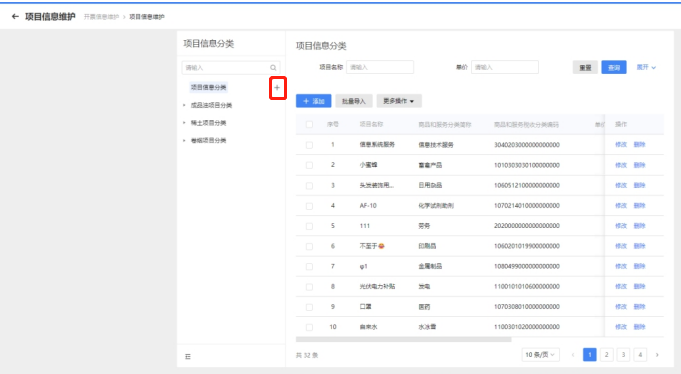
②On the left side of the main page“Project Information Classification”Select a node in, click“+“or“...”The add project category page pops up. After completing the fields, click“Save”Save information and return to the main page;Click“Cancel”, cancel saving the information and return to the main page.
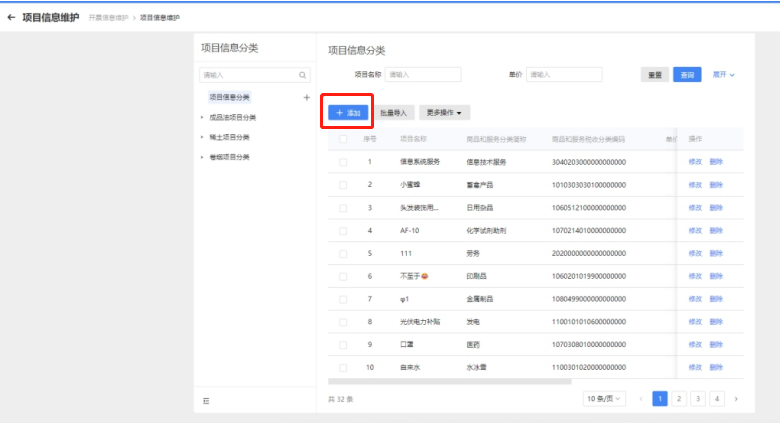
③After selecting a project information category on the left, click on the right side of the main page“Add”, enter the Add Project Information page.
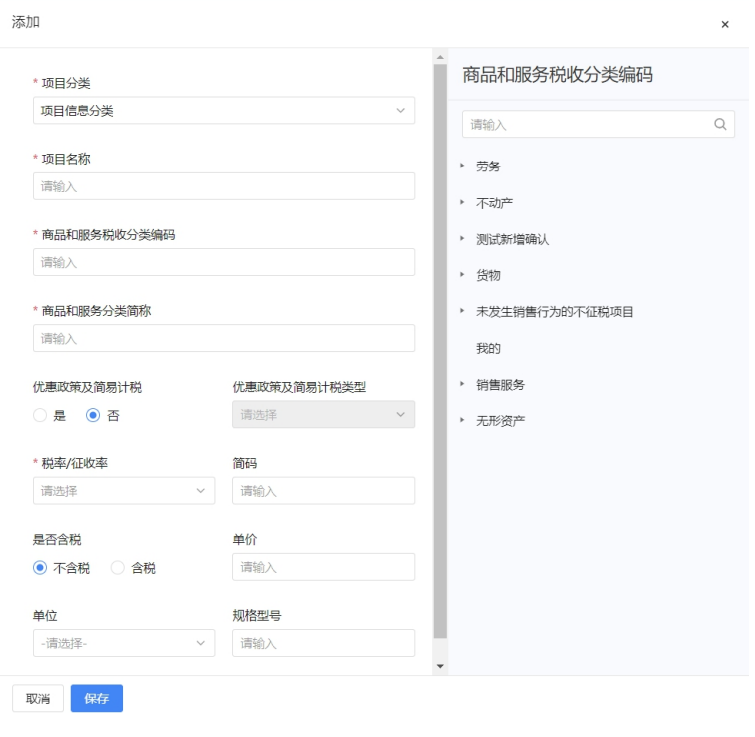
④Fill in the corresponding item name and other information. After completing the item information entry, click“Save”, save the information and return to the main page; click“Cancel”, cancel saving and return to the main page.
Content source: Internet Beijing Kailing Technology Co., Ltd.——an enterprise business-finance-tax digitalization solution service provider. Kailing Technology provides solutions for sales management systems, procurement management systems, output invoicing systems, input invoice collection systems, imaging management systems, financial posting systems, electronic accounting archives and other businesses according to enterprise needs, professionally and efficiently helping enterprises transform and upgrade their business-finance-tax digital management. If you have any business-finance-tax digital transformation needs, welcome to contact us. Beijing Kailing Technology will serve you wholeheartedly. |