010-6097 4119Book a Demo


Practical Insights | Full Process of Remote Tax Control Cancellation Without Leaving HomePublished: 2023-12-05 15:45 As of now, all provinces, autonomous regions, and municipalities nationwide have fully launched the fully digitalized e-invoice pilot. In pilot invoicing regions, eligible taxpayers can issue fully digitalized e-invoices, VAT paper ordinary invoices, and VAT paper invoices through the digital account of the electronic tax bureau. For pilot regionsMeets the conditionstaxpayers, after enabling fully digitalized e-invoices, can choose whether to deregister tax control devices such as the Golden Tax disk, tax control disk, and tax UKey according to specific circumstances. Previously, if a taxpayer wanted to deregister a tax control device, they had to bring the device to the service hall for processing.Now,The VAT invoice management system has added a remote cancellation function for tax control devices. For taxpayers who pass the qualification verification,Without leaving homeand then complete the cancellation of the tax control device online. So what conditions must be met for remote deregistration of tax control devices? And what is the specific operating procedure? The following will provide a detailed answer for everyone. How can you qualify for remote cancellation of tax control equipment?? Remote Deregistration of Tax-Control Devices Requires the Following 6 Conditions: (1.)The taxpayer's status is "Normal"; (II)Non-refined oil production and distribution enterprises, non-motor vehicle and non-used vehicle enterprises; (Three)Has been included in the fully digitalized e-invoice pilot, and has not been approved for the motor vehicle sales unified invoice or used car sales unified invoice types; (IV)Except for the six categories of specific invoices, the balance of other tax-control invoices held by taxpayers must be0; The six types of invoices refer to:
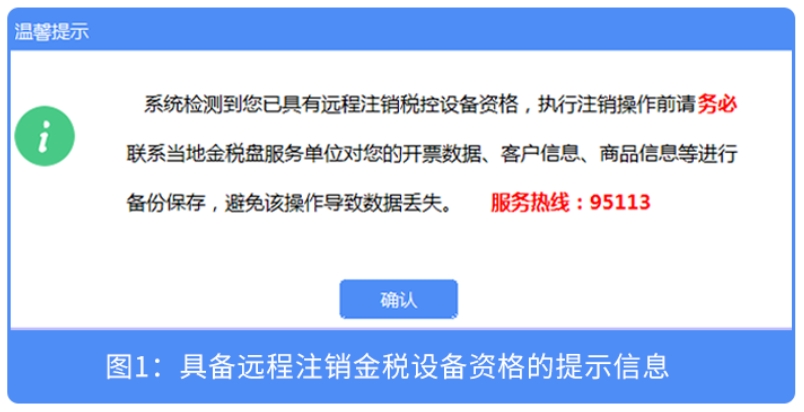
(5) The taxpayer has no unfinished invoice type verification or maximum invoice issuance limit approval business; (6)Holding un-deregistered tax control equipment (tax control disk, tax UKey, golden tax disk, tax reporting disk))。 The enterprise meets these 6 conditions, so why has it not received a prompt for remote tax control device deregistration? If you meet the above 6 conditions, please upgrade the VAT invoice issuance software to the latest version (20231031 and above)),and then receive the remote tax control cancellation push notification. You can perform the remote cancellation of the tax control device according to the push notification. Note: Before remote deregistration, please first complete the upload of invoices already issued by the tax control system and the tax-period reporting operation for tax control invoices. Below, let's take the operation of the Golden Tax Disk as an example to learn how to remotely deregister tax-control equipment! I.The taxpayer inserts the golden tax disk, logs in to the VAT Invoice Issuance Software (Golden Tax Disk Version)(hereinafter referred to as the "invoicing software"), the system will automatically check whether you are eligible for remote cancellation of tax-control equipment. If eligible, the system will push a remote tax-control cancellation prompt to the taxpayer, as shown in Figure 1:
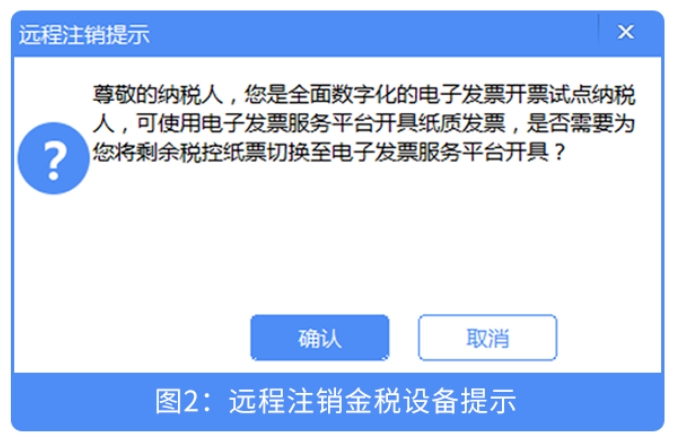
After clicking "Confirm," the system pops up a remote deregistration prompt, as shown in Figure 2:
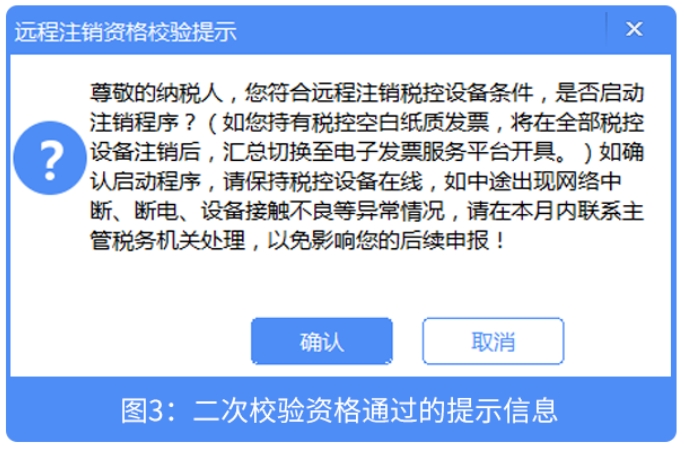
II.If the taxpayer clicks the "Cancel" button, it automatically returns to the main page of the invoicing software; if the taxpayer clicks the "Confirm" button, the system automatically performs verification (verifying whether the taxpayer has unuploaded invoices and whether the tax-period reporting has not been carried out))。 If verification passes,Then a reminder automatically pops up asking whether to confirm enabling the deregistration procedure, as shown in Figure 3 below:
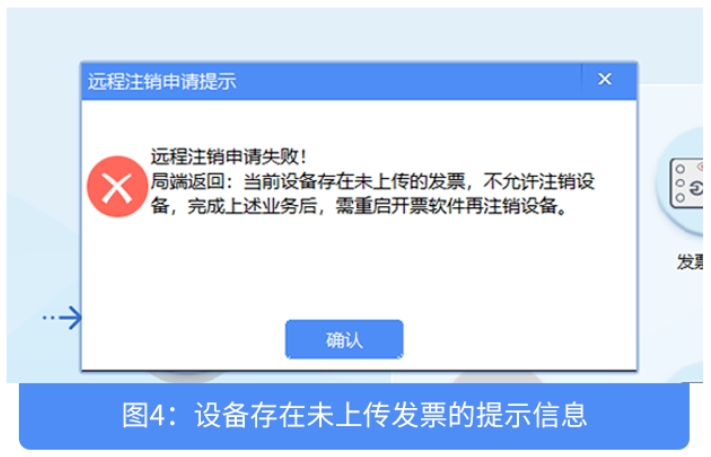
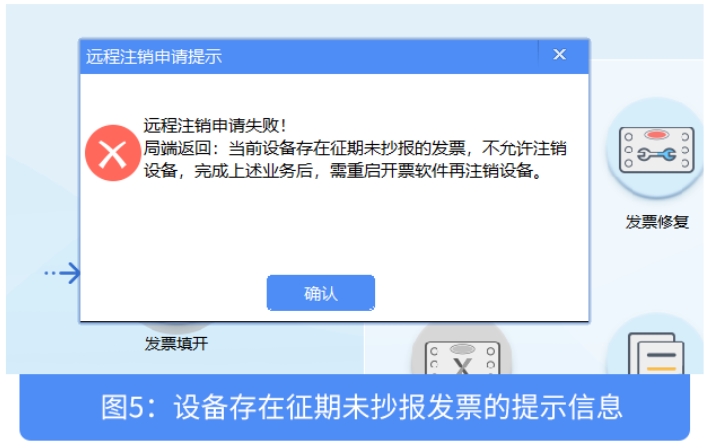
If verification fails,Then the corresponding prompt automatically pops up; after completing the corresponding business as prompted, restart the invoicing software and again perform the remote tax control device deregistration operation, as shown in Figures 4, 5, etc. below:
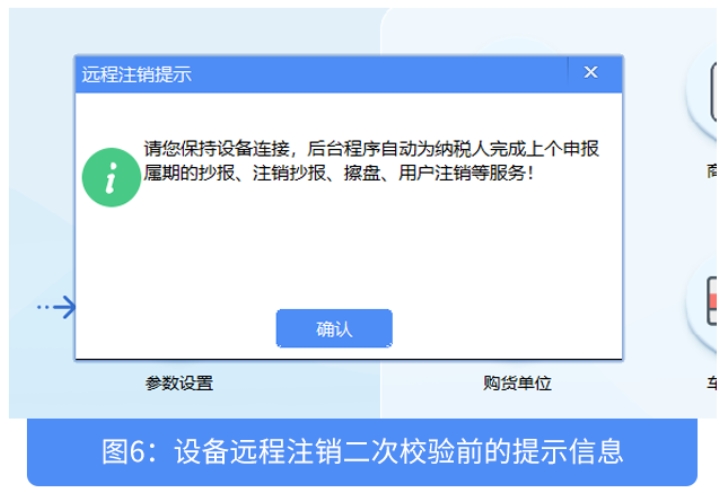
III.If the taxpayer clicks the "Cancel" button, it automatically returns to the main page of the invoicing software; if the taxpayer clicks the "Confirm" button, the invoicing software pops up a "Remote Deregistration Prompt", as shown in Figure 6:
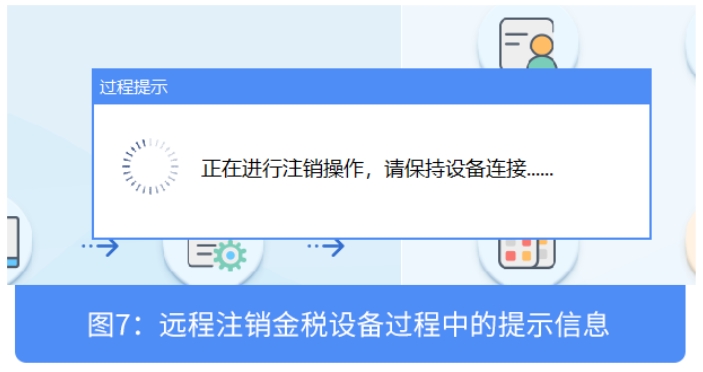
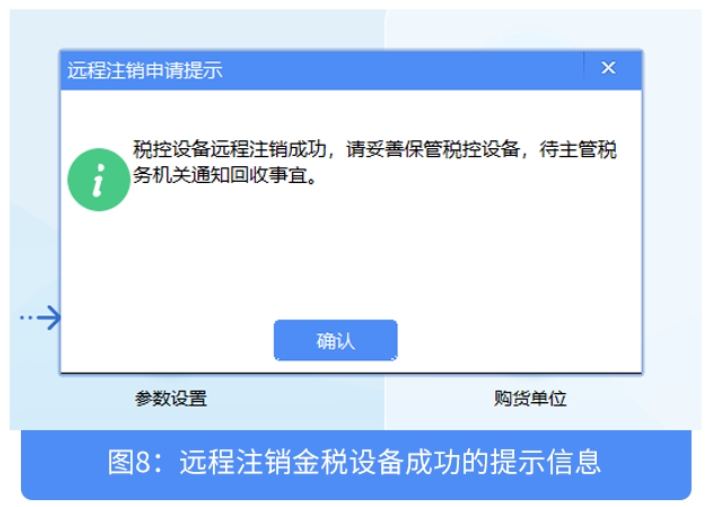
IV.After clicking the "Confirm" button, the system will again perform the qualification verification for remote deregistration of the Golden Tax device. If qualified,Then the Golden Tax device is automatically deregistered remotely; after remote deregistration is completed, a message indicating successful remote deregistration pops up, as shown in Figures 7 and 8 below:
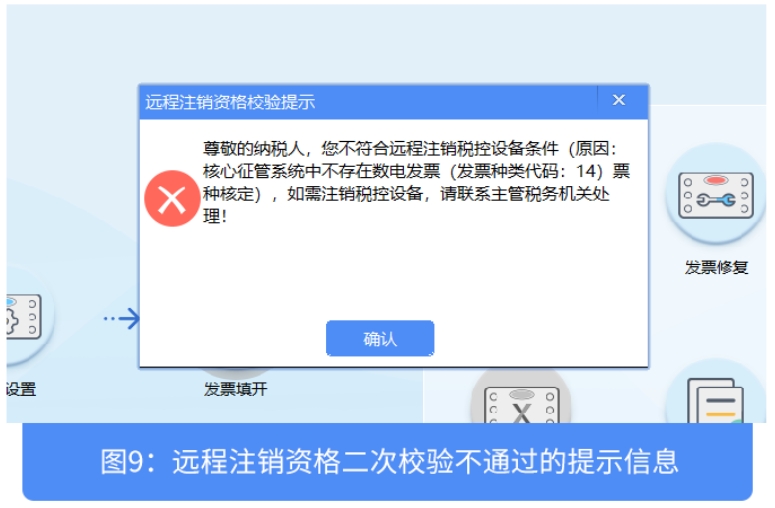
If not qualified,Then a specific message indicating ineligibility pops up, as shown in Figure 9 below, and the taxpayer can communicate with the competent tax authority to confirm.
V.During the remote cancellation of tax-control equipment, if the cancellation is interrupted due to an anomaly, you can log in to the invoicing software online and remotely cancel again according to the prompts until successful; if after the remote cancellation is interrupted you cannot log in to the invoicing software, you need to contact the competent tax authority for handling. Six,If a taxpayer has multiple devices or main and extension devices, it shall first complete the remote deregistration of the extension devices one by one before remotely deregistering the main device. Note:If you hold the main and sub-units of a Golden Tax disk, you must first return the remaining invoices of the sub-invoice-issuing machine to the main invoice-issuing machine. After logging into the invoicing software on the main invoice-issuing machine, perform the operation under "Invoice Source Management Module - Online Sub-invoice Management - Online Invoice Recovery" before proceeding with the seamless switch of remaining paper invoices and remote cancellation of tax control equipment. Content source: Beijing Tax WeChat official account Beijing Kailing Technology Co., Ltd.——an enterprise business-finance-tax digitalization solution service provider. Kailing Technology provides solutions for sales management systems, procurement management systems, output invoicing systems, input invoice collection systems, imaging management systems, financial posting systems, electronic accounting archives and other businesses according to enterprise needs, professionally and efficiently helping enterprises transform and upgrade their business-finance-tax digital management. If you have any business-finance-tax digital transformation needs, welcome to contact us. Beijing Kailing Technology will serve you wholeheartedly. |