010-6097 4119Book a Demo


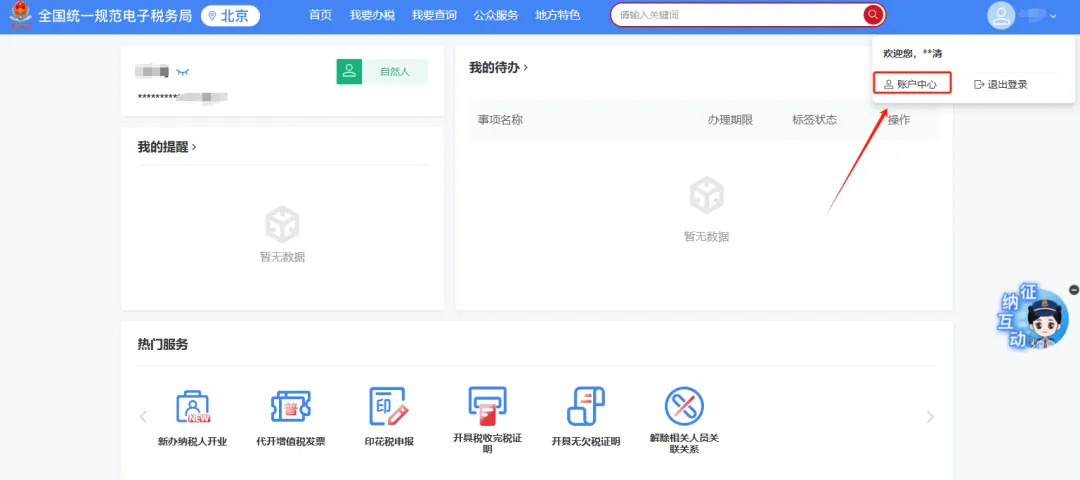
What should an enterprise do if it still cannot use the new electronic tax bureau after changing its tax handler or financial officer?Published: 2024-09-27 16:55 In the New Electronic Tax Bureau, after an enterprise changes its tax officer or financial officer, it still cannot use the New Electronic Tax Bureau. Is it necessary to complete person-enterprise association before it can be used?After an enterprise changes its taxpayer or financial officer, it needs to confirm whether the person-enterprise association has been completed. Only after the person-enterprise association is completed can the new electronic tax bureau be used. If the person-enterprise association has not been established, please complete the operation according to the following steps: ① Initiated by the enterprise, pending confirmation of relationship by the individual: The enterprise legal person or finance officer logs in to the new electronic tax bureau and enters the account center. [Step 1] Click "Personnel Permission Management" — "Add Tax Handler" in the menu bar to enter the interface for adding tax handler information. [Step 2] Enter the name of the tax handler to be added, select the ID type and enter the ID number, select the identity type, and set the function set and expiration date. The function set displays by default all functions of the selected identity type according to the selected identity type; select according to actual needs, and click "Select All" to select all functions at once. [Step 3] Click the [Confirm] button to display the detailed information of the added tax handler. [Step 4] After confirming the information is correct, click the [OK] button to submit, and the message "Tax handler successfully added" will pop up. [Step 5] Click the [View Details] button. After the relevant information is verified successfully, the tax handler information changes to the pending confirmation status, which can be viewed in the "Tax Handlers Pending Confirmation" list. [Step 6] The person pending confirmation logs in as a natural person, enters the account center, and confirms the authorization in the "Enterprise Authorization Management" — "Pending Authorization Confirmation" function menu. After confirmation, the association is successful, and the natural person can log in to the enterprise through the new electronic tax bureau. ② Initiated by an individual, pending enterprise confirmation of the relationship: Individuals log in to the new electronic tax bureau and enter the account center. Click the menu bar "Enterprise Authorization Management" - "Apply for Enterprise Authorization" to enter the enterprise authorization application information interface. Enter the corresponding enterprise information, select the identity for which authorization is applied, and click confirm. Pending confirmation information can be viewed in the "Pending Authorization Confirmation" list. The enterprise pending confirmation logs in as the enterprise legal person or finance identity, enters the account center, and performs authorization confirmation in the "Personnel Permission Management — Tax Handlers Pending Confirmation" function menu. After confirmation, the association is successful, and the natural person can log in to the enterprise through the new electronic tax bureau. The illustrated guidance is as follows ① Initiated by the enterprise, pending confirmation of relationship by the individual: I. The enterprise legal person or finance personnel logs in to the new electronic tax bureau and enters the account center.
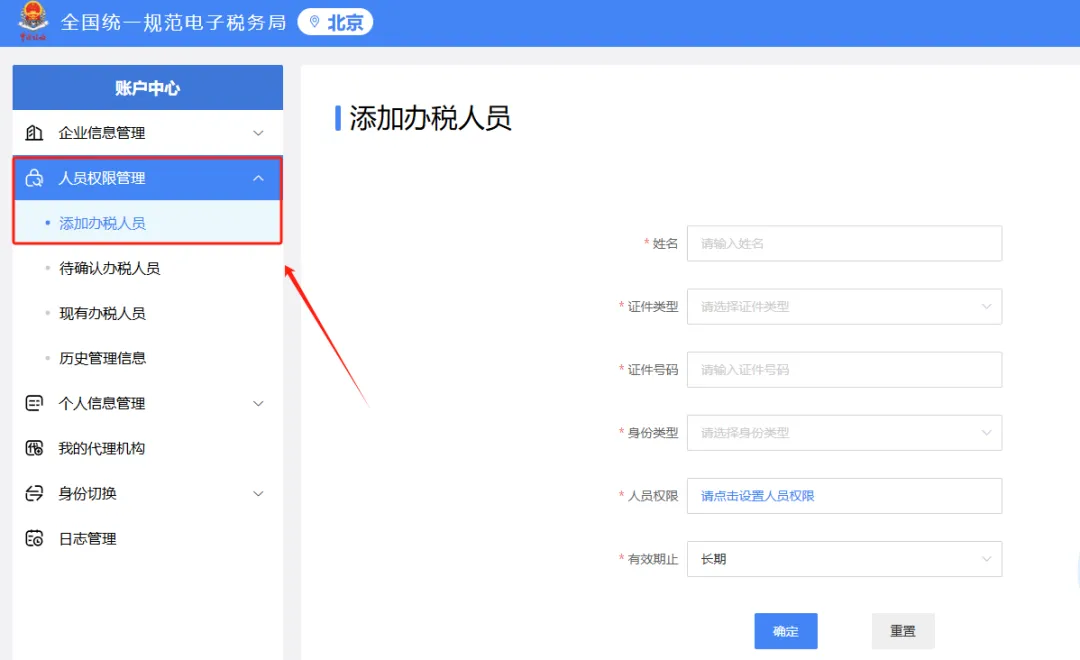
II. Click "Personnel Permission Management"—"Add Tax Handler" in the menu bar to enter the add tax handler information page.
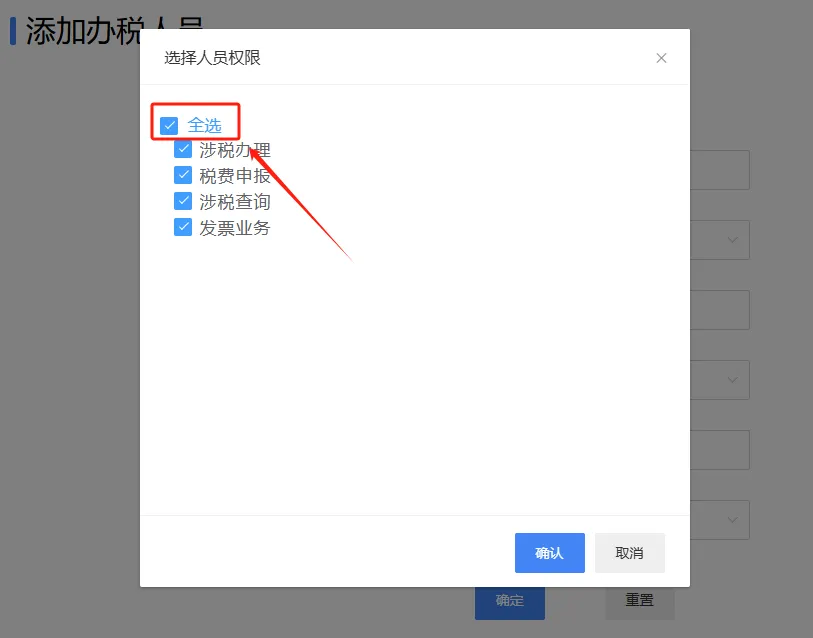
III. Enter the name of the tax officer to be added, select the ID type and enter the ID number, select the identity type, and set the function set and validity end date. The function set displays by default all functions available to the selected identity type; select according to actual needs, or click "Select All" to select all functions at once.
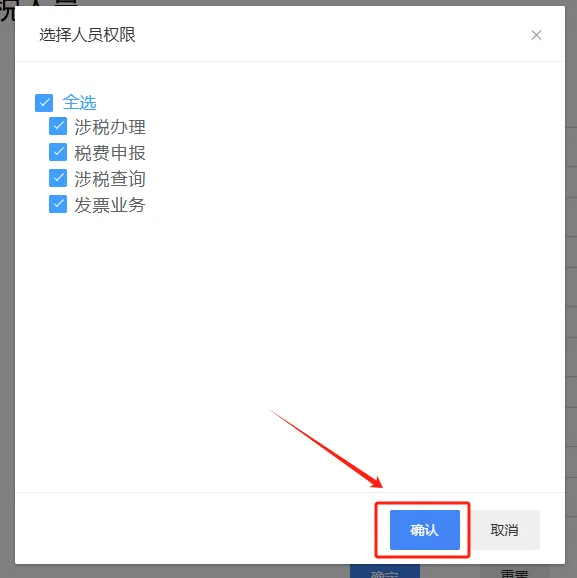
IV. Click the [Confirm] button to display the detailed information of the added tax officer.
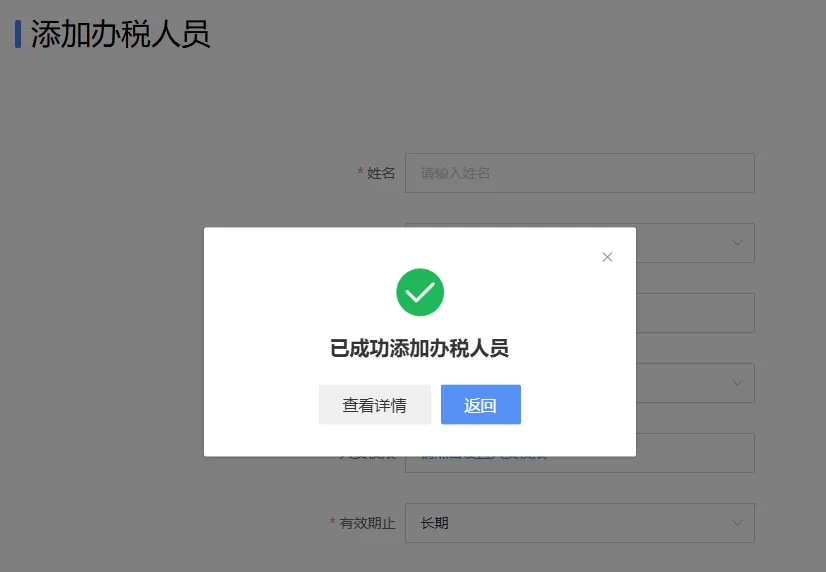
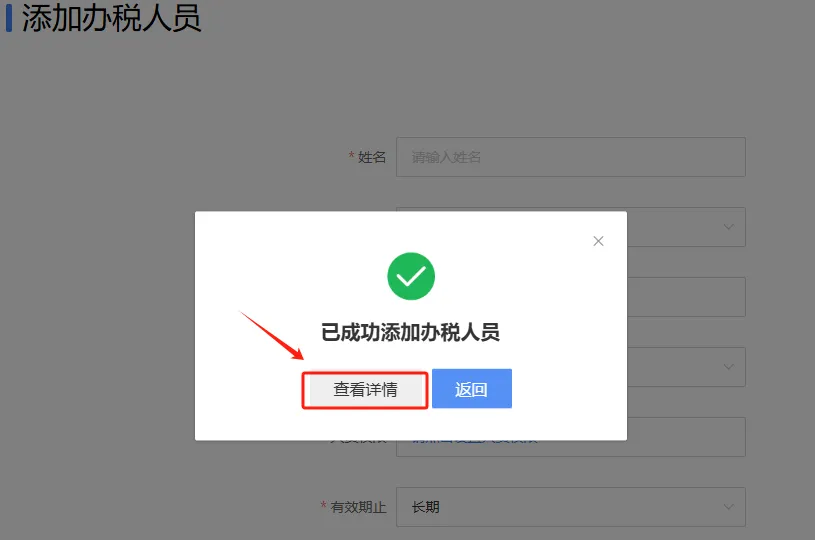
V. After confirming the information is correct, click the [Confirm] button to submit, and a message "Tax handler successfully added" will pop up.
VI. Click the [View Details] button. After the relevant information is successfully verified, the tax officer's information will change to a pending confirmation status, which can be viewed in the "Tax Officers Pending Confirmation" list.
Seven, personnel pending confirmation log in as individuals, enter the account center, and confirm authorization in the "Enterprise Authorization Management" - "Pending Authorization Confirmation" function menu. After confirmation, the association is successful, and the individual can log in to the enterprise through the new electronic tax bureau.
② Initiated by an individual, pending enterprise confirmation of the relationship: I. A natural person logs into the New Electronic Tax Bureau and enters the account center.
II. Click "Enterprise Authorization Management"—"Apply for Enterprise Authorization" in the menu bar to enter the enterprise authorization application information page. Enter the corresponding enterprise information, select the identity for which authorization is applied, and click Confirm. Pending confirmation information can be viewed in the "Pending Authorization Confirmation" list.
III. The enterprise to be confirmed logs in as the enterprise legal representative or finance identity, enters the Account Center, and performs authorization confirmation in the "Personnel Permission Management—Tax Officers Pending Confirmation" function menu. After confirmation, the association is successful, and the individual can log in to the enterprise through the new electronic tax bureau.
Source: Beijing Tax Kailing Technology provides enterprise business-finance-tax digital product lines according to enterprise needs: Solutions for businesses including sales contract management system, procurement contract management system, fully digitalized Leqi interface project, output automatic invoicing system, employee expense control and reimbursement system, input VAT invoice management system, supply chain collaborative reconciliation system, image OCR recognition system, automatic financial bookkeeping system, and electronic accounting archives system, professionally and efficiently supporting the transformation and upgrading of enterprise business-finance-tax digital management. If you have any business-finance-tax digital transformation needs, welcome to contact us. Beijing Kailing Technology will serve you wholeheartedly.
|