010-6097 4119Book a Demo


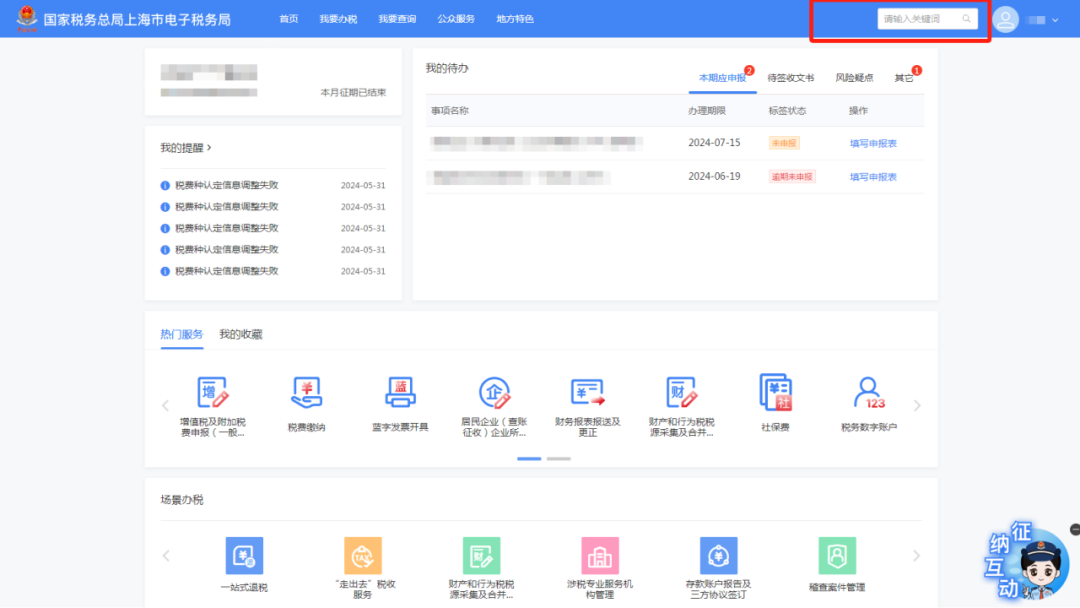
Get the five query tips for the "New Electronic Tax Bureau" in one articlePublished: 2024-07-22 16:35 Today, we have compiled five commonly used query tips in the new electronic tax bureau to help you understand how to quickly query tax handling functions, enterprise information, matter handling progress, unfiled information, and tax document delivery status. Let's learn together and make tax matter handling simpler! Operation Guide 01 One-click query of tax handling functions Enter the homepage of the new electronic tax bureau and enter keywords in the search box at the upper right of the page to quickly find tax handling functions.
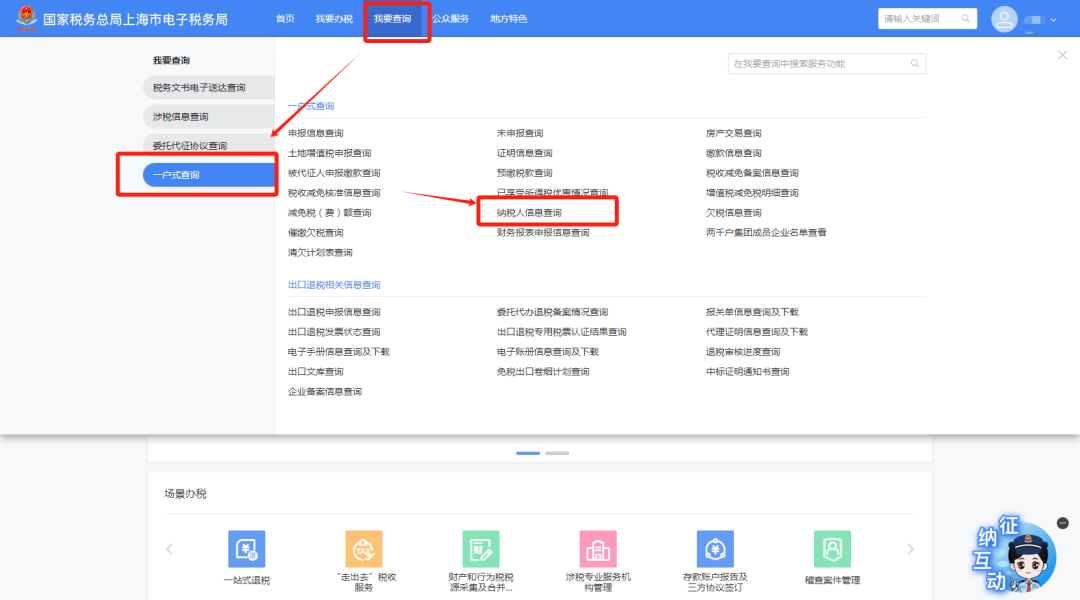
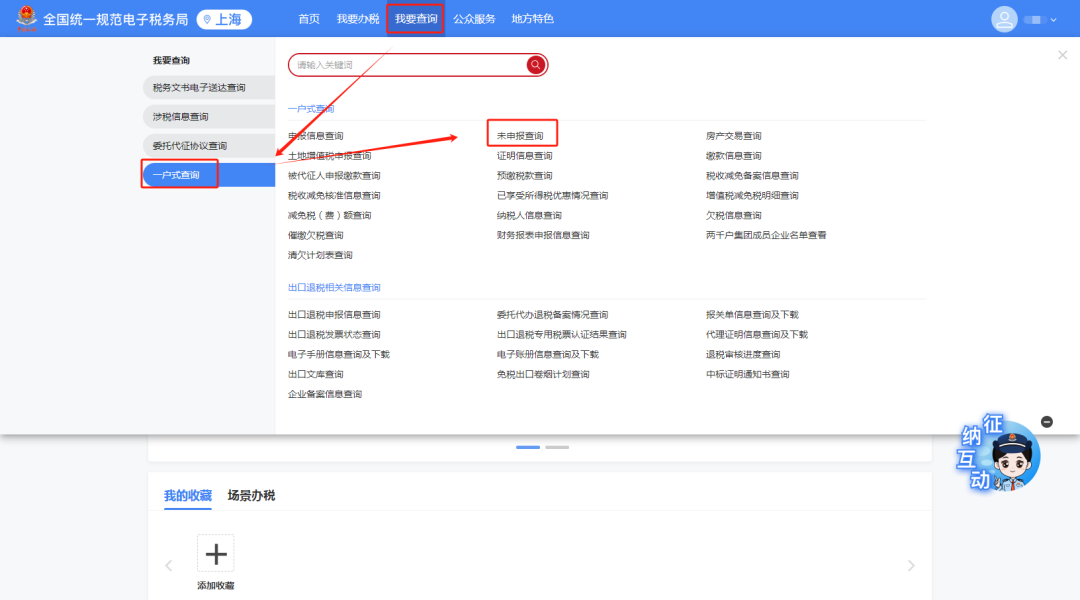
02 Quickly query enterprise information After logging in to the new Electronic Tax Bureau, click[I Want to Query] - [One-Household Query] - [Taxpayer Information Query], you can query information such as basic taxpayer information, tax type recognition information, qualification information, and deemed collection information.
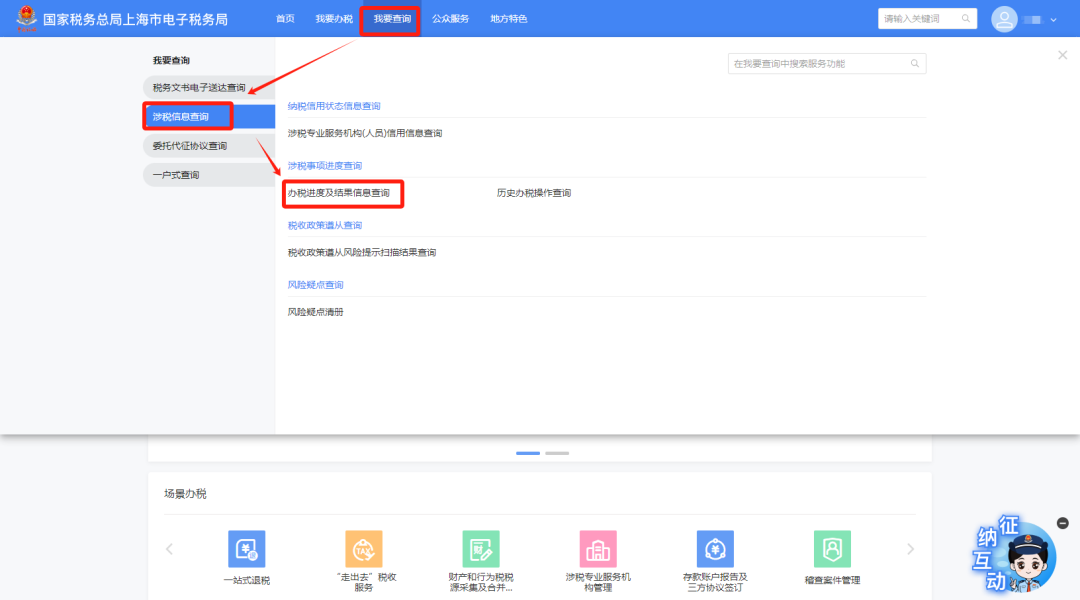
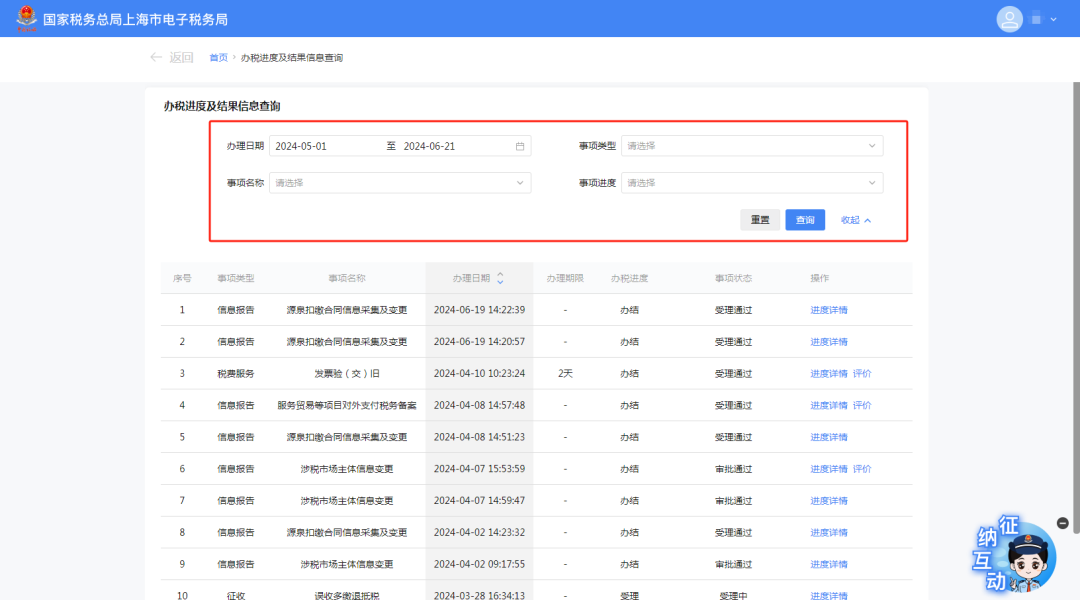
03 Query matter handling progress After logging in to the new Electronic Tax Bureau, click[I Want to Query] - [Tax-Related Information Query] - [Tax-Related Matter Progress Query] - [Tax Handling Progress and Result Information Query], to query the progress and results of matter handling.
At the same time, this module can also show business matters recently handled through the new electronic tax bureau. You can use the search bar above to select "handling date," "matter type," "matter name," and "matter progress" and click [Query] to search for the business matter you want to query. Click [Progress Details] to view detailed handling progress.
04 Query unfiled information After logging in to the new Electronic Tax Bureau, click[I Want to Query] - [One-Household Query] - [Unfiled Query]Query the enterprise's unfiled records.
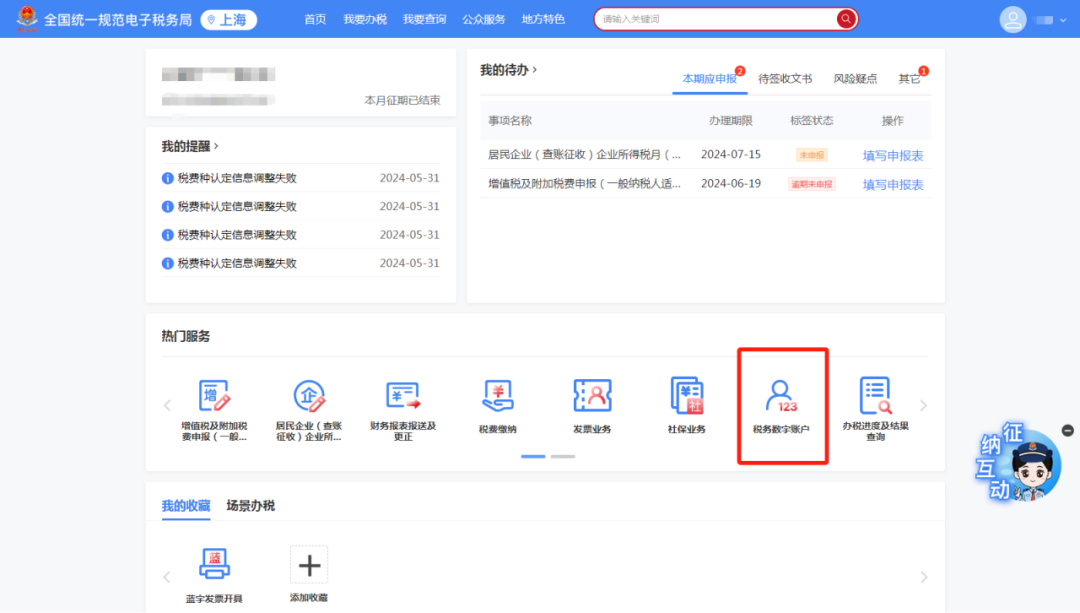
You can also use the "Popular Services" below[Tax Digital Account]The module jumps to the tax digital account overview interface, click in sequence[Account Inquiry] - [Filing Information Inquiry] - [Unfiled Inquiry]View.
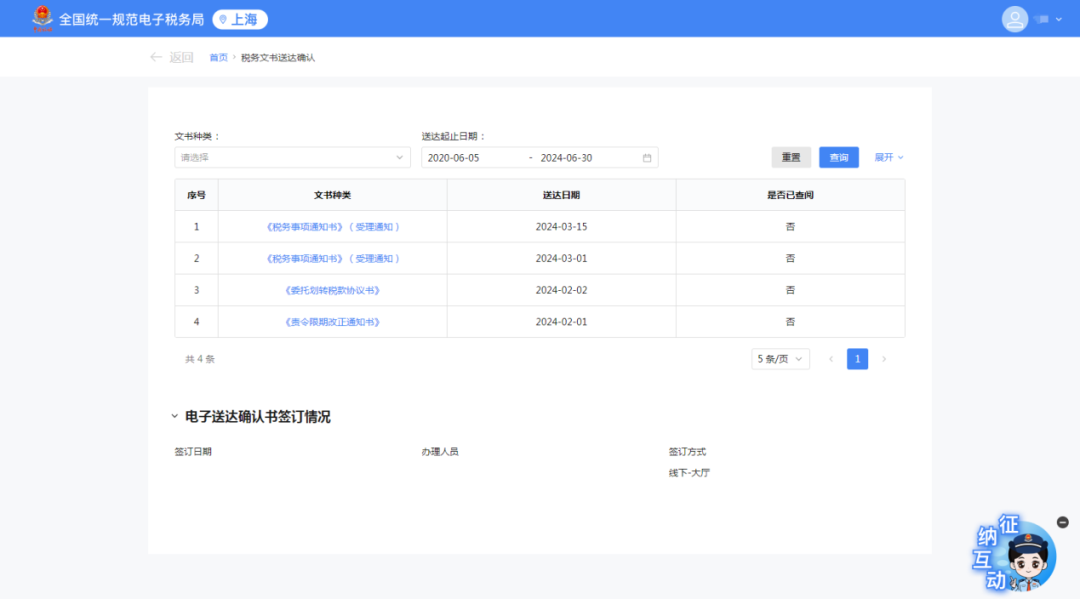
05 Query Tax Documents After logging in to the new Electronic Tax Bureau, you can click[I Want to Query] - [Electronic Delivery of Tax Documents Query] - [Confirmation of Tax Document Delivery], select the document type, delivery start and end dates, whether it has been viewed, and other conditions, then click [Query] to search for delivered documents.
Source: Shanghai Tax Kailing Technology provides enterprise business-finance-tax digital product lines according to enterprise needs: Solutions for businesses including sales contract management system, procurement contract management system, fully digitalized Leqi interface project, output automatic invoicing system, employee expense control and reimbursement system, input VAT invoice management system, supply chain collaborative reconciliation system, image OCR recognition system, automatic financial bookkeeping system, and electronic accounting archives system, professionally and efficiently supporting the transformation and upgrading of enterprise business-finance-tax digital management. If you have any business-finance-tax digital transformation needs, welcome to contact us. Beijing Kailing Technology will serve you wholeheartedly.
|