010-6097 4119Book a Demo


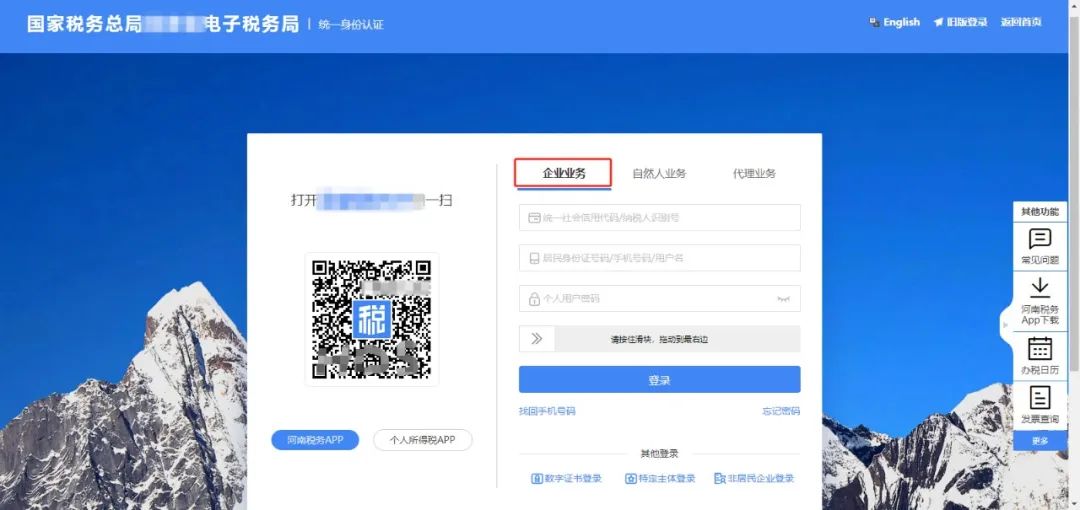
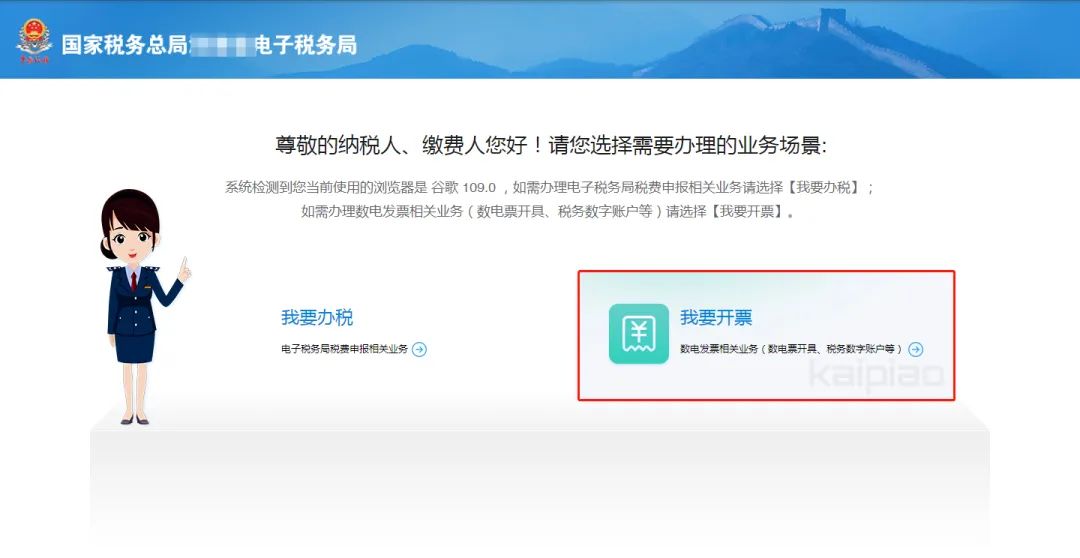
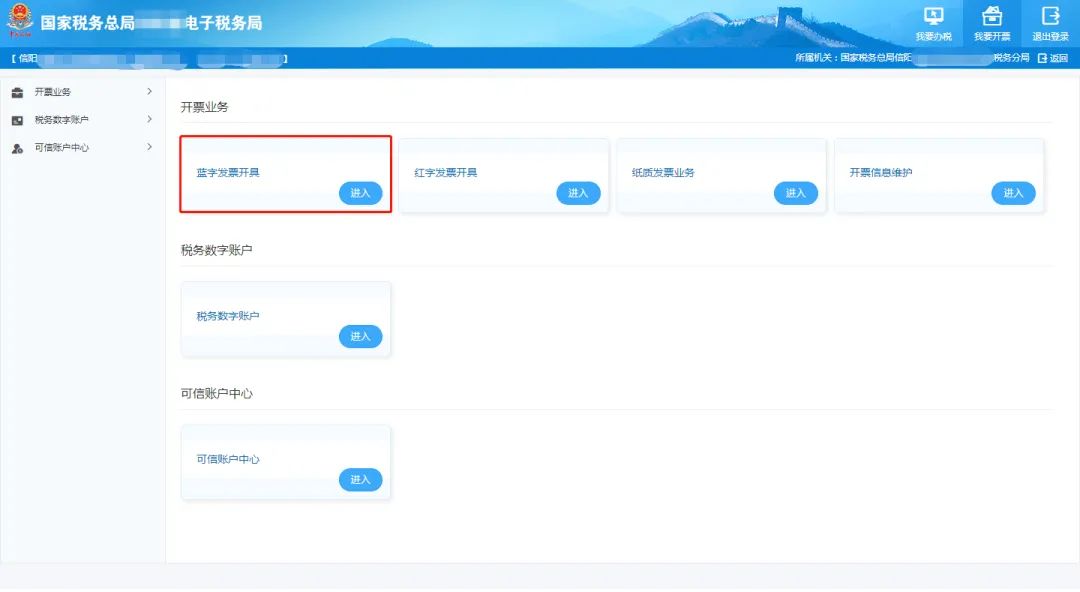
Issuing Fully Digitalized E-invoices Without Wanting Frequent Facial Recognition, Easily Adjust in Three Steps!Published: 2024-05-15 16:55 Three steps to easily adjust the face-scan authentication duration issue! Different face-scan authentication durations can be set according to the enterprise's invoice quota category. The specific adjustment operations are as follows: 1. After the legal representative or financial officer selects [Enterprise Business] to log in to the electronic tax bureau, select [I Want to Invoice] to enter the [Invoicing Business] interface, select "Issue Blue-Letter Invoice," and click [Enter].
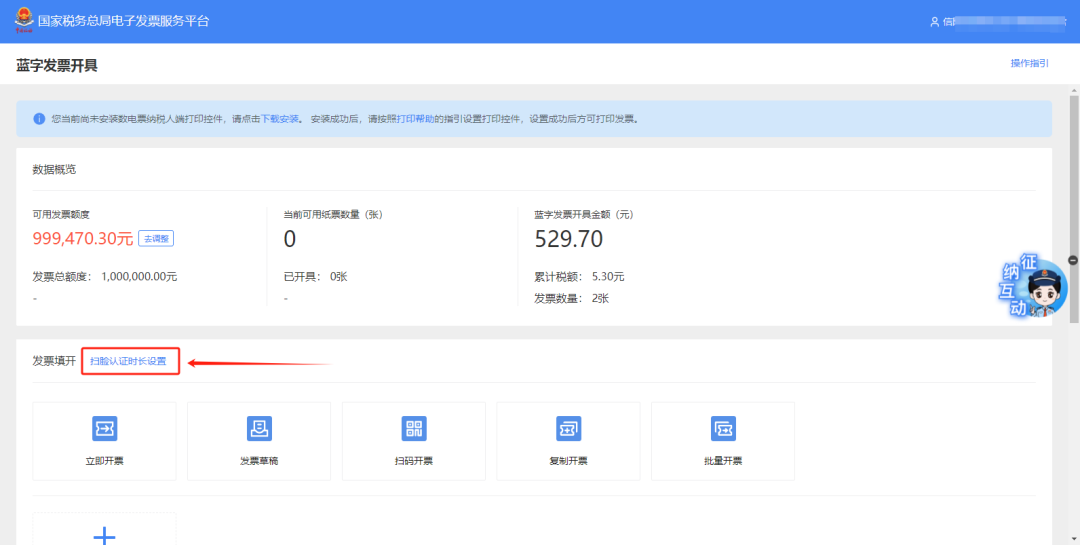
2. On the [Blue Invoice Issuance] screen, find [Face Scan Authentication Duration Setting] located below the invoice quota.
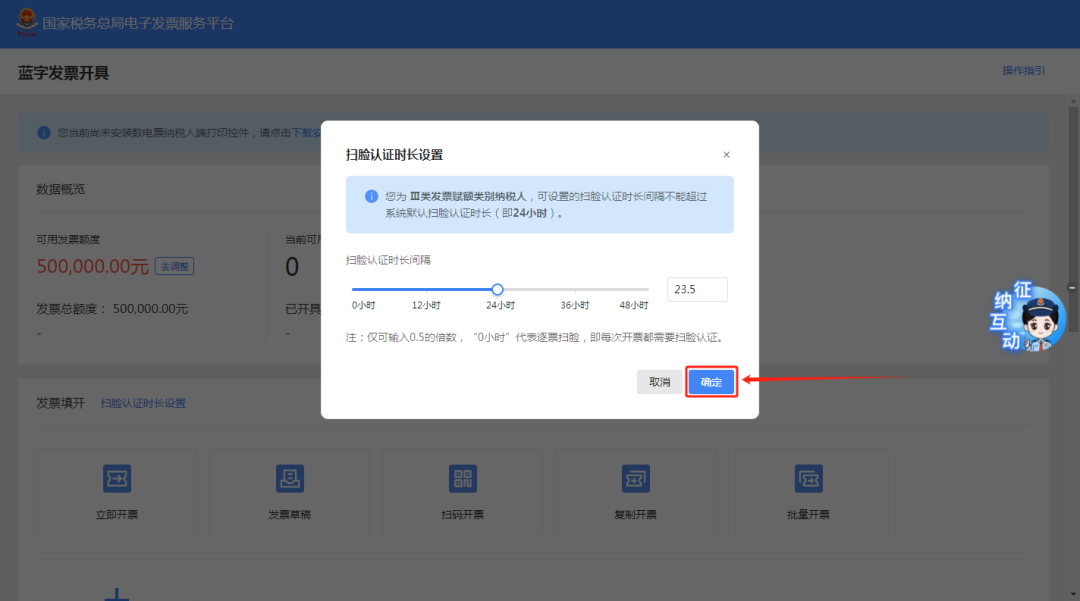
3. On the [Face-scan Certification Duration Settings] screen, adjust the face-scan certification duration according to actual needs. The face-scan certification duration interval can be set within a range of 0 hours to 48 hours. The specific rules for setting the face-scan authentication duration are:
Warm reminder: You need to log in to the electronic tax bureau with the account of the legal representative or financial officer to perform settings.! Beijing Kailing Technology Co., Ltd.——an enterprise business-finance-tax digitalization solution service provider. Kailing Technology provides solutions for sales management systems, procurement management systems, output invoicing systems, input invoice collection systems, imaging management systems, financial posting systems, electronic accounting archives, fully digitalized e-invoice and Leqi interfaces and other businesses according to enterprise needs, professionally and efficiently helping enterprises transform and upgrade their business-finance-tax digital management. If you have any business-finance-tax digital transformation needs, welcome to contact us. Beijing Kailing Technology will serve you wholeheartedly.
|