010-6097 4119Book a Demo


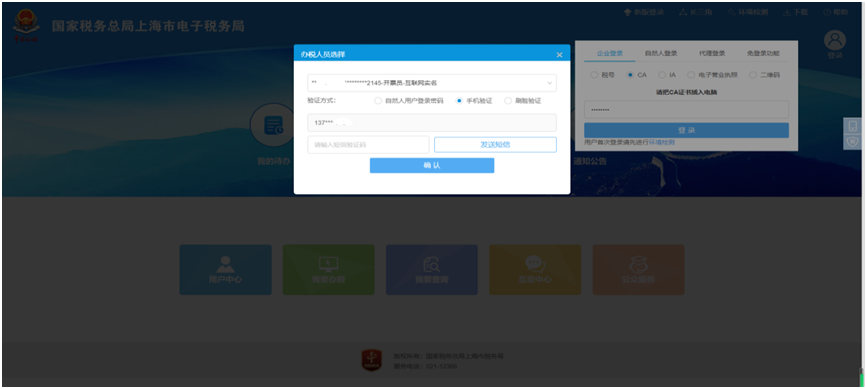
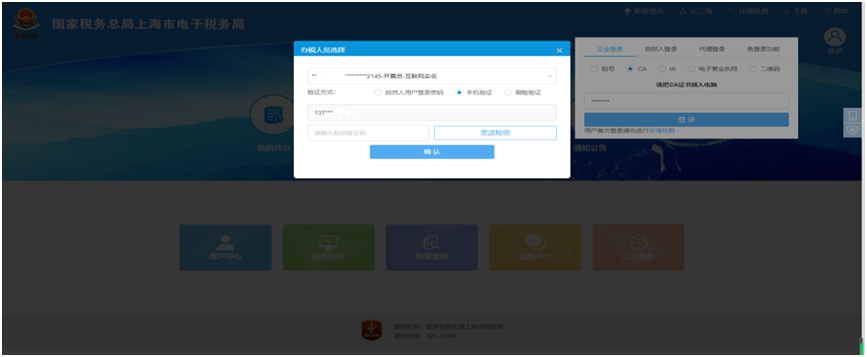
For a fully digitalized e-invoice issued by the enterprise this month that the counterparty has not yet selected, how is a red-letter invoice issued?Published: 2024-04-22 16:13 More and more taxpayers are being successfully included in the fully digitalized e-invoice pilot. While benefiting taxpayers, fully digitalized e-invoices have achieved red-letter invoice issuance upon confirmation. See the specific operation process below. Q:When an enterprise is included in the fully digitalized e-invoice pilot, issuing blue-letter fully digitalized e-invoices is very convenient, but is issuing red-letter fully digitalized e-invoices a bit troublesome?? A:Very simply, enterprises included in the fully digitalized e-invoice pilot that issue red-letter fully digitalized e-invoices can already issue upon confirmation. Q:For example, if the other party has not yet selected and confirmed the fully digitalized e-invoice we issued this month, how do we issue a red-letter invoice? A:If the fully digitalized e-invoice you issued has not yet been selected by the counterparty, simply find the corresponding blue invoice for which a red-letter invoice needs to be issued, select the fully digitalized e-invoice type and the reason for issuing the red-letter invoice, then submit and confirm to successfully issue the invoice. The specific process is as follows: 1.First log in to the electronic tax bureau, and choose one of the methods to verify successful login.
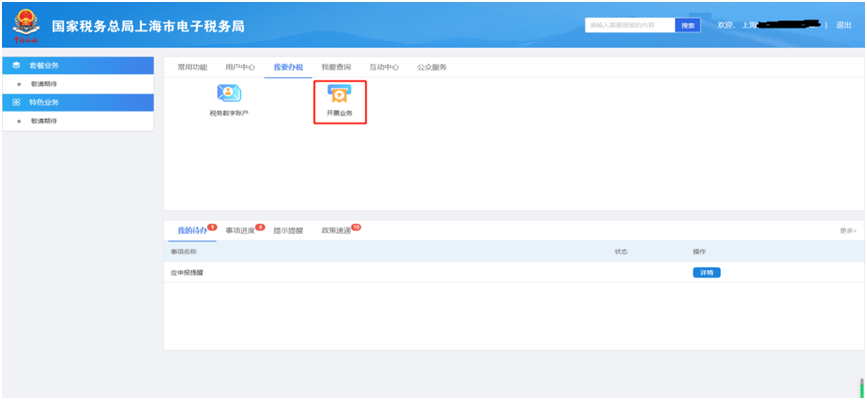
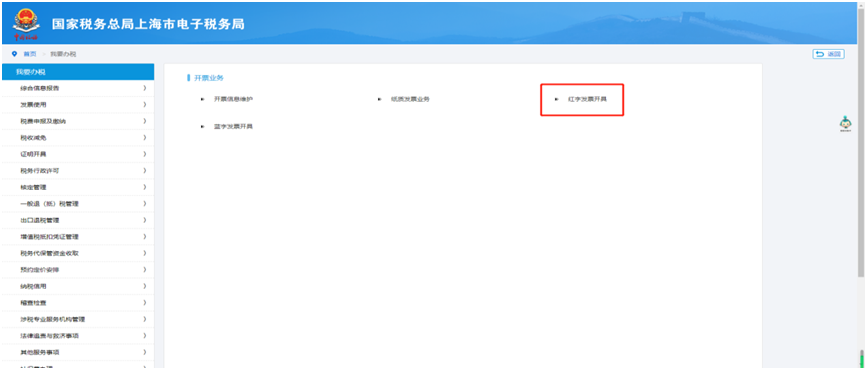
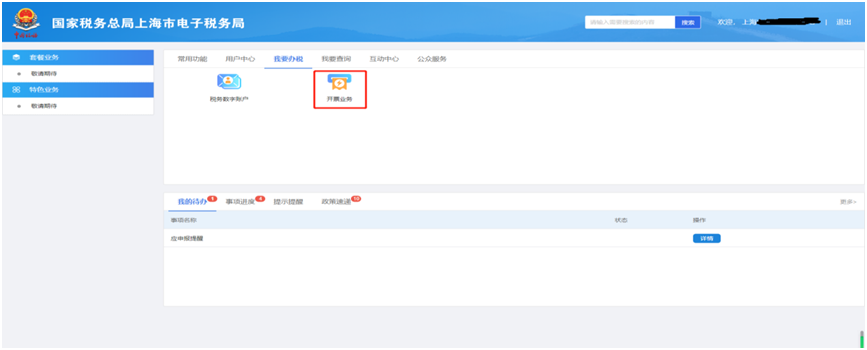
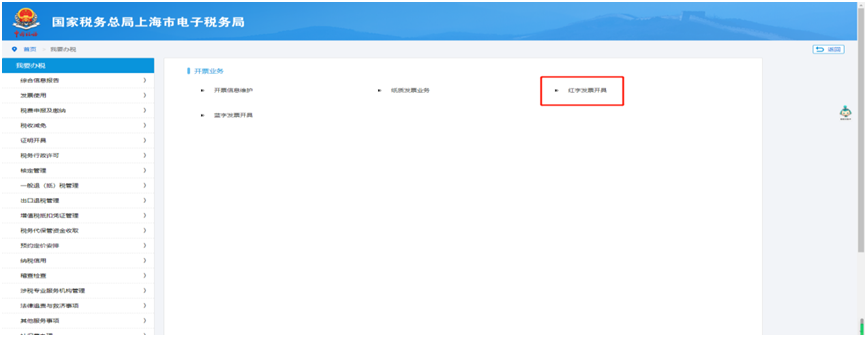
2.Select [I Want to Handle Taxes], click [Invoicing Business], and then select [Red-Letter Invoice Issuance].
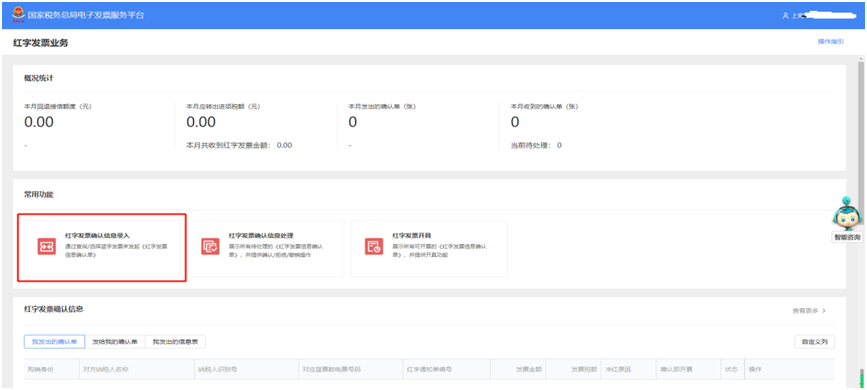
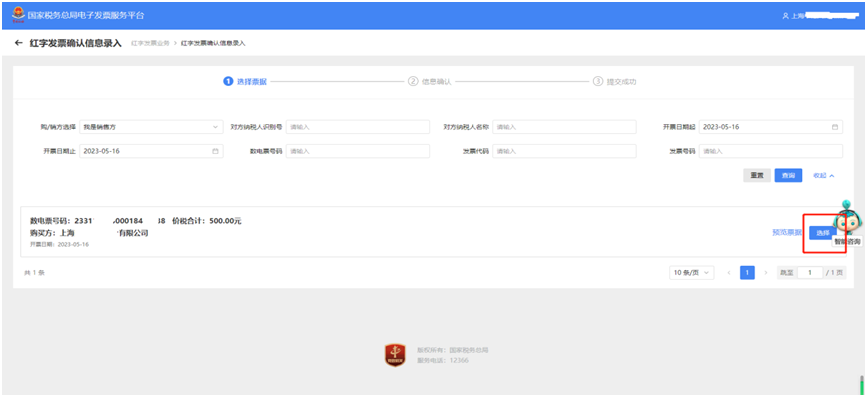
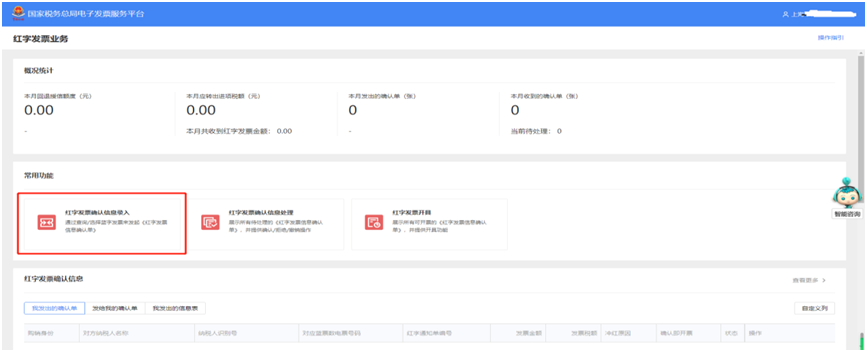
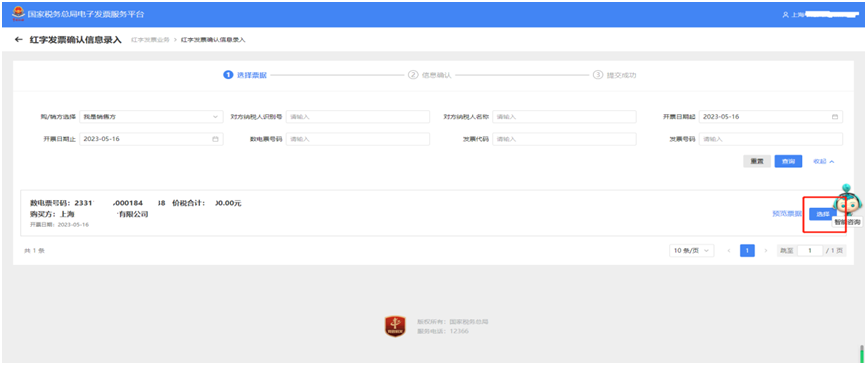
3.On the common functions page for red-letter invoice business, click [Red-Letter Invoice Confirmation Information Entry] and select the fully digitalized e-invoice information corresponding to the red-letter invoice to be issued.
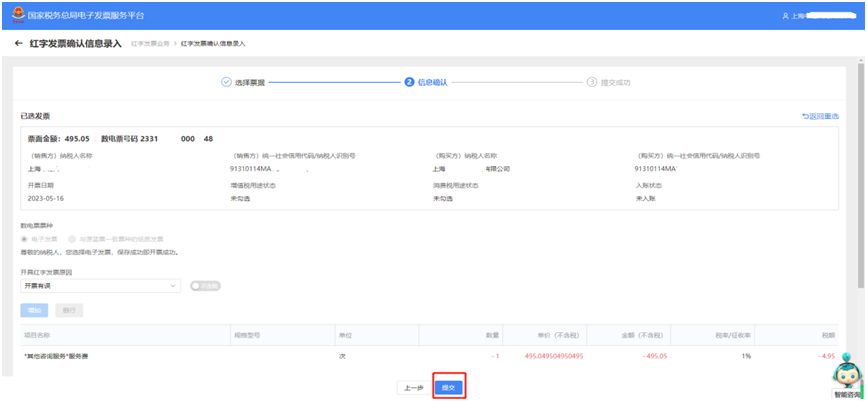
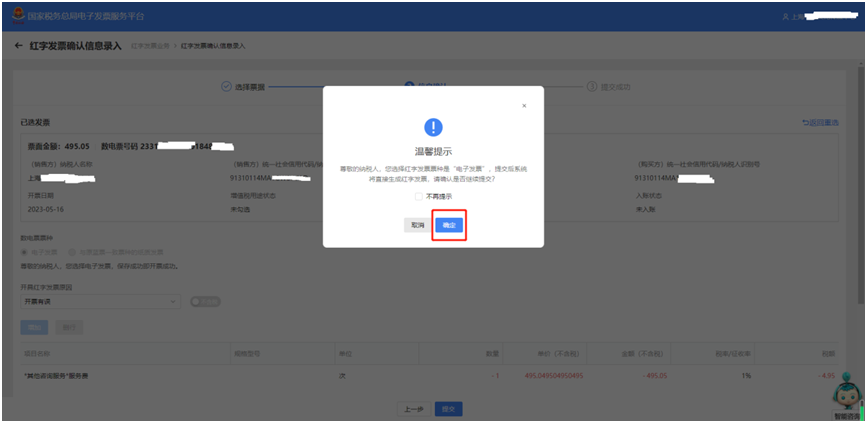
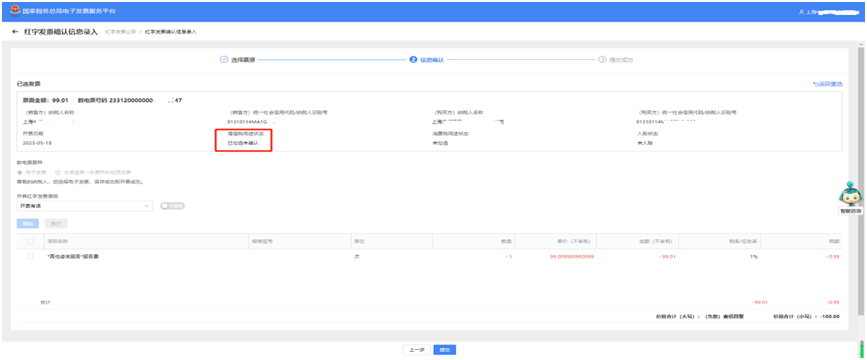
4.Confirm the selected invoice information, including basic information, fully digitalized e-invoice type, and reason for issuing a red-letter invoice, then click submit and confirm.
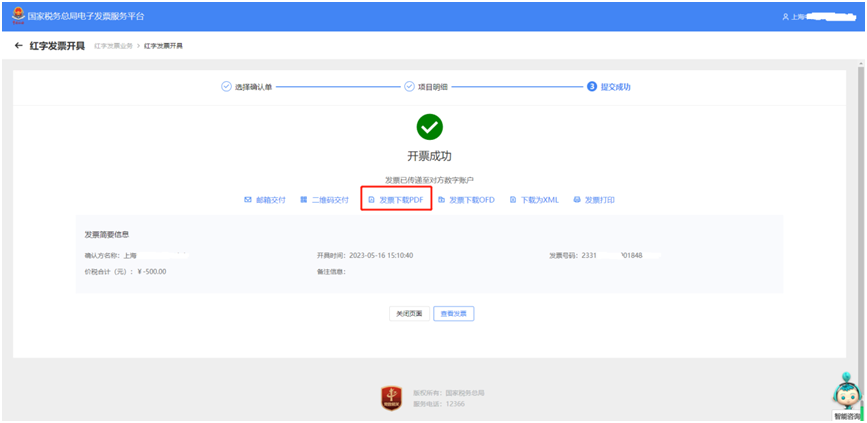
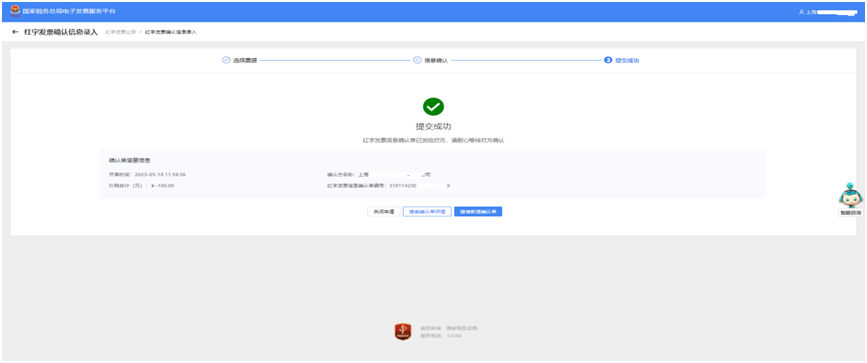
5.The red-letter invoice is issued successfully, enabling issuance upon confirmation.
Q:It is really convenient! But if the other party has already selected the fully digitalized e-invoice, will issuing a red-letter invoice be a bit troublesome? A:No trouble. For enterprises included in the fully digitalized e-invoice pilot issuing red-letter invoices, for invoices already selected, either party can fill out and upload the Red-Letter Invoice Information Confirmation Form, which requires confirmation by the other party, but once confirmed, the invoice is automatically issued successfully. Taking the seller applying for the Red-Letter Invoice Information Confirmation Form as an example, the specific process is as follows: I. Seller1. First log in to the electronic tax bureau, and choose one of the methods to verify and log in successfully.
2. Select [I Want to Handle Taxes], click [Invoicing Business], and then select [Red-Letter Invoice Issuance].
3. On the common function page for red-letter invoice business, click [Red-Letter Invoice Confirmation Information Entry] and select the fully digitalized e-invoice information corresponding to the red-letter invoice to be issued.
4. Confirm the selected invoice information, including basic information, fully digitalized e-invoice type, and reason for issuing a red-letter invoice, click Submit and confirm. The system will then send the red-letter invoice information confirmation form to the other party and wait for their confirmation.
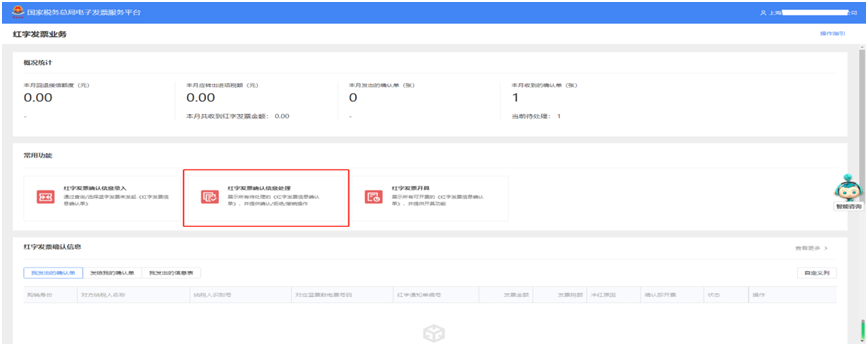
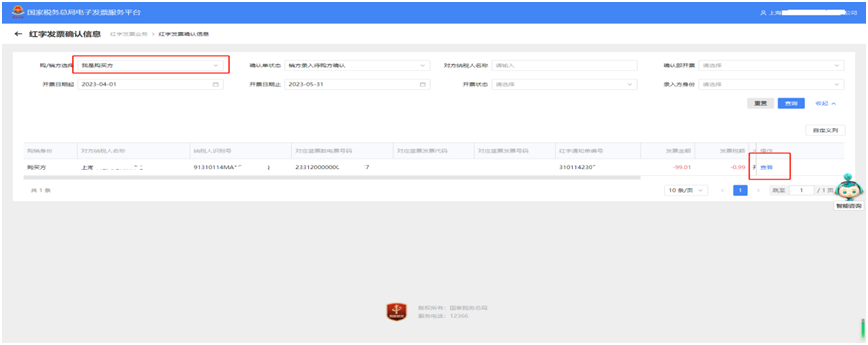
II. Purchaser1. The previous steps are the same: log in to the Electronic Tax Bureau — Home — [I Want to Handle Taxes] — [Invoicing Business] — [Red-Letter Invoice Issuance] — [Red-Letter Invoice Confirmation Information Processing], select the purchaser information, invoicing time, and other information, then click Query.
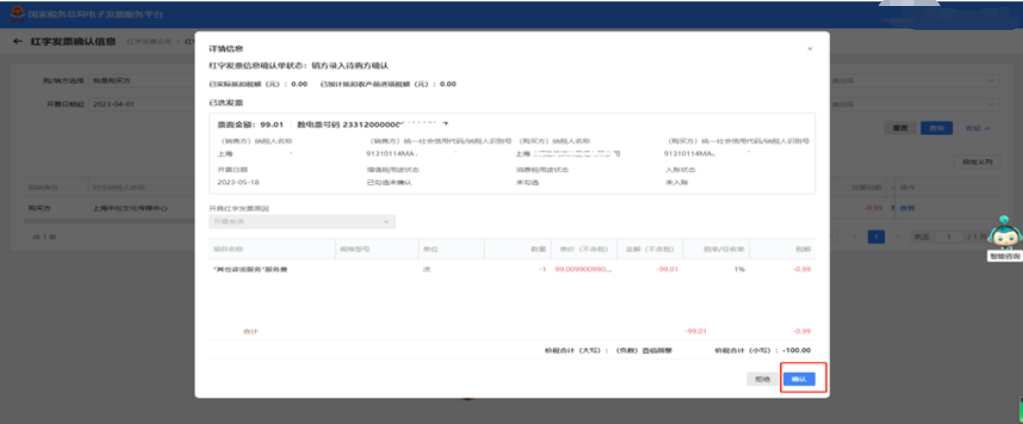
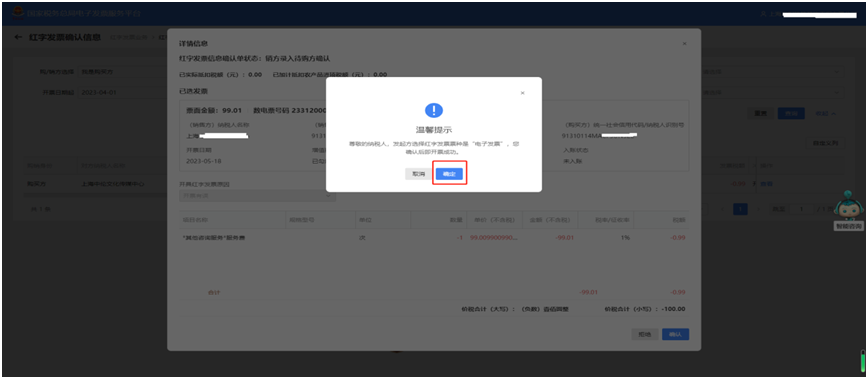
2. In [Red-Letter Invoice Confirmation Information], select the invoice for which you agree to confirm the red-letter reversal, click View, and after confirming it is correct, click Confirm.
3. After confirming there are no errors, confirmation success is displayed, under [Tax Digital Account] - [Invoice queryStatistics】——【Full invoice query】, we can see the red-letter invoice that has been successfully issued. Confirmation means invoicing is complete, and the other party does not need to perform any further operations.
Warm reminder The confirm-and-invoice function currently applies only to fully digitalized e-invoices; when using fully digitalized paper invoices to reverse fully digitalized paper invoices, a red-letter invoice must still be issued manually. Source: Shanghai Tax Beijing Kailing Technology Co., Ltd.——an enterprise business-finance-tax digitalization solution service provider. Kailing Technology provides solutions for sales management systems, procurement management systems, output invoicing systems, input invoice collection systems, imaging management systems, financial posting systems, electronic accounting archives, fully digitalized e-invoice and Leqi interfaces and other businesses according to enterprise needs, professionally and efficiently helping enterprises transform and upgrade their business-finance-tax digital management. If you have any business-finance-tax digital transformation needs, welcome to contact us. Beijing Kailing Technology will serve you wholeheartedly.
|