
Invoices and documents piled up like mountains, manual entry and archiving slow and afraid of omissions? Kailing Technology AI digital employee invoice OCR automatic collection and archiving

In the finance office at month-end, a stack of paper always sits on the desk: VAT invoices, train tickets, restaurant receipts, courier slips, bank receipts, contract attachments... The cashier flips through them one by one, types cell by cell until eyes blur, and still worries about mistyping a number or missing a voucher. When an audit requests files, they have to dig through piles of folders for ages. From receipt to archive, invoices should be an assembly line, yet they have become a mountain pressing on finance.
This is precisely Kailing Technology's AI digital employee The work to take over. It belongs to the "collection and archiving type" among the nine major job types — able to collect and archive: when bills and documents come in, they are automatically photographed and imaged, OCR-recognized, structured into fields and stored in the database, and electronically archived, and finally a four-property test is performed. People no longer need to act as "human scanners", only take a look and click confirm at key nodes. In this article we will not talk in empty terms, but follow a bill from entry to archiving and walk through this assembly line once.
▍First make it clear: with documents piled up like a mountain, where the pain lies in three places
Many finance teams do not lack the desire to move fast; they are stuck on three things.
Slow entry: An invoice has over a dozen fields. Total amount including tax, tax rate, issuer, and invoice number all rely on manual typing. With hundreds a day, they pile up toward month-end, and working late into the night is the norm.
Error-prone: Manual entry inevitably involves misreading, typos, and line mix-ups; an amount off by one digit or a tax number off by one code leads to rework in reconciliation, filing, and reimbursement.
Archiving chaos: Paper documents are scattered across individual computers in folders and scanned copies, with all kinds of naming conventions. When files need to be retrieved, they cannot be found or matched, let alone the four-property test.
Ultimately, it is keeping the two repetitive, standardizable mental tasks of collection and archiving on real people all along. Manpower is limited, but invoice volume rises with the business, making slowness, errors, and chaos an unavoidable deadlock. This is precisely what digital employees are best at doing for people—taking over repetitive actions on the assembly line and freeing finance from entry and archive retrieval.
▍Follow one invoice through: automatically collected and automatically archived on entry
When a document reaches the digital employee, it moves down a five-step pipeline, with no manual character-by-character entry throughout:

Step 1: Photo/Image capture: no matter where it comes from, first enter through a unified gate
Invoices can be scanned by a scanner, photographed by mobile phone, received by email, or can be images already existing in business systems. The AI digital employee provides a unified collection entry point, so documents from multiple sources enter first and are no longer scattered among individuals. This step solves the chaos of where documents come from.
Step 2 OCR recognition: Let machines read invoices for people
Once received, OCR automatically reads the invoice face. Kailing Technology's image OCR recognition capability can handle invoices, train tickets, itineraries, bank receipts, and other formats, handing the manual character recognition step to machines, with recognition speed measured in seconds; the more repetitive the format, the more reliable it is.
Step 3 Field structuring: after reading it out, it must still match
Recognizing text alone is not enough; you also need to know which is the total amount including tax, which is the tax rate, and which is the invoice number. The digital employee extracts the unstructured invoice face into structured data entries stored in the database, which can be directly called by reconciliation, reimbursement, and bookkeeping systems—this step is the key difference between collection-and-archiving type and ordinary scanners.
Step 4 Electronic Archiving: Automatic Classification, Automatic Filing
After structuring, invoices are automatically classified by accounting period and invoice type, standardized in naming, and filed into electronic accounting archives. Supplier materials and contract images can also be archived simultaneously. Archiving changes from after-the-fact supplementation to creation upon entry, and when retrieving archives, a conditional search finds them immediately.
Step 5 Four-property testing: the compliance checkpoint cannot be omitted
Electronic accounting archives must withstand audits, which requires the four-property test—authenticity, integrity, usability, and security. AI digital employees automatically perform this verification during archiving, forming compliant electronic accounting archives and laying a solid foundation for paperless operations.
| "Invoices no longer pile up into mountains; once they come in, they are automatically collected and archived. |
|---|
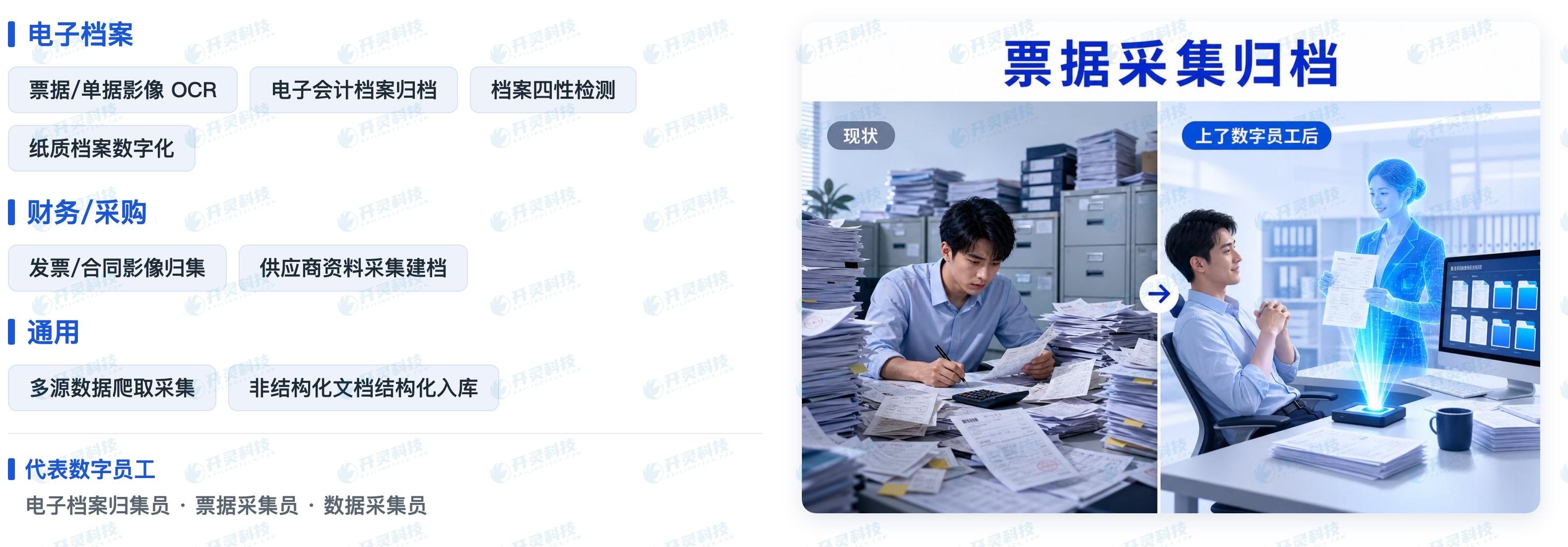
▍Collection-and-archiving digital employees: what exactly can they collect and what can they archive
Invoices are only the entry point. Based on the nature of knowing how to collect and knowing how to archive, the work covered by collection-and-archiving digital employees is broader than imagined:
Invoice document OCR: Recognition and entry of all types of invoices, receipts, and documents, replacing manual typing—the greater the volume, the greater the savings.
Electronic Accounting Archives Archiving: Vouchers and documents are archived on schedule and subjected to four-property testing, supporting paperless operations and compliance audits.
Supplier profile onboarding: Collect and store business licenses, account opening information, qualification certificates, and more to build standardized supplier records.
Structuring of unstructured documents: Unstructured documents such as contracts, agreements, and statements are extracted into structured data with key information, searchable and reusable.
What these scenarios have in common is repetition, rules, and high volume—exactly where digital employees can replace people and do it faster and more steadily; while judgments on whether to book and whether it is compliant are still left to real finance staff to decide.
▍How Kailing Technology AI digital employees implement collection and archiving
To get this assembly line running,Kailing Technology's AI digital employee It does not rely on starting over, but on three pragmatic paths:
Non-intrusive integration with existing systems: Encapsulate the interfaces and pages of existing systems such as finance, imaging, and archives with low code into tools that AI digital employees can call, modifying the original systems with zero code, protecting the enterprise's years of IT investment, and compressing the integration cycle from months to weeks.
Private deployment, data does not leave the domain: The model runs on the enterprise intranet, so sensitive data such as invoices and vouchers never leaves the domain, and credentials are encrypted, meeting Level 3 classified protection requirements, giving compliance teams greater confidence.
Human-in-the-Loop, confirmation at key nodes: Collection and archiving are handed to AI digital employees, with abnormal items automatically transferred to humans; whether to book and the archiving criteria are confirmed by finance, and responsibility always remains with real people.
For enterprises, the implementation cost is very light: only account permissions and archiving standards need to be provided. After the AI digital employee is onboarded, it runs automatically on a scheduled or event-triggered basis, freeing cashiers and accountants from being human scanners and allowing them to focus on review, analysis, and other truly valuable work.
▍FAQ
Q: Bill layouts vary widely. Is OCR recognition accurate?
A: Kailing image OCR is optimized for common layouts such as invoices, receipts, and documents, with recognition in seconds; fields with low recognition confidence are automatically flagged for manual review, so errors are not directly entered into the system. The more standardized and repetitive the layout, the more stable it is.
Q: Can electronic archiving meet the compliance requirements for electronic accounting archives?
A: Yes. During archiving, the system automatically performs four-property testing for authenticity, completeness, usability, and security, forming standardized electronic accounting archives that support paperless operations and audit retrieval. Archives are searchable by accounting period and invoice type.
Q: Do we need to modify our current financial or imaging systems?
A: No. It adopts non-invasive access, encapsulating the interfaces and pages of existing systems into tools callable by digital employees, with zero-code modification of the original systems and no touching of the underlying layer. The original systems continue to be used as usual.
Q: Bill data is sensitive. How is security ensured?
A: Private deployment is supported. Models and data remain on the enterprise intranet, sensitive data never leaves the domain, credentials are encrypted, and all operations are traced, meeting Level 3 of the Multi-Level Protection Scheme; key operations can require manual confirmation, and exceptions can be rolled back and transferred to manual takeover.
Q: Besides invoices, can it help us archive other things?
A: Yes. In addition to invoices and documents, supplier qualification materials, contract images, and various unstructured documents can all be collected, structured, and archived, uniformly stored as searchable, reusable electronic accounting archives.
Let invoices be automatically collected and archived as soon as they arrive. Welcome to learn about Kailing Technology AI digital employees: www.kailingteck.com .
As a comprehensive business-finance-tax digitalization solution service provider, Kailing Technology provides business-finance-tax management digital transformation products and operational services for various government agencies, institutions, and large, medium, and small enterprises. The product line includes:
Solutions for businesses including sales contract management system, procurement contract management system, fully digitalized Leqi interface project, output automatic invoicing system, reverse invoicing system, invoice issuance for individuals system, employee expense control and reimbursement system, input VAT invoice management system, supply chain collaborative reconciliation system, image OCR recognition system, automatic financial bookkeeping system, and electronic accounting archives system, comprehensively driving the digitalization process across various fields.
If you have any business-finance-tax digital transformation needs, welcome to contact us. Beijing Kailing Technology will serve you wholeheartedly.
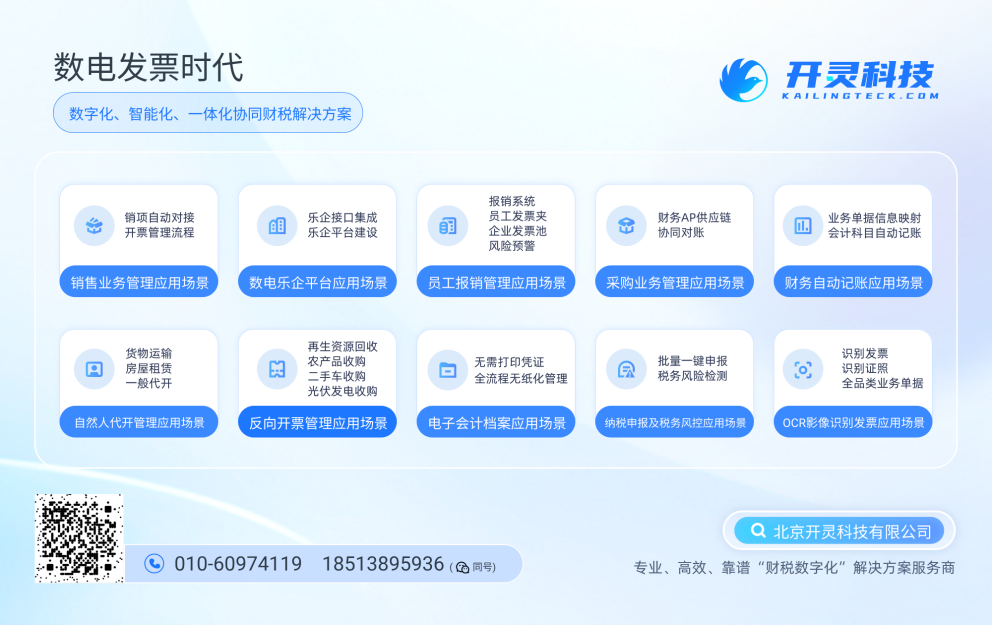
As a comprehensive business-finance-tax digitalization solution service provider, Kailing Technology provides business-finance-tax management digital transformation products and operational services for various government agencies, institutions, and large, medium, and small enterprises. The product line includes: solutions for sales contract management system, procurement contract management system, fully digitalized Leqi interface project, automatic output invoicing system, reverse invoicing system, invoice issuance for individuals system, employee expense control and reimbursement system, input VAT invoice management system, supply chain collaborative reconciliation system, image AI OCR recognition system, automatic financial bookkeeping system, electronic accounting archives system, etc., comprehensively driving the digitalization process across various fields.
Consultation Hotline: 18513895936 / 010-60974119 Location: Beijing