
Why is the deduction still questioned after a purchase invoice is issued? Kailing Technology's agricultural product purchase reverse invoicing system uses five-flow evidence preservation
At the month-end review meeting, an agricultural product purchase invoice had already been recorded, and the auditor followed the invoice number to ask: who grew it, how were the goods delivered to the factory, which weighbridge ticket was used to calculate the weight, and to whom was the payment ultimately made? The farmer table, agreement, weighbridge records, invoice, and bank receipt were scattered in five locations with no direct link to one another.
The team did not add another summary table, but put this invoice back into the original purchase business. Kailing Technology's agricultural product purchase reverse invoicing system uses the business number to string together five types of records: farmer and self-production, contract or entrustment, receiving and weighing, tax invoice, and payment receipt; when a gap is found, the task is pushed to the corresponding position. Starting from one invoice number, the reviewer can follow the real operation records to see how goods, invoices, and payments were formed.

▍Enter the original business from the invoice number and first see which segment the problem is stuck in
Finance enters the invoice number, and the page first locates the original purchase order, then displays the farmer profile, agreement, weighing settlement, invoice status, and payment result under the same business number. Materials scattered across shared drives, paper files, weighbridge computers, invoicing ledgers, and online banking appear on a single traceability path.
The path shows that receipt and invoicing are complete, the farmer's self-produced materials are pending review, and the payment receipt is pending association. The prompt directly marks the missing records, the stage they belong to, the current handler, and the time they were created, letting the site know where to start filling in.
The system then generates two to-dos: the farmer profile handler verifies the self-produced materials, and the cashier confirms the bank receipt and receiving account. The reviewer keeps the invoice number as the entry point, and each role processes around the same business number, avoiding multiple differently named compressed packages being sent in group chats.
▍First stop, reverse lookup of the farmer: who grew it, what was grown, and who delivered it
Clicking the farmer node displays identity information, purchasable categories, self-produced materials, review records, and historical versions. This purchase references the profile valid on the delivery date, so later updated contact information will not overwrite the original record, and the reviewer can see the identity and category on which the order was created at that time.
If the deliverer is a relative, agent, or transport handler, the purchaser records their relationship to the actual agricultural producer. The system presents the selling entity, on-site contact, and payee separately, avoiding confusion among the three roles because of the same mobile phone number or a contact signing on behalf of another.
If the self-produced materials for this invoice lack the corresponding period, the to-do reaches the handler for the farmer profile. The handler supplements the materials for this batch, and after the reviewer confirms that the category, period, and farmer are consistent, the node changes to confirmed, leaving the reason for supplementation, submitter, and review time.
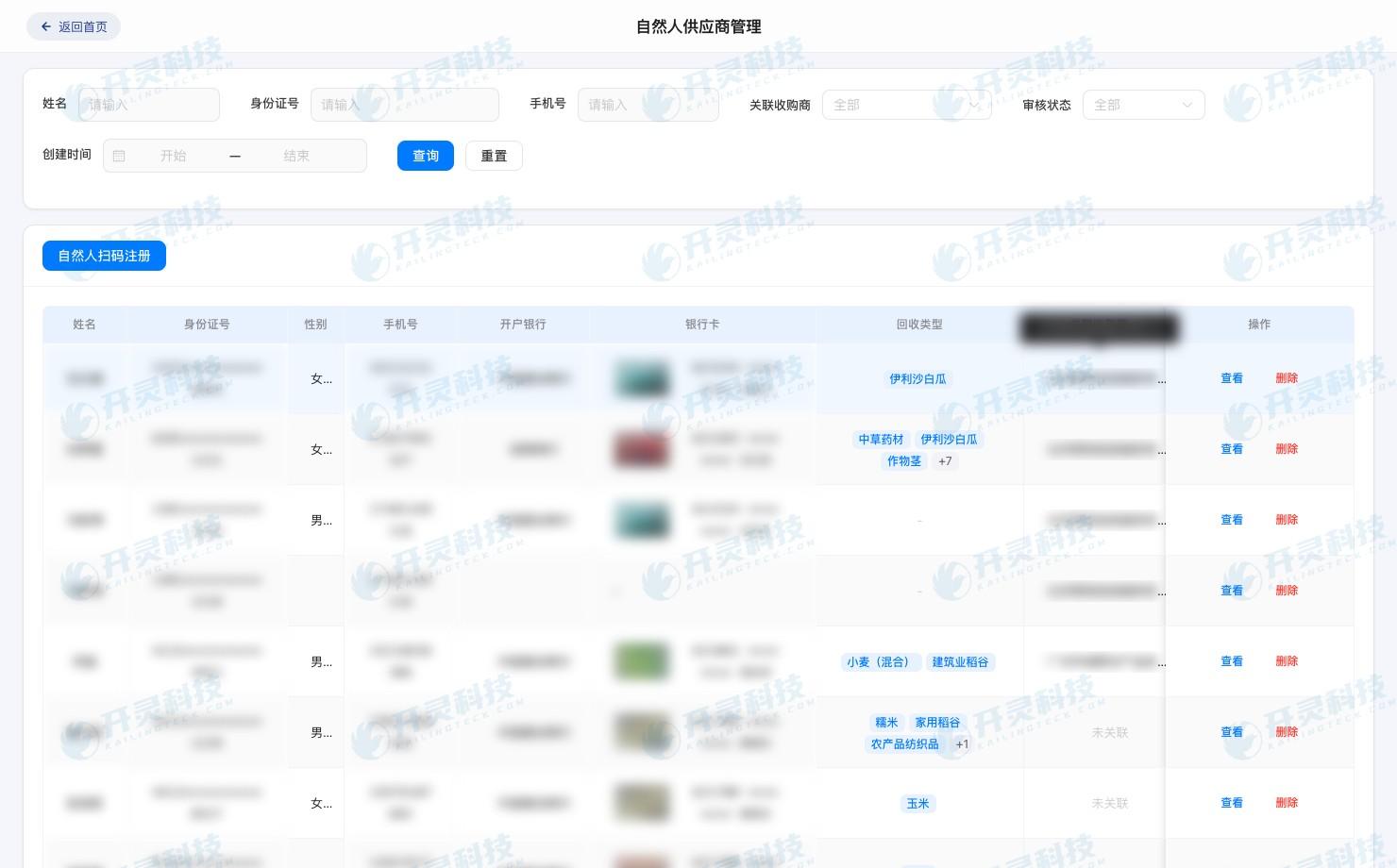
Agricultural producer files and self-production materials (information desensitized)
▍Second stop, verify the contract: clearly explain the transaction relationship and the agency relationship
Continue from the farmer file to open the purchase agreement; the page displays the transaction parties, agreed categories, pricing method, settlement arrangement, and validity period. This batch of goods directly references the agreement version, and auditors no longer need to guess from file names which scanned copy corresponds to which vehicle of goods.
If there is entrusted delivery or agency, the system links the entrustment materials with this purchase order and records the actual agricultural producer, handler, and authorization matters. After the procurement position receives the task for missing materials, it handles the role relationship in the original business, rather than making a separate situation statement detached from the purchase order.
During review, view the agreement terms and receiving data side by side, checking whether the category, settlement method, and payment arrangement can connect with weighing, settlement, and payment. If there are differences in name, category, or account, the task is returned to the corresponding handler and the version is retained.
▍Third stop, look at goods receipt: how the weight was formed and how the amount was calculated
The business number brings out vehicle arrival, gross weight and tare weight, net weight, category, grade, acceptance, and warehousing records. Reviewers can click forward from the settlement amount and see which weighing the net weight came from, which purchase rule the unit price came from, and how the quality deduction was formed, rather than only seeing a final amount table.
The weighbridge ticket, on-site receipt record, and settlement statement for this invoice are continuous in time, and the vehicle information can also be matched. If the weight is re-weighed, the system retains the initial value, re-weighed value, adjustment reason, and confirmer; if a grade change affects the price, the quality inspection record and settlement change are saved together, and the amount calculation process can be recalculated on site.
When weighbridge records or acceptance images are missing, the task enters the site receiving or warehousing position. The handler uploads the original records, the reviewer confirms on the original order; the system writes the upload action into the log. In this way, the reviewer sees the real trajectory of a truckload of goods from arrival to settlement, rather than a result reassembled at month-end.
Basis for agricultural product goods receipt weighing and settlement (information desensitized)
▍Fourth stop, verify the invoice: the invoice amount returns to the confirmed purchase order
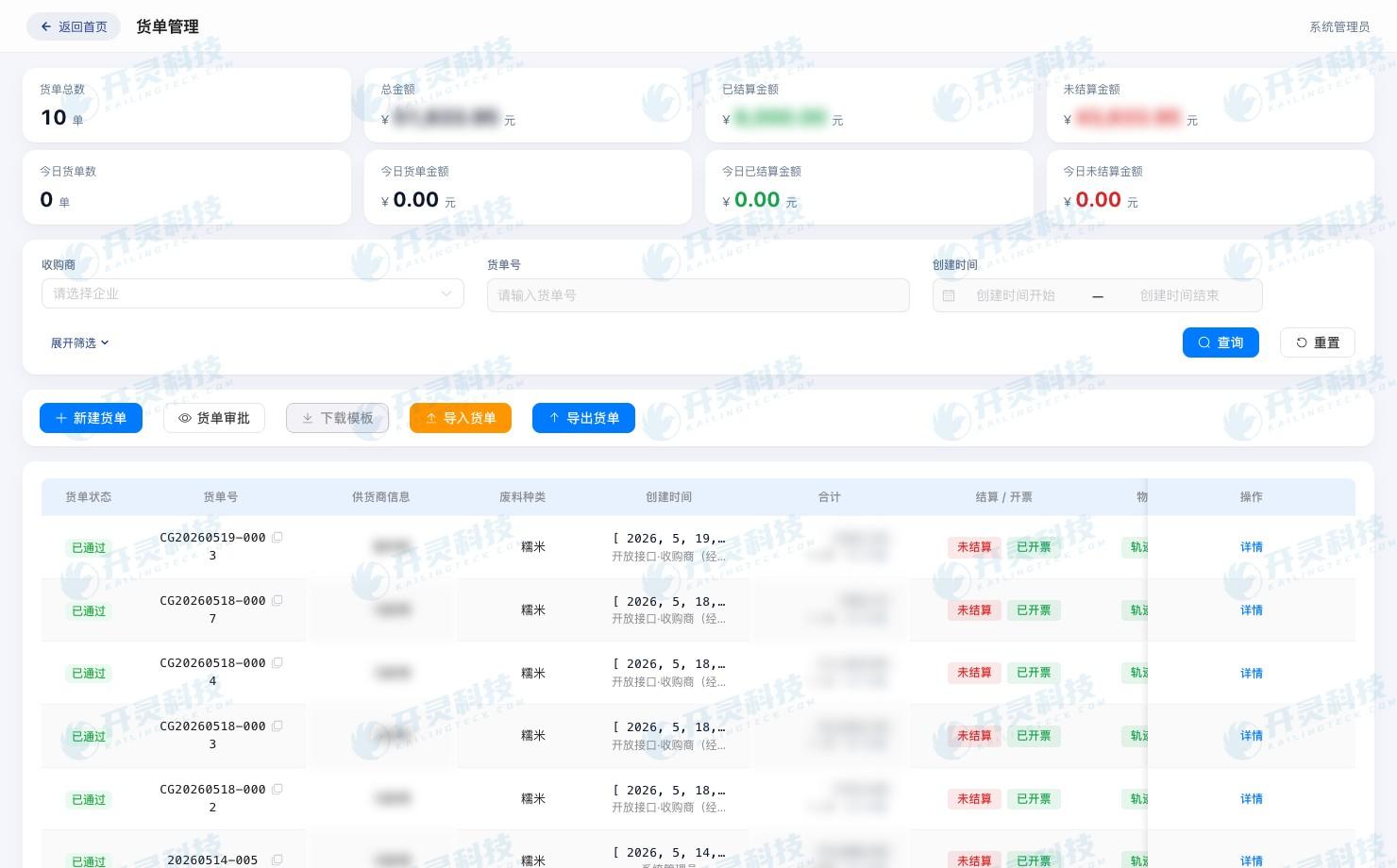
After receipt and settlement confirmation, the invoicing task is generated from the original purchase order, and the farmer, category, quantity, and amount enter the invoicing process along with the business number. The invoice page simultaneously retains the request, issuance result, and invoice number, so finance can match each key item on the invoice to the settlement basis.
Batch invoicing also preserves the detail relationship for each household and each order. If one transaction fails or is in process, only the corresponding task is affected; successful invoices are written back to the original business, and the invoicing staff can directly see which one is missing and which one is completed.
When returns, settlement adjustments, or invoice errors occur, blue invoices, red reversals, and reissue records continue along the original business number. Reviewers can return to the original blue invoice and purchase order to see the change steps, initiator, and amount synchronization results.
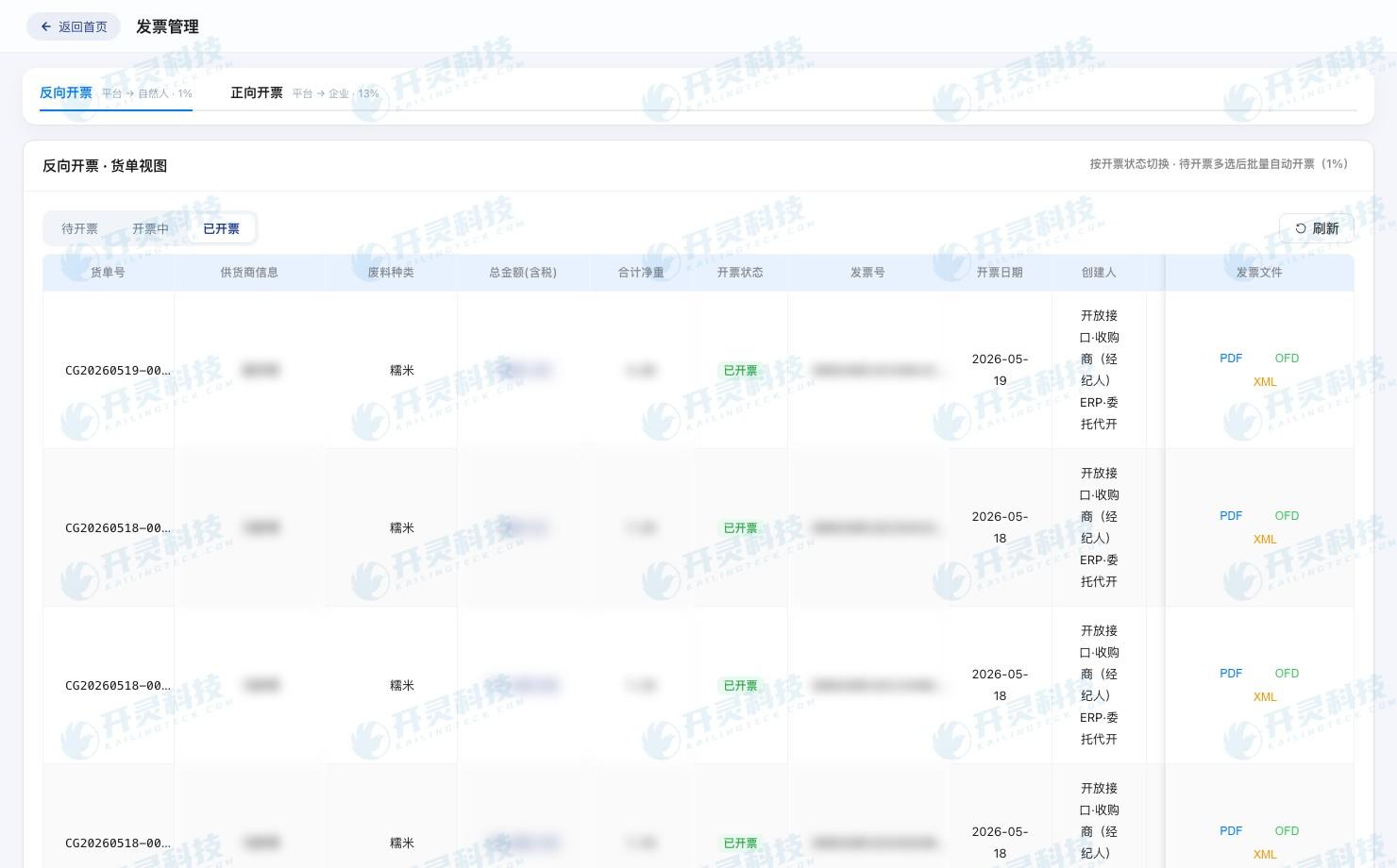
Purchase invoice linked to the original business (information desensitized)
▍Fifth stop, check payment: to whom the money was paid and which receipt has been recorded
When the cashier opens the pending payment task, the system brings up the confirmed settlement amount, farmer payee information, and corresponding business number. Before payment, the page displays the actual agricultural producer, handler, and payee side by side; if the account and file are inconsistent, the task stops at the review node, and procurement and finance jointly investigate the relationship.
After the bank returns accepted, successful, failed, or returned status, the result is written back to the purchase order one by one. The payment corresponding to this invoice has already succeeded, but the receipt was initially saved only in the online banking download directory. The cashier matches the business number by the bank transaction number, and after the system verifies the amount and payee, the receipt is attached to the original payment record.
Reviewers can go from invoice to payment, or from bank receipt back to purchase order and farmer. When one item in a batch payment fails, successful records remain in their original state, and the failed item forms a re-payment task while retaining the first result.
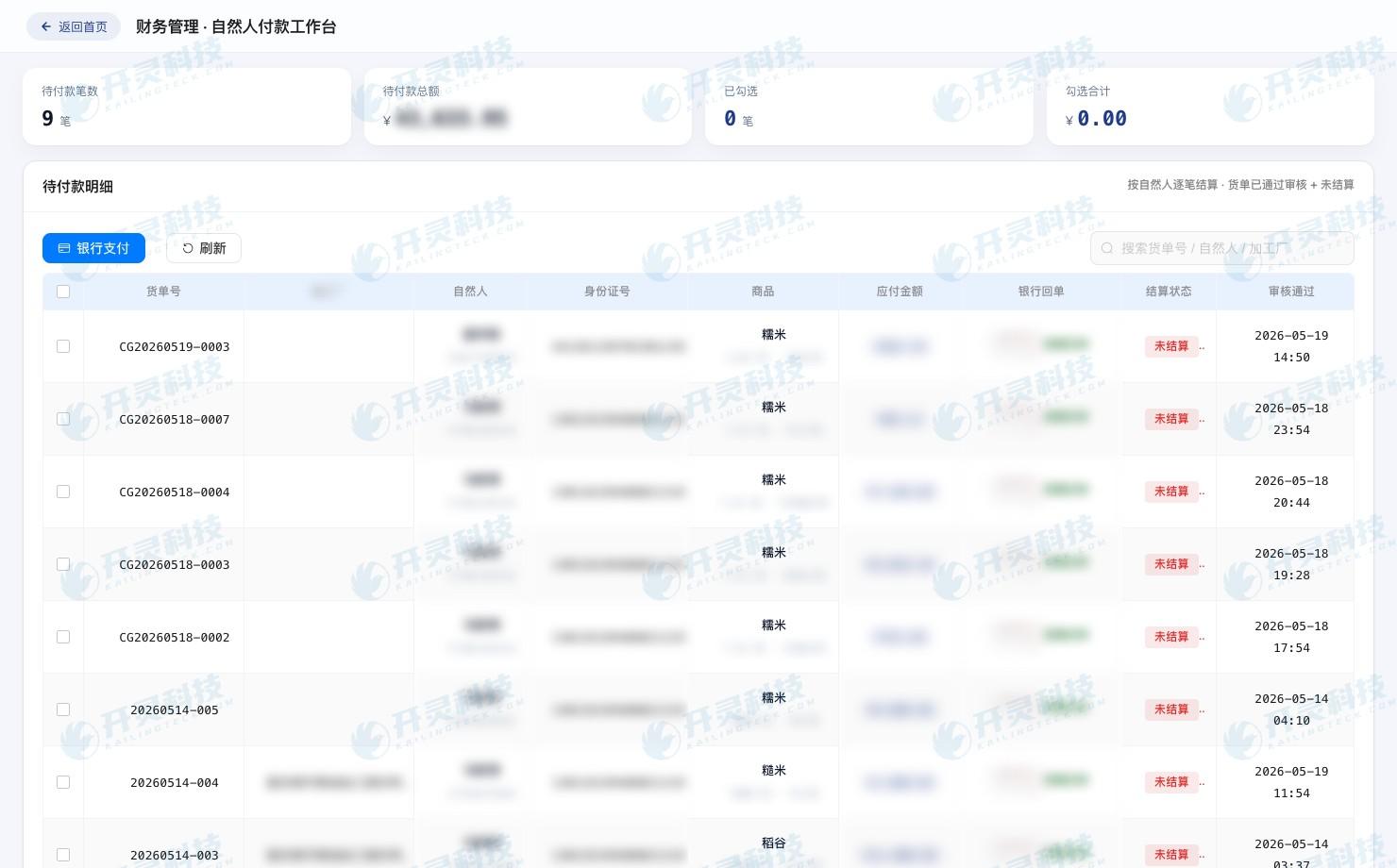
Linkage between agricultural product payment and farmer purchase order (information desensitized)
▍After gaps are filled, the five types of records form a single-invoice penetration view
After the two to-dos are completed, the system re-aggregates the evidence status of this invoice. Farmer and self-production, contract or entrustment, goods receipt weighing, tax invoice, and payment receipt all fall under the same business number, and each node displays the source document, current version, handler, and time.
Auditors enter again from the invoice number without repeatedly requesting materials from five positions: click the farmer to see identity and self-production version, click receiving to recalculate weight and amount, click invoice to see issuance and red reversal, click funds to see bank results. Any record can be traced back to the other links.
Kailing Technology's agricultural product purchase reverse invoicing system puts five-flow evidence retention into daily purchase actions. Materials are continuously formed during filing, receiving, invoicing, and payment, and missing items are exposed at the on-duty position; by month-end, finance is not facing a pile of attachments to be organized, but a business working paper that has already been linked.
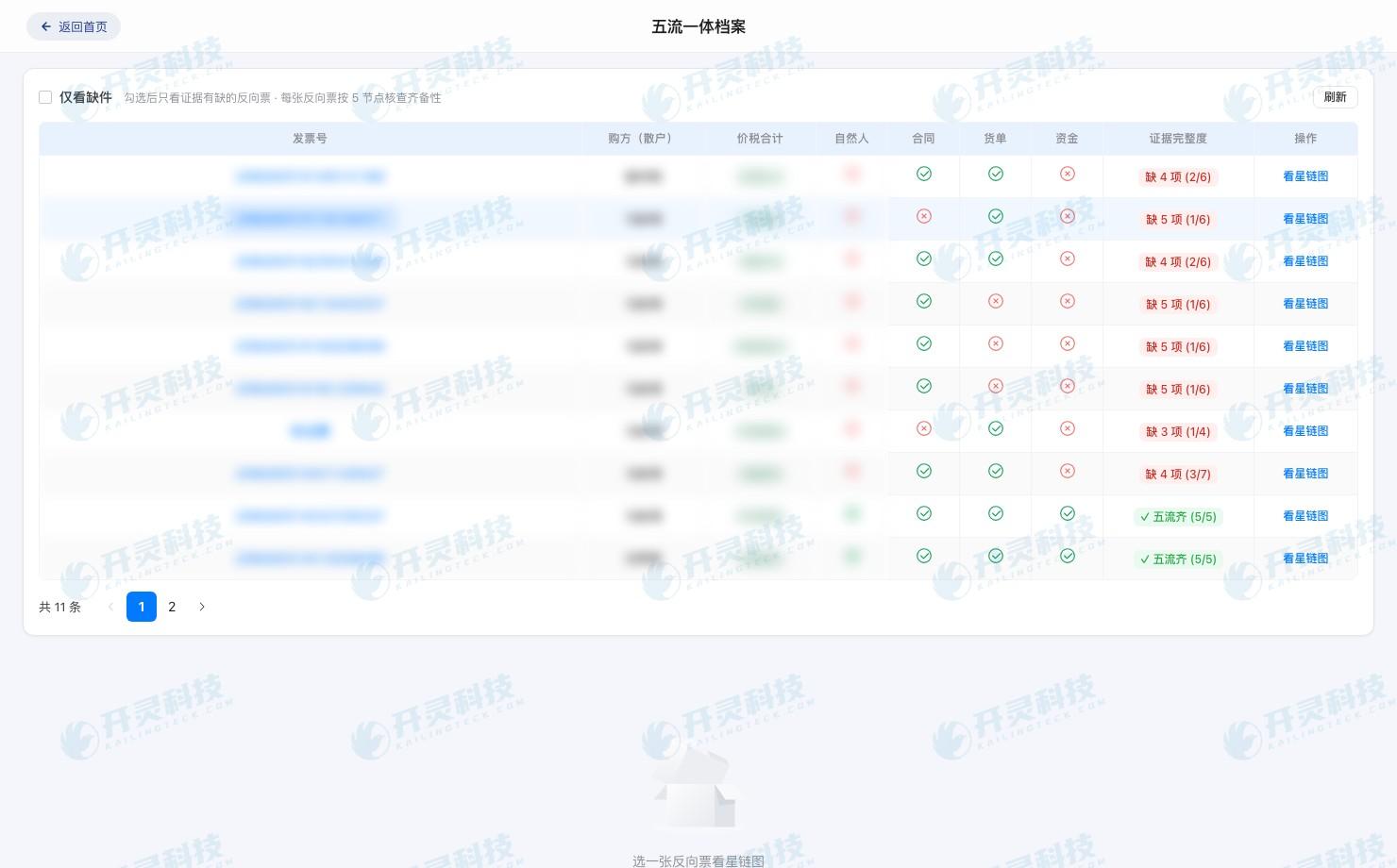
Single-invoice five-flow evidence penetration ledger (information desensitized)
▍After single-invoice review is completed, the five types of evidence return to the same business working paper
After the two to-dos are closed, finance again checks the five types of records from the invoice number, while auditors query in reverse from bank receipts and weighbridge tickets. Both paths return to the same business number, and there are no dangling nodes among farmer, agreement, goods receipt, invoice, and payment.
Review records retain the self-production material gap first discovered, the pending linkage status of the payment receipt, supplementary content, review opinions, and completion time. When the object, amount, or account changes, the handling opinions remain on the original order, so later viewers can reconstruct how the problem arose and who completed it.
During handover, clarify the responsible persons for farmer files, goods receipt adjustments, invoicing exceptions, payment matching, and document archiving, and preserve the complete review trail of this invoice. If deduction questions arise again later, the team can reproduce the business by invoice number without relying on veteran employees to recall file locations.
▍FAQ
Q: For month-end review, should one start from the invoice or from the purchase order?
A: You can enter from the invoice number; the system locates the original purchase order and business number, and then checks the farmer, agreement, goods receipt, invoice, and payment in sequence; reverse lookup from the weighbridge ticket or receipt should also reach the same transaction.
Q: After farmer information is updated, how will historical purchase records be displayed?
A: Historical documents reference the archive version at the time of delivery, and new materials form a new version. Reviewers can view the version effective time, modified content, and review records.
Q: When an agent delivers goods, how does the system avoid confusing the parties?
A: When creating the order, separately record the actual agricultural producer, the on-site handler, and the payee, and associate the entrustment materials with this purchase. When differences arise among the three, it enters review by the designated position.
Q: What should be done if a payment receipt is not automatically matched?
A: The cashier can initiate matching by business number, bank transaction number, amount, and payee. The matching result returns to the original payment record and saves the submission, review, and status changes.
Let every purchase invoice be traceable back to the farmer, goods, and funds. Learn about Kailing Technology's agricultural product purchase system: https://www.kailingteck.com/fxncp/ .
As a national high-tech enterprise, Kailing Technology focuses on the digital and intelligent transformation of enterprise business-finance-tax and operations management, providing software products, system integration, implementation and delivery, and operational services for various government agencies, institutions, group enterprises, and SMEs.
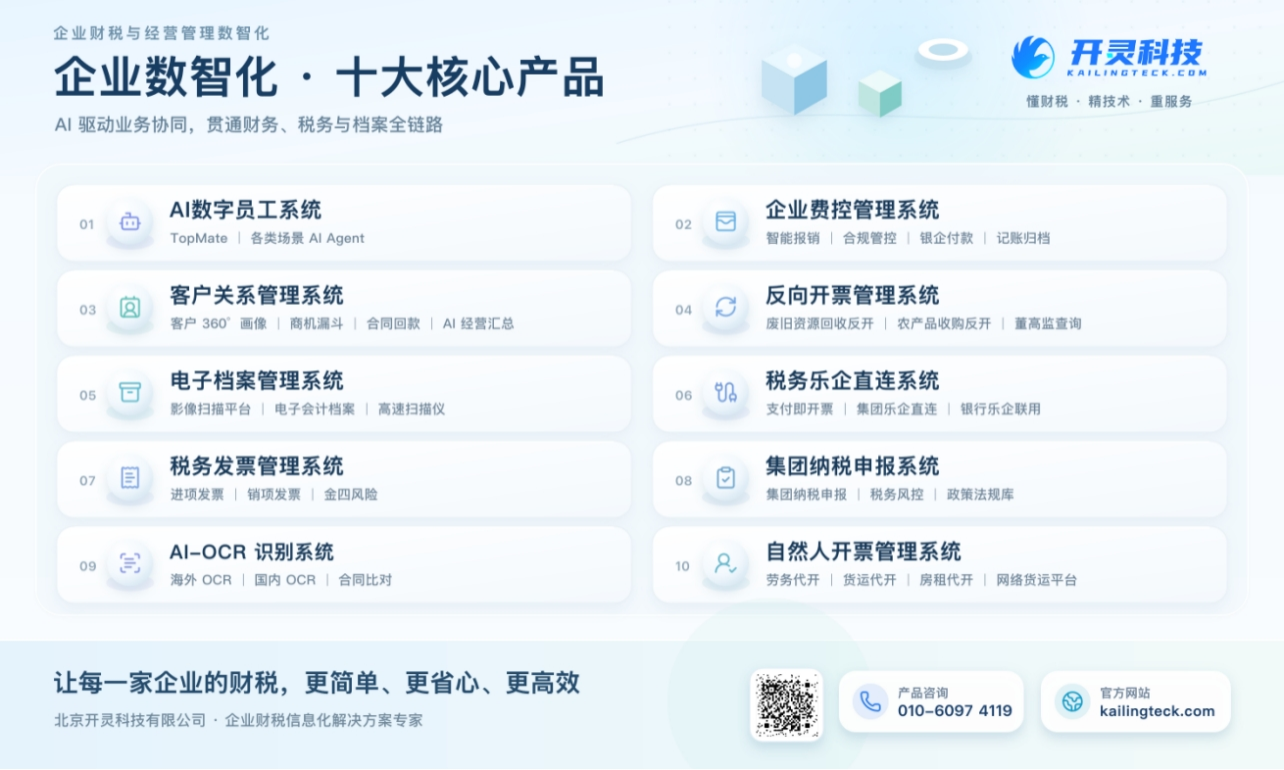
The company has now formed ten core product lines, including: AI digital employee system, enterprise expense control management system, customer relationship management system, reverse invoicing management system, invoice issuance for individuals management system, electronic archives management system, tax fully digitalized e-invoice Leqi system, tax invoice management system, group tax filing system, and AI OCR recognition system. It is committed to connecting enterprise business, finance, tax, funds, and archive data to help customers improve operational efficiency, business-finance-tax compliance capabilities, and digital management levels.
If you have any business-finance-tax digital transformation needs, welcome to contact us. Beijing Kailing Technology will serve you wholeheartedly.
Keywords: Agricultural product purchase invoice deduction, five-flow evidence retention, agricultural product purchase reverse invoicing system, self-production certificate, authenticity of purchase business
As a comprehensive business-finance-tax digitalization solution service provider, Kailing Technology provides business-finance-tax management digital transformation products and operational services for various government agencies, institutions, and large, medium, and small enterprises. The product line includes: solutions for sales contract management system, procurement contract management system, fully digitalized Leqi interface project, automatic output invoicing system, reverse invoicing system, invoice issuance for individuals system, employee expense control and reimbursement system, input VAT invoice management system, supply chain collaborative reconciliation system, image AI OCR recognition system, automatic financial bookkeeping system, electronic accounting archives system, etc., comprehensively driving the digitalization process across various fields.
Consultation Hotline: 18513895936 / 010-60974119 Location: Beijing