
How do approvals in WeCom and DingTalk connect to the expense control system? Kailing Technology Lingdong Reimbursement keeps employees' original entry points
On Monday morning, the sales team reimburses in WeCom, while the project team is used to approving in DingTalk. Finance, however, has to maintain two sets of forms, two groups of approvers, and two statuses: where the same invoice was used must be checked manually, returns for modification rely on chat confirmation, and at month-end the documents from both sides are merged into the payment table.
This integration starts with a cross-team travel document. Sales staff keep the WeCom entry point, the project leader continues to handle to-dos in DingTalk, and Kailing Technology Lingdong Reimbursement stores the unique document in the background, unifying identity, invoice, form, rules, approval, and payment status. For employees, the entry point has not changed; for finance, from submission to receipt it is always the same document.

▍The two mobile entry points open the same travel document in Lingdong Reimbursement
The salesperson enters Lingdong Reimbursement from the WeCom workbench, and the system brings up the affiliated company, sales department, and expense type according to identity. "My Documents" shows the real backend status, and no shadow form is created on the collaboration platform.
This business trip belongs to the project team, and the project leader is added to the approval chain. The leader enters the document from the DingTalk to-do, and the sales supervisor handles their own node in WeCom. Although the entry points differ, the document number, amount, invoice, and progress they see are consistent.
Finance queries by this single document number on the PC side and can see the submitter, organization, project, current node, and processing records from both entry points. The collaboration platform handles login, messages, and to-do reach, while form data and business status are centralized in Lingdong Reimbursement, so there is no need to merge two approval ledgers at month-end.
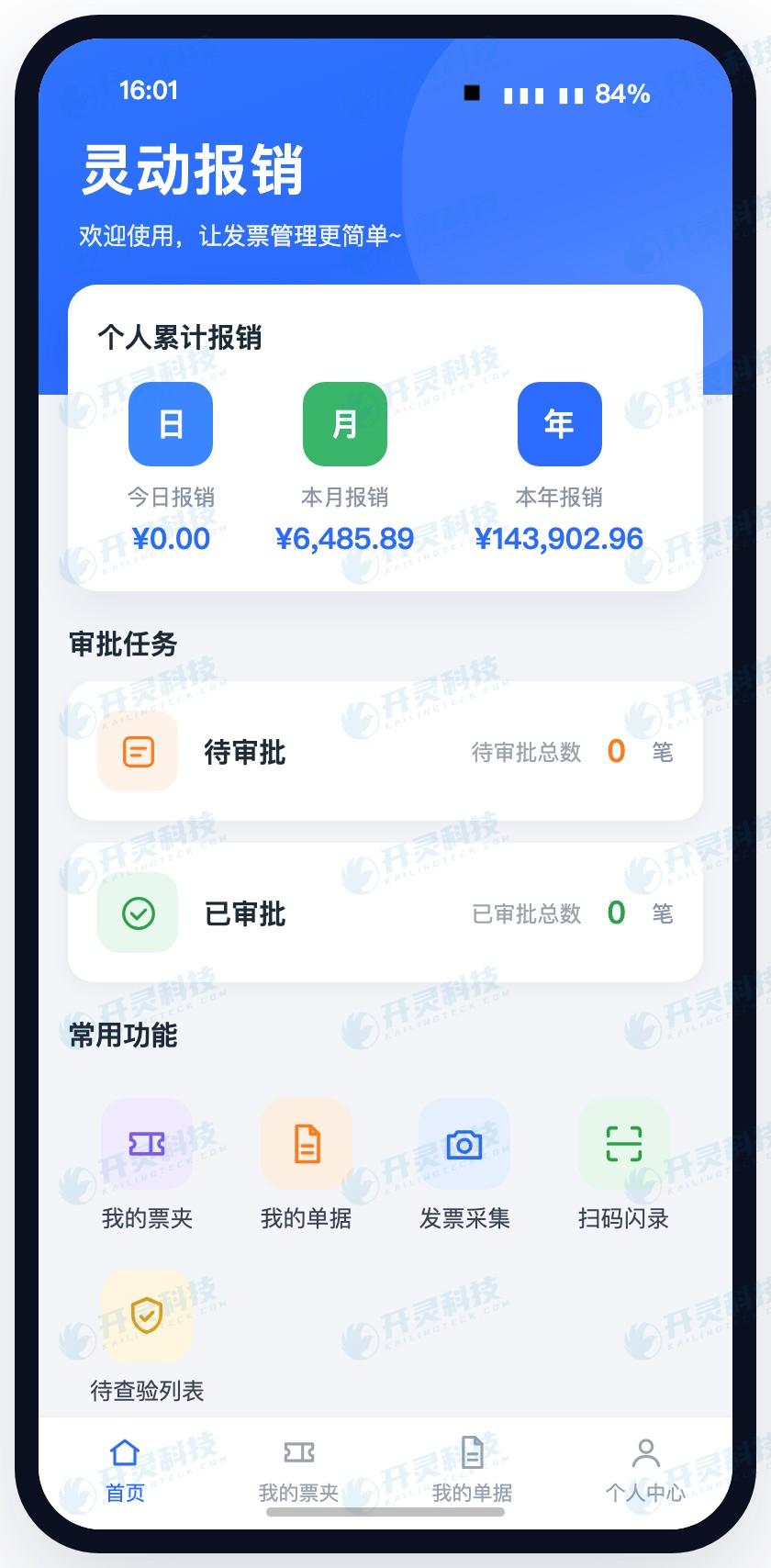
Employees enter Lingdong reimbursement from the mobile workbench (information desensitized)
▍Unified identity first solves duplicate-name accounts and cross-organization reimbursement
Implementers first use the employee's unique identity to link WeCom, DingTalk, and Lingdong reimbursement accounts, then synchronize organization, department, position, and employment status. Even if sales staff have slightly different nicknames on both sides, the backend still recognizes them as the same employee, and the invoice pool and historical documents remain one copy.
This employee also serves in a project role, so when entering a document they first confirm the reimbursement entity and the department bearing the expense. A change in entity simultaneously brings up the corresponding title, budget, approval path, and subsequent payment scope. What the employee sees is a set of choices matching this business, rather than maintaining department dropdowns separately in two entries.
In the first acceptance test, employees with the same name, staff with concurrent positions, and multi-organization accounts log in separately. Observe on site whether the homepage identity, selectable entities, and historical documents are correct; if account mapping conflicts, the issue stops at the identity binding step, preventing the wrong organization from continuing to generate reimbursement forms.
▍After invoices and forms enter the backend, only one copy of business data is stored
The salesperson uploads the e-invoice from the WeCom entry point, and Lingdong Reimbursement completes collection, recognition, verification, and duplicate checking, with fields such as invoice date, amount, and seller entering the personal invoice pool. The employee selects the invoices for this trip to generate a reimbursement form and only supplements the trip reason, project, and expense attribution.
Before submission, the backend checks whether the invoice is duplicated, whether the title matches, and whether required attachments are complete, and gives a result according to the enterprise-configured expense rules. If the same invoice has been opened through the DingTalk entry, deduplication is performed against a unified invoice pool, so it will not be treated as a new invoice because the entry changed.
Finance configures travel forms, fields, and validation rules only in Lingdong Reimbursement. After the configuration is published, both entry points open the same version; when a new project number is added or a required field is adjusted, it is also changed only once. Documents submitted by employees carry the form version, and later adjustments will not rewrite business that has already occurred.
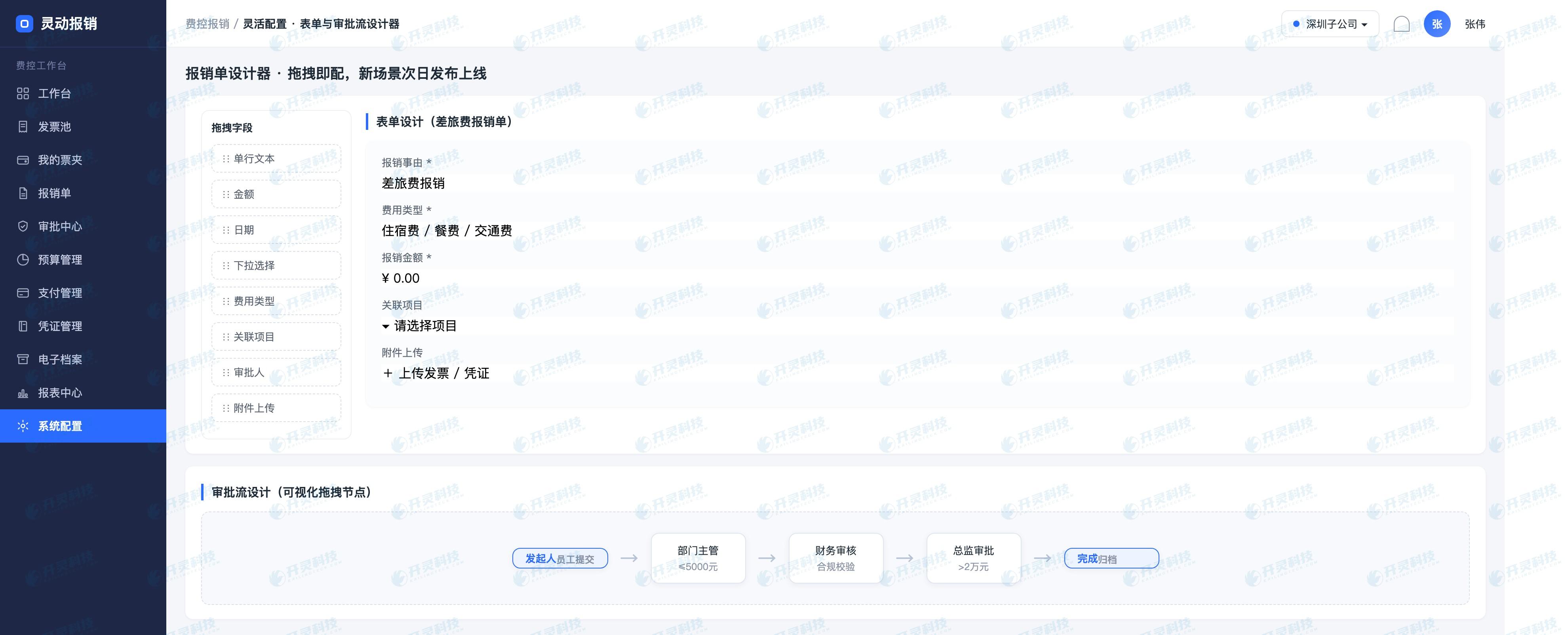
Unified configuration form and approval rules (information desensitized)
▍Backend rules determine the approval path, and messages are sent to the platform employees commonly use
After a travel order is submitted, Lingdong reimbursement enters the established approval flow based on organization, project, and amount. The sales manager's task is pushed to WeCom, and the project leader's task is pushed to DingTalk; each message carries the same business order number, and clicking it displays expense details, invoice results, and prior opinions.
After the sales supervisor approves, the backend updates the node and then triggers the next to-do. The salesperson sees in WeCom that the document has reached the project leader; the leader sees the processing result in the DingTalk completed list, and the finance PC side simultaneously displays the complete track.
If message sending temporarily fails, the backend retains the pending approval status and records the message pending resend. What the handler resends is an entry reminder and will not rebuild the approval task. When the approver repeatedly clicks the old message, the page displays the latest status, avoiding two opposite actions at the same node.
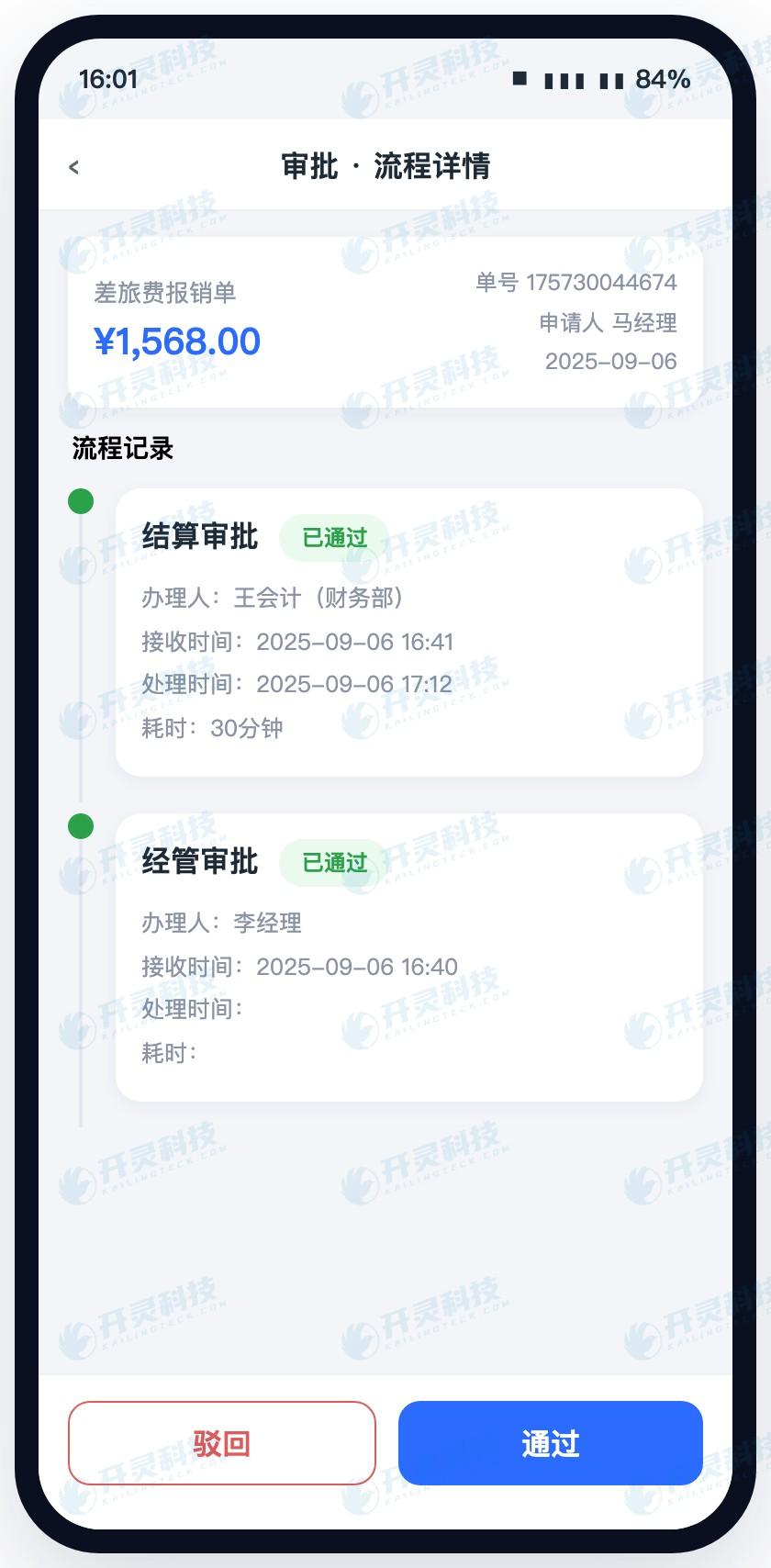
Collaboration entry opens the same approval task (information desensitized)
▍Returned modifications are completed along the original document, without sending a new version separately in chat
The project leader finds that the trip reason lacks the project stage, chooses to return it to the initiator, and writes the reason. Lingdong Reimbursement changes the original document status to pending modification, the salesperson receives the return message in WeCom, and after opening it is directly positioned at the missing field, while the previous invoice and approval comments are retained.
The employee completes the project stage and submits again; the system generates a new version and re-executes the relevant verification. The approval page can compare the content modified this time, and the person in charge does not need to search chat records for new attachments; old tasks that have become invalid show that the document has been updated and cannot continue to be submitted.
What finance sees is the first submission, return reason, modified content, and re-approval records under one document number. The return does not create a second travel document, and the invoice also remains locked to the original business, which both reduces the risk of duplicate reimbursement and makes it clear to the employee which part should be changed.
▍After approval is completed, the payment result continues to return to the original entry point
After all travel orders are approved, the backend generates a payment task. Finance verifies the payee and amount in Lingdong reimbursement and processes according to the payment method configured by the enterprise; after the bank returns acceptance, success, or failure results, the status and receipt are linked to the original travel order.
When payment succeeds, sales staff can view "Paid" from the WeCom entry point without asking the cashier; the project lead can open the original document from DingTalk and also see the post-approval business progress. Finance continues on the PC side to complete receipt viewing, voucher conversion, and archive linkage, and no longer manually writes payment results back into two tables.
When a payment is returned, the backend keeps the specific document in the exception queue, and finance processes it again after correction. The employee entry point shows a clear status, and both the first failure and subsequent success have time records. The message only delivers the result to the employee, while the fund status is continuously managed by the same backend.
▍Departure and organizational changes require checking accounts, to-dos, and historical permissions at the same time
Before the end of the month, the project leader was transferred to a new department. After organizational synchronization, new orders seek approvers according to the new position relationship; travel orders completed before the transfer retain the original department, original approver, and form version, so finance can restore the organizational relationship at the time the business occurred.
If an approver leaves, unprocessed tasks enter the preset transfer or administrator handling path, and the original account stops new access. Historical approval opinions continue to be retained, and the successor only obtains documents within the scope of position authorization, avoiding no approval or unauthorized viewing after personnel changes.
In the handover table, the enterprise clarifies the organizational data source, synchronization frequency, exception contact, and permission recovery actions. After each organizational adjustment, spot-check one new document, one in-transit document, and one historical document to verify routing, takeover, and query scope respectively.
▍After a travel document is completed, both employees and finance have fewer actions
For sales staff, they previously had to confirm processes between WeCom and DingTalk, resend returned attachments, and continue asking the cashier after payment; now employees submit and modify the same order from WeCom, and all tasks, return reasons, and payment results return along the original order. The entry point has not changed, and repeated actions are replaced by backend status.
For project leaders, DingTalk messages directly open the expenses, invoices, and prior opinions that need judgment; old tasks become invalid after the document is updated, so there is no need to identify versions in chat records. For finance, forms, rules, invoice pool, approval trajectory, and payment receipts are maintained in only one copy, and two sets of ledgers are no longer merged at month-end.
After go-live, changes can be observed by first-submission pass rate, number of returned modifications, failed message re-pushes, and payment status query volume. When transfers, departures, or message exceptions occur, handlers continue to locate the problem from the original document, and the entry points employees are familiar with and finance's unified data can be retained at the same time.
▍FAQ
Q: After an employee switches entry points, will they see two reimbursement records?
A: After unified account mapping, WeCom and DingTalk open the same employee and the same document in Lingdong Reimbursement, and historical records are displayed according to backend permissions.
Q: Do the two platforms need to configure reimbursement forms separately?
A: Forms, fields, validation rules, and approval flows are configured centrally in Lingdong Reimbursement; the mobile entry points read the same published version, and finance maintains only one set of business rules.
Q: If a message is not delivered, will the approval document be lost?
A: Documents and to-dos are stored in the Lingdong Reimbursement backend; sending exceptions form records and can be re-pushed; when re-contacting, the original task and original document number continue to be used.
Q: After personnel transfer, who handles in-transit documents?
A: During project go-live, configure the effective, handover, and administrator handling paths for transfers and departures; acceptance uses in-transit documents to check the permissions and to-do ownership of old and new positions.
Keep the entry points employees are familiar with, and unify invoices, rules, and invoice-payment status into one backend. Learn about Kailing Technology Lingdong Reimbursement: https://www.kailingteck.com/feikong/ .
As a national high-tech enterprise, Kailing Technology focuses on the digital and intelligent transformation of enterprise business-finance-tax and operations management, providing software products, system integration, implementation and delivery, and operational services for various government agencies, institutions, group enterprises, and SMEs.
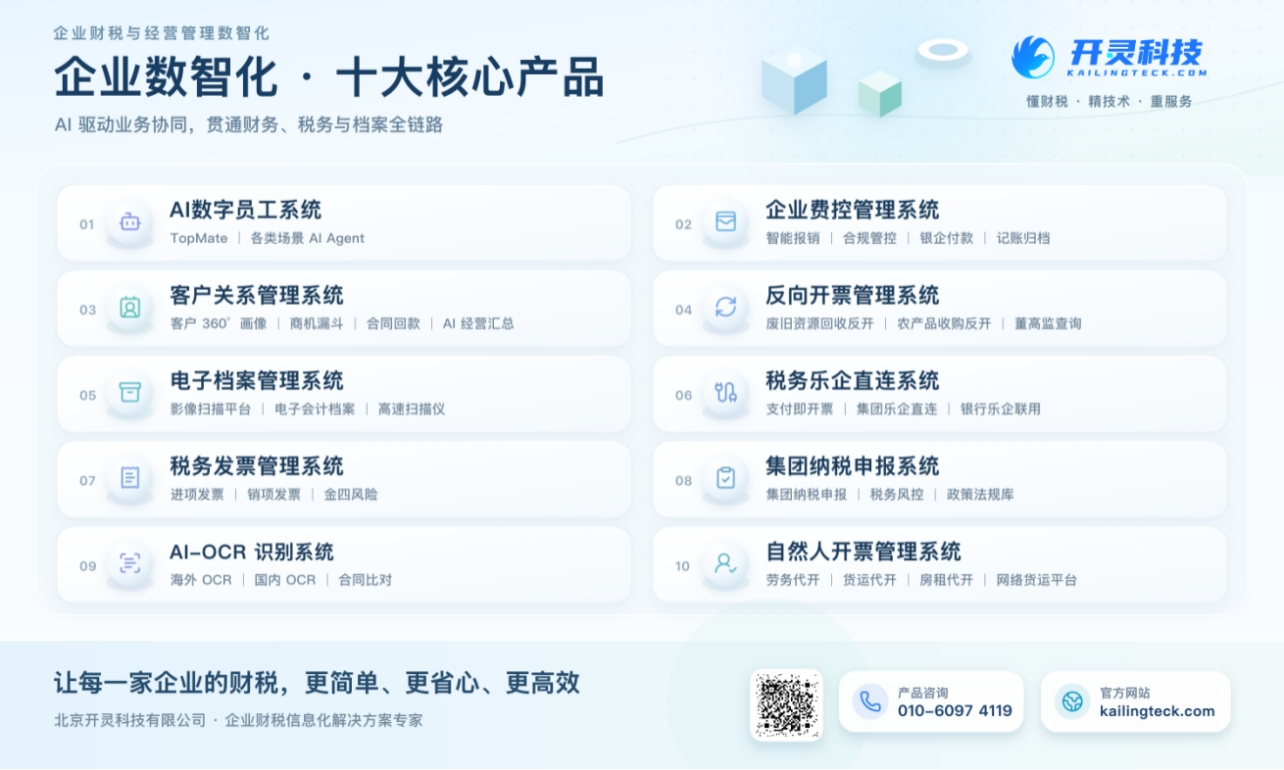
The company has now formed ten core product lines, including: AI digital employee system, enterprise expense control management system, customer relationship management system, reverse invoicing management system, invoice issuance for individuals management system, electronic archives management system, tax fully digitalized e-invoice Leqi system, tax invoice management system, group tax filing system, and AI OCR recognition system. It is committed to connecting enterprise business, finance, tax, funds, and archive data to help customers improve operational efficiency, business-finance-tax compliance capabilities, and digital management levels.
If you have any business-finance-tax digital transformation needs, welcome to contact us. Beijing Kailing Technology will serve you wholeheartedly.
Keywords: WeCom expense control system, DingTalk reimbursement integration, Lingdong Reimbursement, mobile approval, expense control system integration
As a comprehensive business-finance-tax digitalization solution service provider, Kailing Technology provides business-finance-tax management digital transformation products and operational services for various government agencies, institutions, and large, medium, and small enterprises. The product line includes: solutions for sales contract management system, procurement contract management system, fully digitalized Leqi interface project, automatic output invoicing system, reverse invoicing system, invoice issuance for individuals system, employee expense control and reimbursement system, input VAT invoice management system, supply chain collaborative reconciliation system, image AI OCR recognition system, automatic financial bookkeeping system, electronic accounting archives system, etc., comprehensively driving the digitalization process across various fields.
Consultation Hotline: 18513895936 / 010-60974119 Location: Beijing