
How many interfaces should be set for financial automated invoicing? Kailing output VAT system configures by scenario
How many interfaces should be set for financial automated invoicing? Don't be misled by the number of interfaces
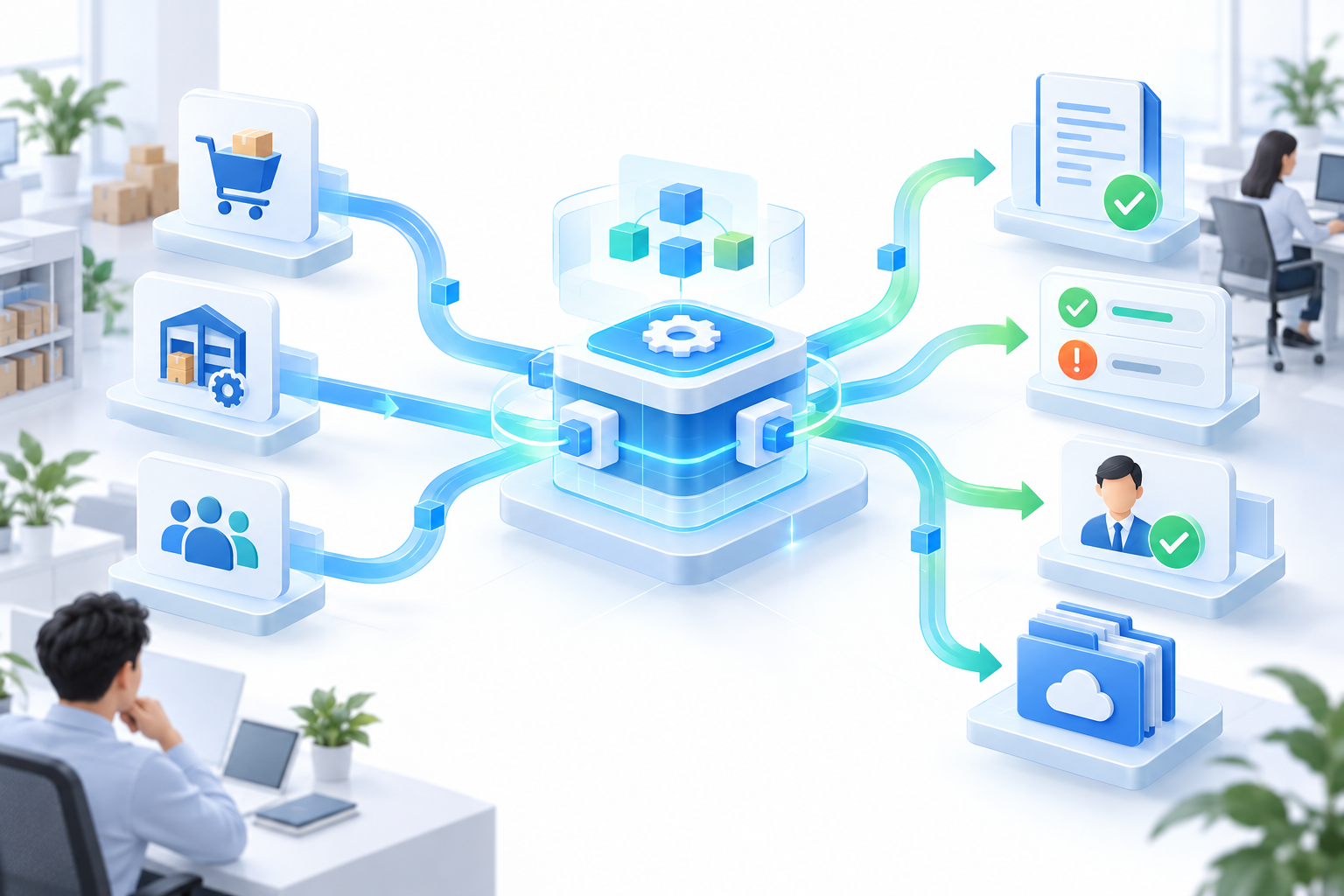
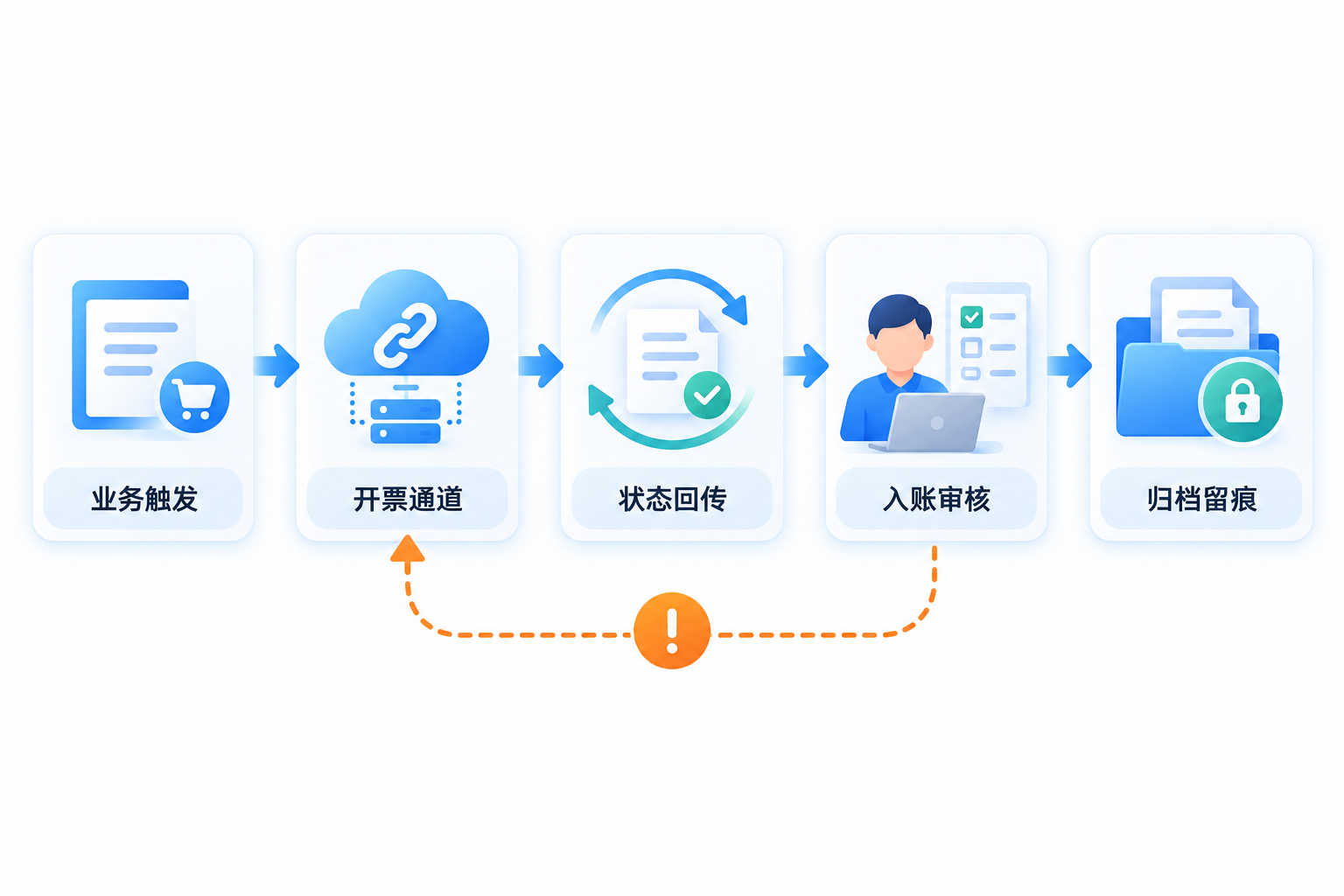
Many finance leaders ask right away: how many interfaces should automated invoicing actually set up? In fact, there is no standard answer for the number of interfaces; it depends on your invoicing scenarios, order sources, tax-control channels, and internal system architecture. Blindly pursuing "many interfaces" only increases maintenance costs, while too few interfaces cannot run the business. The solution is to first clarify scenarios, then configure as needed - the Kailing Technology output automated invoicing system can connect order data, compliant invoicing channels, result feedback, accounting review, and archiving traces by scenario; specific capabilities depend on enterprise access, authorization, official platform support scope, and project configuration.
Interfaces are not better the more there are; they are more efficient the better they match the business. The Kailing output automated invoicing system is configured by scenario, allowing every invoice to flow automatically. |
▍1. Count scenarios first, then count interfaces?
The interface requirements for financial automated invoicing first depend on how many invoicing trigger scenarios the enterprise has. For example, automatic invoicing after e-commerce order shipment, instant invoicing by scanning at offline stores, and batch issuance after B2B contract fulfillment each correspond to different data sources and trigger logic. The Kailing Technology output VAT automated invoicing system supports batch issuance of fully digitalized e-invoices and can connect to multiple order sources such as e-commerce platforms, ERP, and CRM, configuring interfaces by scenario to avoid a one-size-fits-all integration. Once business scenarios are clearly sorted out, the number of interfaces becomes naturally clear.
▍2. How should the tax-control channel interface be selected?
Automated invoicing must use a compliant invoicing channel that the enterprise has the right to use. Issued by the Shanghai Municipal Tax Service of the State Taxation AdministrationLeqi Self-Use Specification Guidelines (2025 Edition)Clearly, Leqi provides tax-related services through direct connection between tax information systems and enterprises' own information systems. Applicant units and direct-connection units need to meet access conditions and go through application, tax authority confirmation, network security access, and joint debugging testing. Kailing Technology can assist within the authorized scope with application materials, system transformation, and joint debugging; whether access is approved and which capabilities can be used are subject to confirmation by the competent tax authority and the activation results of the Leqi platform. Enterprises not connected to Leqi should use their currently approved electronic invoice service platform or other compliant invoicing methods, and cannot understand "standard interface" as unconditional direct connection to tax authorities.
▍3. How many internal systems need to be connected?
Automated invoicing is not an isolated system; it needs to be connected with business systems, financial systems, and archive systems. For example, invoicing data must be sent back to ERP to generate receivables, and invoice files must be archived to electronic accounting archives. The Kailing Technology electronic accounting archives management system supports scanning vouchers directly into the repository, archiving upon recognition, and compiling into volumes upon association. After invoicing is completed, invoice files and statuses can enter the archiving process when interfaces, authorization, and archiving rule configurations meet the conditions. At the same time, Kailing AI OCR can assist in extracting fields from invoices, receipts, and contracts; the results still need to enter accounting review, and successful recognition cannot be equated with having been recorded. The number of internal system integrations depends on the enterprise's existing architecture; the core is to form a closed loop of status return, accounting review, and archiving traceability.
▍4. How to manage too many interfaces?
Interfaces are not a one-time solution and require continuous monitoring and maintenance. The Kailing Technology output automated invoicing system provides real-time feedback on invoicing status, exception alerts, and log tracking to ensure every invoice is traceable. For group enterprises, Kailing Group tax filing supports automatic data retrieval and tax calculation for multiple organizations and direct connection to tax bureaus for login-free filing, and invoicing data can enter subsequent filing processes when enterprise authorization, supported filing matters, and interface configuration meet the conditions. Kailing tax risk control can perform data checks and risk prompts according to configured rules, but cannot replace taxpayer review, filing responsibility, or the judgment of the competent tax authority. The key to interface management is a unified platform, unified rules, and unified monitoring.
Keywords: automated invoicing interface, output VAT automated invoicing system, fully digitalized e-invoice batch issuance, accounting review, Leqi Direct Connection, financial automated invoicing, Kailing Technology
As a comprehensive business-finance-tax digitalization solution service provider, Kailing Technology provides business-finance-tax management digital transformation products and operational services for various government agencies, institutions, and large, medium, and small enterprises. The product line includes: solutions for sales contract management system, procurement contract management system, fully digitalized Leqi interface project, automatic output invoicing system, reverse invoicing system, invoice issuance for individuals system, employee expense control and reimbursement system, input VAT invoice management system, supply chain collaborative reconciliation system, image AI OCR recognition system, automatic financial bookkeeping system, electronic accounting archives system, etc., comprehensively driving the digitalization process across various fields.
Consultation Hotline: 18513895936 / 010-60974119 Location: Beijing