010-6097 4119Book a Demo


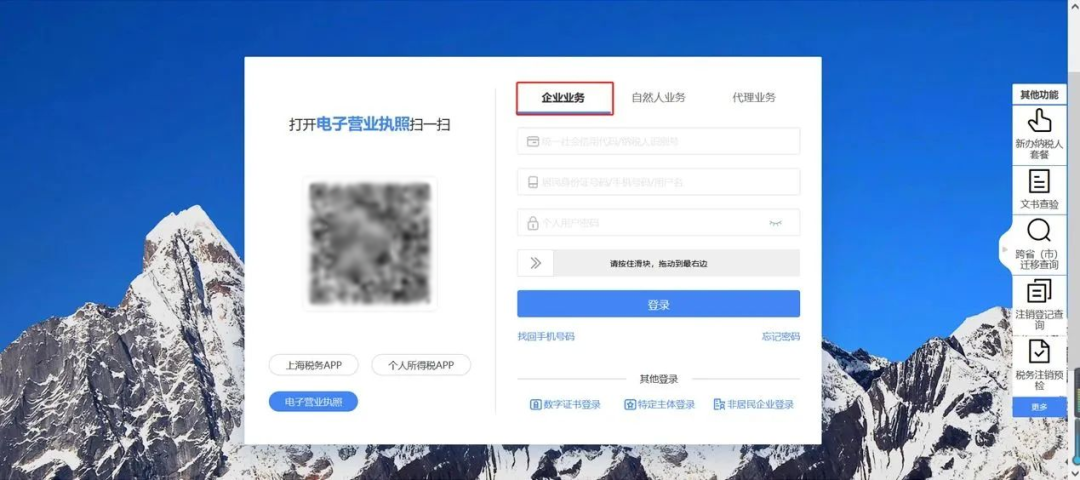
Electronic Tax Bureau operation guide | How do I add tax digital account permissions for a tax handling officer?Published: 2024-01-11 16:12 Q: I am the company's tax officer, but I do not have digital account permissions, so every time I have to ask the legal representative or finance head to operate, which is too troublesome. Is there any solution? A: You only need to have the legal representative or financial officer add invoicing clerk permission for themselves! Below is an operation guide using the Shanghai Electronic Tax Bureau as an example. Authorization by the legal representative or financial officer 1.The legal representative or financial officer enters the electronic tax bureau, clicks login, and selects [Enterprise Business] to log in. Adding invoicing clerk permissions can only be done by the legal representative, financial officer, or administrator.
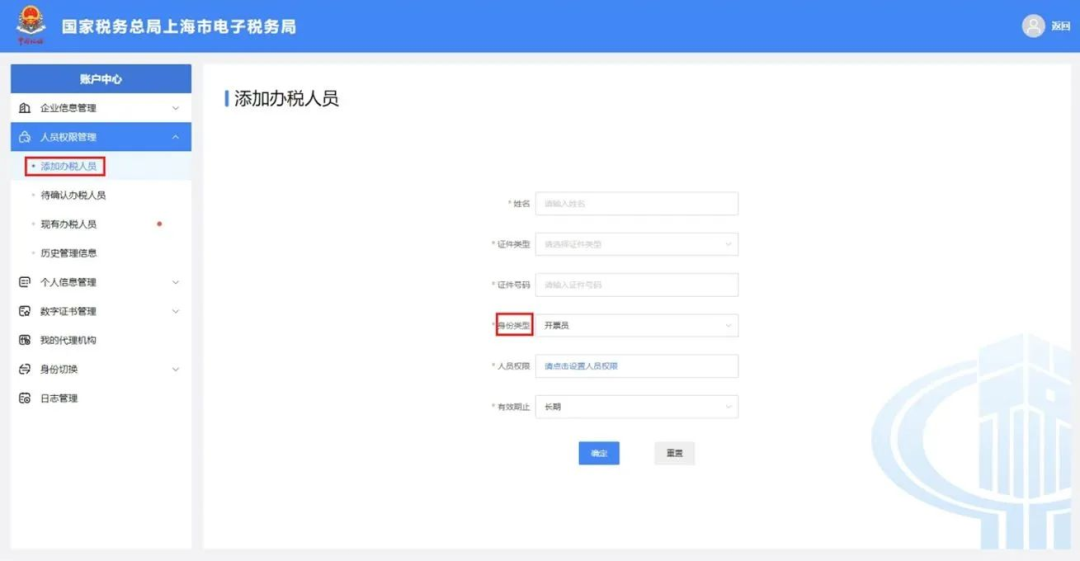
2.After logging in to the Electronic Tax Bureau, click [User Center] — [Account Center] in the menu bar to enter the account center interface.
3.On the account center interface, click [Personnel Permission Management], enter [Add Tax Handler], and enter the relevant identity information of the tax handler, including name, ID type, ID number, expiration date, etc.; for identity type, select [Invoicer].
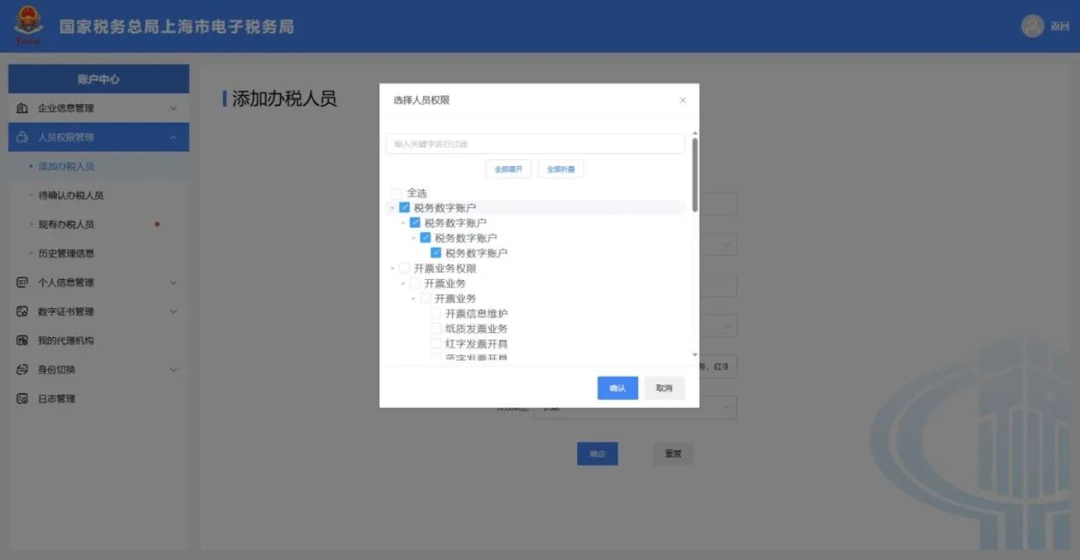
4.In [Personnel Permissions], check [Tax Digital Account], click Confirm, and a prompt about the tax handler's tax-related risk information will appear; after reading, click Confirm or Cancel; after filling in the tax handler information, click [Confirm].
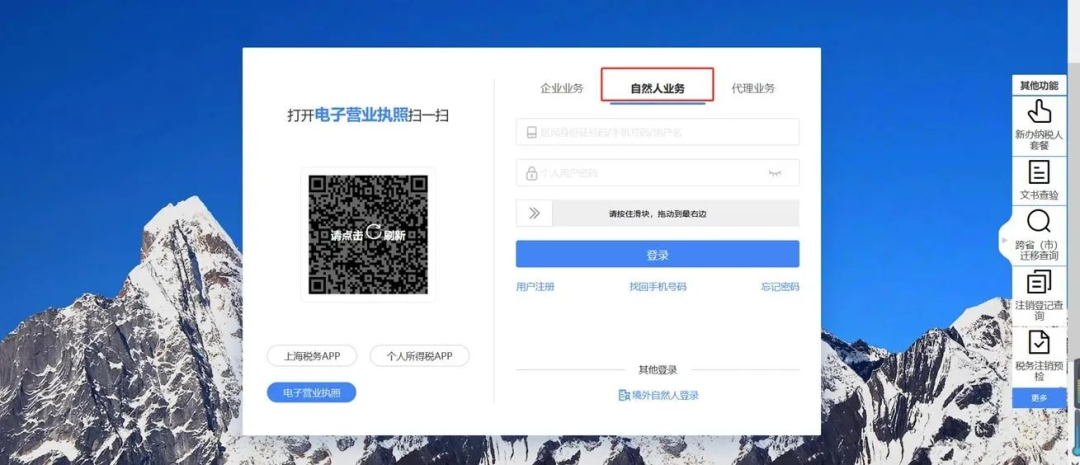
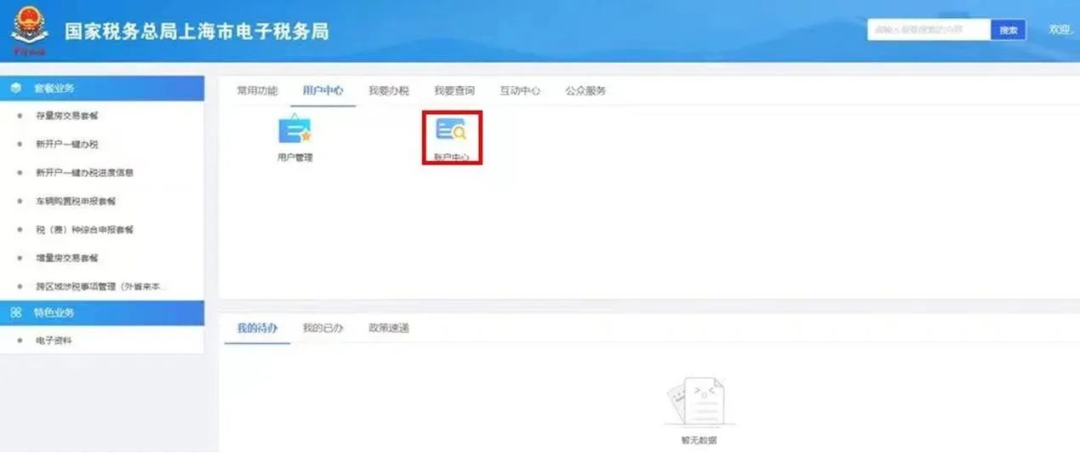
Tax handler confirms invoicing clerk identity 1.The authorized tax officer enters the electronic tax bureau and selects [Individual Business] to log in to the electronic tax bureau.
2.After logging in to the Electronic Tax Bureau, click [User Center] — [Account Center].
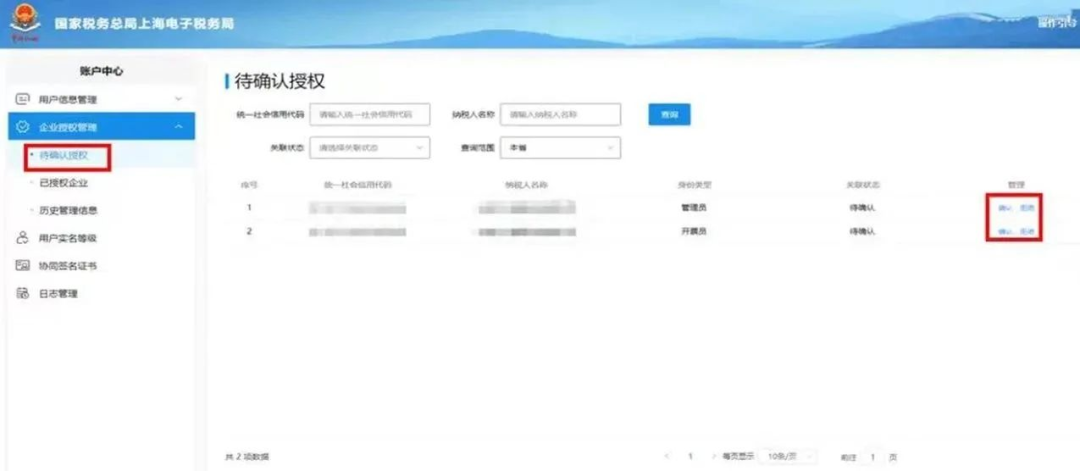
3.Under enterprise authorization management, in the [Pending Authorization Module], click to confirm the invoicer identity permission, a confirmation pop-up appears, and continue to confirm.
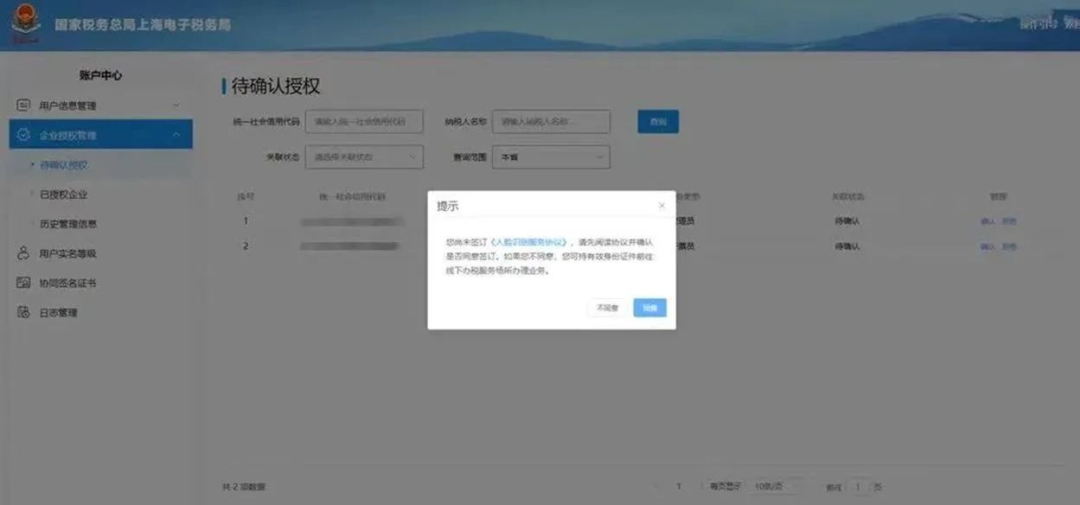
4.The E-Tax Bureau requires face scanning confirmation. The tax officer agrees to the portrait recognition service agreement and clicks [Agree].
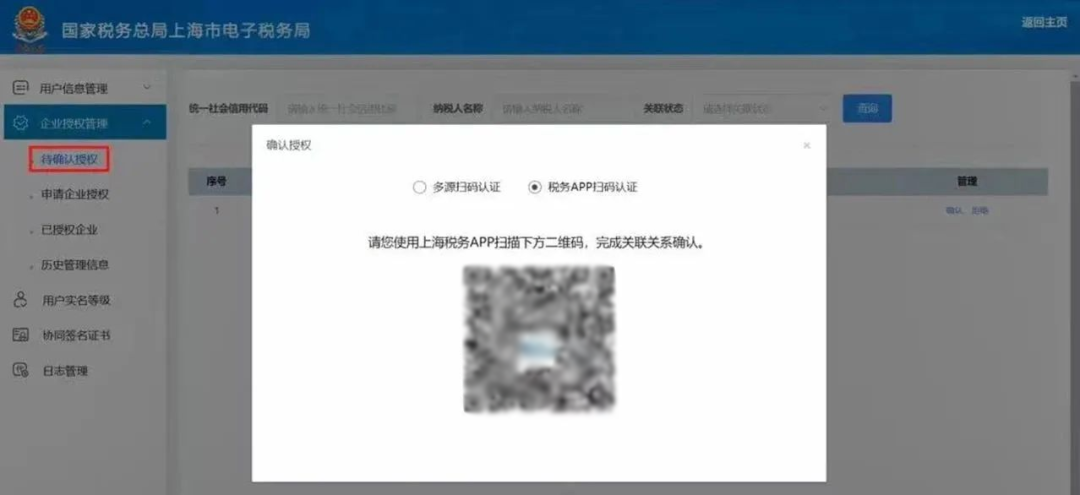
5.Tax handlers can use multi-source QR code authentication (scanning the QR code via WeChat) orLocalScan the tax APP code to complete invoicer identity confirmation.
After successfully confirming the identity of the invoicer, the tax officer can operate independently in the tax digital account module, which can be used for invoice selection and confirmation,Invoice queryHandling of matters such as statistics, invoice verification, red-letter information confirmation, credit limit adjustment applications, and invoice posting. Source: Shanghai Tax Beijing Kailing Technology Co., Ltd.——an enterprise business-finance-tax digitalization solution service provider. Kailing Technology provides solutions for sales management systems, procurement management systems, output invoicing systems, input invoice collection systems, imaging management systems, financial posting systems, electronic accounting archives, fully digitalized e-invoice and Leqi interfaces and other businesses according to enterprise needs, professionally and efficiently helping enterprises transform and upgrade their business-finance-tax digital management. If you have any business-finance-tax digital transformation needs, welcome to contact us. Beijing Kailing Technology will serve you wholeheartedly.
|