010-6097 4119Book a Demo


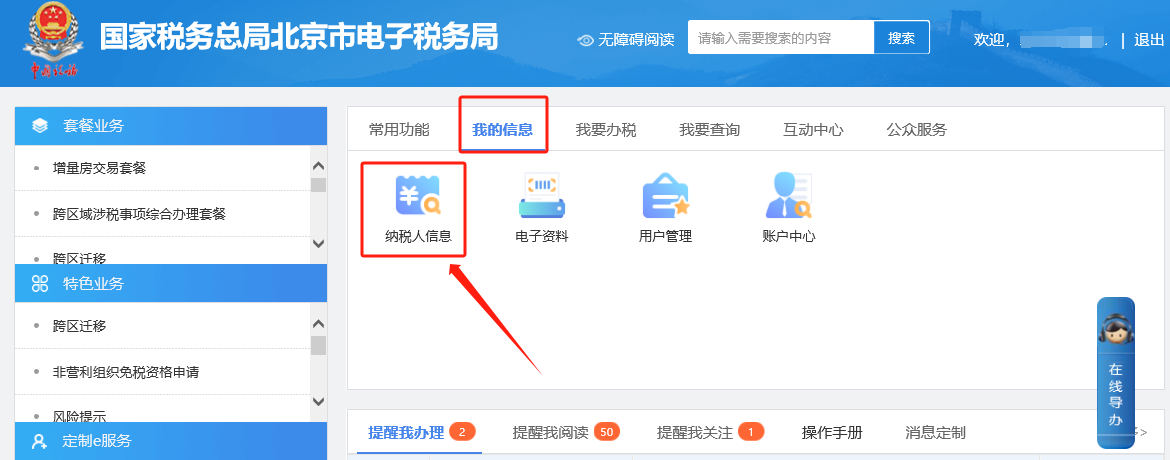
Electronic Tax Bureau operation guide | How do I print a general taxpayer qualification certificate on the Electronic Tax Bureau?Published: 2023-12-27 16:56 1.How do you print the general taxpayer qualification certificate on the electronic tax bureau? Answer: Hello, please click [My Information] — [Taxpayer Information] — [Qualification Information] in the Electronic Tax Bureau to query the start of the validity period of general taxpayer qualification. After finding it, enter and click [I Want to Handle Taxes] — [Certificate Issuance] — [Print General Taxpayer Certificate]. Document production date from: select January 1 of the year the general taxpayer status took effect; document production date to: select December 31 of the same year as the effective date (example: if the general taxpayer validity period starts on 2020-6-1, the document production date from is 2020-1-1 and the document production date to is 2020-12-31). Step 1 I. My Information—Taxpayer Information.
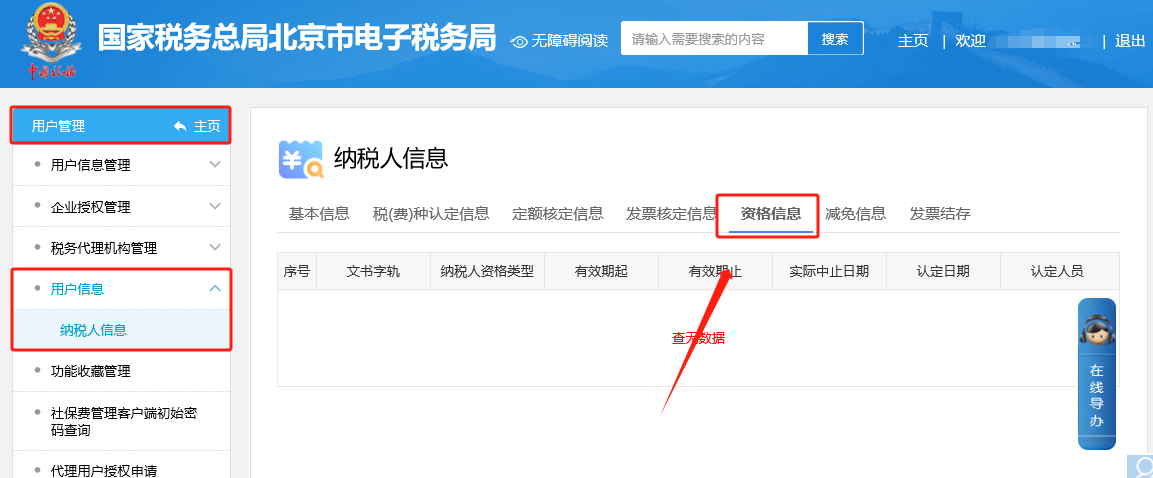
II. User Management—User Information—Taxpayer Information—Qualification Information, to query the start date of the general taxpayer qualification validity period.
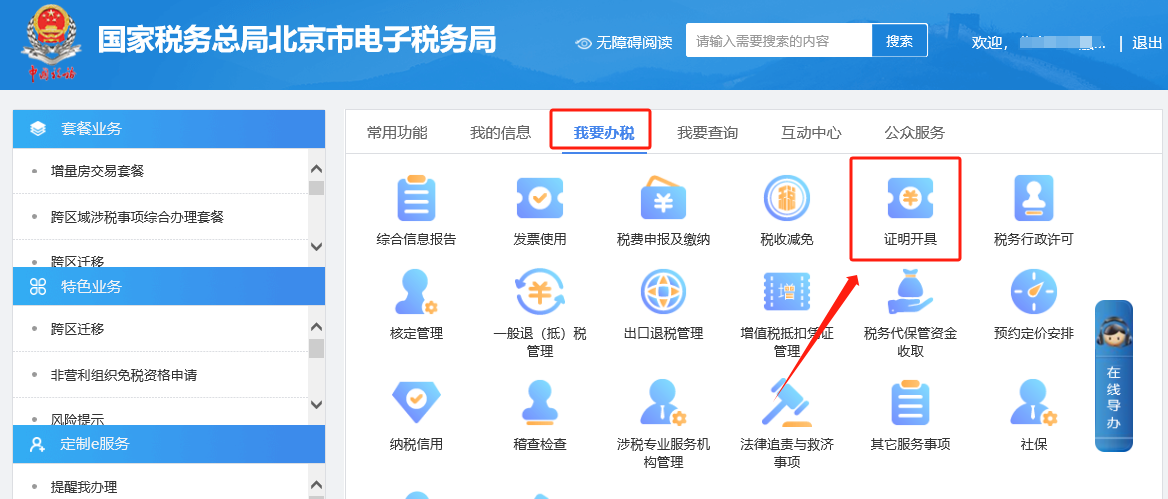
Step 2 I. I Want to Handle Taxes—Certificate Issuance.
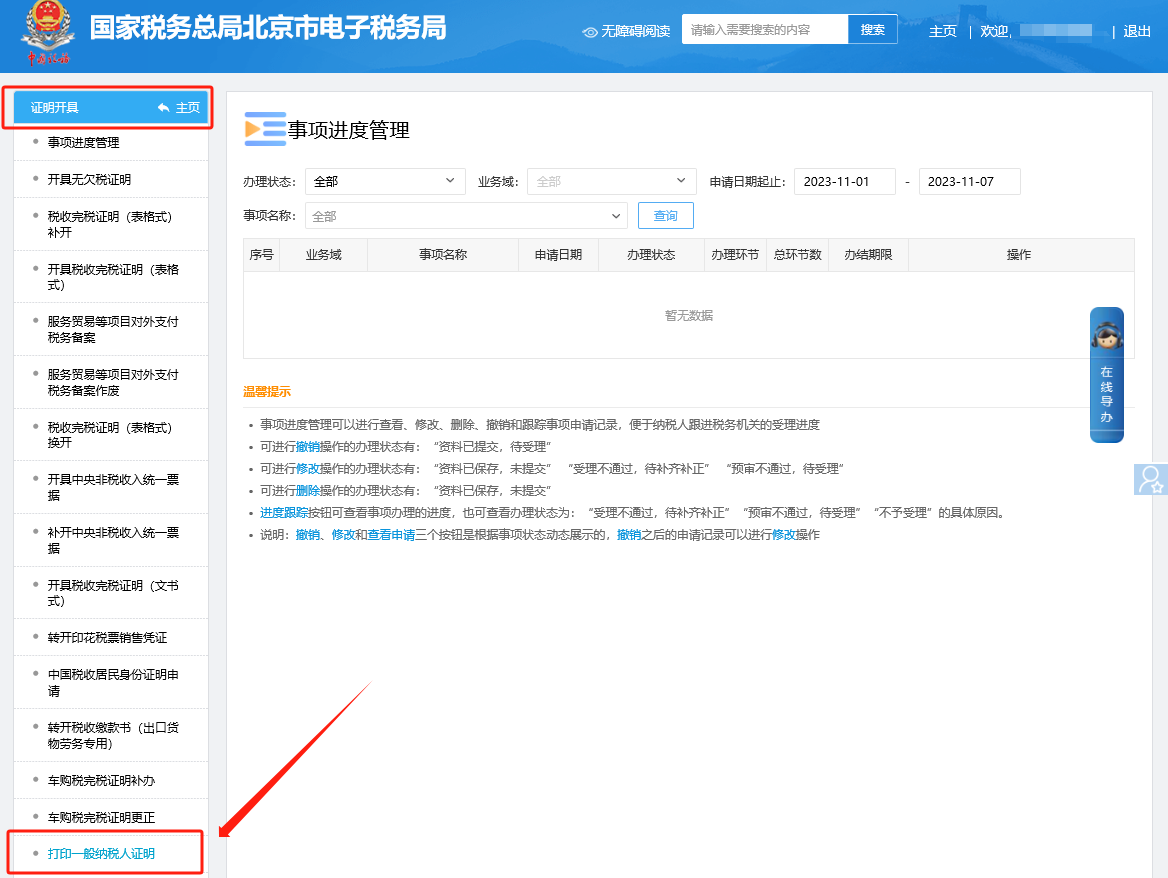
II. Certificate Issuance—Print General Taxpayer Certificate.
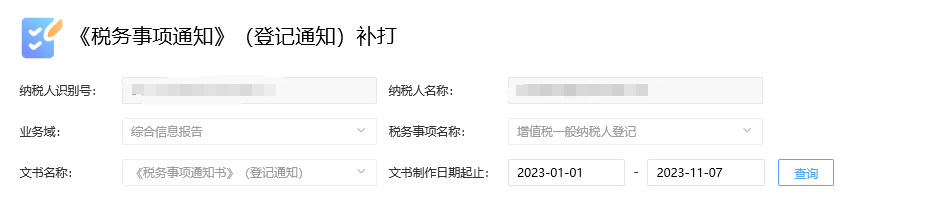
III. On the reprint interface of the Tax Matter Notice (Registration Notice), Document preparation date from: select January 1 of the year in which the general taxpayer status takes effect; Document preparation date to: select December 31 of the same year as the effective date (Example: if the general taxpayer validity period starts on 2020-6-1, the document preparation date from is 2020-1-1, and the document preparation date to is 2020-12-31).
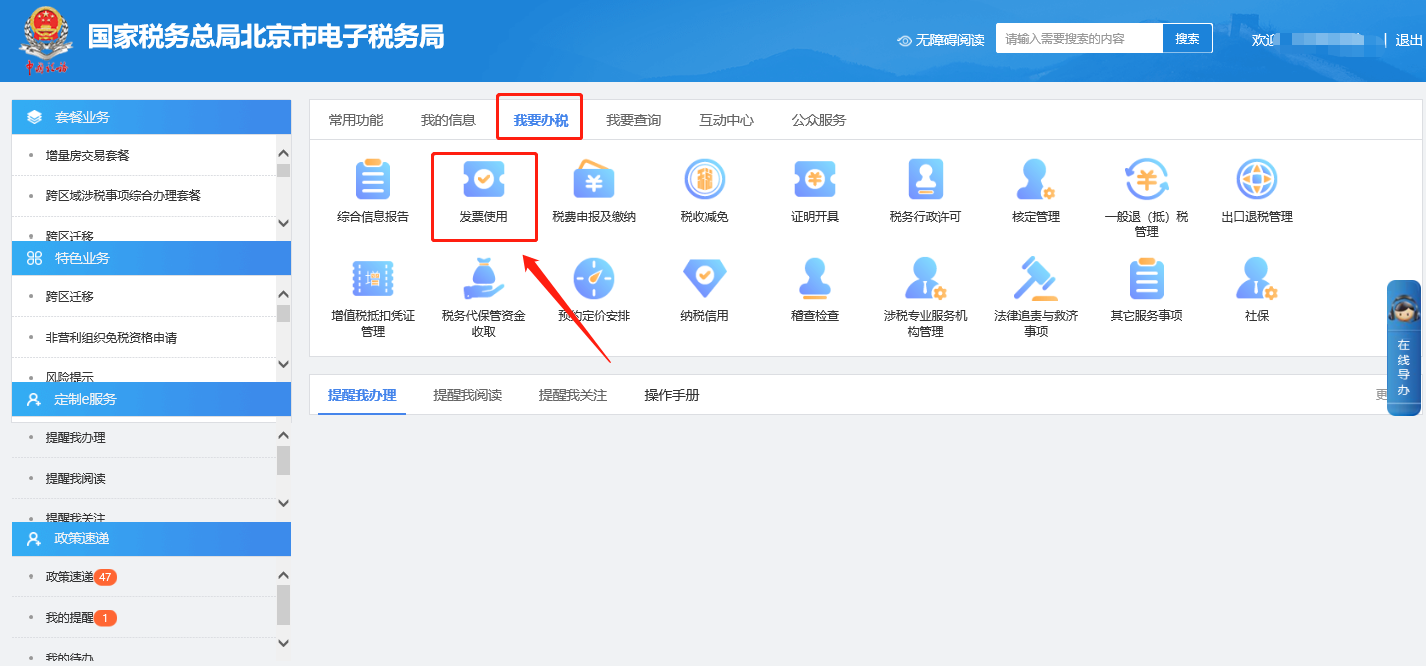
2.On the [I Want to Handle Taxes]—[Tax Declaration and Payment]—[Periodic Due Declaration] interface, when filling in VAT and clicking declare, the prompt "Declaration failed. You have not performed online tax reporting or online tax reporting failed (not reported)! Please perform the online tax reporting operation first, and then declare the return after tax reporting (error code)" appears. How should this be handled? Answer: Hello, this problem can be troubleshooted and handled as follows: 1) Check whether the tax control device's tax reporting is successful, whether the reported data and the filled-in data are correct, and whether it is a full month of data (if a small-scale taxpayer files quarterly, fill in the data for the quarter of the filing period); 2) If tax reporting has been successful, check whether there are other tax control devices (sub-devices). If there are multiple tax control devices, all tax control devices must complete tax reporting before filing. If only one has been reported, this prompt will also appear during filing; 3) If tax reporting is confirmed successful and this prompt still appears, you can click [Reset Filing List] and [Reset] in the upper right corner of the form filling interface, and refill the filing. 4) If the issue remains unresolved after the above steps, you need to file a report with the tax authority. Note: The method for determining whether the tax control Ukey has successfully reported and paid tax is as follows: Check the "latest tax filing date" displayed on the reporting summary interface. If it shows the current month, it means the current month's tax reporting was successful. If it does not show the current month's date, or any invoice type shows last month's date, it means the tax reporting was not successful. 3.After the fully digitalized e-invoice quota is successfully granted, is it still necessary to verify the paper invoice type through the [I Want to Handle Taxes]—[Invoice Use]—[Invoice Application]—[First-Time Invoice Type Verification Application] module? Answer: Hello, after the Electronic Tax Bureau completes the quota allocation for fully digitalized e-invoices, fully digitalized electronic invoices can be issued directly through the invoicing business module. If paper invoices need to be approved, you need to apply for the paper invoice type in the [I Want to Handle Taxes] — [Invoice Use] — [Invoice Application] — [First Application for Invoice Type Approval] module. I. I Want to Handle Taxes—Invoice Use.
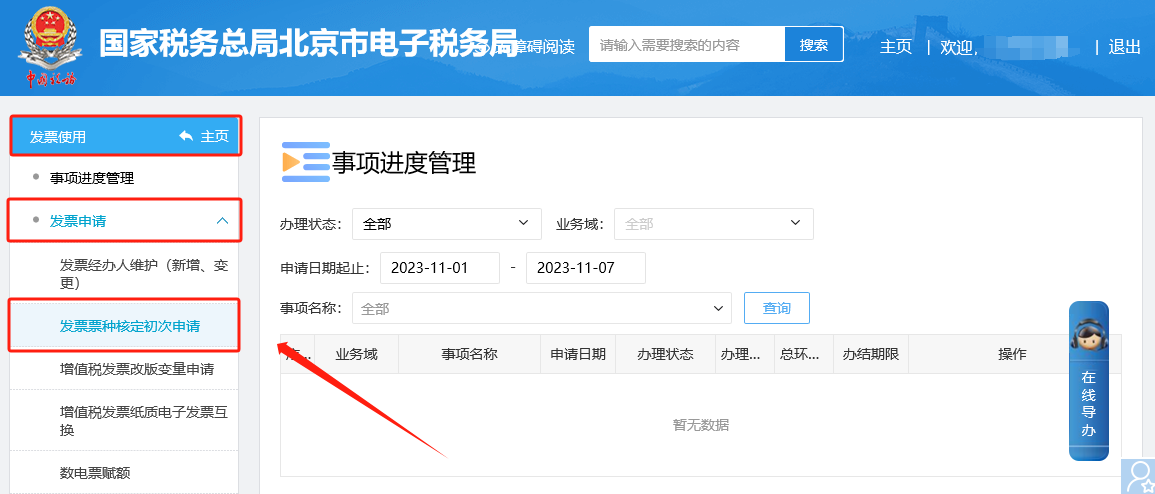
II. Invoice Use - Invoice Application - First-time Invoice Type Approval Module to apply for paper invoice types.
Source: Beijing Tax official account Beijing Kailing Technology Co., Ltd.——an enterprise business-finance-tax digitalization solution service provider. Kailing Technology provides solutions for sales management systems, procurement management systems, output invoicing systems, input invoice collection systems, imaging management systems, financial posting systems, electronic accounting archives and other businesses according to enterprise needs, professionally and efficiently helping enterprises transform and upgrade their business-finance-tax digital management. If you have any business-finance-tax digital transformation needs, welcome to contact us. Beijing Kailing Technology will serve you wholeheartedly.
|