010-6097 4119Book a Demo


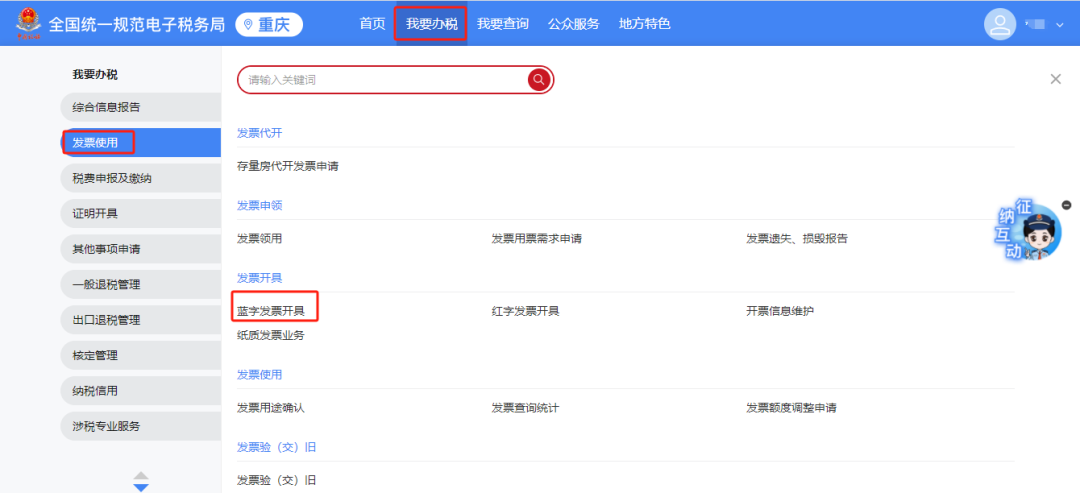
[Operation Guide] Have you mastered the new skill of setting the face scan invoicing duration for fully digitalized e-invoices?Published: 2024-10-09 17:27 What to do if face scanning for fully digitalized e-invoice issuance is too frequent?Invoicing requires no frequent face scanning, and the maximum period can be set to 183 days. This setting allows enterprises to avoid frequent facial recognition verification within a certain period, thereby simplifying the invoicing process and improving work efficiency. Specifically, this setting applies to taxpayers rated as "outstanding enterprises," who can enjoy a longer identity authentication frequency, up to 183 days. The implementation of this policy is mainly to encourage and reward enterprises with good credit and compliant tax filing, and also reflects the tax administration department's emphasis on optimizing services and improving the taxpayer experience. In addition, the implementation of this policy also reflects the trend of tax administration modernization, reducing unnecessary administrative burdens through technical means, allowing enterprises to focus more on the development of their core business. For enterprises, this policy is undoubtedly good news, helping to reduce enterprises' administrative burdens and improve work efficiency. It should be noted that this setting needs to be configured through the account of the enterprise's legal representative or financial officer, and after configuration, all relevant personnel of the enterprise (including the legal representative, financial officer, invoicer, etc.) will be subject to this setting and enjoy a longer identity authentication frequency. Come and see how to do it ↓ 1. Log in to the Electronic Tax Bureau as the legal representative or financial officer. 2. On the main interface, click [I Want to Handle Taxes] → [Invoice Use] → [Blue-Letter Invoice Issuance].
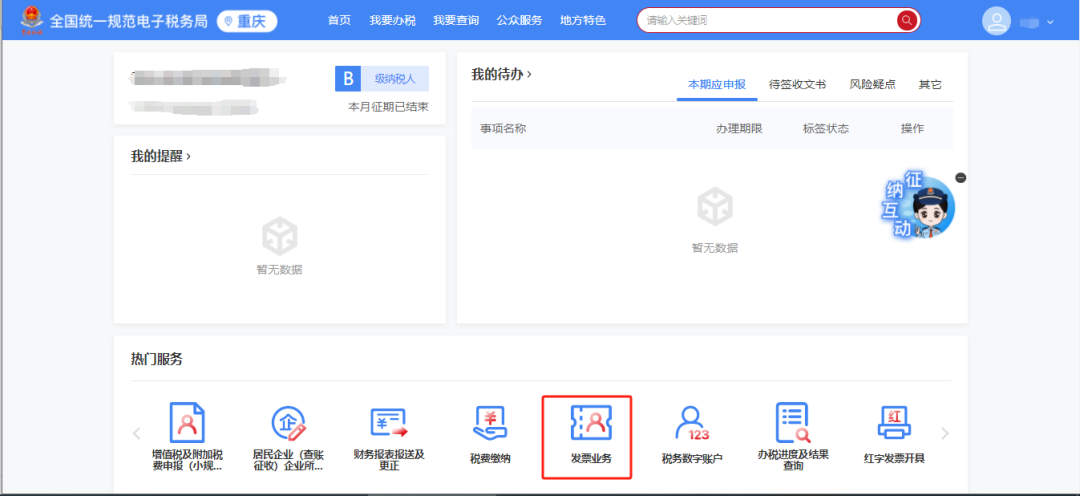
Or click [Invoice Business]-[Blue Invoice Issuance] on the homepage
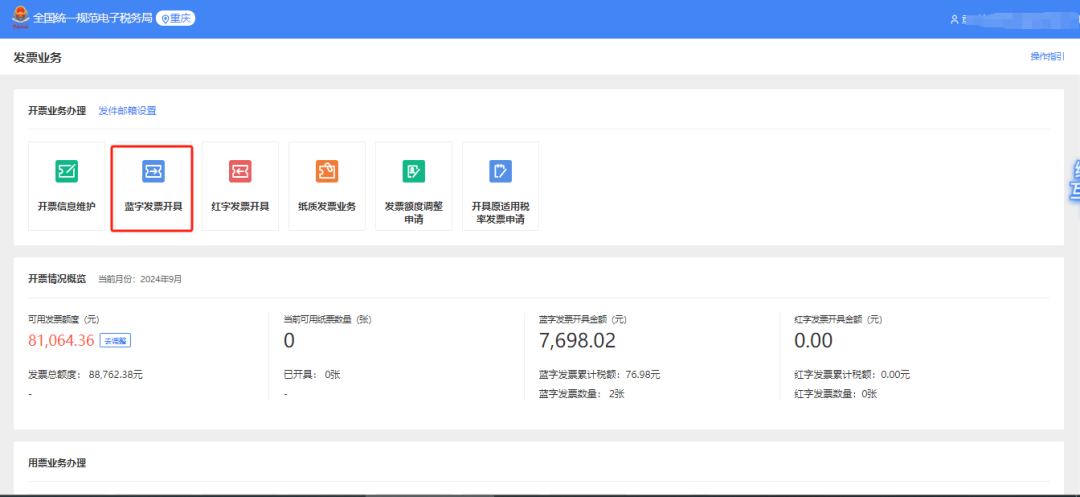
3. Find [Face Scan Authentication Duration Setting] next to Invoice Issuance and click to enter the settings page.
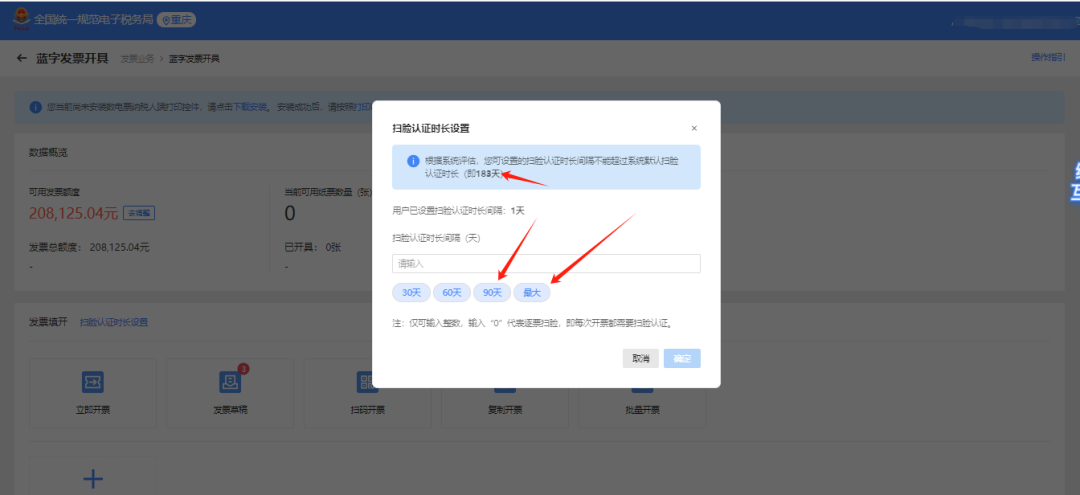
4. Based on the taxpayer's tax credit rating and invoice quota category, the system will assess the maximum duration; the taxpayer can select the corresponding duration according to the actual situation.
Kailing Technology provides enterprise business-finance-tax digital product lines according to enterprise needs: Solutions for businesses including sales contract management system, procurement contract management system, fully digitalized Leqi interface project, output automatic invoicing system, employee expense control and reimbursement system, input VAT invoice management system, supply chain collaborative reconciliation system, image OCR recognition system, automatic financial bookkeeping system, and electronic accounting archives system, professionally and efficiently supporting the transformation and upgrading of enterprise business-finance-tax digital management. If you have any business-finance-tax digital transformation needs, welcome to contact us. Beijing Kailing Technology will serve you wholeheartedly.
|