010-6097 4119Book a Demo


5 Basic Operations for Fully Digitalized E-Invoices!Published: 2024-05-27 17:28 1. Is there an amount limit on a single fully digitalized e-invoice?
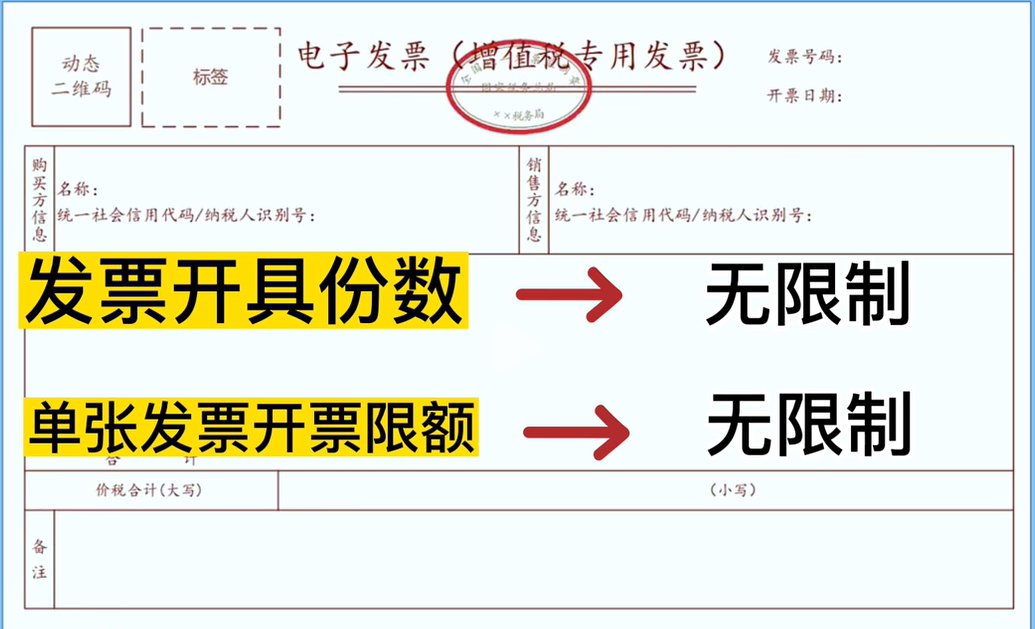
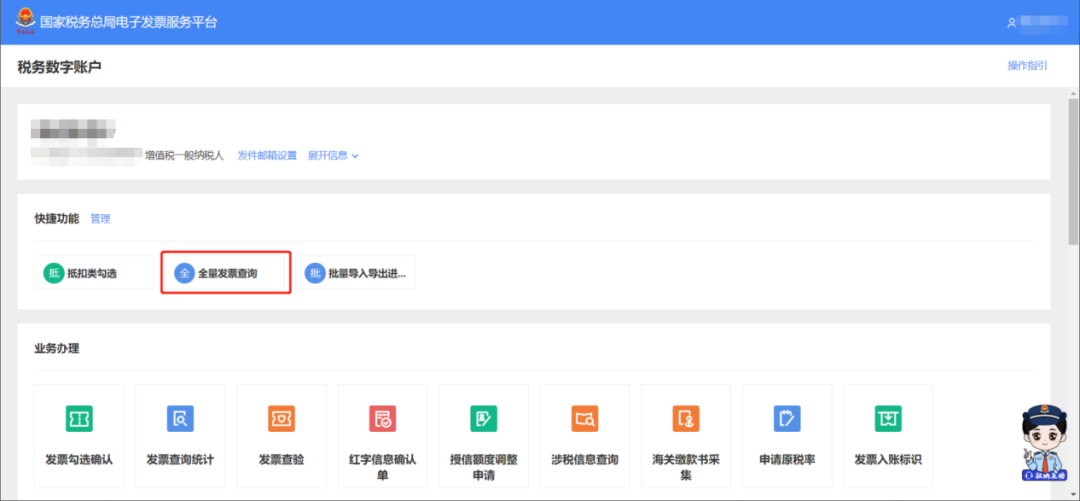
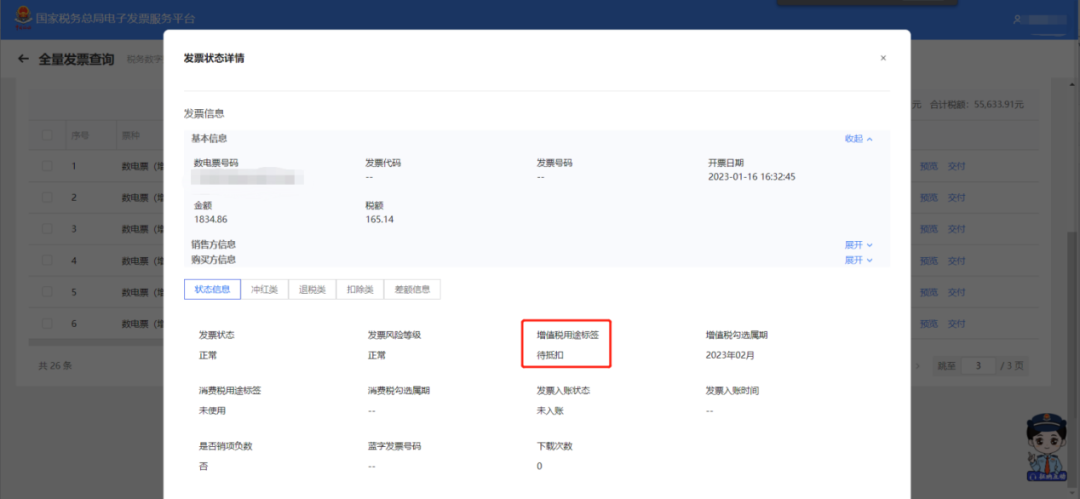
Fully digitalized e-invoiceInvoices are subject to total issuance amount quota management. The total issuance amount quota refers to the upper limit of the total invoice issuance amount (excluding VAT) by a taxpayer within one calendar month. Fully digitalized e-invoiceInvoices no longer have per-invoice amount limits or invoice type restrictions. That is, for example, if the total quota is RMB 1 million, then one invoice can be issued for the full RMB 1 million, or one invoice can be issued for RMB 1 and 1 million invoices can be issued. The full RMB 1 million can all be used to issue special invoices, or the full RMB 1 million can all be used to issue ordinary invoices. 2. How to check whether invoices issued to customers have been selected for deduction? Click "I Want to Handle Taxes" -- "Tax Digital Account"
Click "Full AmountInvoice query”
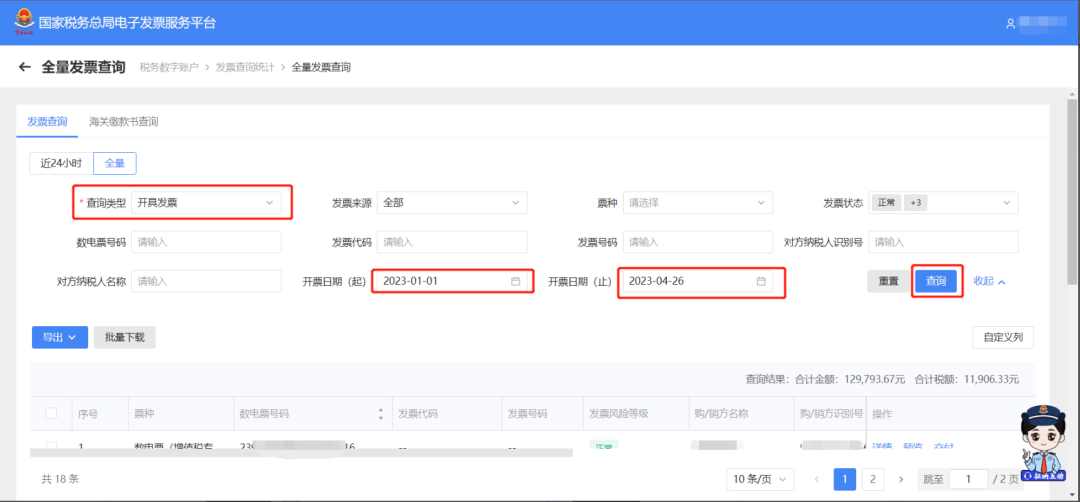
For "Query Type", select "Invoice Issuance", and select the "Invoice Date"(from)", "Invoice Date (to)", click "Query"
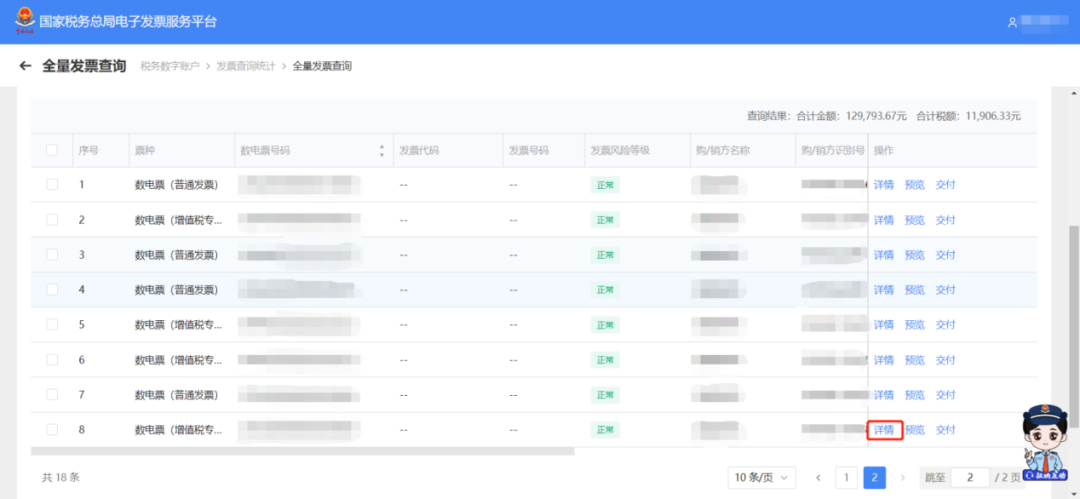
Select the invoice you want to query and click "Details"
View the "VAT usage tag" to check whether a VAT invoice has been deducted
3. How to issue a discount invoice on the e-invoice platform? Log in to the Electronic Tax Bureau and click "I Want to Handle Taxes - Invoicing Business".
Click "Blue-Letter Invoice Issuance - Issue Invoice Immediately."
When filling in invoice information, you can add discount information to the entered item information according to the actual situation. First check the item information, then click the [Add Discount] button to open the add discount page.
The discount method can be by amount or by percentage, and the discount entry method can be batch discount entry or item-by-item discount entry.
After the discount information is filled in, it is displayed in the item information details.
Click "Invoice Issuance" to complete the issuance of discount invoices on the electronic invoice service platform.
4. If you forget to deliver it to the buyer when invoicing is completed, in which module should you operate subsequently?? If subsequent delivery is needed again, taxpayers can deliver through "Tax Digital Account" - "Invoice Query Statistics" - "Full Invoice Query". 5. After issuing a fully digitalized e-invoice, is it necessary to report and summarize? No need.E-invoice Service Platform Tax Digital AccountAutomatically collect invoice data, after a taxpayer issues an invoiceNo need to report and summarize, you can directly handle VAT tax filing. Source: internet Beijing Kailing Technology Co., Ltd.——an enterprise business-finance-tax digitalization solution service provider. Kailing Technology provides solutions for sales management systems, procurement management systems, output invoicing systems, input invoice collection systems, imaging management systems, financial posting systems, electronic accounting archives, fully digitalized e-invoice and Leqi interfaces and other businesses according to enterprise needs, professionally and efficiently helping enterprises transform and upgrade their business-finance-tax digital management. If you have any business-finance-tax digital transformation needs, welcome to contact us. Beijing Kailing Technology will serve you wholeheartedly.
|