010-6097 4119Book a Demo


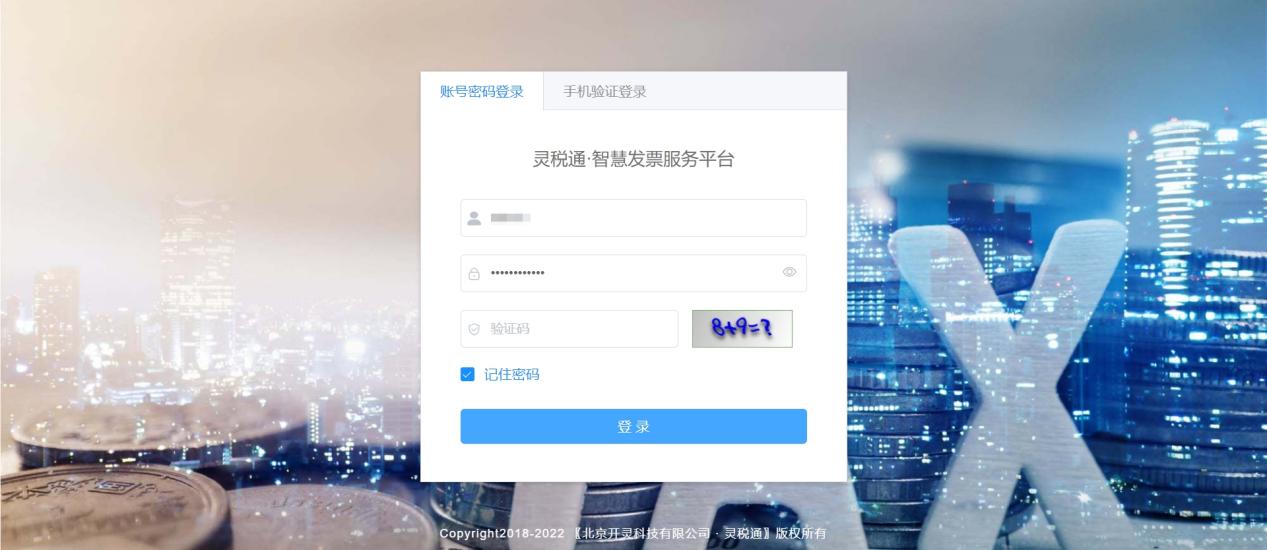
[Lingshuitong] Complete Guide to Issuing Fully Digitalized E-Invoices (with Operation Video)Published: 2024-05-06 16:57 How to through Lingshuitong·Smart Invoice Service Platform Issue "fully digitalized e-invoices"? How to quickly import hundreds of line items for invoicing? How to reverse an invoice with a red-ink invoice? How to issue invoices by scanning a code? How to issue fully digitalized e-invoices via mobile phone? 1. How to issue fully digitalized e-invoicesWeb Invoicing 1. Enter the web version of the LingShuiTong invoice management platform, and log in using the enterprise account information bound on the LingShuiTong platform。(Contact Kailing Technology to obtain an account and password for a trial~)
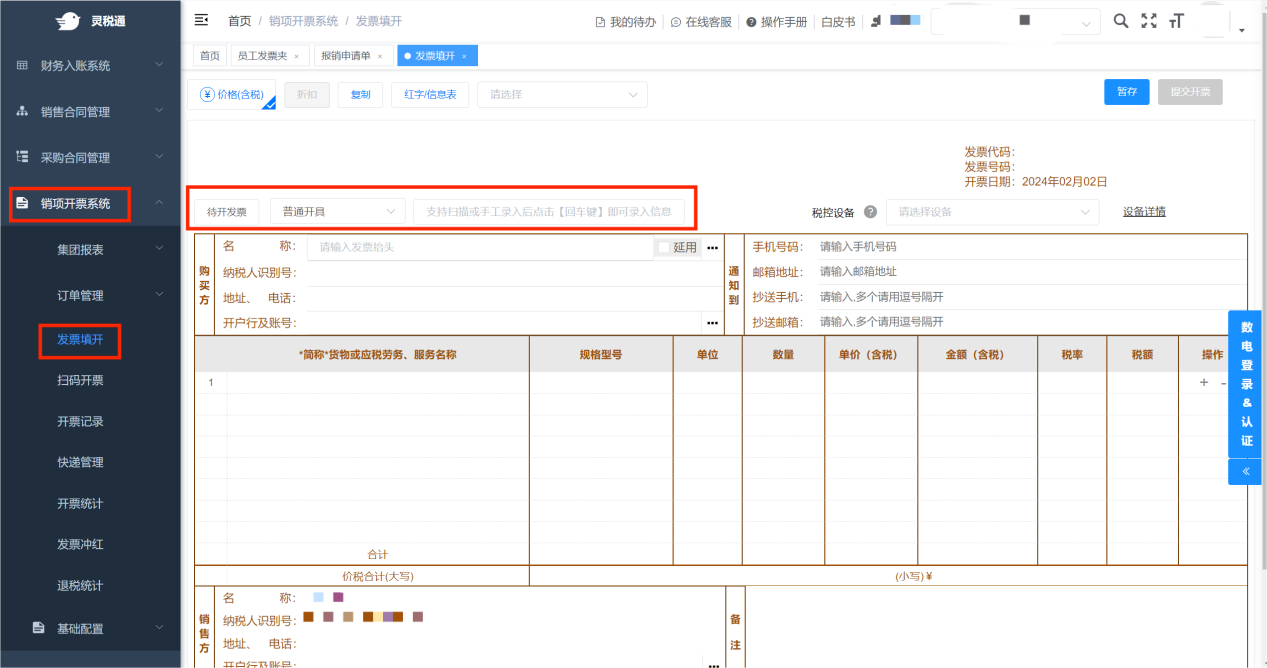
2.Enter the "Output VAT Invoice Issuance System", click invoice issuance, and select according to the actual situationIssueInvoice type,Fill in the title information (supports automatic population), and submit the invoice request.
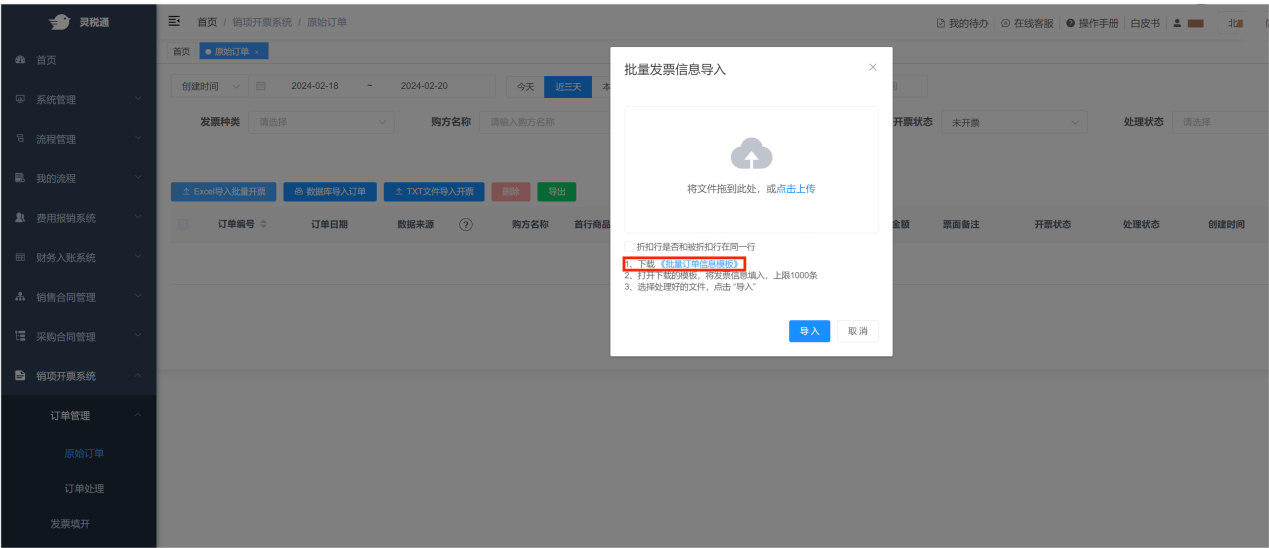
Batch import invoicing 1. On the [Original Order] pageClick“Excel ImportBatchInvoicing”button to download the "Batch Order Information Template"; when filling in the template, note that the cell format should be changed to text format.
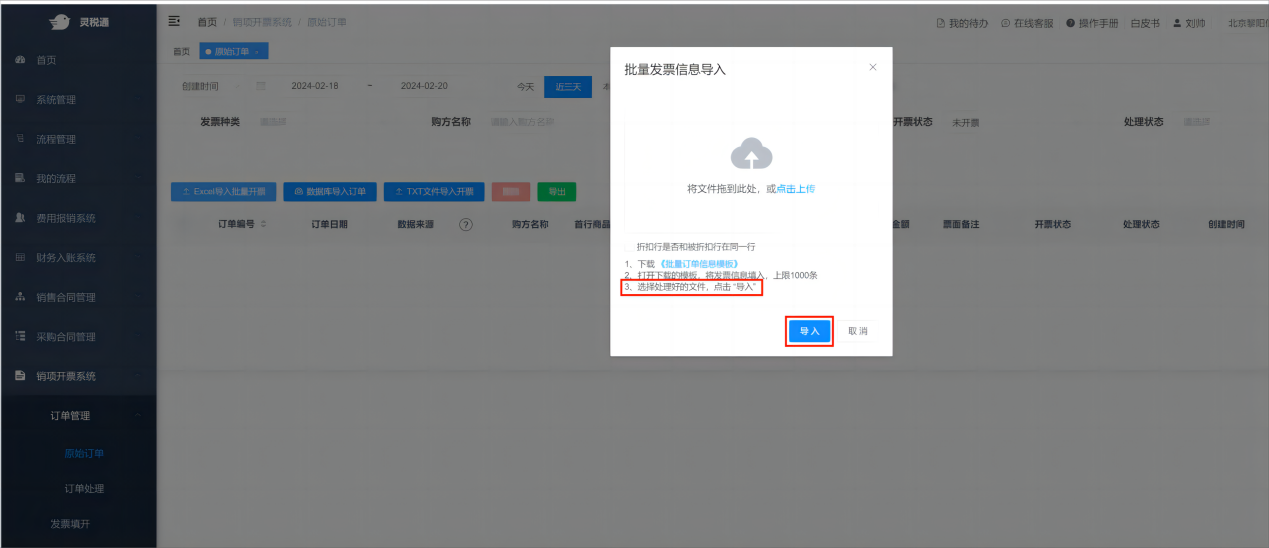
2.After completing the template, click import. After import is complete,Product information that meets invoicing conditions can enter the [Order Processing] interface.
3. Enter the [Order Processing] page to perform batch invoicing and other operations; for invoices that need improved invoicing information, enter the [Invoice Issuance] page, continue adding and completing the buyer information, confirm the invoicing information is correct, and click the "Submit Invoice" button. After submission, you can check the invoice issuance result in [Invoicing Records].
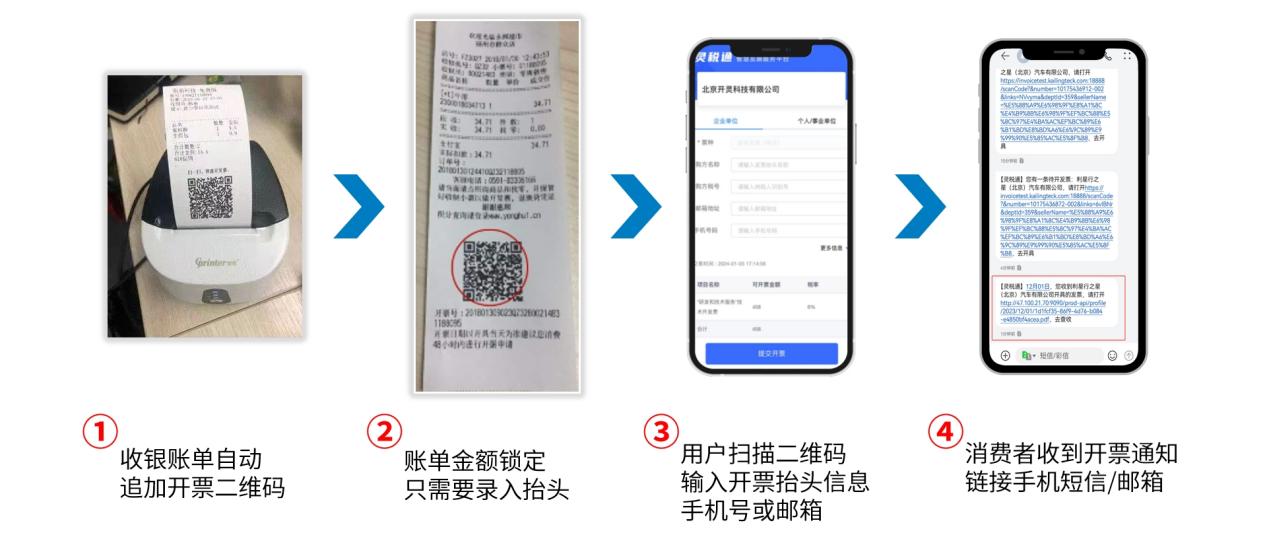
Receipt scan-to-invoice Integrate with mainstream ERP cashier systems on the market; no separate ERP development is required—the invoicing party can proactively integrate to complete it。 For industries such as dining, parking lots, and hotels, when customers check out, merchants can directly enter product unit price, quantity, and other information in the product list of the invoicing backend and print the receipt; After the customer receives the receipt, they can use WeChat to scan the QR code on the receipt and submit information such as invoice title, mobile phone, and email; The system automatically issues invoices, and the invoices are automatically pushed to the mobile SMS and email provided by the customer. After using scan-code invoicing, everything is simple and fast. Invoicing no longer requires long queues. After payment, customers can print the receipt and take it away, and can scan the code for self-service invoicing at any time.
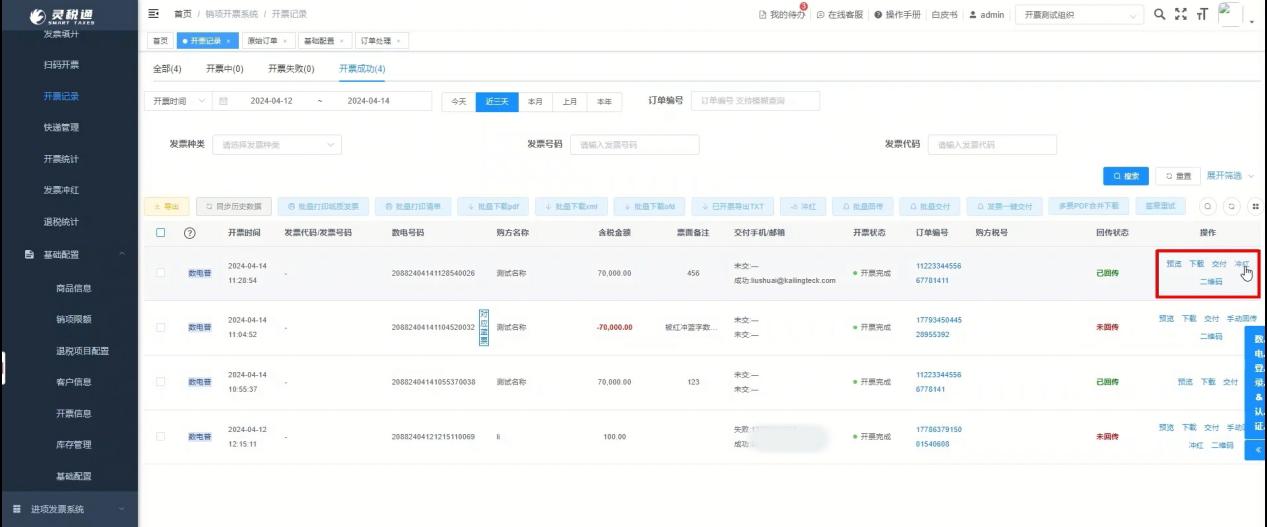
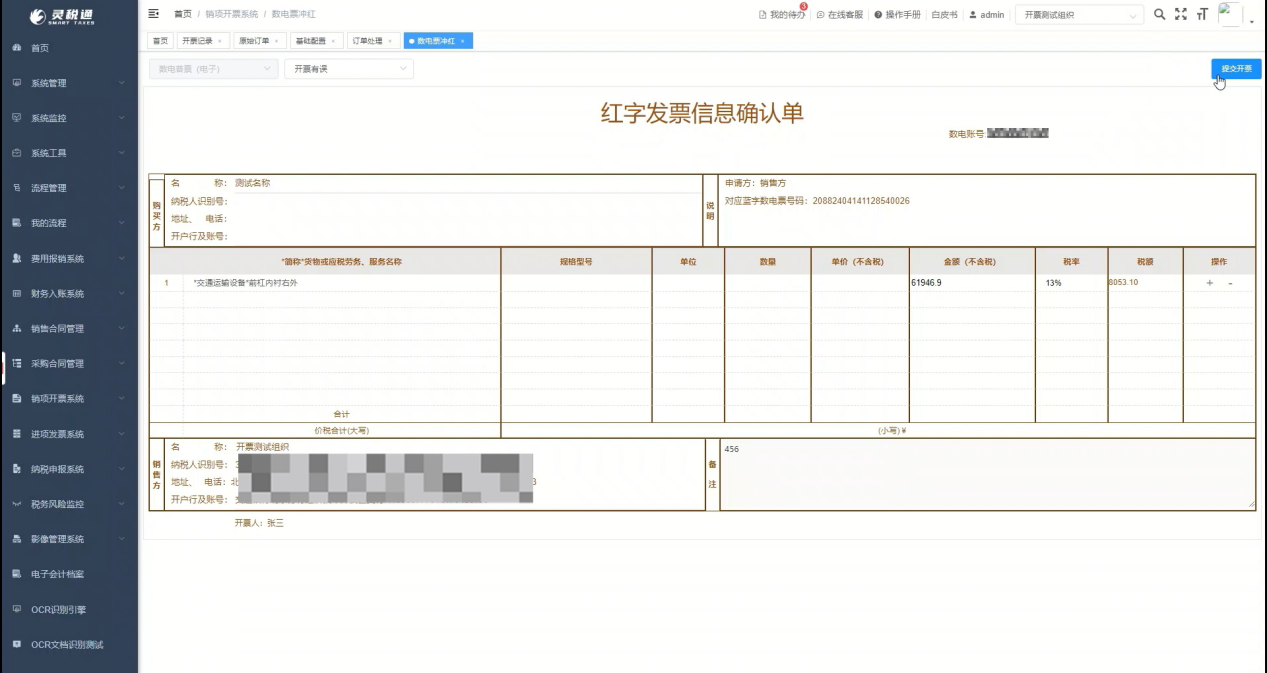
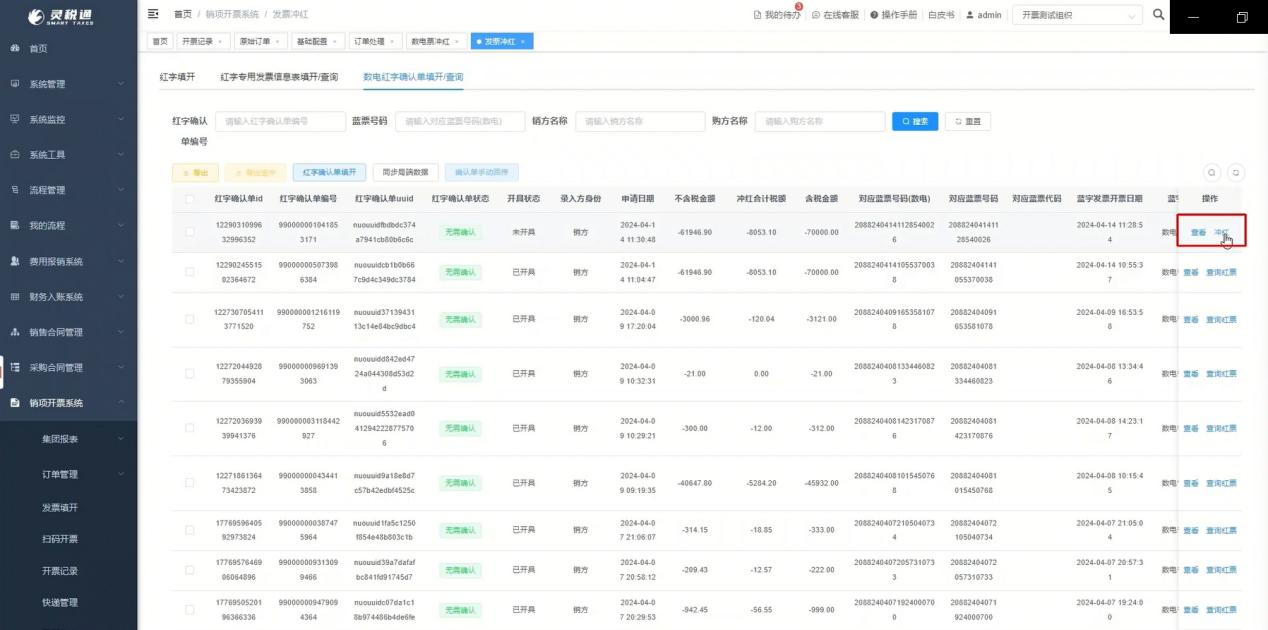
2. How to issue a red-letter invoiceIf a red-letter reversal is needed after invoice issuance is completed, it can be pushed through the API,Or directly click the red-letter reversal button in the invoicing record and select Yes. The confirmation form filling interface will be automatically brought up. After clicking submit invoice, it will jump to the confirmation form filling interface. The confirmation form status is no confirmation required. Directly click the red-letter reversal button to obtain the negative invoice.
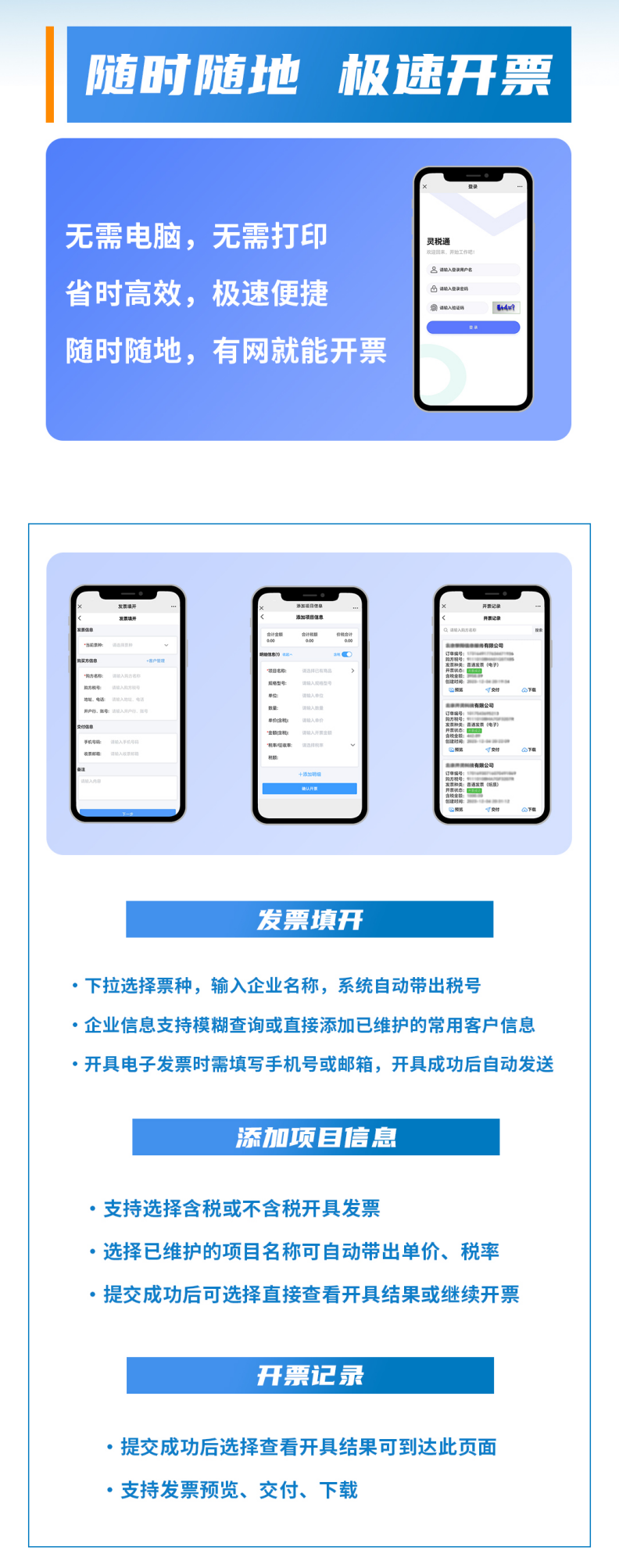
3. Official account/mini-program invoicingEnter the "Kailing Technology" official account, click "Mobile Invoicing" in the middle of the lower menu bar, enter the login screen, and log in using the enterprise account information bound on the Ling Shui Tong platform. After entering the workspace, you can use the relevant functions for mobile invoicing, and after submitting invoicing information, invoices are automatically issued and automatically delivered to the customer's email or mobile SMS.
Beijing Kailing Technology Co., Ltd.——an enterprise business-finance-tax digitalization solution service provider. Kailing Technology provides solutions for sales management systems, procurement management systems, output invoicing systems, input invoice collection systems, imaging management systems, financial posting systems, electronic accounting archives, fully digitalized e-invoice and Leqi interfaces and other businesses according to enterprise needs, professionally and efficiently helping enterprises transform and upgrade their business-finance-tax digital management. If you have any business-finance-tax digital transformation needs, welcome to contact us. Beijing Kailing Technology will serve you wholeheartedly.
|