010-6097 4119Book a Demo


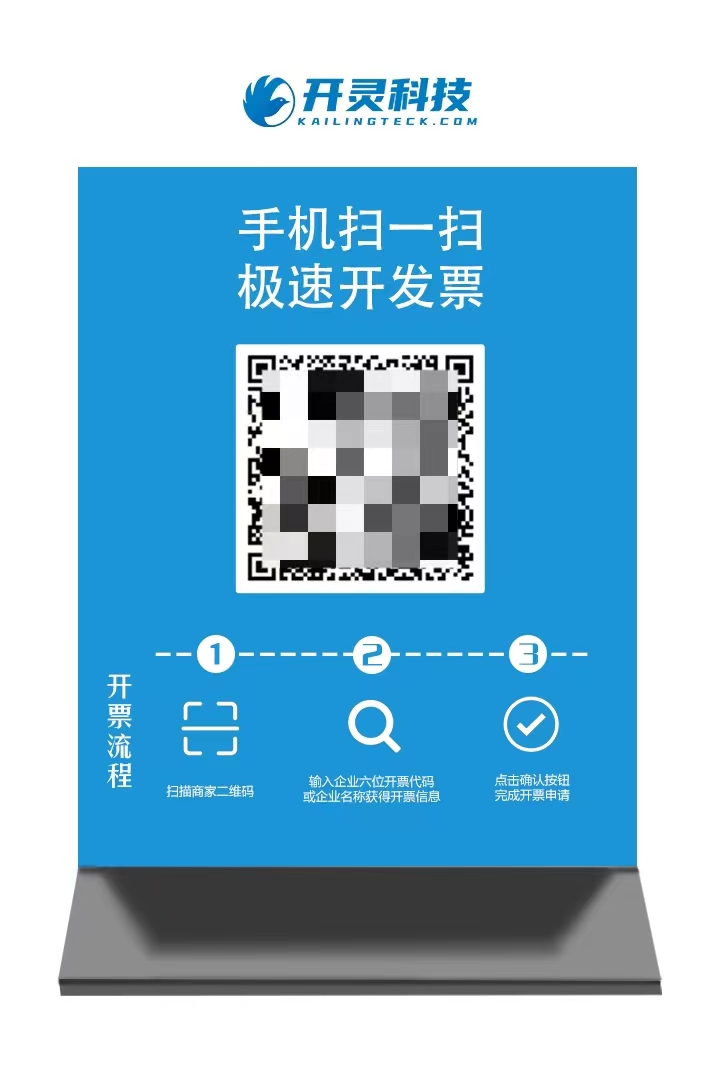
A must-have table-card scan-to-invoice tutorial for hotels, restaurants, and supermarkets, save it!Published: 2024-02-27 11:15 In the hotel, restaurant, and supermarket industries, invoicing times are concentrated, invoice volumes are large, and customer mobility is high. Because of this, these industries face some difficulties in invoicing work: ·Customers crowded in line at the counter; ·Heavy manual filling workload for invoicers; ·Low merchant checkout efficiency; ·High invoicing error rate; ·Long customer waiting times... So,For these enterprises, choosing an invoicing method suitable for their own business is very important. LingshuitongTable card QR code invoicing Merchants only need to create a table QR code and place it on the dining table or counter for buyers to scan and fill in invoice information, which is then reviewed by the invoice issuer, quickly completing invoicing。 This table-card scan-to-invoice method is not only convenient and fast, but can also deeply fit the invoicing scenarios of the hotel, catering, and supermarket industries。 【Table card QR code scanning】Invoicing advantages ·One-click scan-code invoicing:The purchaser directly scans the table card QR code, fills out the invoice with one click, and waits for the invoicer's review; ·Improve invoicing efficiency:Let customers self-fill invoicing information, greatly reducing the workload of invoicing staff and improving invoicing speed; ·Reduce invoicing error rate:Customers fill in and issue invoices online by self-service, which can effectively reduce the error rate in filling in invoice titles; ·Improve buyer satisfaction:Self-service filling and issuing via table card requires no queuing and eliminates worries about invoice loss or damage, helping create a better consumer experience. Usage Process STEP1 Merchants generate a static code in the invoicing system, allowing customers to self-scan and enter the invoicing page;
STEP2 Let the buyer self-fill in the invoice title, enterprise tax number, mobile number, email, and other information, then click [Submit];
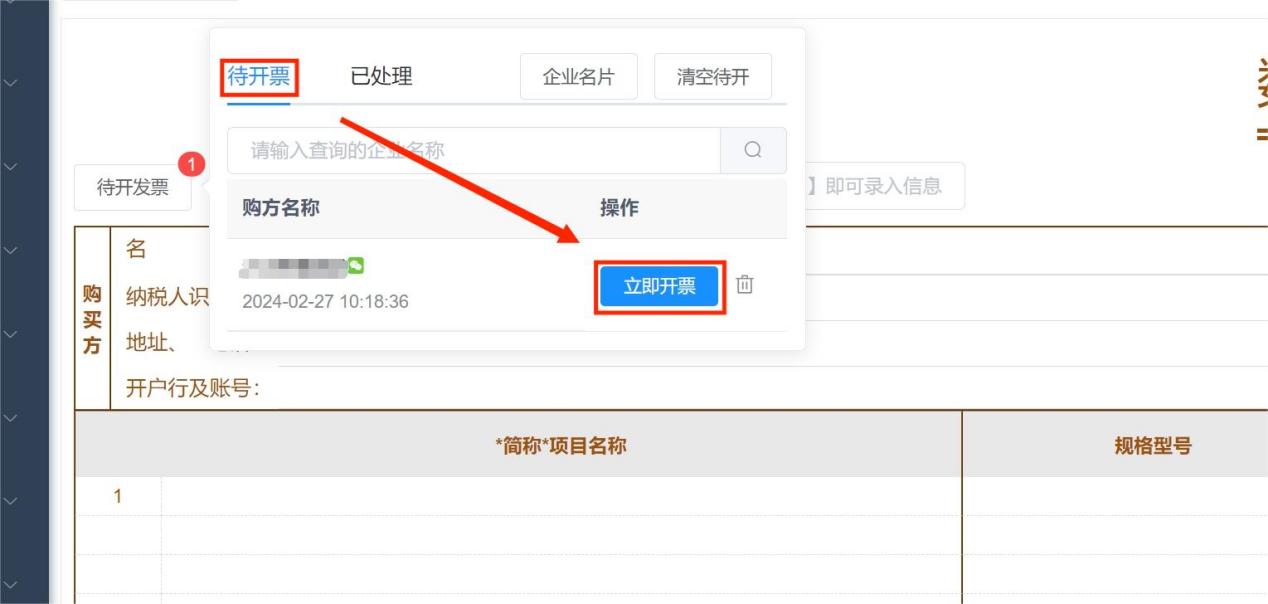
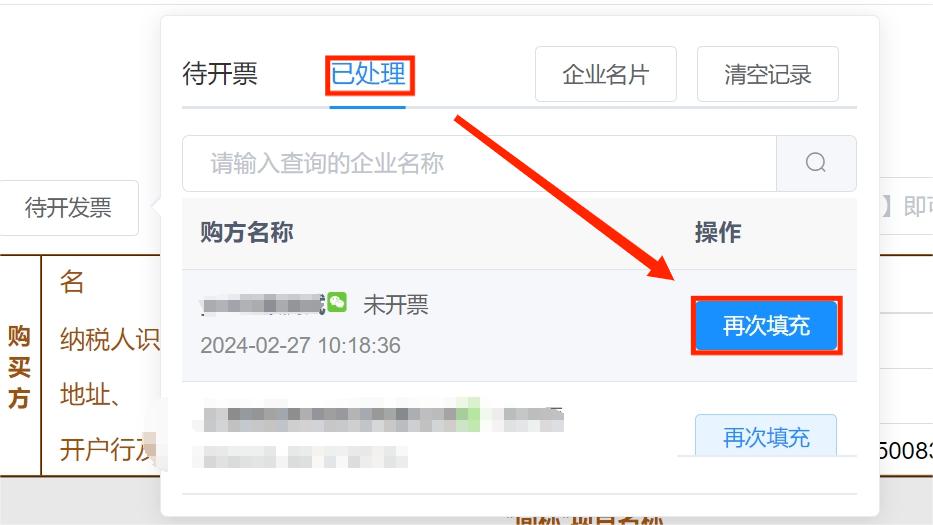
STEP3 Merchants select buyer information in the invoicing software and complete the tax code, tax rate, quantity, amount, and other information before issuing the invoice;
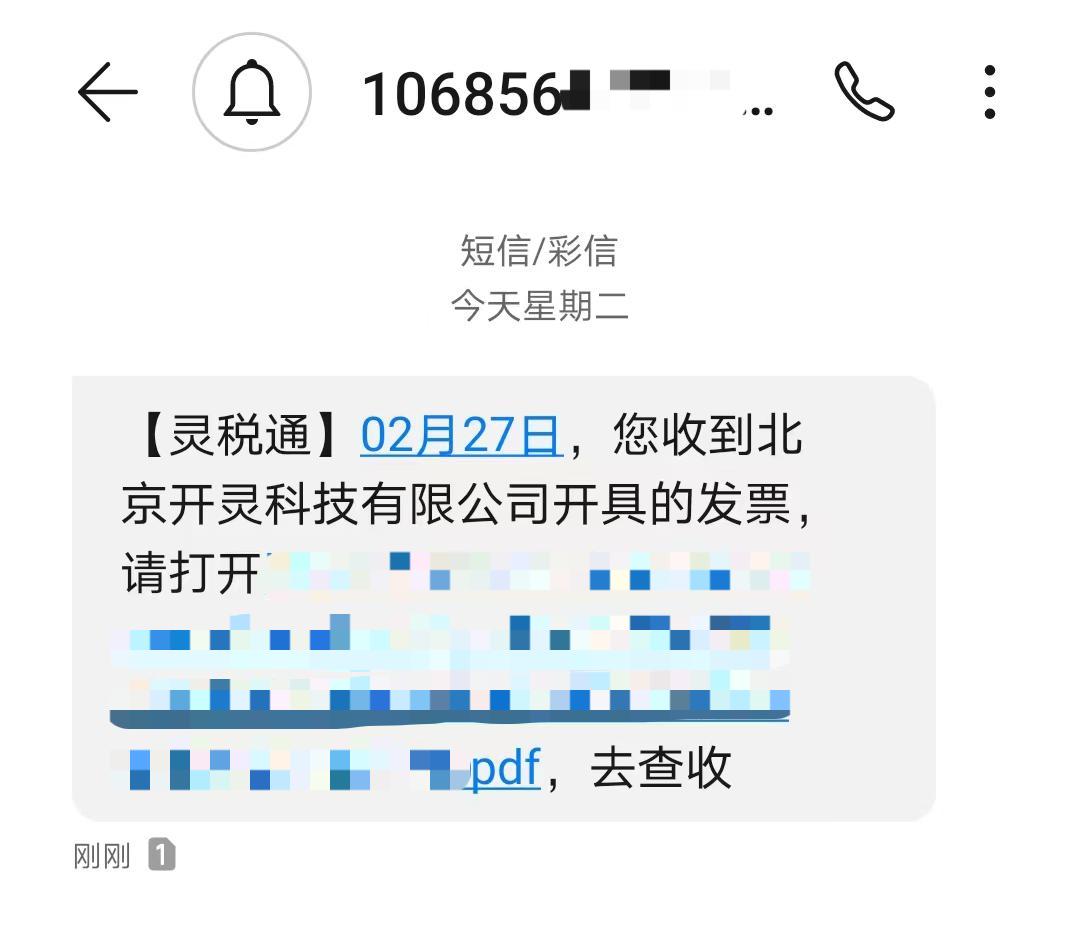
STEP4 After completing the first 3 steps, the buyer can receive, view, and download the invoice in [Email] or [SMS].
If your enterprise is a hotel, restaurant, supermarket, or is interested in table card scan-to-invoice, welcome to contact Kailing. In addition to table card scan-to-invoice, Kailing Technology also offers solutions such as receipt scan-to-invoice, batch invoicing, mobile invoicing, and business system integration invoicing. You are equally welcome to contact us! Beijing Kailing Technology Co., Ltd.——an enterprise business-finance-tax digitalization solution service provider. Kailing Technology provides solutions for sales management systems, procurement management systems, output invoicing systems, input invoice collection systems, imaging management systems, financial posting systems, electronic accounting archives, fully digitalized e-invoice and Leqi interfaces and other businesses according to enterprise needs, professionally and efficiently helping enterprises transform and upgrade their business-finance-tax digital management. If you have any business-finance-tax digital transformation needs, welcome to contact us. Beijing Kailing Technology will serve you wholeheartedly.
|