
How can offline goods receipt by purchasers and online invoicing by finance avoid becoming disconnected? Kailing Technology reverse invoicing system synchronizes goods receipts and invoicing tasks

At four in the afternoon, a station purchaser received a truckload of scrap at an open-air site. The weighbridge had just printed a paper ticket when the mobile signal became intermittent, so he photographed the weighbridge ticket and the pile of goods and sent them to the work group, and also changed the impurity deduction ratio once on paper. The next day, when finance was preparing to issue an invoice, two versions appeared in the group: the net weight on the photo differed from the spreadsheet sent later, and no one could say clearly which one had already passed settlement confirmation.
The Kailing Technology reverse invoicing system gives this truckload of goods a business number right from the site. The purchaser records the seller, vehicle, weighing, category, and images under weak network conditions, and after the network recovers uploads the local goods receipt; the system identifies versions and duplicate submissions, and after settlement confirmation automatically generates a finance pending-issuance task, with the invoicing status returning to the site along the original number.

▍At an open-air site, first create a unique business number for one truckload of goods
When a truck enters the site, the purchaser selects the station and seller on the mobile end and registers the license plate, scrap category, driver, and arrival time. During project implementation, weak-network registration fields and numbering rules are configured. Acceptance requires that each offline record first obtain a traceable identifier, and after reconnecting be mapped to a unique business number, so that weighbridge tickets and on-site photos both have a clear anchor point.
After the vehicle is weighed for the first time, the purchaser enters the gross weight; after unloading is complete, the tare weight is entered, and the system calculates the net weight. At the same time, the purchaser photographs the weighbridge ticket, the cargo pile, and the vehicle, and writes the grade, impurity deduction, and on-site notes into the receiving note. The acceptance checklist requires images to be linked to the business identifier and the collection time to be retained; whether device information is collected is checked against the on-site terminal and project configuration.
The local page clearly marks pending synchronization and pending online verification. Purchasers can continue collecting on-site facts, but cannot change a pending-verification status to passed. Before the driver leaves, the purchaser can check in one document whether the vehicle, weight, category, and images are complete.
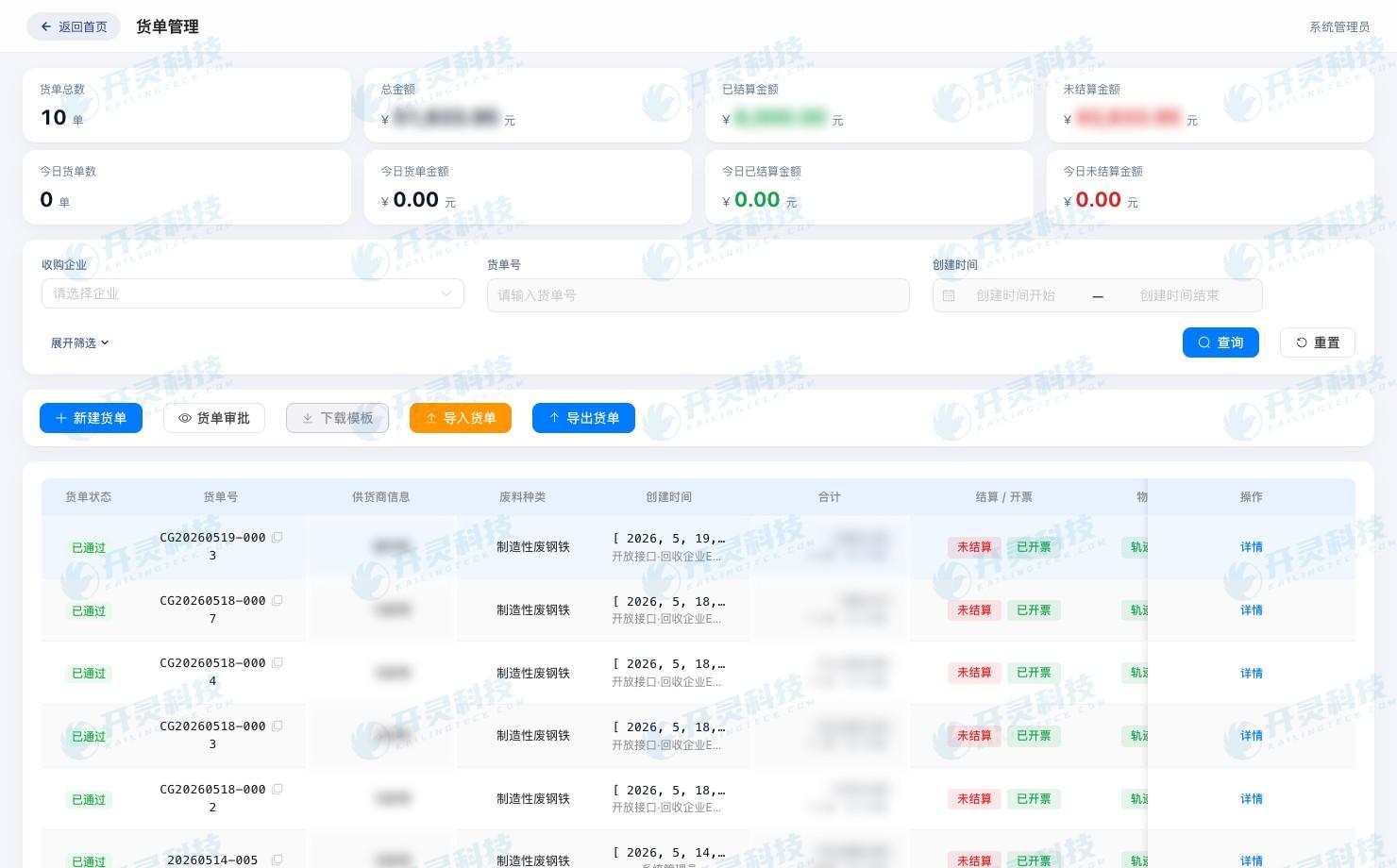
On-site goods receipt and weighing grading record (information desensitized)
▍Weak-network receipt saves original records and settlement confirmation separately
After weighing is complete, this truckload is in the received-pending-settlement status. If on-site sorting finds impurities, the purchaser adjusts the impurity deduction ratio from the initial value to the reviewed value, and the system retains both sets of data, the modification time, and the on-site explanation. The original weighing is always visible, and the settlement amount awaits confirmation by a role with permission.
The paper weighbridge ticket photo serves as the original evidence, and the structured weight and business number in the mobile page jointly participate in subsequent processing. When the purchaser takes a photo again, the system adds the new image to the original record rather than creating a second truckload. The work group can continue communicating, but no longer bears version control.
The on-site supervisor views net weight, grade, deductions, and photos on mobile, and after confirmation submits for settlement review. The purchaser sees the status switch from pending on-site confirmation to pending sync; at this point the finance side has no pending invoicing task, preventing temporary data from entering invoicing early.
▍After the network recovers, receipt notes are re-uploaded and entity verification is completed
After the vehicle leaves and the network recovers, the mobile end uploads the business number, fields, photos, and operation logs in creation order. The server first checks the number and version, then returns the sync result. Even if the purchaser taps repeatedly, only the same truckload is updated; when two devices submit the same weighbridge ticket, one of them enters the duplicate candidate list.
Online services then verify the seller's entity profile, the business scope corresponding to the enterprise qualifications, and historical cumulative information. Records that pass enter the settlement queue, while records with missing materials return to the station to-do list, and the page directly indicates the fields or materials that need to be supplemented.
Finance sees the business occurrence time, server receipt time, and current version on the sync dashboard. Data that arrives late on the same day is listed separately and will not be mixed into an already-closed invoicing batch. The site and finance communicate around the same business number, with no need to send another new spreadsheet.
▍Version conflicts are resolved before settlement rather than overwriting each other
In this case, finance had pre-entered a net weight based on group photos, and the data later uploaded by the site included a new impurity deduction result. The system identified two versions of the same weighbridge ticket, marked the business as a synchronization conflict, and displayed the photo, pre-entered value, and latest site value side by side.
Field responsibility determines the processing action: the original weighing value returns to the weighbridge record, category and grade are confirmed by the receiving position, and price and settlement amount are confirmed by the settlement position. The reviewer selects the valid version and fills in the reason, while the other version remains in history, and neither end can overwrite the entire receipt with the last save.
After conflict handling is complete, the settlement clerk generates the settlement result based on the valid net weight, grade, impurity deduction, and unit price. The seller's confirmation and approval records enter the timeline, and the receipt status switches to settled-pending invoicing. Finance receives the confirmed version and does not need to recalculate the amount from photos.
If the purchaser cancels an erroneous goods receipt before settlement, the mobile end saves the cancellation reason; if the record has already been synced, the cancellation event is transmitted to the server along the original number, and the corresponding pending invoicing task is invalidated or stops being generated. Business already in invoicing processing moves to the original invoice correction chain, avoiding using cancellation to overwrite a status that has already occurred.
▍After settlement confirmation, finance online invoicing tasks are automatically generated
After settlement is completed, the system generates a pending invoicing task from the original business, automatically bringing out the seller, scrap category, quantity, unit price, amount, and source document number. Finance can open the task to view entity verification, receiving photos, weighbridge tickets, and settlement version, without re-entering basic invoice face data.
When multiple vehicles are aggregated for invoicing, each receipt continues to retain details; when one vehicle is split into multiple invoices, the system records the invoiced and pending amounts. If one item in a batch task has abnormal materials, only that item is paused, while other confirmed businesses are processed as planned.
After Finance submits an invoicing request, the system records the request number and submission time. If the interface times out, first query the original request, confirm it did not succeed, and then continue processing. Retry actions always reference the original business number to prevent duplicate tasks from entering the tax chain.
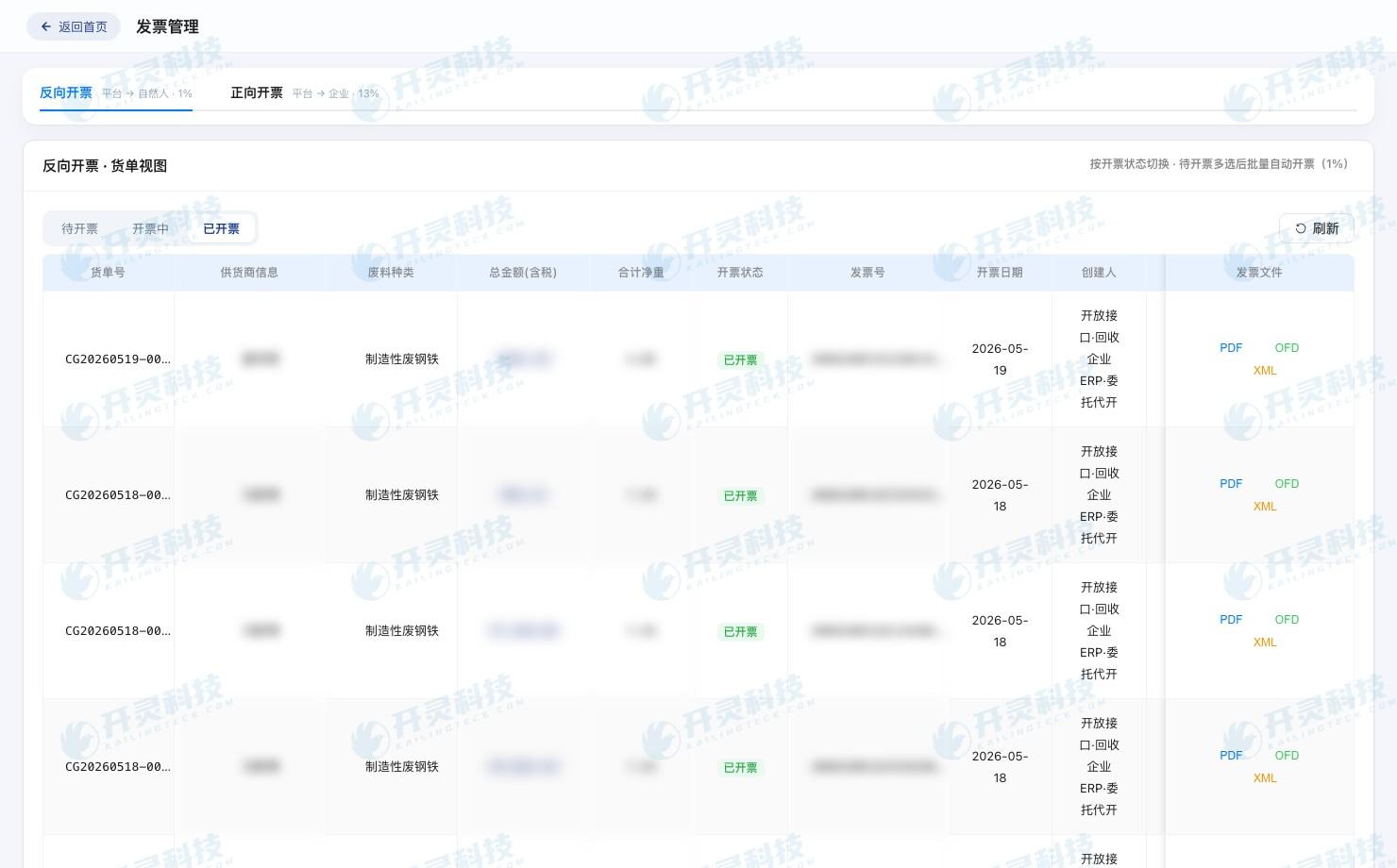
Generate and query invoicing tasks from goods receipts (information desensitized)
▍Invoicing results return to the station and finance along the original receipt note
During issuance processing, finance sees the task status and query entry; after successful issuance, the invoice number, time, and file information are written back to the original goods receipt; on failure, the error reason enters finance's to-do list. When site personnel open that truckload of goods, they can see synced, settled, and invoiced, and no longer have to ask in the group chat.
When the seller or goods information needs correction, the operator initiates processing from the original business. Tasks not yet invoiced are returned to the settlement step for modification; businesses already invoiced proceed to red-ink handling along the original invoice, and the red-ink result continues to be written back to the same timeline.
The system distributes exceptions by role: the site supplements on-site materials, the settlement role handles weight and price, finance handles documents, and the administrator handles sync conflicts. Each to-do carries a business number and specific reason, so handover changes from a sentence like 'this order has a problem' into executable actions.
▍End-of-day handover uses a status checklist instead of searching through group messages
Before the site closes, view today's received goods, pending sync, pending supplementary materials, and sync conflicts; finance views settled pending invoicing, in progress, invoicing failed, and completed. Both lists come from the same business status, so purchasers no longer need to compile a separate Excel sheet.
Finance reverse-looks up the goods receipt, weighbridge ticket, and on-site images from the invoice, while the purchaser views settlement and document progress from the vehicle record. The next day, if someone asks why this truckload has not yet been invoiced, the duty staff can identify whether it is pending supplementary materials, a version conflict, or tax processing in progress.
The handover record also retains the person responsible for unfinished tasks and the update time. Staff across shifts can open the to-do list and continue; the work group only retains notification functions, while formal data, versions, and processing results all return to the system.
▍Acceptance runs the full process with weak-network, duplicate submission, and red-reversal samples
For project acceptance, first have the purchaser create an order while offline, take photos, modify the impurity deduction, and cancel an unsettled transaction, then after the network recovers tap sync repeatedly; then have another device submit the same weighbridge ticket and observe whether the system identifies the duplicate, propagates the cancellation status, and displays the version conflict.
In the second round, modify the price before and after settlement confirmation, and check whether the finance pending invoicing task reads the latest valid version. Then simulate invoicing timeout, single-record failure, and correction of already-invoiced business, confirming that queries, retries, and red-letter statuses all return to the original goods receipt.
The implementation team finally confirms the business number generation timing, locally collectible fields, networked verification actions, field responsibilities, and exception positions. After the Kailing Technology reverse invoicing system solidifies these on-site actions, a truckload of scrap has a continuous, visible handover path from the open yard to financial invoicing.
▍FAQ
Q: Which actions can be completed on site during a complete network outage?
A: Purchasers can create a business number and record the seller, vehicle, weighing, category, and images; after the network recovers, entity verification, synchronization, and subsequent processing are completed.
Q: What to do when a weight version conflict is found after synchronization?
A: The system displays versions side by side, and the weighing or receiving responsible position confirms the valid value and records the reason, while historical versions continue to be retained.
Q: How does finance return a settlement amount found to be incorrect?
A: Return from the original business to the settlement position for correction, and after confirming the new version, regenerate or refresh the pending invoicing task.
Q: How to avoid generating two invoicing tasks from duplicate synchronization?
A: The business number, version, and request number jointly identify duplicate submissions, and the server returns the original task and current status.
Let offline receiving and online invoicing collaborate around the same business status; learn about Kailing Technology's reverse invoicing system: www.kailingteck.com .
As a national high-tech enterprise, Kailing Technology focuses on the digital and intelligent transformation of enterprise business-finance-tax and operations management, providing software products, system integration, implementation and delivery, and operational services for various government agencies, institutions, group enterprises, and SMEs.
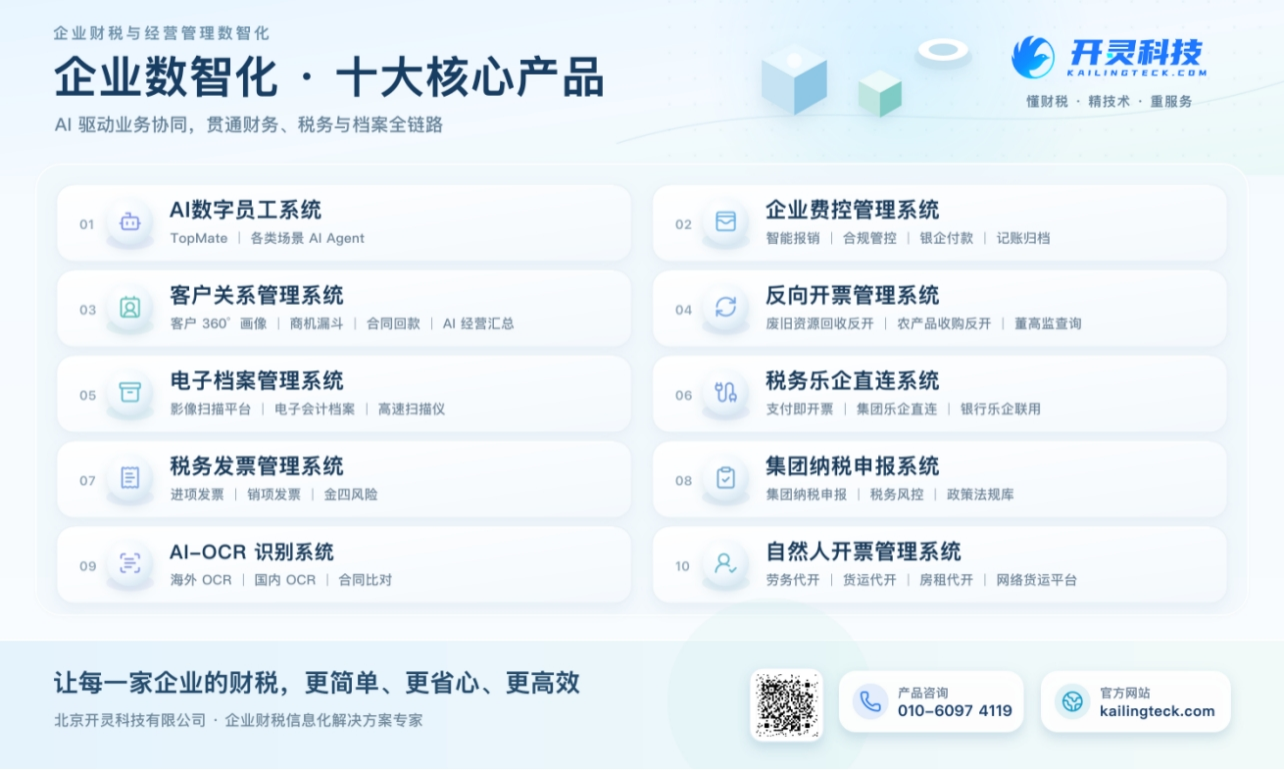
The company has now formed ten core product lines, including: AI digital employee system, enterprise expense control management system, customer relationship management system, reverse invoicing management system, invoice issuance for individuals management system, electronic archives management system, tax fully digitalized e-invoice Leqi system, tax invoice management system, group tax filing system, and AI OCR recognition system. It is committed to connecting enterprise business, finance, tax, funds, and archive data to help customers improve operational efficiency, business-finance-tax compliance capabilities, and digital management levels.
If you have any business-finance-tax digital transformation needs, welcome to contact us. Beijing Kailing Technology will serve you wholeheartedly.
 Keywords: Offline receiving and online invoicing, reverse invoicing system, goods receipt sync, invoicing tasks, scrap resource recycling
As a comprehensive business-finance-tax digitalization solution service provider, Kailing Technology provides business-finance-tax management digital transformation products and operational services for various government agencies, institutions, and large, medium, and small enterprises. The product line includes: solutions for sales contract management system, procurement contract management system, fully digitalized Leqi interface project, automatic output invoicing system, reverse invoicing system, invoice issuance for individuals system, employee expense control and reimbursement system, input VAT invoice management system, supply chain collaborative reconciliation system, image AI OCR recognition system, automatic financial bookkeeping system, electronic accounting archives system, etc., comprehensively driving the digitalization process across various fields.
Consultation Hotline: 18513895936 / 010-60974119 Location: Beijing