
Can't click next on fully digitalized e-invoice type verification? Don't rush to click

Can't click next on fully digitalized e-invoice type verification? Don't rush to click; this entry may not apply to fully digitalized e-invoices
When handling business at the electronic tax bureau, if the 'invoice type verification' next step is grayed out, do not repeatedly refresh or change computers first. The first step should be to confirm whether you are preparing to issue a fully digitalized e-invoice or a paper invoice: fully digitalized e-invoices themselves do not require invoice type verification and invoice collection; paper invoices still need to follow the corresponding process under current rules. A grayed-out entry may also be related to required fields, identity, permissions, or system status, and the reason cannot be judged from a single button alone.
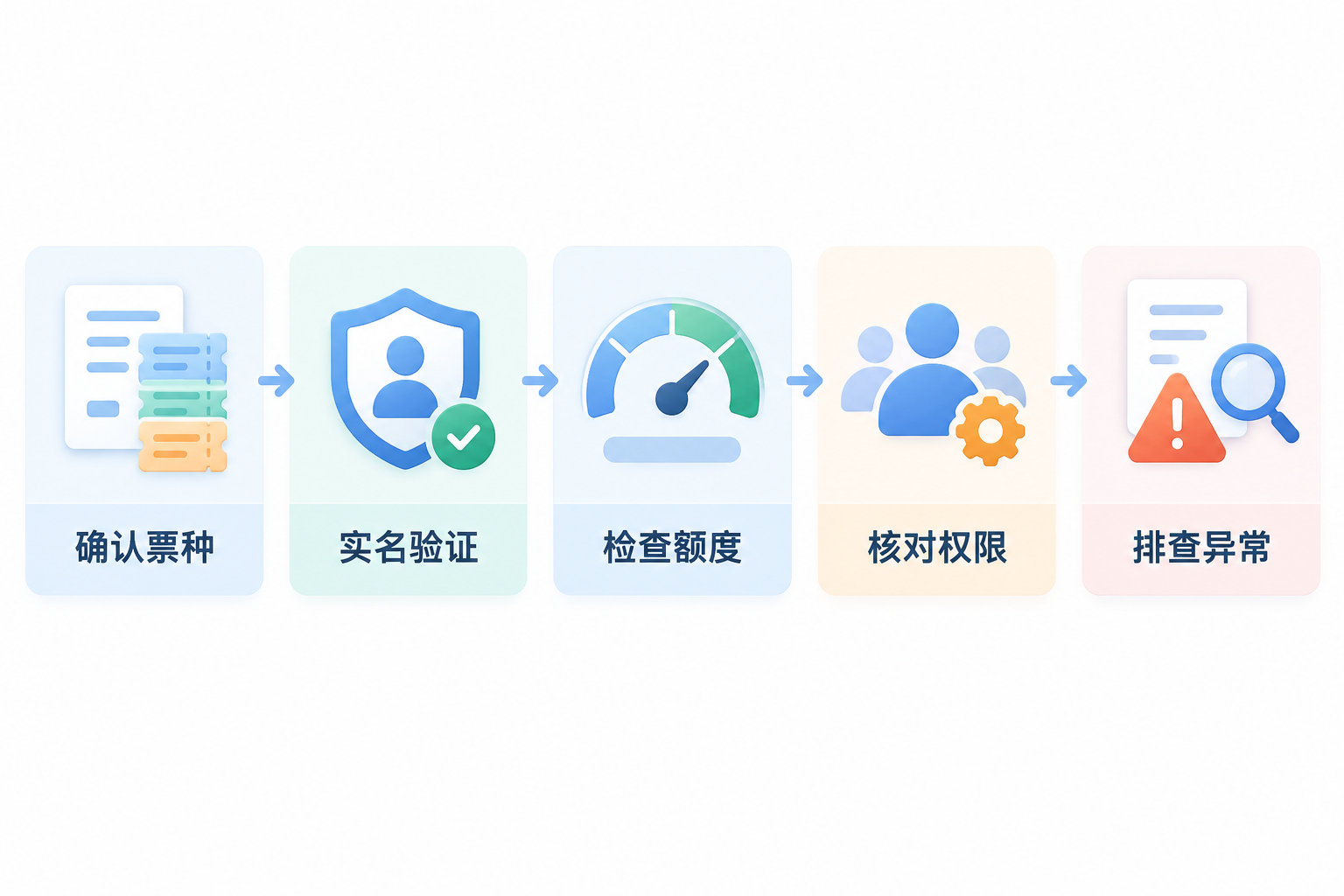
First confirm the invoice type and business entry, then verify real-name verification, quota, personnel permissions, and platform prompts. |
▍1. First correct the premise: fully digitalized e-invoices do not require invoice type verification
The public reply of the State Taxation Administration clearly states that after real-name verification, a taxpayer may issue invoices through the electronic invoice service platform; issuing fully digitalized e-invoices does not require handling invoice type verification and invoice collection, and the system automatically grants and dynamically adjusts the total invoicing amount quota. Therefore, if the goal is to issue fully digitalized e-invoices, the paper invoice type verification process should not be treated as a mandatory step. Refer toPublic reply of the Ningxia Tax Service, State Taxation Administration。
▍2. If the entry is grayed out or invoicing is impossible, in what order should you troubleshoot?
First confirm the selected business entry and invoice type, then check real-name verification, invoicer identity and permissions, the current month's total invoice quota, and remaining invoice quota. For taxpayers filing monthly, during the VAT filing period, the usable quota rules differ before and after completing the previous period's filing and passing comparison; you should also check whether the platform prompts risks, specific business qualifications, or other to-dos. The specific reason should be subject to the page prompts and the verification result of the competent tax authority; you cannot generally conclude that 'tax arrears necessarily prevent invoicing,' nor should you test the channel through fabricated transactions. For quota rules, refer toState Taxation Administration fully digitalized e-invoice policy Q&A。
▍3. What can the system assist with, and what can it not replace?
Within the scope permitted by enterprise authorization, interface support, and current platform rules, Kailing Technology's output invoice automatic invoicing system can assist in connecting orders, invoicing channels, result feedback, and exception to-dos, reducing duplicate entry. The system cannot bypass real-name verification, quotas, risk management, or specific business qualifications, nor can it guarantee that every order will be automatically invoiced successfully. When using Leqi Direct Connection or interface invoicing, enterprise qualifications, authorization scope, interface status, and personnel responsibilities should be confirmed, and abnormal results still need review.
▍4. Invoicing, bookkeeping, and archiving must be reviewed separately
Successful invoice issuance does not automatically mean accounting bookkeeping is complete, and OCR recognition does not automatically mean the materials have been compliantly archived. Input VAT invoice management, OCR, and electronic accounting archive systems can assist with aggregation, verification, candidate field recognition, and document linking; enterprises still need to check the real business, invoice face information, accounting treatment, metadata, and archiving rules. Only by recording the responsibilities for invoicing, review, bookkeeping, and archiving separately can a traceable business closed loop be formed.
Keywords: fully digitalized e-invoice type verification, cannot click next on invoice type verification, fully digitalized e-invoices do not require invoice type verification, total invoicing amount quota, remaining invoice quota, invoicing permissions, output invoice automatic invoicing, Kailing Technology
As a comprehensive business-finance-tax digitalization solution service provider, Kailing Technology provides business-finance-tax management digital transformation products and operational services for various government agencies, institutions, and large, medium, and small enterprises. The product line includes: solutions for sales contract management system, procurement contract management system, fully digitalized Leqi interface project, automatic output invoicing system, reverse invoicing system, invoice issuance for individuals system, employee expense control and reimbursement system, input VAT invoice management system, supply chain collaborative reconciliation system, image AI OCR recognition system, automatic financial bookkeeping system, electronic accounting archives system, etc., comprehensively driving the digitalization process across various fields.
Consultation Hotline: 18513895936 / 010-60974119 Location: Beijing