
Multilingual invoice formats are inconsistent; how can finance process them in batches? Detailed explanation of Kailing Technology's overseas invoice OCR recognition solution

An overseas supplier sends dozens of documents at once, mixing English, Thai, Japanese, and Korean, with different layouts, including scans, PDFs, and mobile photos. If finance opens each one, identifies the language, transcribes fields, and then pastes the results into ERP or expense control systems, batch files quickly become month-end backlogs.Kailing Technology Overseas Invoice OCR Recognition Solution Include multilingual invoices in batch tasks, sequentially completing preprocessing, classification, field extraction, rule validation, and structured output, shifting people from entering invoices one by one to handling exception queues.
▍1. Four time-consuming actions common in bulk processing of overseas invoices
The first action is to separate files. Finance must determine what type of document each item is, what language it uses, and exclude duplicate or irrelevant pages. The second action is to read the layout. When similar invoices come from different suppliers, the positions of titles, dates, counterparties, line items, and totals may be completely different.
The third action is copying fields. In addition to the amount and date, information such as supplier, document number, and business project may also be needed; after copying, required fields must still be checked. The fourth action is entering the system. Different ERP, expense control, or procurement platforms have their own field definitions, and the image itself cannot directly participate in calculation and matching.
These actions are not obvious when processing a single document, but they compound in batch scenarios. Without task status, finance staff find it difficult to distinguish which files have been recognized, which failed, and which have been reviewed, leading to duplicate and missed processing.
▍II. How to preprocess after batch ingestion and determine language and layout
Kailing Technology Overseas Invoice OCR Recognition Solution Supports common formats such as JPG, PNG, PDF, and OFD, and can also process mobile phone photos and scanned files. The system creates a task record for each batch of files and first completes image preprocessing such as orientation correction, skew handling, and page splitting.

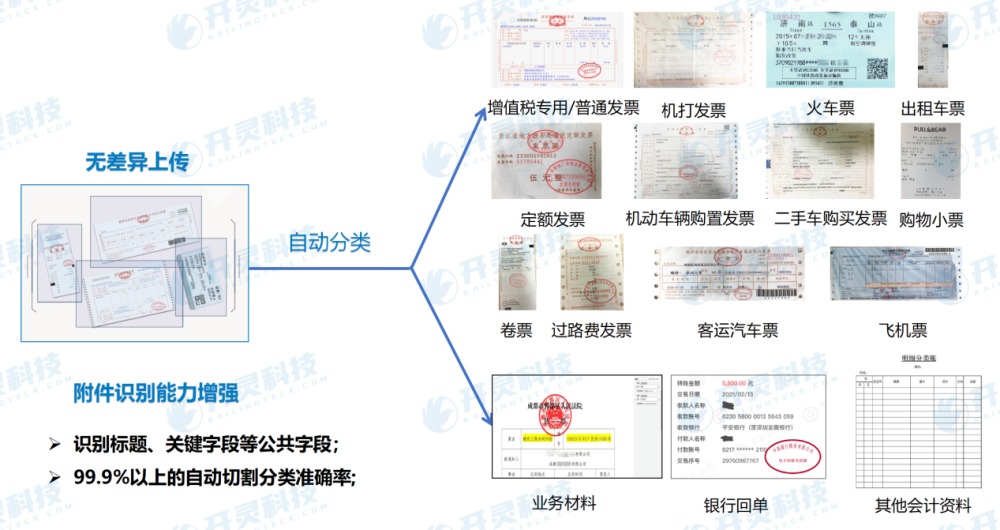
After preprocessing, determine the document category, language, and layout. For documents in English, Thai, Japanese, Korean, etc., the system does not fit all files into one fixed coordinate template, but first identifies the structure and then extracts information according to the corresponding field model. When suppliers adjust the layout, finance is also not required to create the same fixed template one by one.
If a single PDF contains multiple pages of materials, or multiple small receipts appear on one image, the system should first split them into independent recognition objects. Splitting before recognition can prevent the amounts, dates, and counterparties of different pages or receipts from being mixed into the same result.
▍III. Why rule validation must continue after field extraction
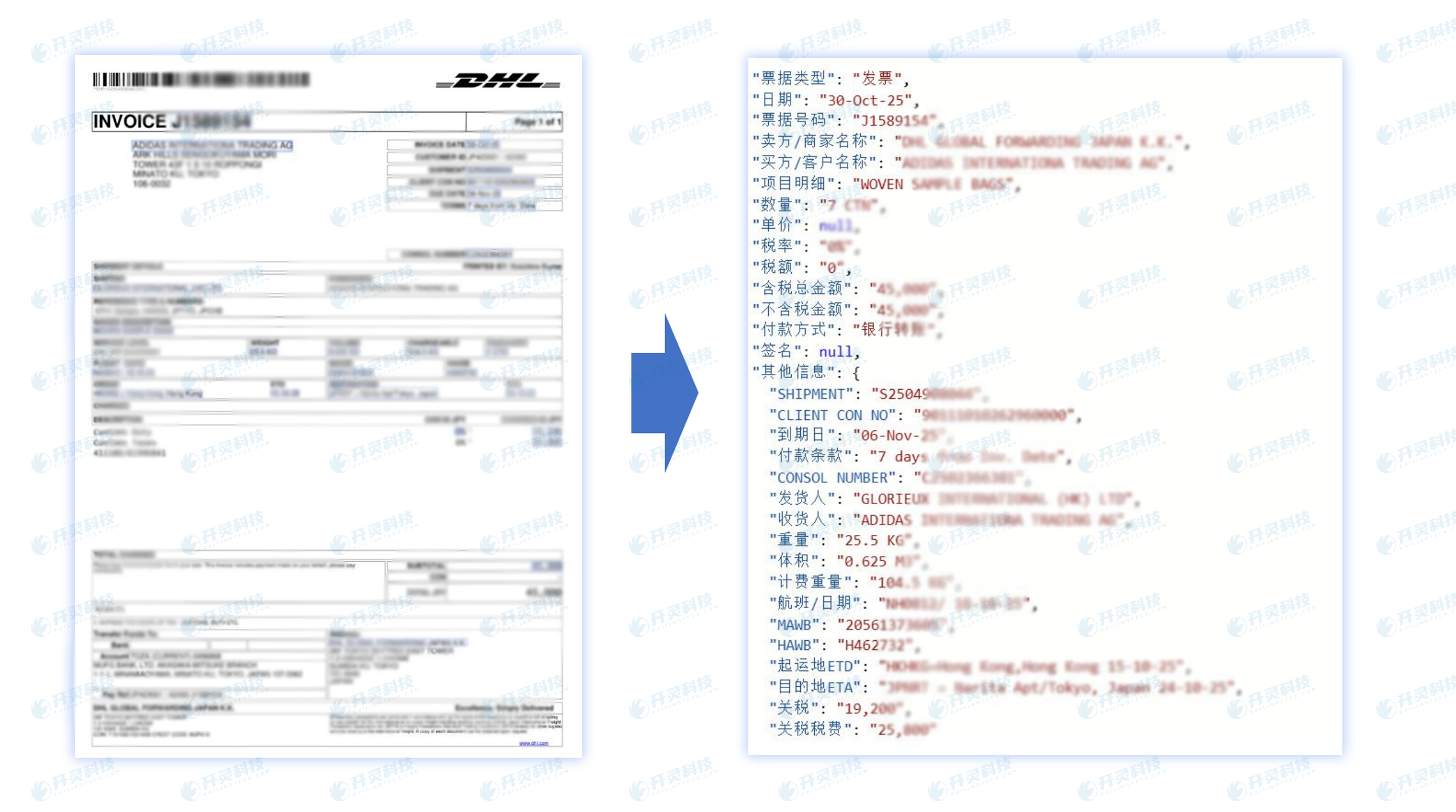
OCR reading out text is only an intermediate result. The system also needs to map the content into structured fields such as date, amount, document number, and supplier, and check whether key fields are complete and whether the format meets enterprise requirements.
Enterprises can set completeness and logic rules by business. For example, document date and amount must exist, supplier information must enter subsequent procurement matching, and recognition status and original file paths must be retained with the results. Tasks that pass the rules can be output automatically, while tasks that fail enter an exception queue.
Kailing Technology Overseas Invoice OCR Recognition Solution Do not replace necessary review with "automatic recognition." When the original image is blurry, cropped with missing edges, obscured by seals, or has extreme layout changes, the system should clearly indicate the fields to be confirmed, allowing reviewers to judge against the original file.
▍IV. How manual review handles only exceptions without redoing the entire batch
The anomaly queue should be filterable by batch, supplier, language, error type, and handling status. When reviewers open a task, they simultaneously see the original image, the extracted fields, and rule prompts, without having to start entering data again from a blank form.

Processing results can be divided into corrected fields, supplementary files, re-upload, and confirmed invalid. After review is completed, the task returns to the structured output stage, and other normal files do not need to wait for the entire batch to finish. This ensures continuous batch processing while retaining quality control for complex invoice samples.
A cross-border procurement enterprise used to summarize email attachments every day and have multiple people enter them separately, yet still found it difficult to confirm omissions at month-end. After switching to batch tasks, the system automatically processes normal invoices, and finance only follows up on missing items and low-quality images, and can view the completion status of each batch by status.
▍V. How structured data enters ERP, expense control, and procurement processes
The system output should not only be a text result, but also include the original file, batch number, document type, recognition status, and corresponding business fields. Through interfaces or agreed file formats, results can enter ERP, expense control, or procurement systems for continued circulation.

In procurement scenarios, overseas invoice fields can serve as the basis for matching orders, warehousing, contracts, and settlement materials; in travel reimbursement scenarios, they can be used to generate or supplement expense documents. The specific fields and matching rules need to be determined in conjunction with the enterprise's existing systems, and one set of fields cannot be forcibly used to cover all documents.
The API must also return processing results. After successful receipt, the business system updates the task status; on failure, it retains the reason and allows resending, avoiding the situation where the OCR side has completed but the downstream has no data.
▍FAQ
Q: Do multilingual overseas invoices need to be uploaded separately by country?
A: Yes, files in different languages can be ingested in the same batch, and the system then classifies and recognizes them. The actual supported scope and fields should be validated against the enterprise's invoice samples.
Q: If a supplier changes the invoice layout, is it necessary to redo the fixed template?
A: Non-fixed-layout recognition first determines structure and category and does not rely on a unique coordinate template. New invoice samples should still be added to the test set to confirm key fields and rules.
Q: Will a batch recognition failure affect the entire batch of files?
A: Abnormal tasks can separately enter manual review, while normal tasks continue to be output. The specific parallel and rollback mechanisms need to be confirmed in the project plan.
Q: Can the recognition results be used directly for four-way matching in procurement?
A: Structured fields can serve as the basis for matching orders, receipts, invoices, and contracts, but field standards and rules need to be configured jointly with the procurement system.
Let multilingual overseas invoices enter recognition, review, and structured flow by batch. Welcome to learn about the Kailing Technology overseas invoice OCR recognition solution: https://www.kailingteck.com/ai-ocr/ .
As a national high-tech enterprise, Kailing Technology focuses on the digital and intelligent transformation of enterprise business-finance-tax and operations management, providing software products, system integration, implementation and delivery, and operational services for various government agencies, institutions, group enterprises, and SMEs.
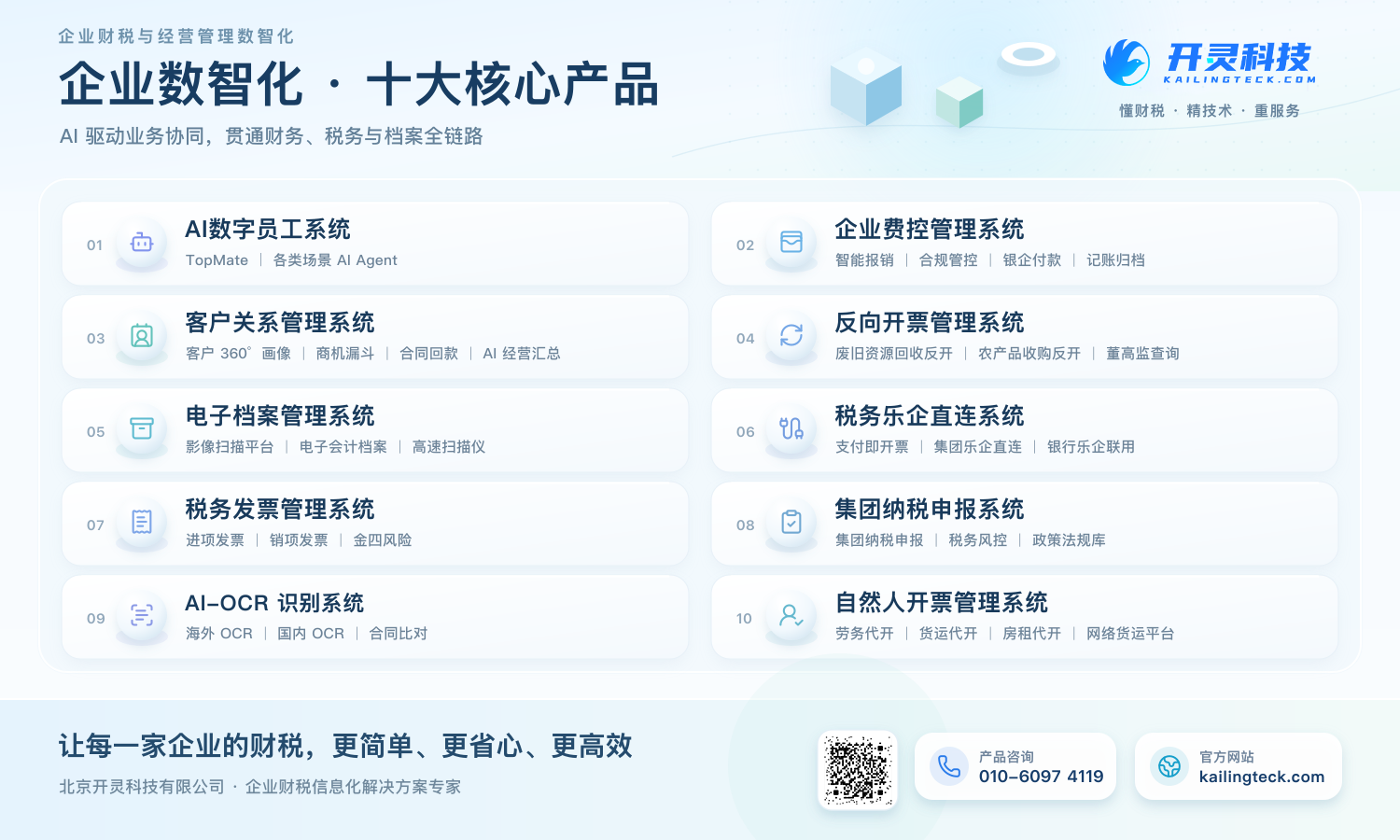
The company has now formed ten core product lines, including: AI digital employee system, enterprise expense control management system, customer relationship management system, reverse invoicing management system, invoice issuance for individuals management system, electronic archives management system, tax fully digitalized e-invoice Leqi system, tax invoice management system, group tax filing system, and AI OCR recognition system. It is committed to connecting enterprise business, finance, tax, funds, and archive data to help customers improve operational efficiency, business-finance-tax compliance capabilities, and digital management levels.
If you have any business-finance-tax digital transformation needs, welcome to contact us. Beijing Kailing Technology will serve you wholeheartedly.
Keywords: Kailing Technology overseas invoice OCR recognition, multilingual invoice recognition, overseas invoice OCR, batch invoice processing, non-fixed layout OCR, manual review, invoice structuring, ERP integration
As a comprehensive business-finance-tax digitalization solution service provider, Kailing Technology provides business-finance-tax management digital transformation products and operational services for various government agencies, institutions, and large, medium, and small enterprises. The product line includes: solutions for sales contract management system, procurement contract management system, fully digitalized Leqi interface project, automatic output invoicing system, reverse invoicing system, invoice issuance for individuals system, employee expense control and reimbursement system, input VAT invoice management system, supply chain collaborative reconciliation system, image AI OCR recognition system, automatic financial bookkeeping system, electronic accounting archives system, etc., comprehensively driving the digitalization process across various fields.
Consultation Hotline: 18513895936 / 010-60974119 Location: Beijing