010-6097 4119Book a Demo


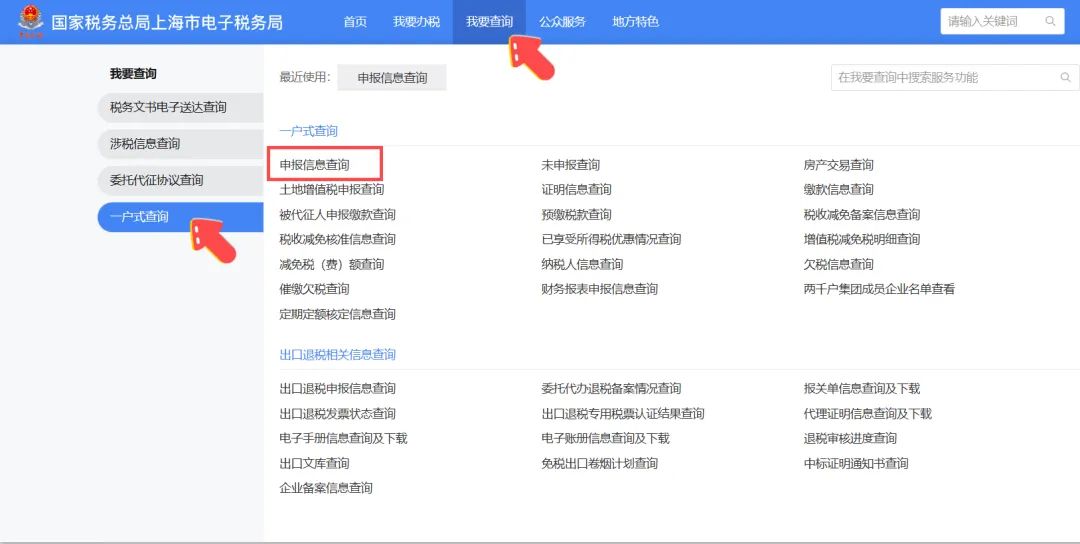
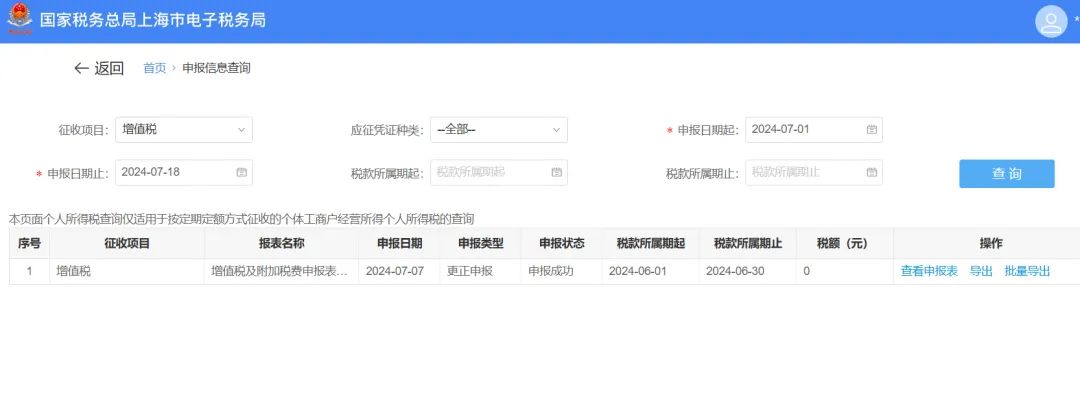
How can I export the filed tax return on the New Electronic Tax Bureau?Published: 2024-08-28 16:49 1.I need to print the VAT return for a previous month in the new electronic tax bureau. Where can I print it? Operation Steps: Step 1:Log in to the new Electronic Tax Bureau and click [I Want to Query] - [One-Household Query] - [Filing Information Query];
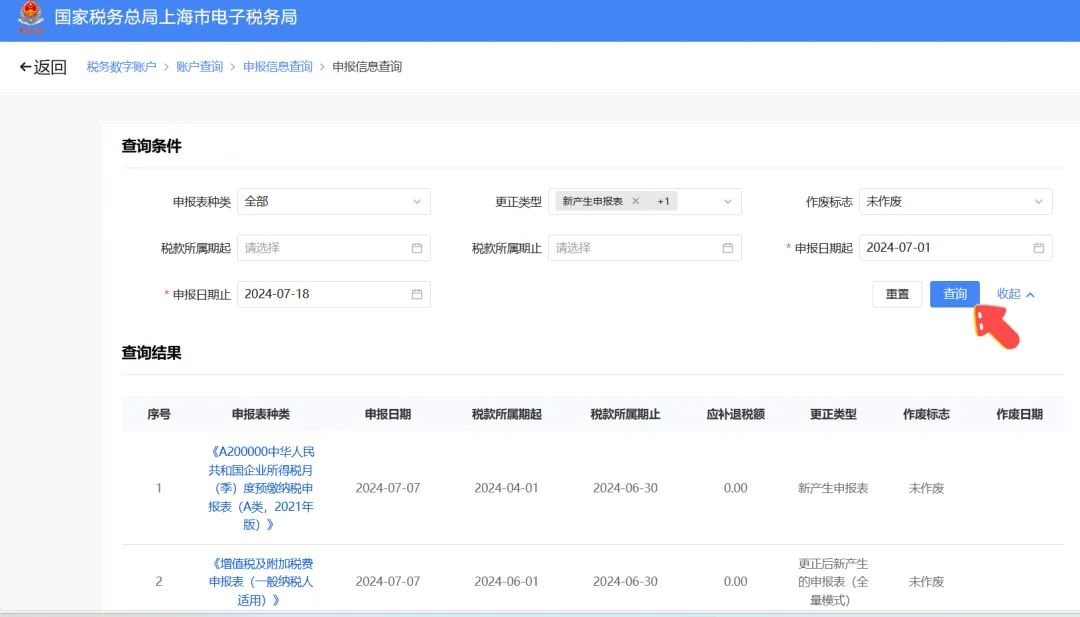
Step 2:Set query conditions, click [Query], and select the tax return to be printed or exported;
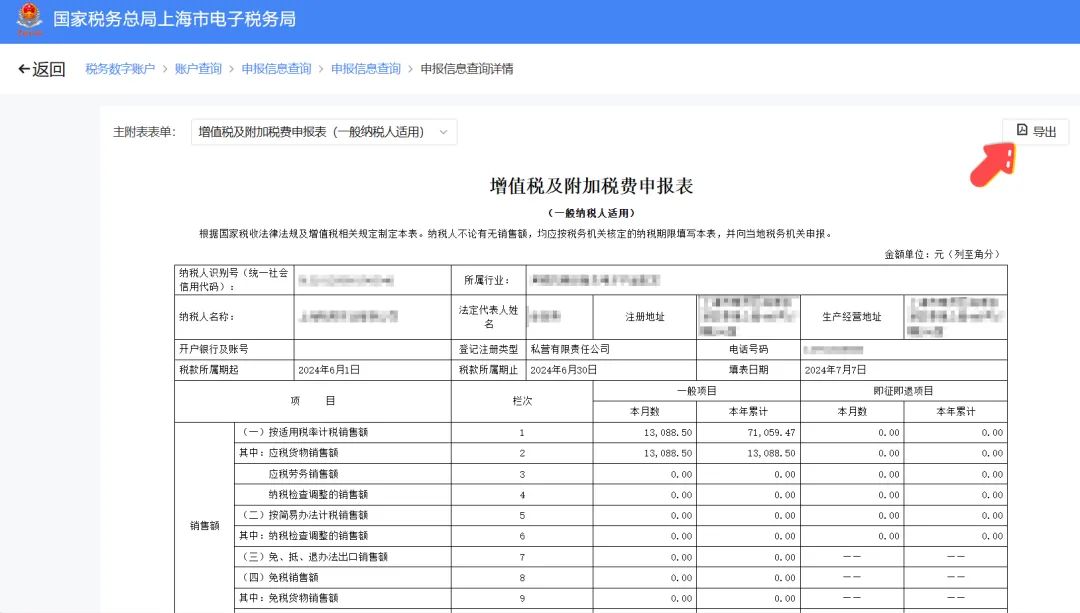
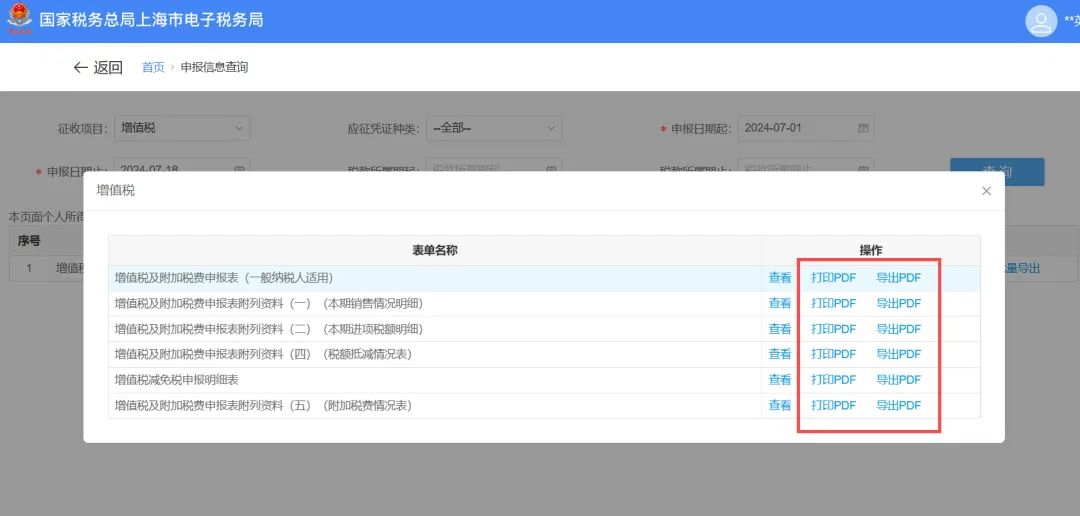
Step 3:On the filing form page, click [Export] in the upper right corner to obtain the electronic version of the filing form.
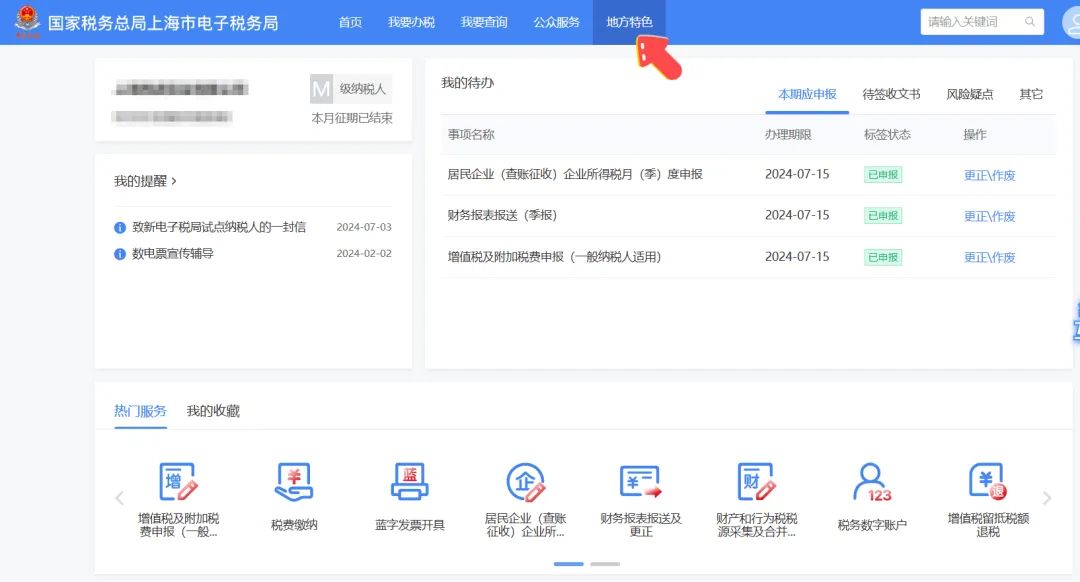
2.Is there a tax return form bearing the acceptance seal of the competent tax authority? Operation Steps: On the new electronic tax bureau, select [Local Features];
Select [Special Query] — [Comprehensive Information Query], then select [Filing Information Query (Download with tax authority acceptance stamp)];
Set query conditions and select the corresponding tax return;
Click [Print] or [Export] to obtain the filing form with the tax authority's acceptance seal.
Source: Shanghai Tax Kailing Technology provides enterprise business-finance-tax digital product lines according to enterprise needs: Solutions for businesses including sales contract management system, procurement contract management system, fully digitalized Leqi interface project, output automatic invoicing system, employee expense control and reimbursement system, input VAT invoice management system, supply chain collaborative reconciliation system, image OCR recognition system, automatic financial bookkeeping system, and electronic accounting archives system, professionally and efficiently supporting the transformation and upgrading of enterprise business-finance-tax digital management. If you have any business-finance-tax digital transformation needs, welcome to contact us. Beijing Kailing Technology will serve you wholeheartedly.
|