
How to implement automatic invoice issuance? Hands-on guide to batch issuance of fully digitalized e-invoices

How to implement automatic invoice issuance? Hands-on guide to batch issuance of fully digitalized e-invoices
Before launching batch invoicing, first run desensitized orders through four tests: data preparation, rule approval, authorized issuance, and receipt reconciliation. The nationwide promotion of fully digitalized e-invoices does not mean any enterprise can directly call the tax interface; available channels, permissions, quotas, and delivery methods must be confirmed with the local tax authority and the actual platform. Successful invoicing also does not automatically complete accounting booking.
1. Prepare real transaction samples and deduplication keys
Select samples of normal orders, refunds, discounts, installments, duplicate orders, and missing purchaser information. For each transaction, retain the order number, transaction status, purchaser, goods or services, amount, and trigger time, and agree on a unique business key to avoid duplicate invoicing after network retries. Which node is suitable for invoicing—successful payment, completed shipment, or reconciliation confirmation—should be decided by business and finance based on the real transaction.
2. Have the responsible person approve the invoicing rules
Verify invoice type, tax classification, tax rate or levy rate, purchaser information, and required remarks according to the actual business. Record the rule version, effective time, maintainer, and approver. When the quota is insufficient, identity permissions expire, or items or tax rates are abnormal, suspend automatic issuance and switch to manual handling, rather than forcing default values for batch processing. The total quota of fully digitalized e-invoices is granted by the tax authority and dynamically adjusted.
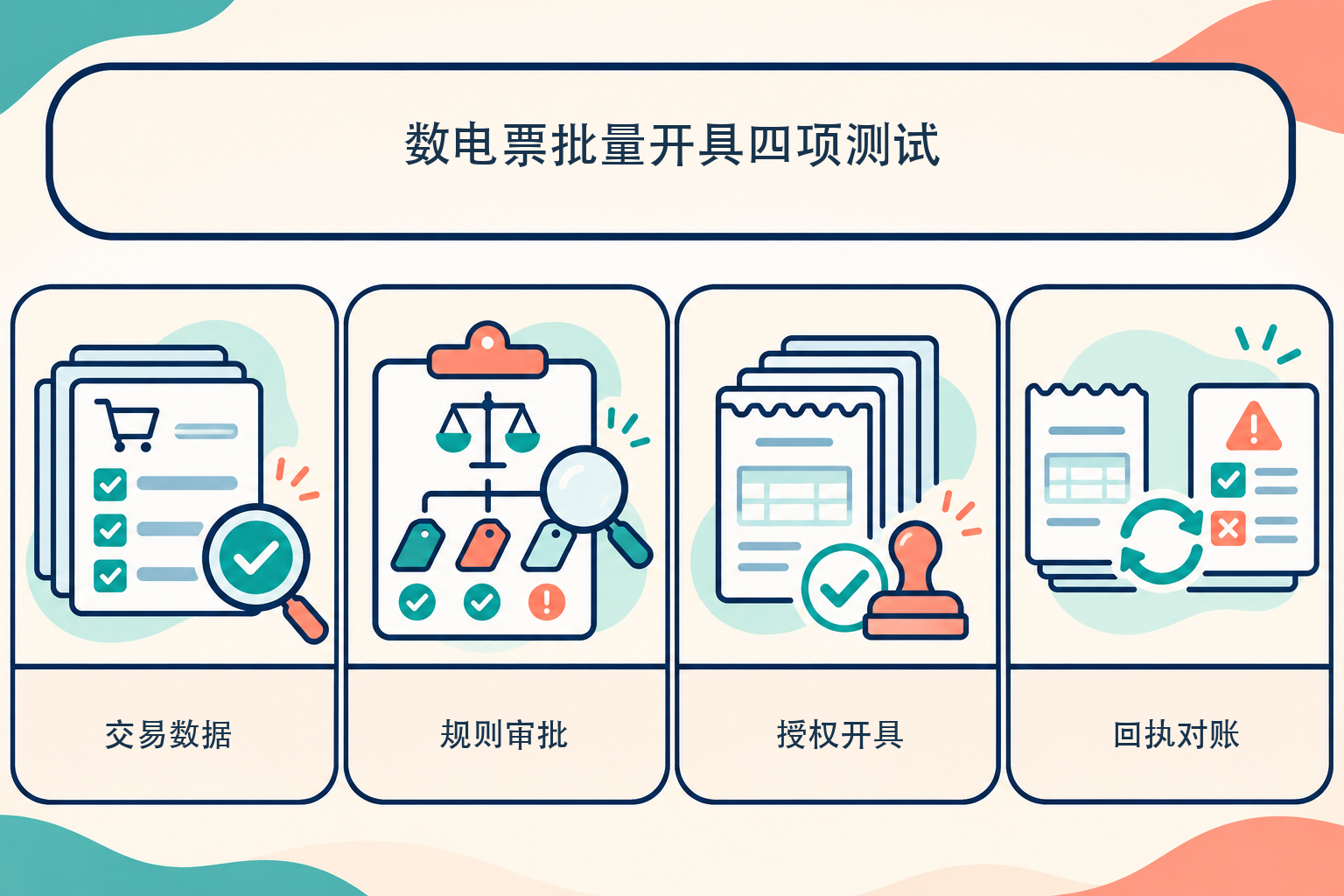
3. Verify authorized channels and failure rollback
First verify whether the operation is performed in the electronic tax bureau, or through a qualified Leqi self-use or joint-use channel that has completed authorization and testing. Access conditions may differ by region and business model; "supports interfaces" must not be understood to mean that all customers can connect directly to the tax system. Test submission, acceptance, failure, retry, and duplicate requests with a small batch of orders, and save the issuance result and error reason for each invoice.
4. Confirm delivery, reconciliation, and accounting treatment
After a fully digitalized e-invoice is issued, it can be automatically delivered through the tax digital account, or delivered by the enterprise itself via email, QR code, and other methods in accordance with regulations. The business system should separately record "issued," "delivered," and "invoiced party issue," and reconcile with order and payment records. Invoice data written back to the ledger only indicates that synchronization is complete; accounting personnel still need to review the original vouchers, revenue recognition, and booking period. Electronic originals and metadata should be preserved in accordance with the accounting archives system.
Kailing Technology output invoicing-related products can be included in the above four tests. Specific batch issuance, system integration, delivery, and write-back capabilities are subject to product version, region, authorization, and project acceptance. Check exception branches first, then decide whether to expand the scale of automation.
Verification Basis
State Taxation Administration announcement on the promotion and application of fully digitalized e-invoices;Shanghai tax Leqi joint use specification guidelines;Notice from the Ministry of Finance and the National Archives Administration on the Reimbursement, Booking, and Archiving of Electronic Accounting Vouchers。
As a comprehensive business-finance-tax digitalization solution service provider, Kailing Technology provides business-finance-tax management digital transformation products and operational services for various government agencies, institutions, and large, medium, and small enterprises. The product line includes: solutions for sales contract management system, procurement contract management system, fully digitalized Leqi interface project, automatic output invoicing system, reverse invoicing system, invoice issuance for individuals system, employee expense control and reimbursement system, input VAT invoice management system, supply chain collaborative reconciliation system, image AI OCR recognition system, automatic financial bookkeeping system, electronic accounting archives system, etc., comprehensively driving the digitalization process across various fields.
Consultation Hotline: 18513895936 / 010-60974119 Location: Beijing