
What to do if a fully digitalized e-invoice is issued incorrectly? First check whether it has been use-confirmed or booked
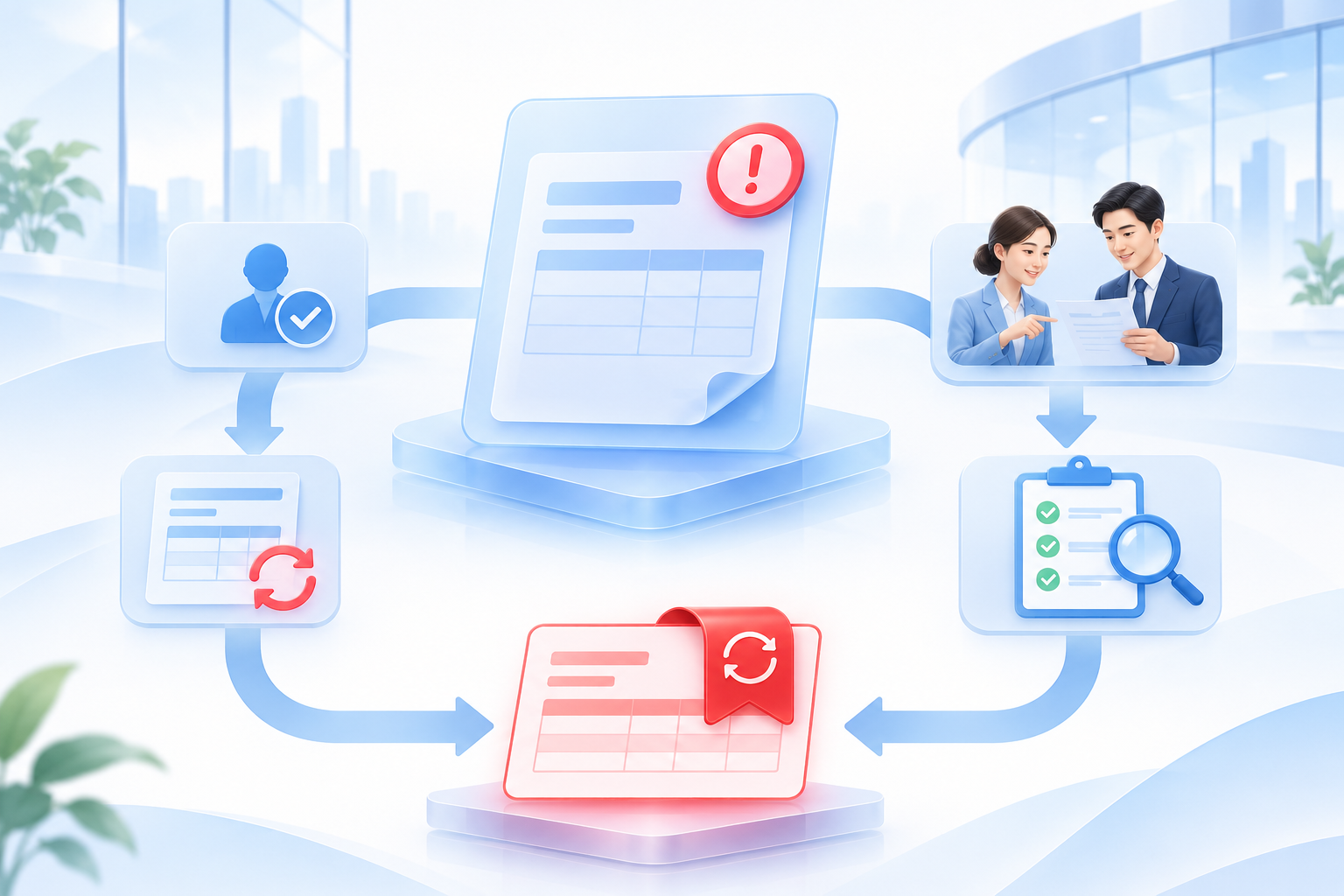
After a fully digitalized e-invoice is issued incorrectly, it cannot be directly 'voided'. First check whether the blue invoice has already been use-confirmed or booked by the recipient, and then choose the corresponding red invoice process.
In cases such as incorrect invoicing, sales returns, service termination, or sales discounts, the original blue invoice needs to be offset through a red invoice. The key difference between the two paths is not who discovers the error first, but whether the invoice recipient has already confirmed the use or booked the blue invoice.
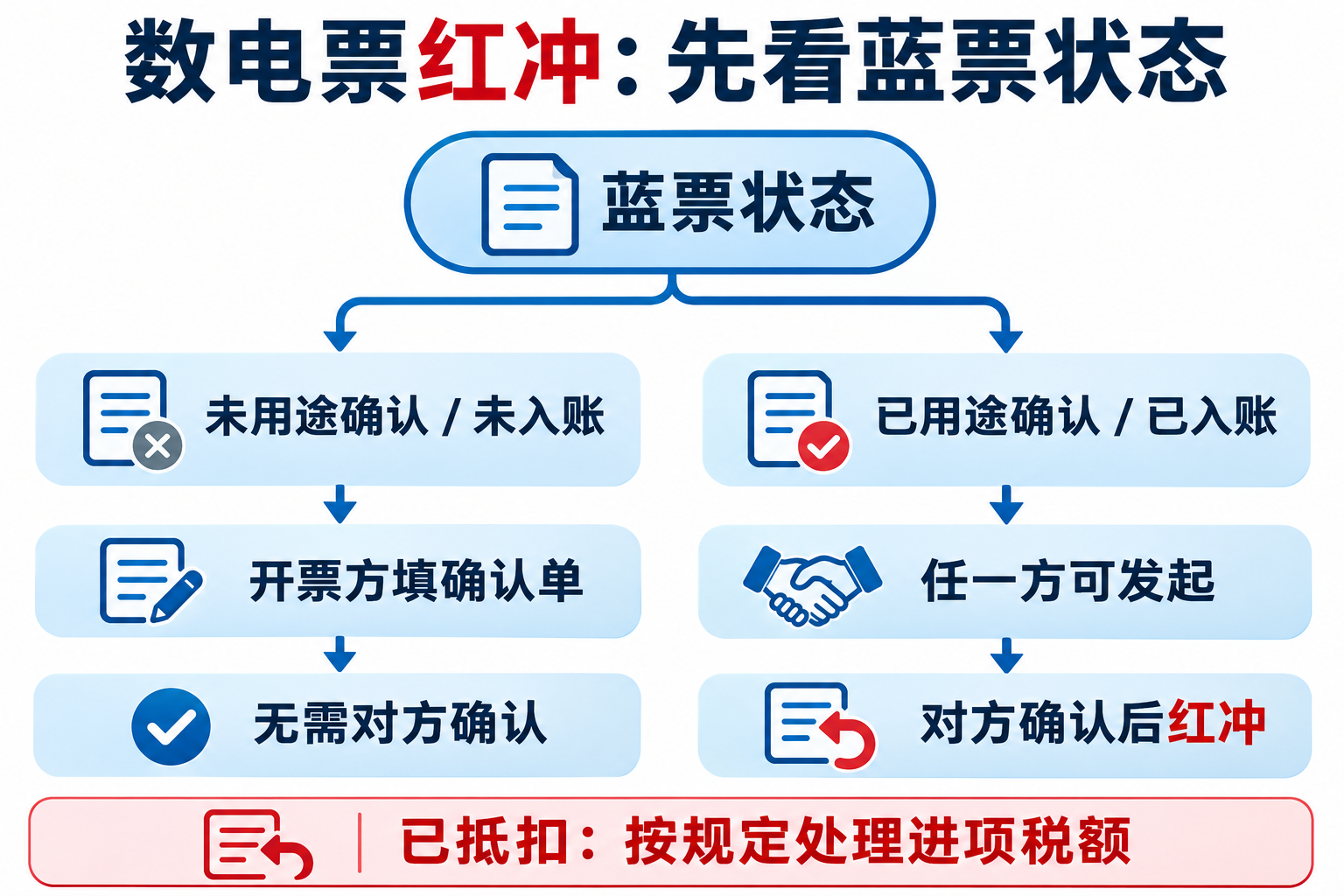
Path 1: The blue-letter invoice has not undergone use confirmation or accounting confirmation
When the invoice recipient has not yet confirmed the use or booked the invoice, the invoicing party fills out the Red Invoice Information Confirmation Form, and after the system verification passes, a full red fully digitalized e-invoice can be issued without confirmation by the recipient. This path is suitable for situations where errors in the title, item, or amount are discovered relatively quickly after invoicing and the recipient has not yet carried out subsequent processing.
Path 2: The blue-letter invoice has undergone use confirmation or accounting confirmation
When the recipient has already confirmed the use or booked the invoice, either the invoicing party or the recipient may fill out the confirmation form, and after confirmation by the other party, the invoicing party issues a full or partial red fully digitalized e-invoice. Both parties should first verify the reason for red-flushing, the amount scope, and subsequent reissuance arrangements to avoid duplicate red-flushing or changing only the enterprise's internal ledger.
How is input VAT already deducted handled?
If the recipient has already used the invoice for VAT filing and deduction, the VAT amount listed in the confirmation form should be temporarily transferred out as input VAT, and after obtaining the red invoice issued by the invoicing party, it should be used together with the confirmation form as accounting vouchers. The specific filing and accounting treatment should be carried out in accordance with the actual business, the period to which it belongs, and the requirements of the competent tax authority.
Will the quota definitely be restored immediately after red-offsetting?
It cannot be broadly promised that 'a red flush will release the quota.' Public tax authority guidance shows that when a fully digitalized e-invoice issued within the same calendar month is fully red-flushed, or partially red-flushed and reissued meeting the conditions, the system will adjust the available invoice quota for the month according to rules; quota handling for cross-month red flushes, sales allowances and other situations is not entirely the same. Enterprises should rely on what is actually displayed in the electronic tax bureau and must not repeatedly issue red invoices for quota purposes.
Checklist before and after operations
- Confirm the blue-letter invoice number, the invoice recipient, and the actual transaction;
- Confirm whether use confirmation, accounting confirmation, or declaration for deduction has been completed;
- Choose full red-offsetting or partial red-offsetting, and verify with the other party;
- Keep confirmation forms, red-letter invoices, reissued invoices and business evidence;
- Check whether filing, accounting, archives, and quota status are consistent.
Enterprise systems can assist but cannot replace confirmation by both parties
Enterprise tools can identify invoices pending handling, generate internal tasks, link confirmation forms and red-letter invoices, and save approval and communication records. When evaluating Kailing Technology's related invoice or electronic accounting archives solutions, verify authorization sources, status synchronization, manual review and log trails. The system cannot replace confirmation by both transaction parties, nor package internal buttons as the tax authority's statutory red-flush entry point.
Conclusion: After a fully digitalized e-invoice is issued incorrectly, first check the blue invoice status: when it has not been use-confirmed or booked, the invoicing party fills out the form and may fully red-flush without confirmation by the other party; when it has already been use-confirmed or booked, either party may initiate, and after confirmation by the other party, the invoicing party red-flushes. If it has already been deducted, input VAT must also be handled in accordance with regulations.
Official basis:Qingdao Taxation: Two handling paths for red-letter fully digitalized e-invoices;State Taxation Administration: Rules for issuing red invoices;Shanxi Taxation: Red-flushing of fully digitalized e-invoices and quota handling。
As a comprehensive business-finance-tax digitalization solution service provider, Kailing Technology provides business-finance-tax management digital transformation products and operational services for various government agencies, institutions, and large, medium, and small enterprises. The product line includes: solutions for sales contract management system, procurement contract management system, fully digitalized Leqi interface project, automatic output invoicing system, reverse invoicing system, invoice issuance for individuals system, employee expense control and reimbursement system, input VAT invoice management system, supply chain collaborative reconciliation system, image AI OCR recognition system, automatic financial bookkeeping system, electronic accounting archives system, etc., comprehensively driving the digitalization process across various fields.
Consultation Hotline: 18513895936 / 010-60974119 Location: Beijing