
How does a sole proprietor apply when the invoicing quota is insufficient? First check automatic adjustment or manual application

When a sole proprietor's invoicing quota is insufficient, do not first guess 'how many days for approval'; instead, first check whether the available quota for the current period is genuinely insufficient and whether the system is automatically adjusting.
The total invoice quota in fully digitalized e-invoice management is the upper limit of the total amount of invoices allowed to be issued within a natural month. The publicly stated basis of the State Taxation Administration lists methods such as beginning-of-month quota allocation adjustment, temporary quota adjustment, periodic quota adjustment, and manual quota adjustment. The system dynamically processes based on the taxpayer's risk level, tax credit rating, and actual business situation; where there are indeed business changes and the existing quota cannot meet invoicing needs, a manual adjustment may be applied for, but the tax authority will verify whether abnormal circumstances exist.
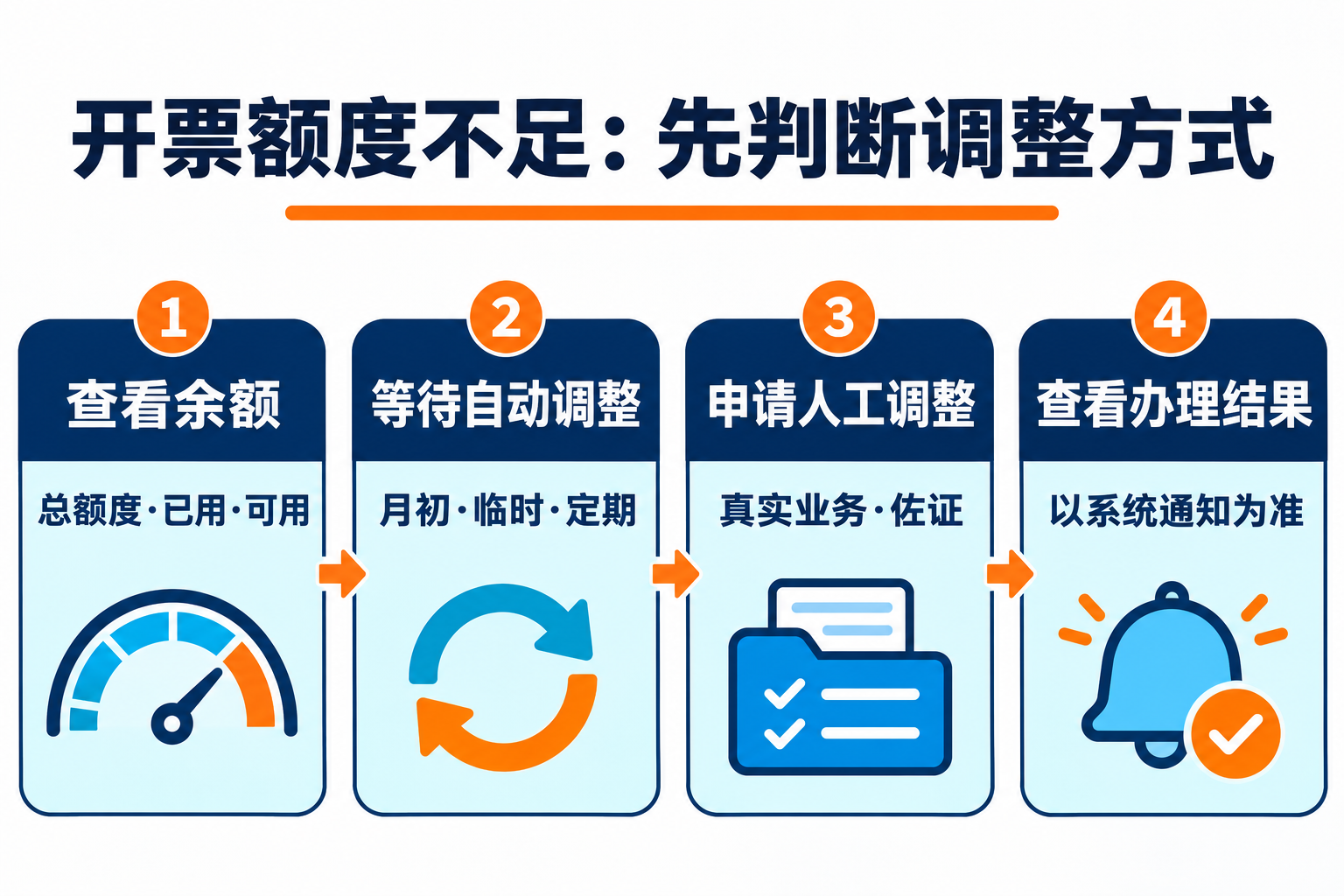
Step 1: Check the total quota, used quota, and available quota
First log in to the local electronic tax bureau or tax digital account and check the current total invoice quota, used quota, remaining available quota, and recent adjustment records. Do not confuse the amount of a single invoice, the monthly sales revenue, and the total invoice quota. If it is only a single transaction with a large amount, also judge whether it is a quota issue based on the actual prompts of the local system.
Step 2: Confirm whether automatic adjustment will be triggered
Public rules show that the system may adjust the quota at the beginning of the month, when temporary adjustment conditions are met, or according to a certain cycle. Taxpayers should first check system messages and quota records to avoid repeatedly submitting materials before automatic adjustment is completed. The specific result of automatic adjustment depends on system assessment, and not all taxpayers will receive the same magnitude.
Step 3: If the real business still requires more, then apply for manual adjustment
If the existing quota truly cannot meet genuine business needs, you may submit an adjustment application through the invoice business-related entry point of the electronic tax bureau. Menu names and material lists may differ by region, and the actual page after login and the requirements of the competent tax authority should prevail. When preparing materials, focus on explaining recent business changes, contracts or orders, delivery arrangements, payment collection, invoicing targets, and expected invoicing needs, ensuring that business, funds, and goods or service evidence can corroborate one another.
Step 4: The processing time is subject to system notification
National public rules do not provide a uniformly applicable 'one to three days' commitment for all regions and all situations. Whether supplementary materials, risk verification, or manual confirmation are needed will affect processing progress. Therefore, a more prudent approach is to keep acceptance records and follow messages from the electronic tax bureau; if there is still no result after the local indicated time, then inquire through 12366 or the competent tax authority. Do not split fake transactions, borrow other entities to issue invoices, or fabricate contracts just to meet deadlines.
How can enterprise tools assist?
Enterprise internal tools can aggregate quota balances, pending invoicing orders and supporting materials to form a pre-application verification checklist and operation trail. If evaluating Kailing Technology's related invoice-tax or archive solutions, data sources, authorization scope, manual review nodes and log retention capabilities should be verified on site. Tools cannot decide whether the tax authority adjusts the quota, nor replace the taxpayer in submitting authentic materials and bearing filing responsibility.
Conclusion: When the quota is insufficient, first check the balance and automatic adjustment, and then apply for manual adjustment based on real business needs; how long processing takes is subject to system acceptance, risk verification, and feedback from the competent tax authority, and a fixed number of days should not be promised.
Official basis:State Taxation Administration: Rules for dynamic adjustment of total invoice quota。
As a comprehensive business-finance-tax digitalization solution service provider, Kailing Technology provides business-finance-tax management digital transformation products and operational services for various government agencies, institutions, and large, medium, and small enterprises. The product line includes: solutions for sales contract management system, procurement contract management system, fully digitalized Leqi interface project, automatic output invoicing system, reverse invoicing system, invoice issuance for individuals system, employee expense control and reimbursement system, input VAT invoice management system, supply chain collaborative reconciliation system, image AI OCR recognition system, automatic financial bookkeeping system, electronic accounting archives system, etc., comprehensively driving the digitalization process across various fields.
Consultation Hotline: 18513895936 / 010-60974119 Location: Beijing