
How to log in to the input VAT invoice certification platform? First identify the official e-tax bureau entry point

How to log in to the input VAT invoice certification platform? First identify the official e-tax bureau entry point
In 2026, to handle input VAT invoice deduction selection, you usually enter "Tax Digital Account - Invoice Business - Invoice Selection Confirmation - Deduction-type Selection" from the provincial e-tax bureau where the enterprise is located. Menus and login methods may be adjusted in different regions, so there is no universal URL that can replace the official entries of each province; do not treat search ads, third-party download pages, or bookmark links that have not been updated for years as official entries.
The original draft wrote "the old comprehensive service platform is no longer an independent entry" as a nationwide unified conclusion without official basis. A safer approach is to enter the local tax authority from the official website of the State Taxation Administration, then open the provincial e-tax bureau, and operate after checking the domain name, browser certificate, and tax handling entity. Login issues and invoice selection issues should also be troubleshooted separately.
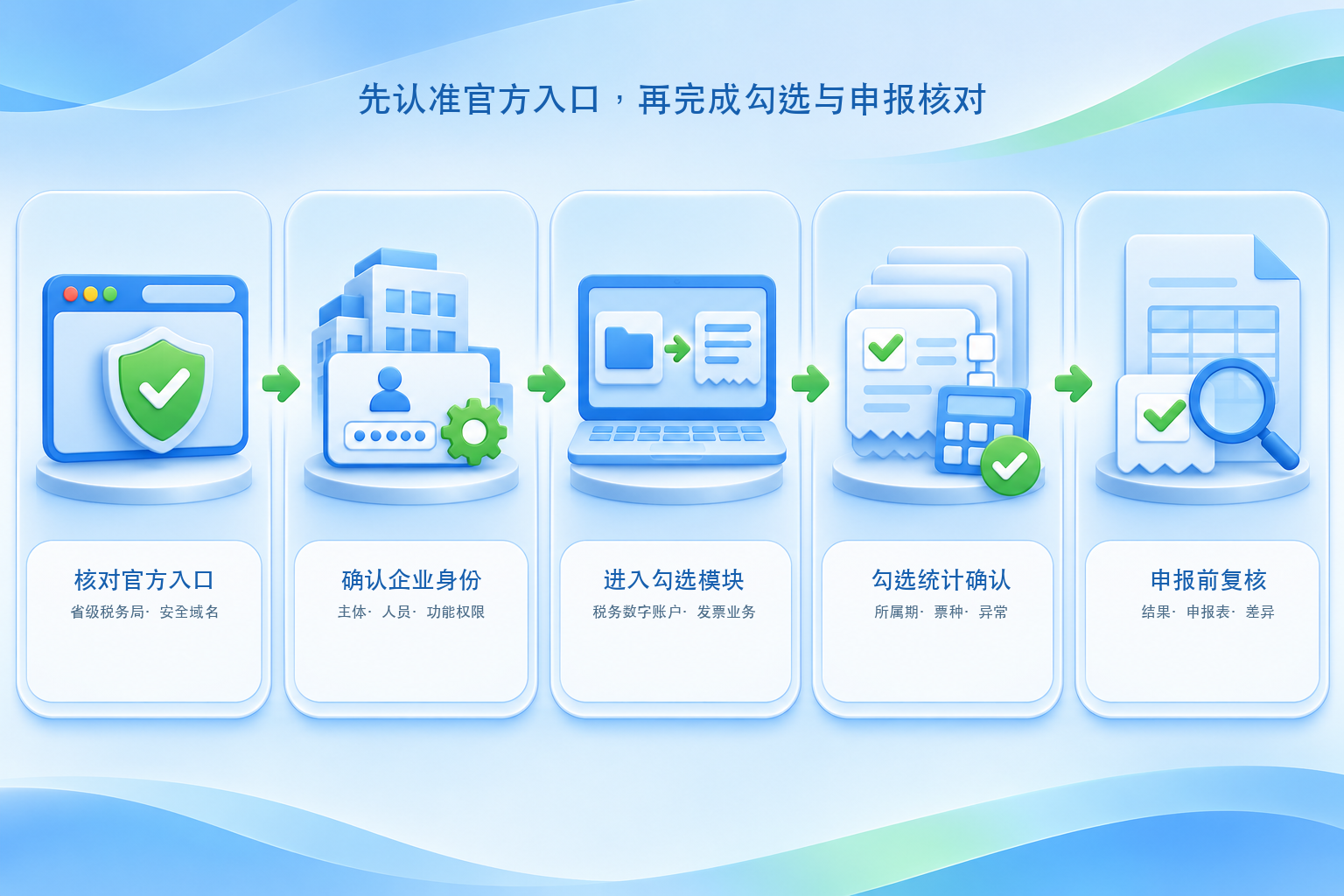
▍Step 1: Enter the e-tax bureau from the official website of the local tax authority
First confirm the province where the enterprise's competent tax authority is located, enter the e-tax bureau through the tax authority navigation on the official website of the State Taxation Administration or by directly visiting the provincial tax bureau's official website. After opening the page, check the domain name and security certificate, do not download unknown controls through promotional links in search results, and do not submit tax handling accounts, digital certificate passwords, or SMS verification codes to third-party pages.
▍Step 2: Log in with the correct enterprise identity and check permissions
Different regions may support account password, electronic business license, QR code scanning, digital certificate, or other identity authentication methods. After successful login, the current enterprise name, taxpayer identification number, tax handler identity, and functional permissions should be checked. Being able to enter the e-tax bureau does not mean the current person necessarily has deduction selection permission; if the function is not visible, first check the enterprise identity, authorization relationship, role permissions, and system prompts from the competent tax authority.
▍Step 3: Enter deduction-type selection in the Tax Digital Account
The common path is "I Want to Handle Taxes - Tax Digital Account - Invoice Business - Invoice Selection Confirmation - Deduction-type Selection". Some regions may also provide an entry under "Invoice Use - Invoice Purpose Confirmation". After entering, first confirm the current tax period and filing status, then query eligible input VAT vouchers by invoice date, seller, invoice type, or invoice status.
▍Step 4: Select, statistically confirm, and check for anomalies
For vouchers with genuine business and meeting deduction conditions, select the deduction purpose, and after submission enter statistical confirmation to check the number of invoices, amount, tax amount, and anomaly prompts. The official operation guide requires completing selection, statistics, and confirmation; it is not enough to just click in the query list. If an invoice cannot be found, troubleshoot in sequence: query conditions, buyer information, invoice status, invoice type, purpose status, and synchronization time.
▍Step 5: After confirming the results, check the VAT filing
After statistical confirmation is completed, check the selection results against the relevant columns of the filing form before filing. If omissions or incorrect selections are found after filing, the handling method depends on whether payment has been made, the current period, and local system functions. Rollback, cancellation, or subsequent handling should be handled according to the guidance of the competent tax authority; it cannot be simply asserted that "after the deadline it can only be converted to cost".
▍Can a third-party input VAT system replace the official login?
An input VAT invoice management system can, within the scope of lawful authorization, open interfaces, and project configuration, assist with collection, verification and duplicate checking, forming a list pending selection, recording selection status, and linking business materials, but it cannot replace the enterprise's review of deduction eligibility, tax handling authority, and filing data. Kailing Technology's related solutions can serve as internal management and integration tools for enterprises; specific invoice retrieval, selection, exception monitoring, and multi-entity capabilities are subject to the actual version, authorization, demo, and contract.
Official basis:Tax authority reply on the entry for invoice purpose confirmation in the e-tax bureauList common paths in the Tax Digital Account;Shanghai Tax 2026 hot questions and answers on invoice selectionExplains multiple troubleshooting conditions when an invoice cannot be found. The page layout may be updated; when handling, the actual interface of the e-tax bureau in the enterprise's region shall prevail.
Keywords: input VAT invoice certification platform login, e-tax bureau, tax digital account, invoice selection confirmation, deduction-type selection, statistical confirmation, VAT filing, Kailing Technology
As a comprehensive business-finance-tax digitalization solution service provider, Kailing Technology provides business-finance-tax management digital transformation products and operational services for various government agencies, institutions, and large, medium, and small enterprises. The product line includes: solutions for sales contract management system, procurement contract management system, fully digitalized Leqi interface project, automatic output invoicing system, reverse invoicing system, invoice issuance for individuals system, employee expense control and reimbursement system, input VAT invoice management system, supply chain collaborative reconciliation system, image AI OCR recognition system, automatic financial bookkeeping system, electronic accounting archives system, etc., comprehensively driving the digitalization process across various fields.
Consultation Hotline: 18513895936 / 010-60974119 Location: Beijing